Sample Letter for Cancellation of Wedding
Overview of this form
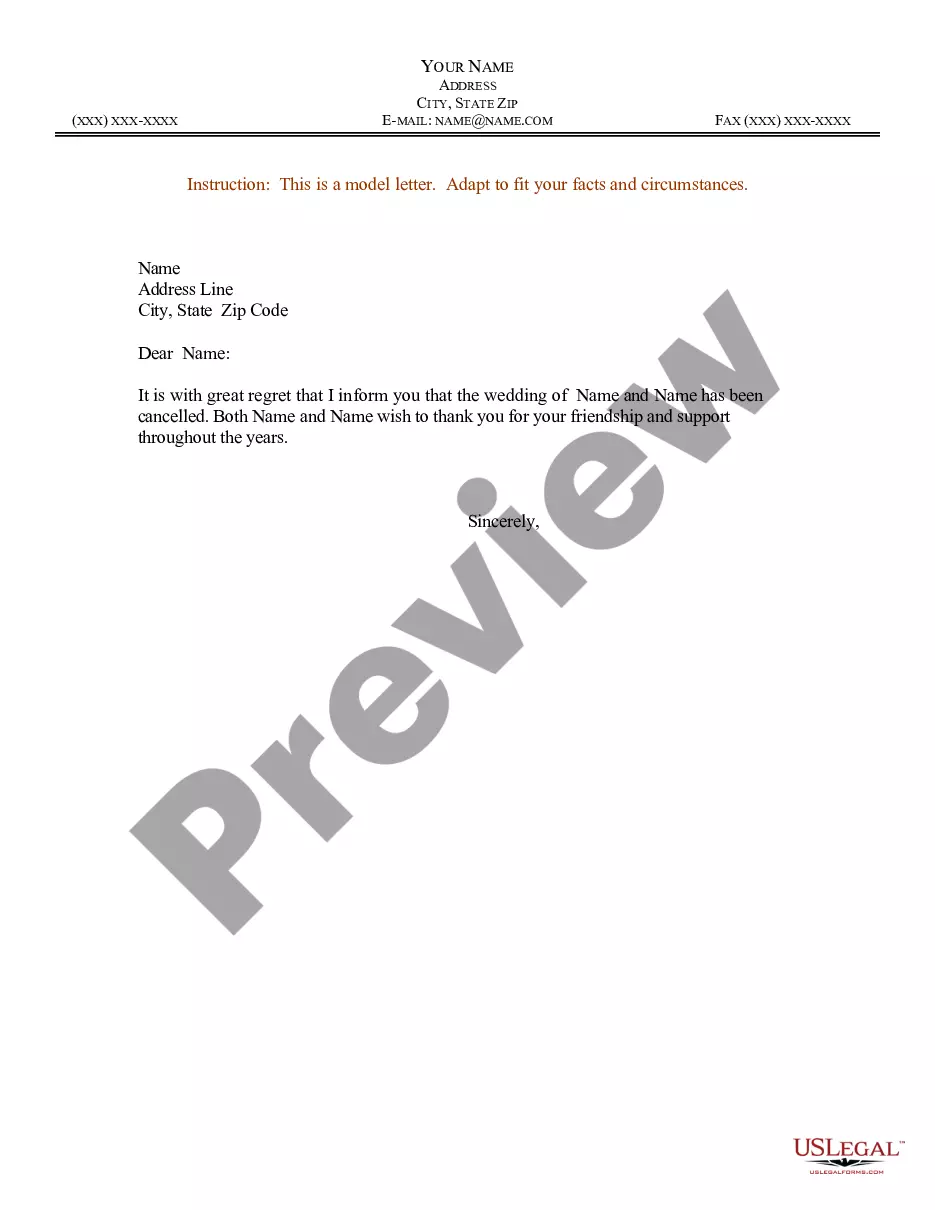
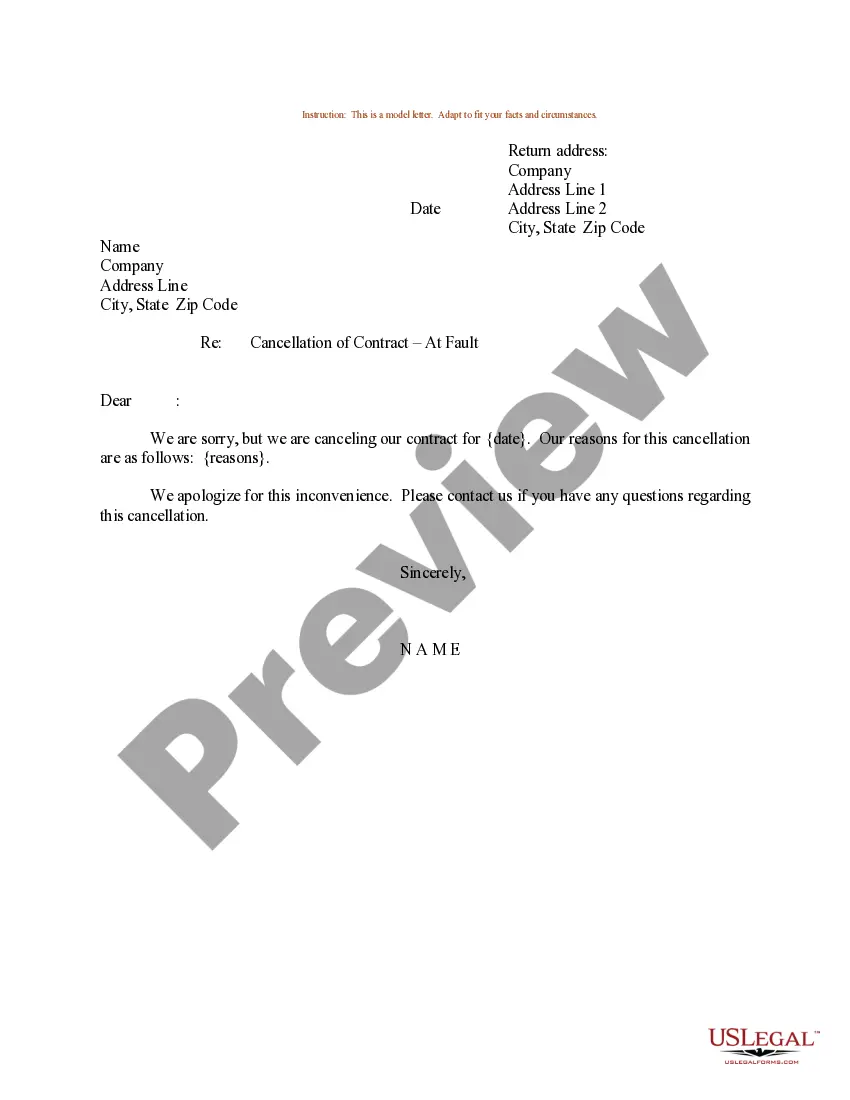
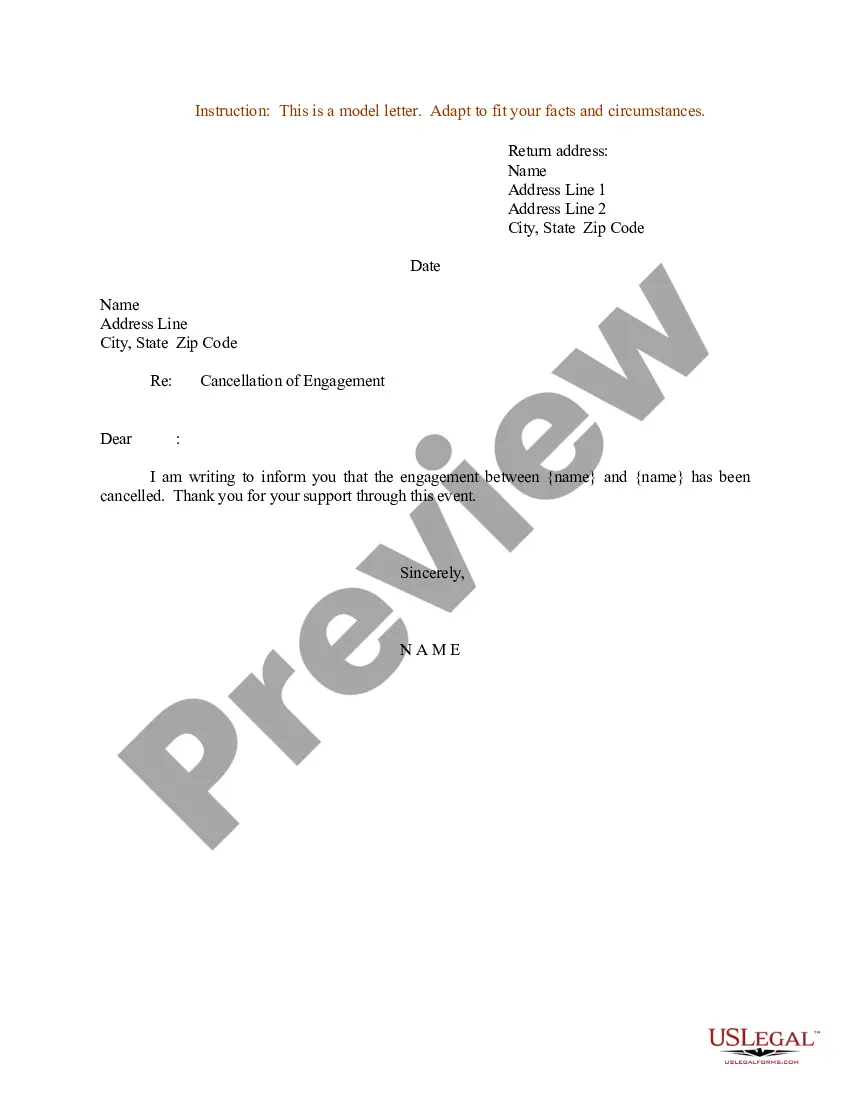
This Sample Letter for Cancellation of Wedding is a template designed to help you communicate the cancellation of a wedding to invited guests. Unlike other forms that may focus on wedding planning or cancellations in a more formal context, this sample letter provides a straightforward and respectful way to inform friends and family of the change in plans.
Main sections of this form
- Sender's name and address: Clearly state who is notifying the cancellation.
- Recipient's name: Specify who is receiving the letter.
- Announcement of cancellation: Clearly state that the wedding is cancelled.
- Expression of gratitude: Acknowledge the support and friendship of the recipients.
- Sender's contact information: Provide ways for recipients to reach out if needed.
When this form is needed
You should use this letter when you need to notify your guests about the cancellation of a wedding. This could be due to various reasons, including personal circumstances, logistical issues, or changes in relationship status. Using this form ensures that the message is conveyed sensitively and respectfully.
Who this form is for
- Individuals who are planning a wedding and need to inform their guests of a cancellation.
- Couples who have decided to call off their wedding for personal reasons.
- Anyone looking for a structured way to communicate a sensitive decision to friends and family.
Completing this form step by step
- Identify the sender's name and address at the top of the letter.
- Enter the recipient's name in the greeting section.
- Clearly state the cancellation of the wedding in the body of the letter.
- Include a message of thanks for the support from the recipients.
- Add your contact information at the end of the letter for any follow-up.
Is notarization required?
Notarization is not commonly needed for this form. However, certain documents or local rules may make it necessary. Our notarization service, powered by Notarize, allows you to finalize it securely online anytime, day or night.
Get your form ready online
Our built-in tools help you complete, sign, share, and store your documents in one place.
Make edits, fill in missing information, and update formatting in US Legal Forms—just like you would in MS Word.
Download a copy, print it, send it by email, or mail it via USPS—whatever works best for your next step.
Sign and collect signatures with our SignNow integration. Send to multiple recipients, set reminders, and more. Go Premium to unlock E-Sign.
If this form requires notarization, complete it online through a secure video call—no need to meet a notary in person or wait for an appointment.
We protect your documents and personal data by following strict security and privacy standards.

Make edits, fill in missing information, and update formatting in US Legal Forms—just like you would in MS Word.

Download a copy, print it, send it by email, or mail it via USPS—whatever works best for your next step.

Sign and collect signatures with our SignNow integration. Send to multiple recipients, set reminders, and more. Go Premium to unlock E-Sign.

If this form requires notarization, complete it online through a secure video call—no need to meet a notary in person or wait for an appointment.

We protect your documents and personal data by following strict security and privacy standards.
Avoid these common issues
- Not personalizing the letter for each recipient.
- Forgetting to include contact information.
- Using a tone that is too formal or insensitive.
Why use this form online
- Easy to download and customize to fit your specific situation.
- Save time by using a pre-drafted letter format.
- Reliable templates drafted by licensed attorneys ensure clarity and validity.
Legal use & context
- This letter serves as a formal notification and may not require any legal implications unless specified otherwise.
- Using an appropriately crafted cancellation letter can help mitigate misunderstandings or disputes regarding the wedding plans.
Looking for another form?
Form popularity
FAQ
Send an email announcement to your entire guest list and then give each member of your wedding party a list of guests to contact. Ask them to call each guest personally to check they got the email and find out if they plan to attend. Send a digital or formal postponement card.
Include the date of the letter along with the name and contact details of the organization. Also, give your complete name, your mailing address, and the subscription or membership details based on the records of the company.
Take your sealed, stamped, and addressed invitations inside the post office, and hand to a postal employee at the counter. Request that your invitations are hand cancelled. Go home feeling confident that your invitations will successfully be delivered to all of your guests.
Just like if you are postponing your wedding date and formal announcements have been made you should send out a printed card. It is also strongly suggested that if invitations have been sent out, you should call each guest notifying them of the cancellation.
How much extra postage do I need to hand cancel envelopes? As of 2020, hand-cancelling requires an extra $0.21 postage for each envelope, but it's not always enforced. Therefore, if your envelope is less than 1-ounce and only requires 1 stamp ($0.55), you will need to provide a total of $0.76 in postage.
Send an email announcement to your entire guest list and then give each member of your wedding party a list of guests to contact. Ask them to call each guest personally to check they got the email and find out if they plan to attend. Send a digital or formal postponement card.
Dear Sir, It is to inform you that my plan for going to (Area/Place name) tomorrow has dropped due to the unavailability of the person I wanted to meet there. (State your actual cause and situation). It is therefore requested to kindly cancel my leave for (date).
Hand-canceling is when each stamp on your envelope is marked (or "canceled") using a hand stamp instead of by a machine.
Include the date of the letter along with the name and contact details of the organization. Also, give your complete name, your mailing address, and the subscription or membership details based on the records of the company. Use a polite, friendly, and professional tone while writing the letter.