Assignment of Designer's Copyright in Web Site Material to Owner
What this document covers
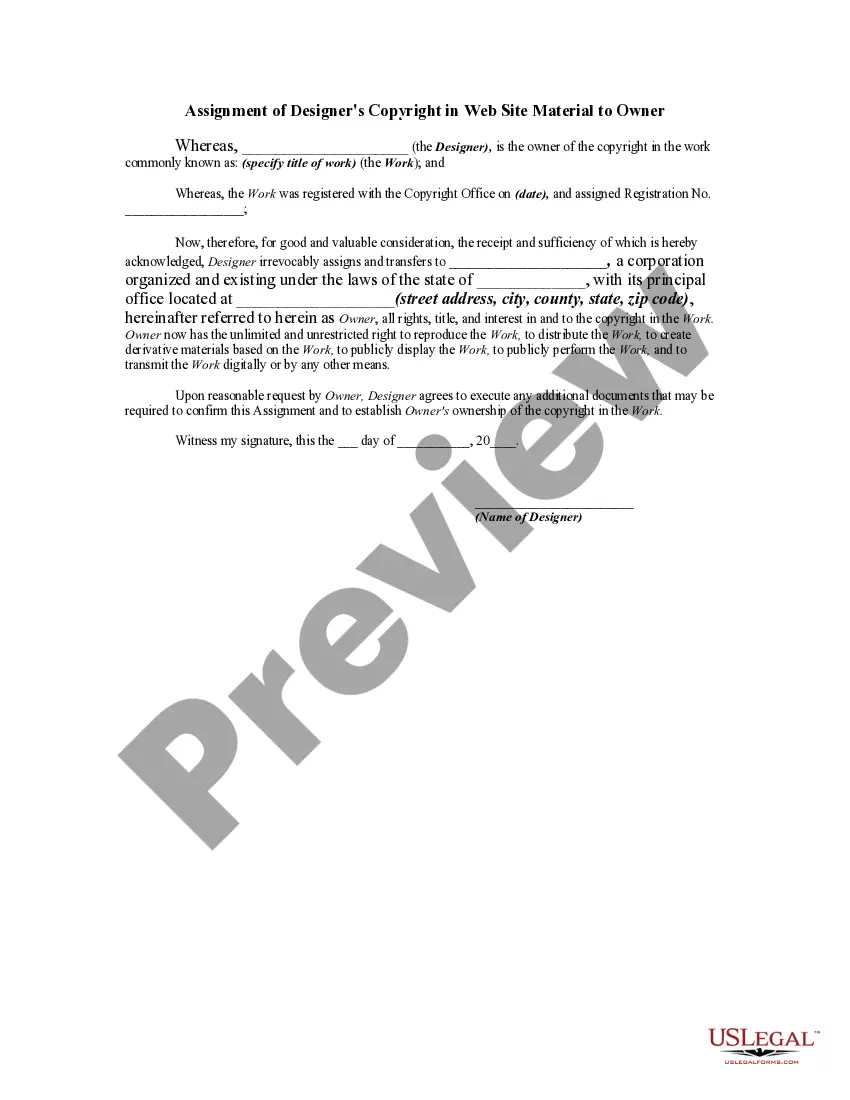
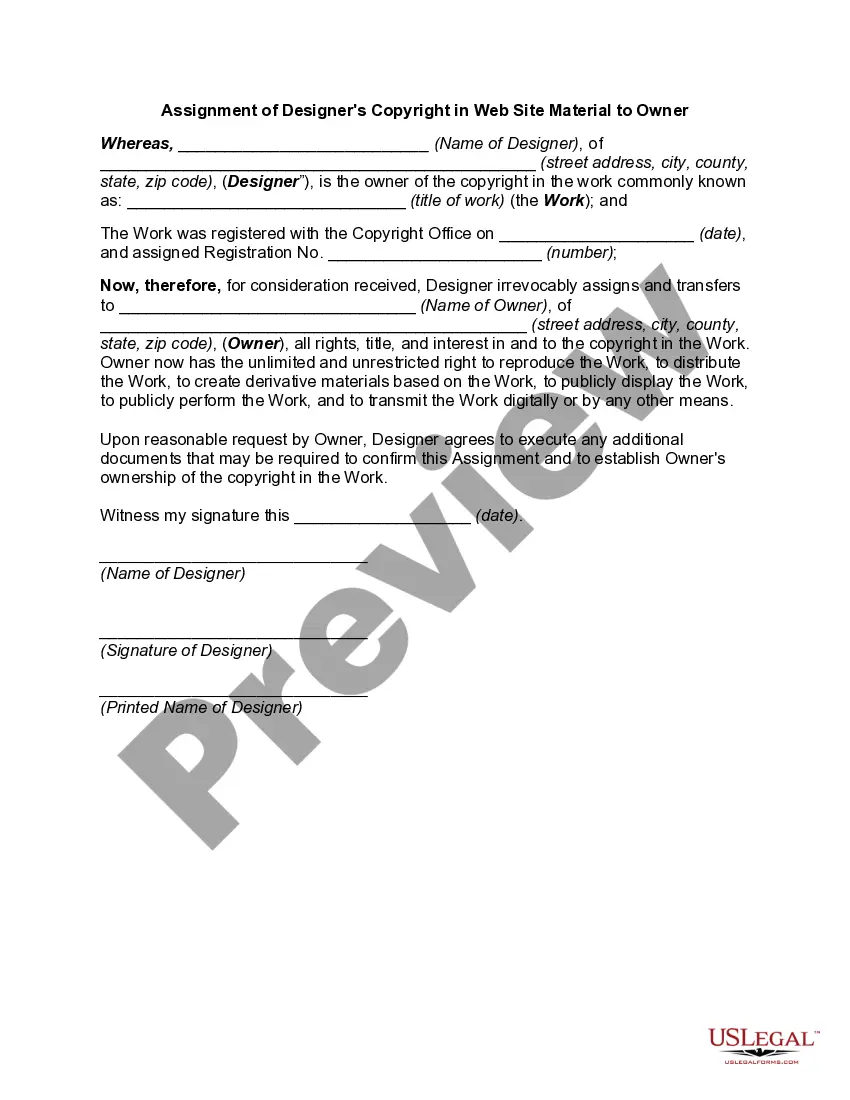
The Assignment of Designer's Copyright in Web Site Material to Owner is a legal document that transfers copyright ownership from a designer to a website owner. This form is essential when a website owner wishes to include previously created materials by a third party on their site. It differs from similar forms by specifically addressing the copyright assignment for digital content, ensuring that the owner has full rights to use the material without concern for infringement issues.
Form components explained
- Identification of the designer as the copyright owner of the specified work.
- Details about the work, including its title and copyright registration number.
- Transfer of all rights and interests in the copyright from the designer to the owner.
- Declaration of the owner's unrestricted rights to use, reproduce, and modify the work.
- Agreement by the designer to assist in further confirming the transfer if needed.
- Signature and date fields for both parties to finalize the agreement.

When this form is needed
This form should be used when a website owner plans to incorporate original materials created by a designer into their site. It is particularly necessary if these materials are copyrighted and the owner intends to use them commercially, ensuring that all rights are clearly assigned and free from legal disputes.
Who this form is for
- Website owners who want to include copyrighted material from designers.
- Designers looking to formally transfer their copyright to a client.
- Businesses engaged in the development of digital content requiring clarity in copyright ownership.
Completing this form step by step
- Identify the designer and the owner by filling in their names and addresses.
- Specify the title of the copyrighted work and its registration details.
- Fill in the date of the registration and the registration number.
- Clearly state the transfer of rights to be made to the owner.
- Both parties should sign and date the form to validate the agreement.
Notarization requirements for this form
This form does not typically require notarization unless specified by local law. However, having notarization can enhance the document's legal standing and may be beneficial in certain jurisdictions.
Get your form ready online
Our built-in tools help you complete, sign, share, and store your documents in one place.
Make edits, fill in missing information, and update formatting in US Legal Forms—just like you would in MS Word.
Download a copy, print it, send it by email, or mail it via USPS—whatever works best for your next step.
Sign and collect signatures with our SignNow integration. Send to multiple recipients, set reminders, and more. Go Premium to unlock E-Sign.
If this form requires notarization, complete it online through a secure video call—no need to meet a notary in person or wait for an appointment.
We protect your documents and personal data by following strict security and privacy standards.

Make edits, fill in missing information, and update formatting in US Legal Forms—just like you would in MS Word.

Download a copy, print it, send it by email, or mail it via USPS—whatever works best for your next step.

Sign and collect signatures with our SignNow integration. Send to multiple recipients, set reminders, and more. Go Premium to unlock E-Sign.

If this form requires notarization, complete it online through a secure video call—no need to meet a notary in person or wait for an appointment.

We protect your documents and personal data by following strict security and privacy standards.
Typical mistakes to avoid
- Not providing complete details about the copyrighted work.
- Failing to include both parties' signatures and the date.
- Assuming verbal agreements are sufficient; always require written documentation.
Benefits of completing this form online
- Convenient access to a standardized legal document.
- Editable format to meet specific needs without additional legal fees.
- Quick and reliable download for immediate use.
Legal use & context
- This form legally transfers copyright ownership, protecting the owner's rights to the material.
- It creates a clear record of ownership, which is crucial for copyright enforcement.
- The designer retains rights only if expressly agreed upon in the form.
What to keep in mind
- The Assignment of Designer's Copyright in Web Site Material to Owner is essential for legal protection of copyrighted works.
- Correct completion ensures full rights transfer from designer to website owner.
- Consider adding notarization for additional legal validation.
Looking for another form?

Form popularity
FAQ
Registering a copyright with the U.S. Copyright Office involves three basic steps: (1) complete an application either on paper or using the U.S. Copyright Office's eCO registration system; (2) paying a fee; and (3) depositing a copy of the work being registered with the U.S. Copyright Office.
Use the Copyright or ©, but you needn't use both. There is no period between the date and the organization/person who claims the copyright. If your website contains material that was created in previous years, you may want to opt to use a date range in the copyright notice.
A copyright owner's exclusive rights (either in whole or in part) can be transferred to another party, but it must be in writing and signed by the copyright owner to be considered valid. An authorized agent of the copyright owner (such as an attorney or business associate) can also sign the writing.
Under United States copyright law, creators are presumed to own the copyright in the works they create. This means that whoever creates the various aspects of your website will be presumed to have ownership of the copyright in those specific elements (the concept of separate website elements is discussed more below).
The copyright symbol ©, or the words "Copyright" or "Copr." if website is published, the year of publication, and. the name of the copyright owner.
You can search through copyright files by visiting the Copyright Office at www.copyright.gov/records (see Figure 2, below). All copyright information is located in the Public Catalog (click Search Public Catalog) which contains information about works registered since January 1978.
To register your copyright, you need to go to the eCO Online System, create an account, and then fill out the online form. There's a basic fee of $35 if you file online. The processing times are generally faster if you apply online, but eFiling still takes between three and four months, according to Copyright.gov.
A website graphics, content, visual elements is copyrighted at the time of development. So putting the copyright notice on the bottom of a site states that the material displayed is not to be used without permission of the owner.
To register for a copyright for your website, go to the U.S. Copyright Office's online Registration Portal to complete an application under the category of Other Digital Content. Expect a processing period of six to eight months if you file online or eight to 10 months if you file using a paper form.