Letter: Title Order
About this form
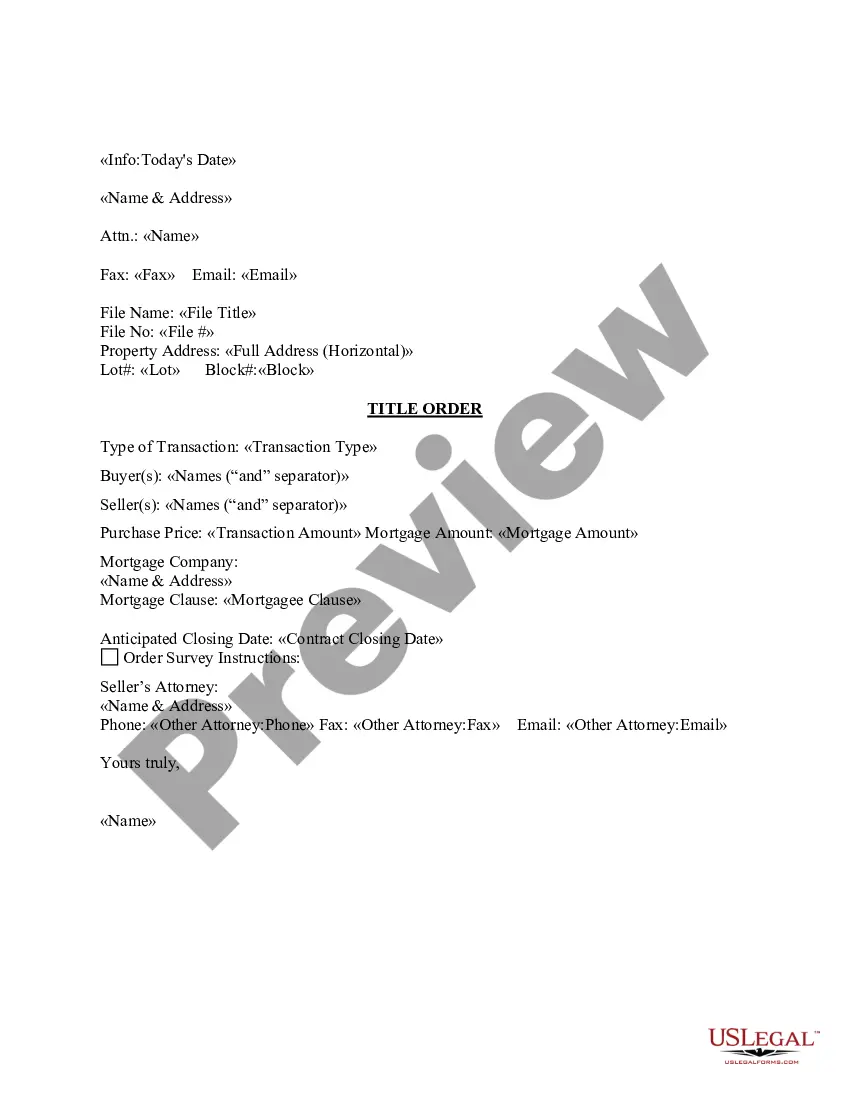
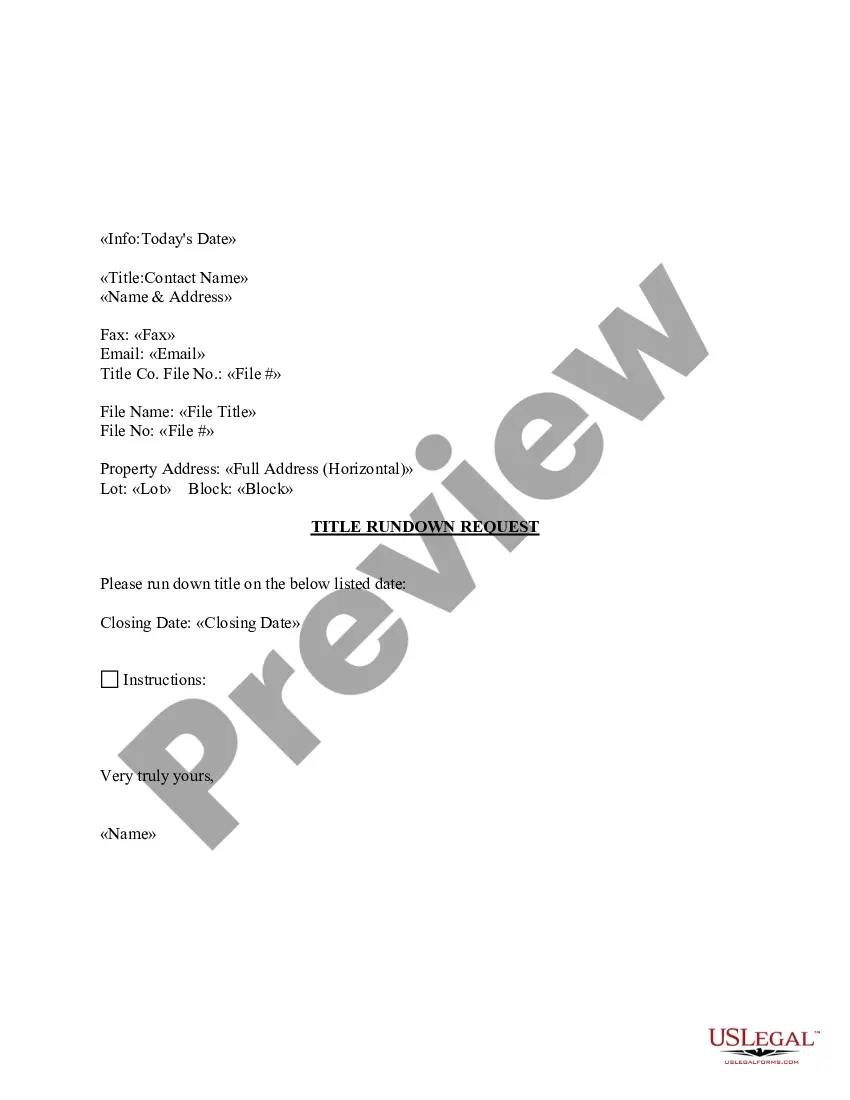
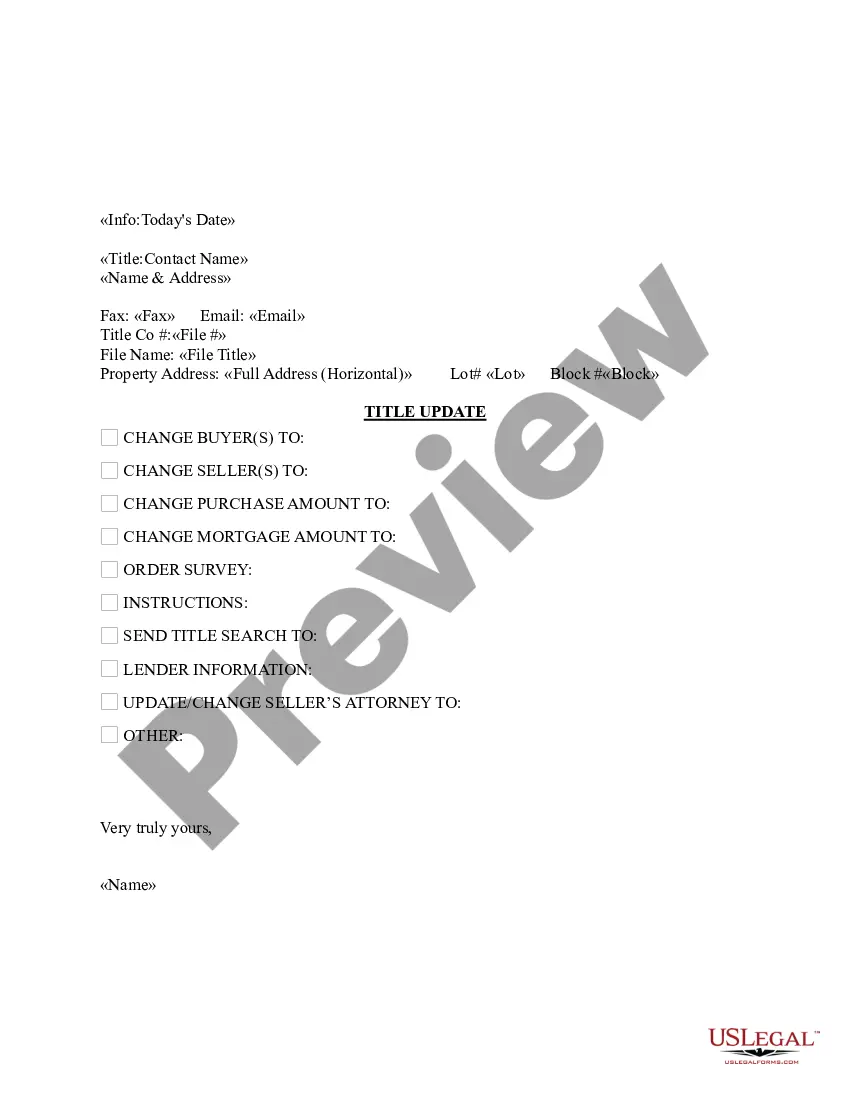
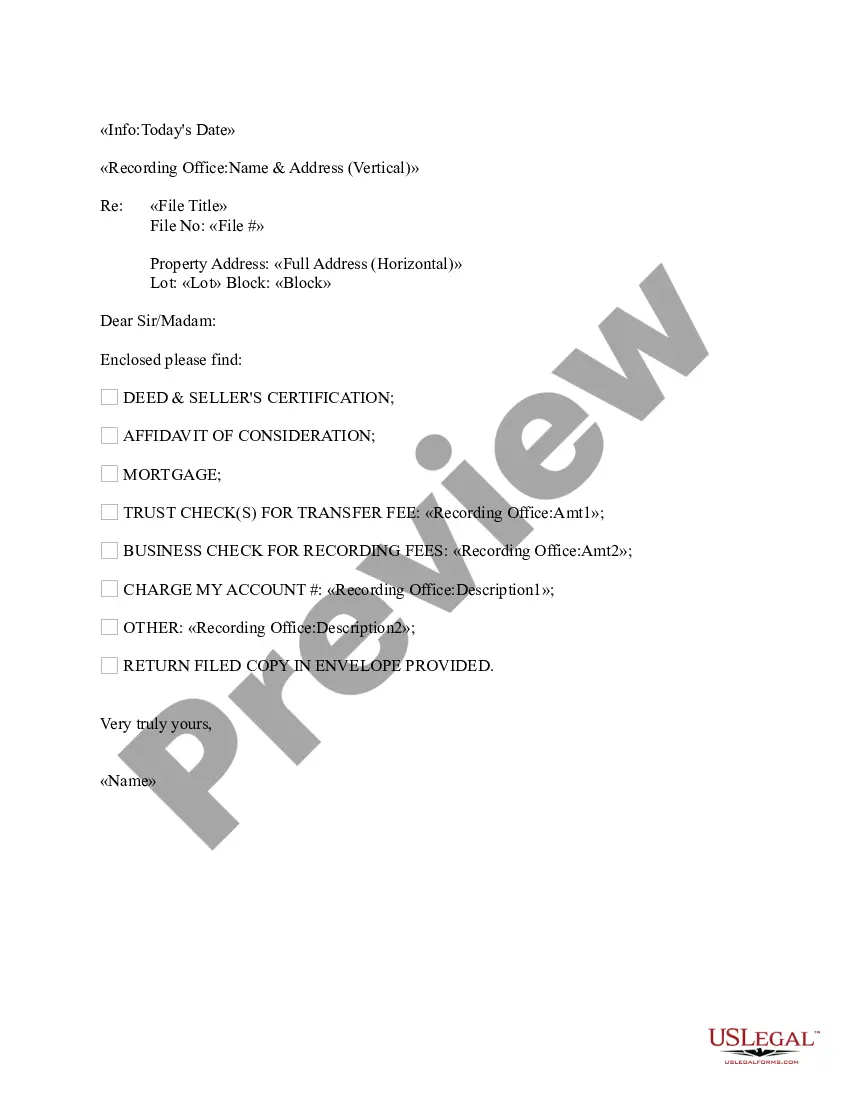
The Title Order letter is a formal communication accompanying a title order. This letter is customizable and is designed to streamline the process of title review or transfer by detailing essential information related to the property transaction. Unlike standard letters or agreements, this document specifically focuses on organizing the necessary elements that facilitate a smooth title order process.
Key components of this form
- Date of the letter
- Contact information for buyer(s) and seller(s)
- Property address and details
- Type of transaction
- Purchase and mortgage amounts
- Anticipated closing date
- Contact information for attorneys involved
Common use cases
This form is useful when you need to formally request a title order for a real estate transaction. Use it when buying or selling property to ensure all parties have the necessary documentation and to confirm crucial transaction details with the title company or attorney involved.
Who needs this form
- Buyers and sellers involved in real estate transactions
- Real estate agents facilitating property sales
- Attorneys handling property transfers
- Title companies managing title orders
Steps to complete this form
- Identify the date and include your contact information as well as that of the buyer(s) and seller(s).
- Specify the property address and relevant transaction details, such as purchase price and transaction type.
- Detail the mortgage information, if applicable, including amounts and lender details.
- Enter the anticipated closing date to keep all parties informed.
- Provide contact information for attorneys involved in the transaction.
Is notarization required?
This form does not typically require notarization unless specified by local law. Always check your stateâs requirements to ensure compliance.
Get your form ready online
Our built-in tools help you complete, sign, share, and store your documents in one place.
Make edits, fill in missing information, and update formatting in US Legal Forms—just like you would in MS Word.
Download a copy, print it, send it by email, or mail it via USPS—whatever works best for your next step.
Sign and collect signatures with our SignNow integration. Send to multiple recipients, set reminders, and more. Go Premium to unlock E-Sign.
If this form requires notarization, complete it online through a secure video call—no need to meet a notary in person or wait for an appointment.
We protect your documents and personal data by following strict security and privacy standards.

Make edits, fill in missing information, and update formatting in US Legal Forms—just like you would in MS Word.

Download a copy, print it, send it by email, or mail it via USPS—whatever works best for your next step.

Sign and collect signatures with our SignNow integration. Send to multiple recipients, set reminders, and more. Go Premium to unlock E-Sign.

If this form requires notarization, complete it online through a secure video call—no need to meet a notary in person or wait for an appointment.

We protect your documents and personal data by following strict security and privacy standards.
Mistakes to watch out for
- Forgetting to include complete contact details for all parties.
- Incorrectly entering the property address.
- Misstating the purchase or mortgage amounts.
- Neglecting to specify the transaction type clearly.
Why complete this form online
- Convenient access to customizable templates suitable for various transactions.
- Ability to download, edit, and save the form for easy use.
- Assurance of using forms drafted by licensed attorneys, enhancing legal reliability.
Looking for another form?
Form popularity
FAQ
You should almost always use a title when addressing a person in a business letter. For example, when typing out the inside address, write "Mrs. Ann Smith" instead of "Ann Smith." The exception to this is if the person has honorary initials, such as Ph. D.
You should almost always use a title when addressing a person in a business letter. For example, when typing out the inside address, write "Mrs. Ann Smith" instead of "Ann Smith." The exception to this is if the person has honorary initials, such as Ph. D.
Five Major Parts of a Business Letter Heading and Inside Address. The heading reveals the identity of the sender, and the inside address tells the reader to whom the letter is addressed.Greeting. The greeting introduces your letter's professional tone.Body.Closing.Signature.
The standard professional greeting is ?Dear,? but many people also use the recipient's name alone. Either way, follow the person's name with a colon. If you do not know the specific name of the person you are sending your letter to, you can use their title instead.
The salutation (or greeting) in a business letter is always formal. It often begins with ?Dear {Person's name}.? Once again, be sure to include the person's title if you know it (such as Ms., Mrs., Mr., or Dr). If you're unsure about the person's title or gender then just use their first name.
Below the date, skip one line and include their full name and professional title ? not job title ? or degree if applicable. For example, "John Doe, Ph. D." Below the recipient's name, include their company name on a second line.
Choose a traditional business letter greeting for example: ?Dear Sir or Madam? ?Dear Mr. or Mrs? ?Hello Name? (if you know the person) ?Hi Name? (if you know the person)