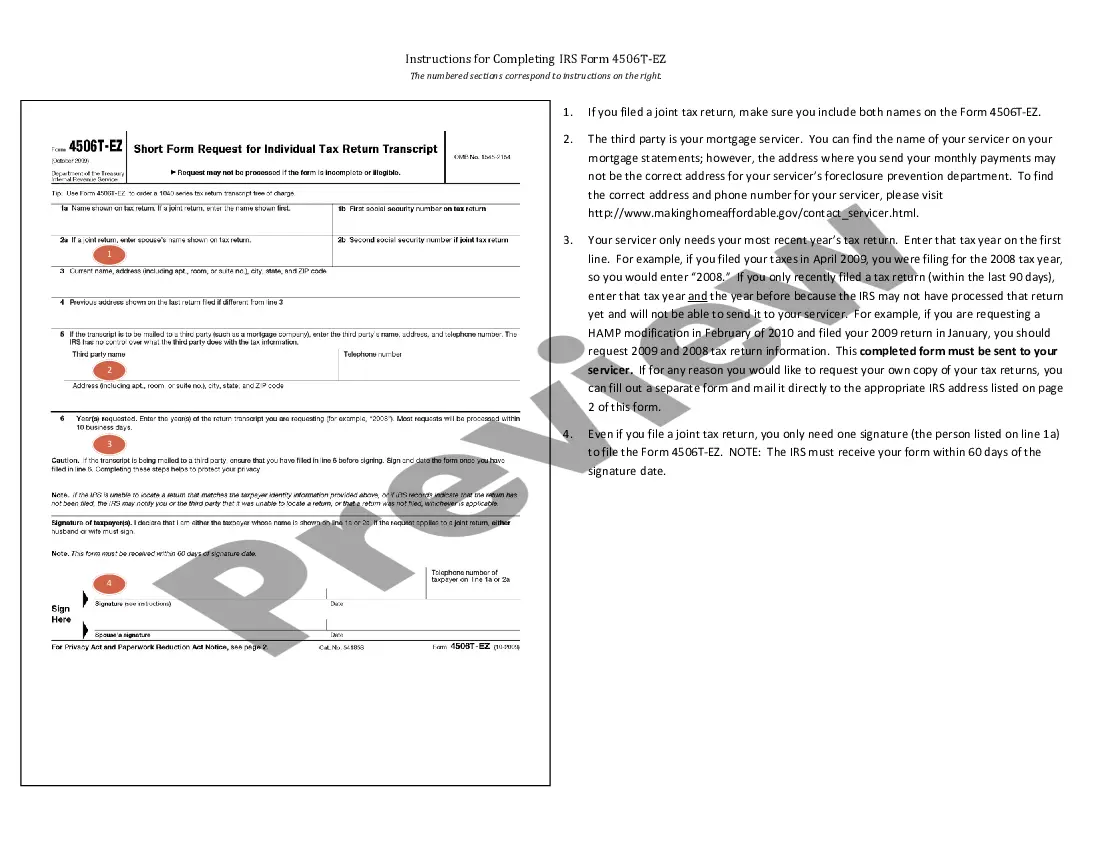
Instructions for Completing IRS Form 4506-EZ
Overview of this form
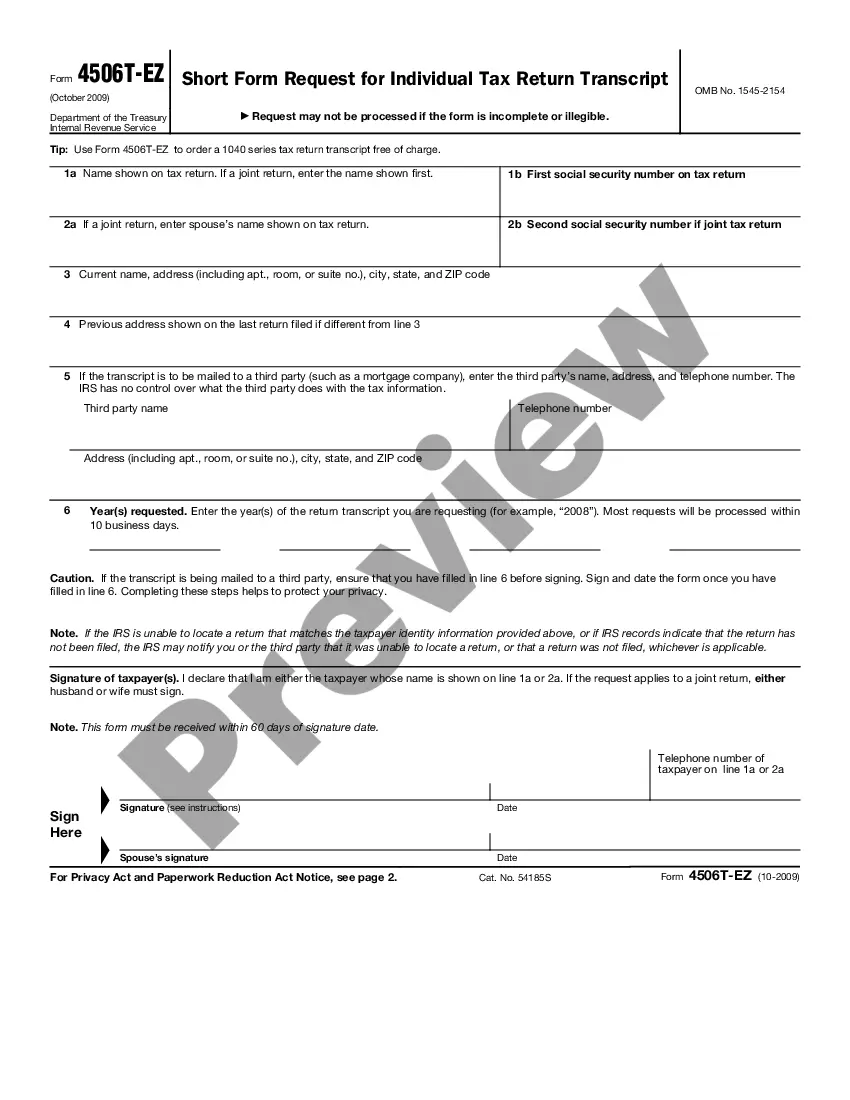
The Instructions for Completing IRS Form 4506-EZ guide users on how to correctly fill out the form used to request a free tax return transcript. Unlike other IRS forms, the Form 4506-EZ is specifically for ordering 1040 series tax return transcripts. It is straightforward to complete, making it accessible for individuals needing a summary of their tax information.
Form components explained
- Names of both taxpayers for joint returns must be included.
- The third-party servicerâs name and correct address for foreclosure prevention assistance.
- Tax year information is required, including up to two prior years if needed.
- Only one signature is needed for joint returns, but the form must be submitted within 60 days.

Situations where this form applies
This form is particularly useful when you need to provide your mortgage servicer with your tax return information to qualify for loan modifications, such as under the Home Affordable Modification Program (HAMP). It is also applicable when individuals want to obtain their tax return transcripts for financial documentation purposes.
Who can use this document
- Individuals who filed a joint tax return.
- Homeowners seeking mortgage modification assistance.
- Anyone needing a copy of their 1040 series tax return transcripts.
- Taxpayers who have filed a return within the past 90 days.
Instructions for completing this form
- Ensure both taxpayers' names are entered if filing jointly.
- Identify your mortgage servicer, using the correct address for submissions.
- Indicate the latest tax year on the form, along with the previous year if necessary.
- Only one signature is required from one taxpayer on the form.
- Submit the completed form within 60 days of the signature date.
Does this form need to be notarized?
In most cases, this form does not require notarization. However, some jurisdictions or signing circumstances might. US Legal Forms offers online notarization powered by Notarize, accessible 24/7 for a quick, remote process.
Get your form ready online
Our built-in tools help you complete, sign, share, and store your documents in one place.
Make edits, fill in missing information, and update formatting in US Legal Forms—just like you would in MS Word.
Download a copy, print it, send it by email, or mail it via USPS—whatever works best for your next step.
Sign and collect signatures with our SignNow integration. Send to multiple recipients, set reminders, and more. Go Premium to unlock E-Sign.
If this form requires notarization, complete it online through a secure video call—no need to meet a notary in person or wait for an appointment.
We protect your documents and personal data by following strict security and privacy standards.

Make edits, fill in missing information, and update formatting in US Legal Forms—just like you would in MS Word.

Download a copy, print it, send it by email, or mail it via USPS—whatever works best for your next step.

Sign and collect signatures with our SignNow integration. Send to multiple recipients, set reminders, and more. Go Premium to unlock E-Sign.

If this form requires notarization, complete it online through a secure video call—no need to meet a notary in person or wait for an appointment.

We protect your documents and personal data by following strict security and privacy standards.
Typical mistakes to avoid
- Failing to include both names on the form when filing jointly.
- Sending the form to the incorrect address for the mortgage servicer.
- Not updating the tax year to reflect the most recent file.
- Missing the 60-day submission deadline after signing the form.
Benefits of using this form online
- Convenient and efficient download process, which saves time.
- Editable fields allow for easy customization to meet your needs.
- Access to accurate, attorney-drafted instructions ensures compliance with IRS guidelines.
Legal use & context
- The IRS Form 4506-EZ is an official document recognized by the IRS and is essential for financial transparency.
- Requests for tax return transcripts are essential for various loan applications, ensuring eligibility for financial assistance.
Looking for another form?
Form popularity
FAQ
Fill out lines 1-4, if applicable. List your BYU ID number on line 5. Check box 7 (for Verification of Non-filing). On line 9 enter 12/31/__ for the tax year you are requesting. Sign the document. Mail to the appropriate address on page 2 (Chart for all other transcripts).
Line 1a Enter your name as it's shown on your tax returns. Line 1b Enter your Social Security number. Line 3 Enter your current address. Line 4 If you filed with a different address, enter that address here. Line 5a Enter: Line 6 Enter your tax form number. Line 6c Check this box.
Use Form 4506-T to request tax return information. Taxpayers using a tax year beginning in one calendar year and ending in the following year (fiscal tax year) must file Form 4506-T to request a return transcript.
Individuals can use Form 4506T-EZ to request a tax return transcript for the current and the prior three years that includes most lines of the original tax return. The tax return transcript will not show payments, penalty assessments, or adjustments made to the originally filed return.
Available from the IRS by calling 1-800-908-9946. Non-filers can expect to receive a paper IRS Verification of Non-filing Letter at the address provided in their telephone request within 5 to 10 days from the time of the request.
Option 1: IRS Form 4506-T Lines 1 4: enter name, social security number, address. Line 7: Select the checkbox on the right hand side for Verification of Non-Filing. Line 8 (optional): Select the checkbox on the right hand side for Wage Transcript (W2s). Line 9: Year or period requested field, enter 12/31/20XX.
Use Form 4506-T to request tax return information. Taxpayers using a tax year beginning in one calendar year and ending in the following year (fiscal tax year) must file Form 4506-T to request a return transcript.
Step 1: Visit the IRS website to access the Non-filer form. Step 2: Create an account. Step 3: Fill out filing status, claim dependents, and provide banking information. Step 4: Fill out income and personal identification information.
Line 1a Enter your name as it's shown on your tax returns. Line 1b Enter your Social Security number. Line 3 Enter your current address. Line 4 If you filed with a different address, enter that address here. Line 5a Enter: Line 6 Enter your tax form number. Line 6c Check this box.