501(c)(1) Non-Profit Charter School Medicaid Consent Form
What is this form?
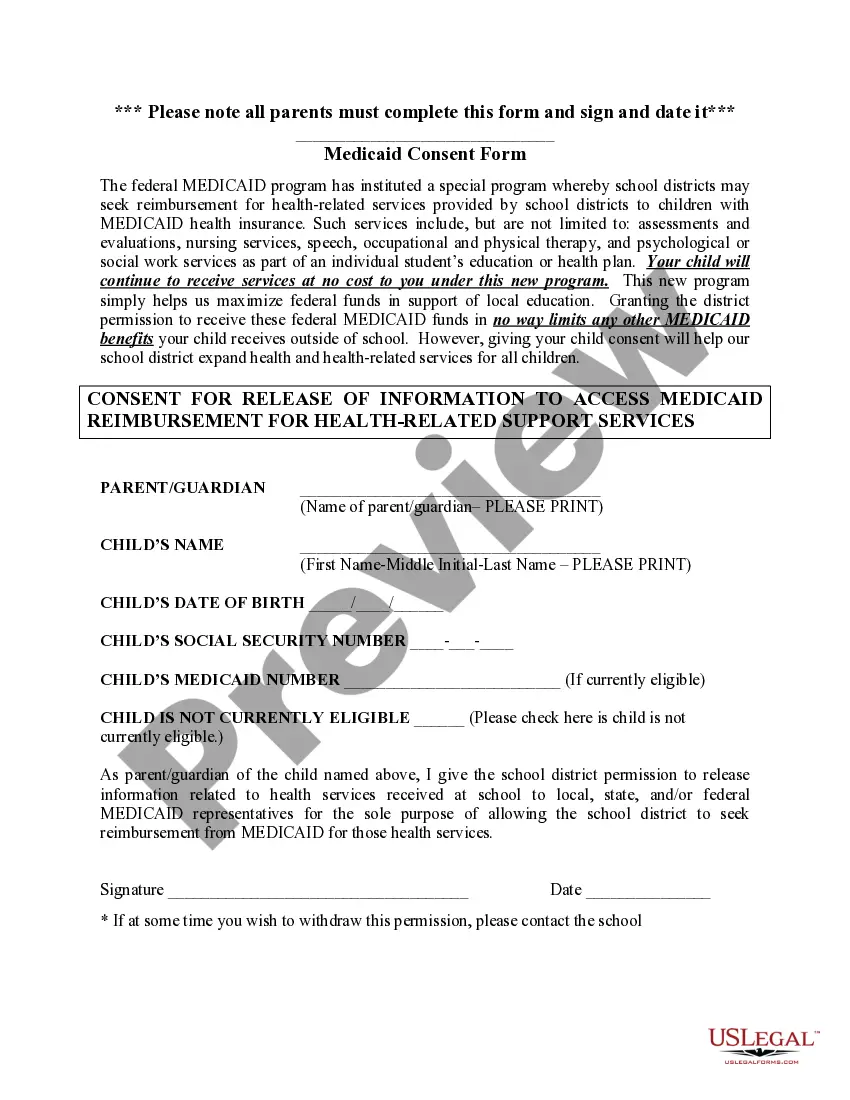
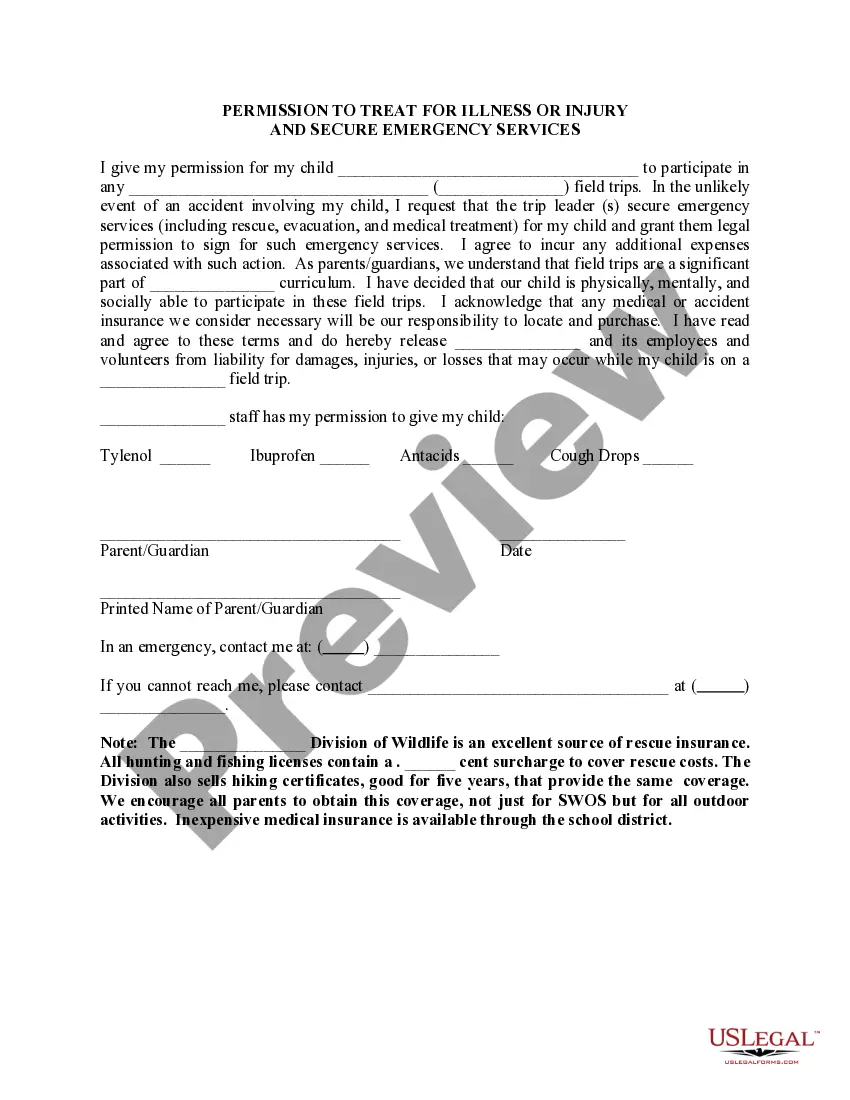
The 501(c)(1) Non-Profit Charter School Medicaid Consent Form is a crucial document that allows charter schools to request reimbursement from Medicaid for health-related services provided to eligible students. This form is specifically designed for 501(c)(1) non-profit charter schools, distinguishing it from other types of consent forms. By completing this form, parents enable schools to access federal Medicaid funds, ensuring students receive necessary health services without extra costs to families.
Key components of this form
- Parent/Guardian name field for consent.
- Childâs name, date of birth, and social security number fields.
- Medicaid number field for currently eligible children.
- Option to indicate if the child is not currently eligible for Medicaid.
- Signature and date fields for the parent's authorization.
When to use this form
Use this form when enrolling your child in a 501(c)(1) non-profit charter school that provides health-related services covered by Medicaid. It is essential to complete this form to ensure that the school can seek federal reimbursement for services provided, such as therapies, nursing, and psychological support, thereby freeing up local resources.
Who can use this document
- Parents or guardians of children enrolled in 501(c)(1) non-profit charter schools.
- Families with children who receive Medicaid benefits.
- Parents/guardians of children requiring health-related services at school.
Instructions for completing this form
- Enter the name of the parent or guardian in the designated field.
- Provide the child's full name, date of birth, and social security number.
- If applicable, include the child's Medicaid number in the designated field.
- Indicate whether the child is not currently eligible for Medicaid by checking the provided box.
- Sign and date the form to authorize the release of information for Medicaid purposes.
Notarization guidance
This form does not typically require notarization unless specified by local law. Ensure that you carefully check with your school's policies regarding authorization processes.
Get your form ready online
Our built-in tools help you complete, sign, share, and store your documents in one place.
Make edits, fill in missing information, and update formatting in US Legal Forms—just like you would in MS Word.
Download a copy, print it, send it by email, or mail it via USPS—whatever works best for your next step.
Sign and collect signatures with our SignNow integration. Send to multiple recipients, set reminders, and more. Go Premium to unlock E-Sign.
If this form requires notarization, complete it online through a secure video call—no need to meet a notary in person or wait for an appointment.
We protect your documents and personal data by following strict security and privacy standards.

Make edits, fill in missing information, and update formatting in US Legal Forms—just like you would in MS Word.

Download a copy, print it, send it by email, or mail it via USPS—whatever works best for your next step.

Sign and collect signatures with our SignNow integration. Send to multiple recipients, set reminders, and more. Go Premium to unlock E-Sign.

If this form requires notarization, complete it online through a secure video call—no need to meet a notary in person or wait for an appointment.

We protect your documents and personal data by following strict security and privacy standards.
Common mistakes
- Forgetting to complete all required fields, especially the child's Medicaid number.
- Not signing and dating the form, which invalidates the consent.
- Overlooking the eligibility checkbox for children not currently eligible for Medicaid.
Why complete this form online
- Convenience of downloading and filling out the form from home.
- Immediate access to necessary legal templates created by licensed attorneys.
- Ability to save and edit the document before finalizing.
What to keep in mind
- The 501(c)(1) Non-Profit Charter School Medicaid Consent Form is essential for accessing Medicaid reimbursement for school-based services.
- Completion of this form ensures that students can receive necessary health services without cost to families.
- It is critical to follow all instructions carefully to avoid common mistakes that could invalidate the form.
Looking for another form?
Form popularity
FAQ
Within the United States, you should find the 501(c)(3) tax code. When determining the nonprofit status of an organization, begin by using the IRS Select Check database. The IRS provides an Exempt Organization List on its website. You can also ask the nonprofit for proof of their status.
Yes. Nonprofit corporations in Utah are eligible for corporate income tax, franchise tax, sales tax, and property tax exemptions if they meet the requirements of the UT state and local governments.
Sales of goods, other than motor vehicles and boats, purchased in Utah and shipped (including drop-shipping) by the seller or their agent to another state are not subject to Utah sales and use taxes.
Dissolving a 501(c)(3) is the process of disbanding an organization and ending its non- profit status. Regardless of the reasons for dissolving its 501(c)(3) status, an organization must follow a series of steps with the state and the Internal Revenue Service (IRS) for the action to officially occur.
Publication 557 discusses the rules and procedures for organizations that seek recognition of exemption from federal income tax under section 501(a) of the Internal Revenue Code.
Organizations organized and operated exclusively for religious, charitable, scientific, testing for public safety, literary, educational, or other specified purposes and that meet certain other requirements are tax exempt under Internal Revenue Code Section 501(c)(3).
While a nonprofit corporation is a state-level designation, the 501(c)(3) status is a federal, nationwide designation awarded by the IRS. If a group has 501(c)(3) status, then it is exempt from federal income tax, which often also means you don't need to pay state income taxes either.
To submit Form 1024, you must: Register for an account on Pay.gov. Enter ?1024? in the search box and select Form 1024. Complete the form.