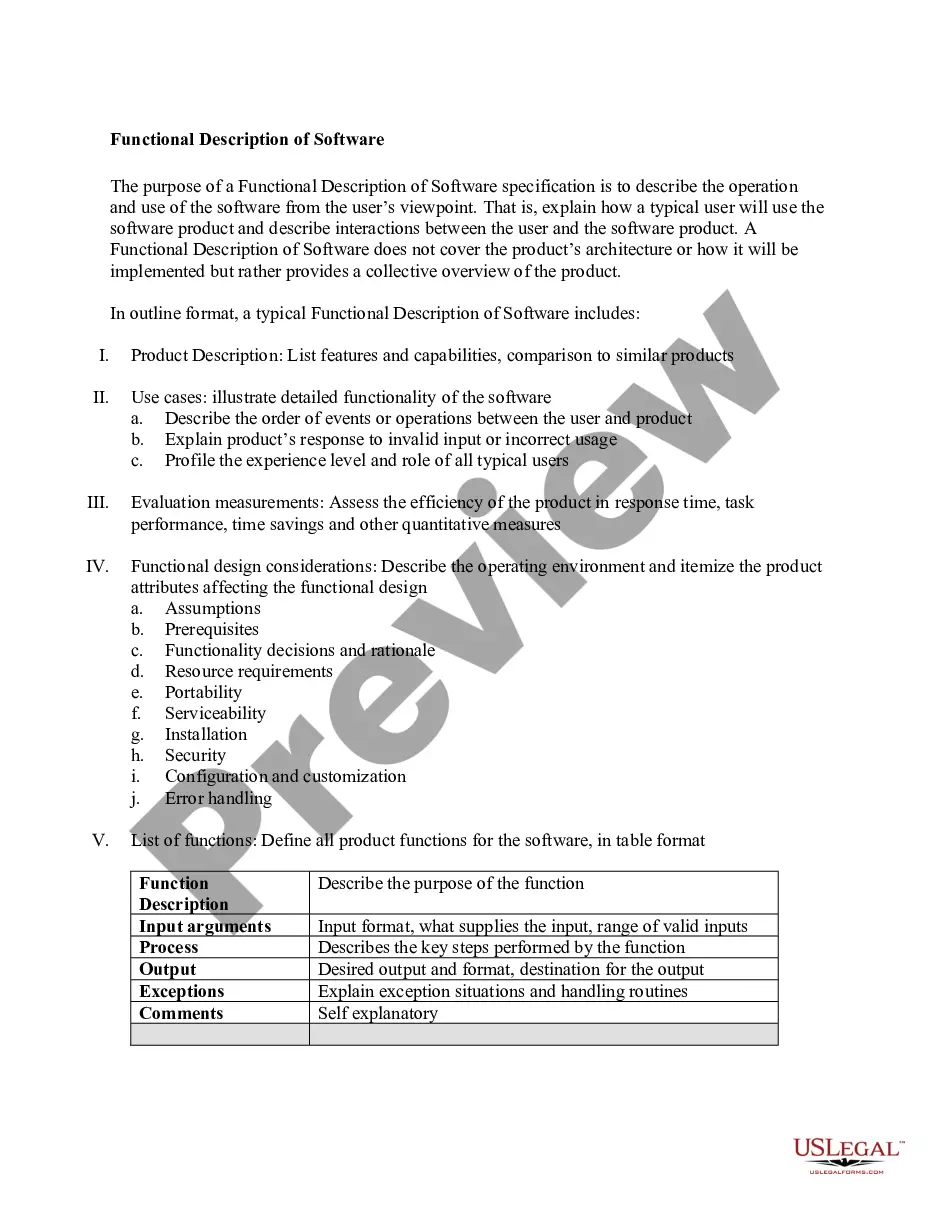
Functional Description Of Software
Overview of this form
The Functional Description of Software is a detailed specification that outlines how software operates from the user's perspective. This document serves to illustrate the interactions between users and the software, emphasizing its functionalities and features without delving into the technical architecture or implementation details. Unlike other technical documents, this form is user-centric, providing a comprehensive overview that aids both developers and users in understanding software capabilities and usability.
Key parts of this document
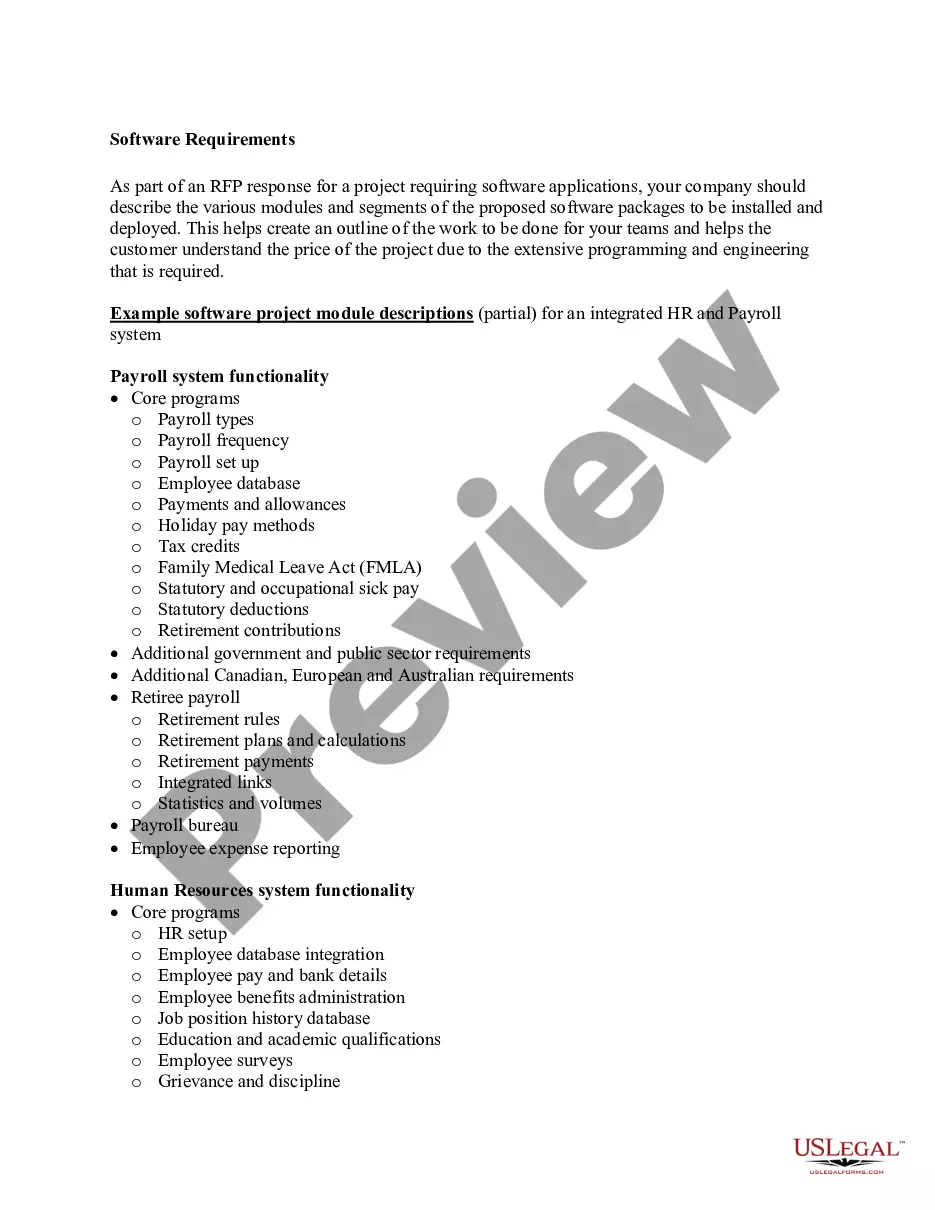
- Product description: An overview of the software product.
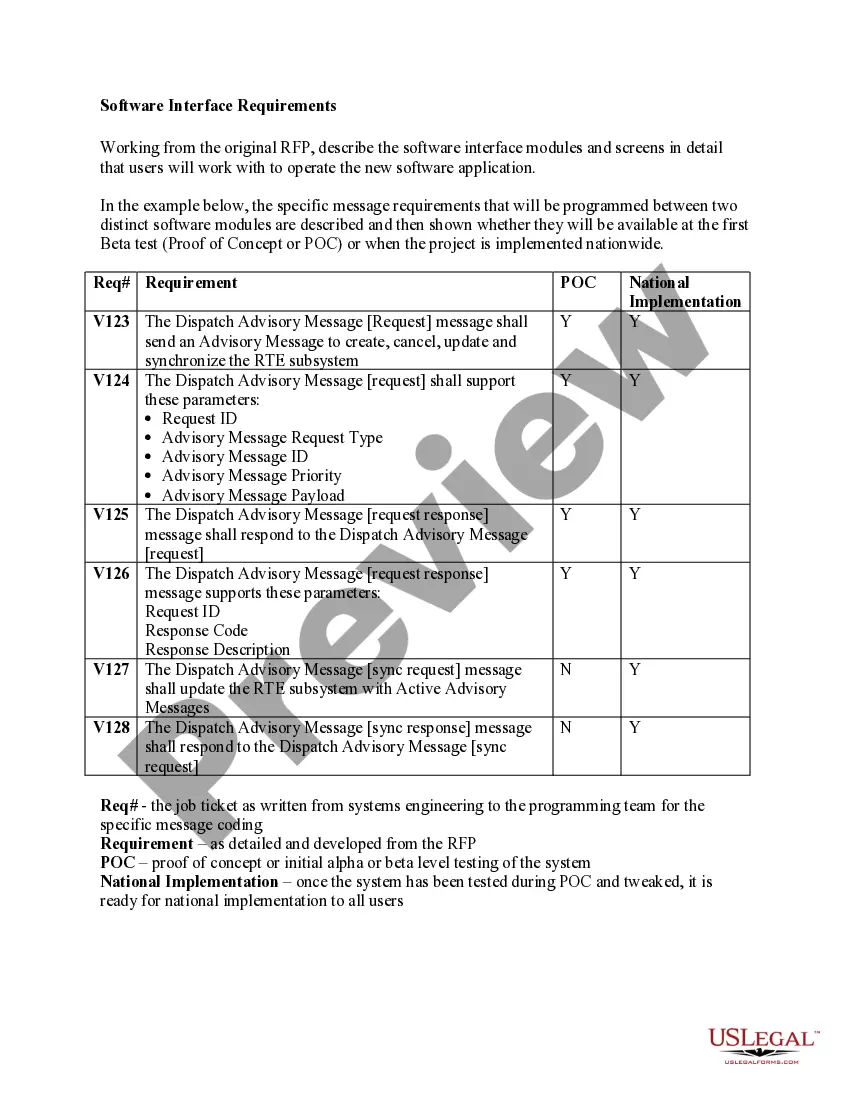
- Feature list: Detailed capabilities and functions of the software.
- Use cases: Real-world scenarios demonstrating the software's functionality.
- User interaction: Explanation of user and software operations.
- Error handling: Procedures for invalid inputs or mistakes.
- Performance metrics: Assessments of efficiency and response times.
- Resource requirements: Information on software installation and configuration.
Situations where this form applies
This form is essential when developing or documenting software to ensure that all stakeholders have a clear understanding of its functionalities and user interactions. It is particularly useful during the software design phase, for user training, or when seeking feedback from potential users or testers to enhance usability and functionality.
Who this form is for
- Software developers: To outline the user-oriented functions of their products.
- Project managers: To ensure alignment between client expectations and software capabilities.
- Quality assurance teams: To create test cases based on user interactions.
- User experience designers: To design and refine user interfaces based on typical use cases.
- End-users: To understand how to effectively utilize the software.
Steps to complete this form
- Identify the software product and provide a brief summary of its purpose and use.
- List features and capabilities, ensuring clarity on what the software can accomplish.
- Describe use cases that illustrate user interactions with the software.
- Detail any error handling and responses to invalid inputs.
- Outline performance metrics and requirements, including installation and configuration needs.
Does this document require notarization?
This form does not typically require notarization unless specified by local law. Always check your local regulations to confirm any notarization needs specific to your situation.
Get your form ready online
Our built-in tools help you complete, sign, share, and store your documents in one place.
Make edits, fill in missing information, and update formatting in US Legal Forms—just like you would in MS Word.
Download a copy, print it, send it by email, or mail it via USPS—whatever works best for your next step.
Sign and collect signatures with our SignNow integration. Send to multiple recipients, set reminders, and more. Go Premium to unlock E-Sign.
If this form requires notarization, complete it online through a secure video call—no need to meet a notary in person or wait for an appointment.
We protect your documents and personal data by following strict security and privacy standards.

Make edits, fill in missing information, and update formatting in US Legal Forms—just like you would in MS Word.

Download a copy, print it, send it by email, or mail it via USPS—whatever works best for your next step.

Sign and collect signatures with our SignNow integration. Send to multiple recipients, set reminders, and more. Go Premium to unlock E-Sign.

If this form requires notarization, complete it online through a secure video call—no need to meet a notary in person or wait for an appointment.

We protect your documents and personal data by following strict security and privacy standards.
Typical mistakes to avoid
- Failing to clearly define user interactions, leading to confusion during software use.
- Omitting critical features and capabilities that users may rely on.
- Neglecting to include error handling procedures for typical user mistakes.
- Using technical jargon that may not be understood by all users.
- Not providing enough examples or use cases to illustrate functionality.
Why use this form online
- Convenience: Downloadable formats make it easy to access and fill out at any time.
- Editability: Easily update the functional description as software evolves.
- Clarity: A structured outline helps convey important information effectively.
- Reliability: Obtain a vetted document drafted by licensed attorneys to ensure legal soundness.
Legal use & context
- This form serves as a foundational document in software development, reinforcing user-centric design practices.
- It can be used in conjunction with legal agreements or contracts regarding software use and expectations.
- Understanding and documenting user interactions can protect against potential misunderstandings in software functionality.
Main things to remember
- The Functional Description of Software focuses on user interactions and capabilities.
- It is a vital tool during software development and user training.
- Clarity and detail are essential for effective communication of functionality.
- Consider common mistakes to enhance the usefulness of the document.
Looking for another form?
Form popularity
FAQ
A functional specification is a formal document used to describe a product's intended capabilities, appearance, and interactions with users in detail for software developers. The functional specification is a kind of guideline and continuing reference point as the developers write the programming code.
The list of examples of functional requirements includes: Business Rules. Transaction corrections, adjustments, and cancellations. Administrative functions. Authentication. Authorization levels. Audit Tracking. External Interfaces. Certification Requirements.
The Functional Requirements Specification describes what the system must do; how the system does it is described in the Design Specification. If a User Requirement Specification was written, all requirements outlined in the User Requirement Specification should be addressed in the Functional Requirements Specification.
Functional specifications are an essential step in building quality software that you'll want to support over the long term. They define the requirements to be implemented in the software. A good specification needs to carefully describe how the software will look and behave in all situations.
Functional Description means a description of the general functionality, compatibility, and system requirements of the Licensed Software.
To create a functional specification document, there are a few steps you need to take: Define your requirements for the project. Identify functionality required by the project. Design how this functionality will work. Describe your requirements and design in an understandable format.
To create a functional specification document, there are a few steps you need to take: Define your requirements for the project. Identify functionality required by the project. Design how this functionality will work. Describe your requirements and design in an understandable format.
Examples of functional requirements include company information, start date, list of services, the purpose of the product, audience, organization, how it works, competition, and budget/deadline. Other possibilities include context, user requirements, a data flow diagram, and a logical data model.