Invoice Template for Event Vendor
Understanding this form
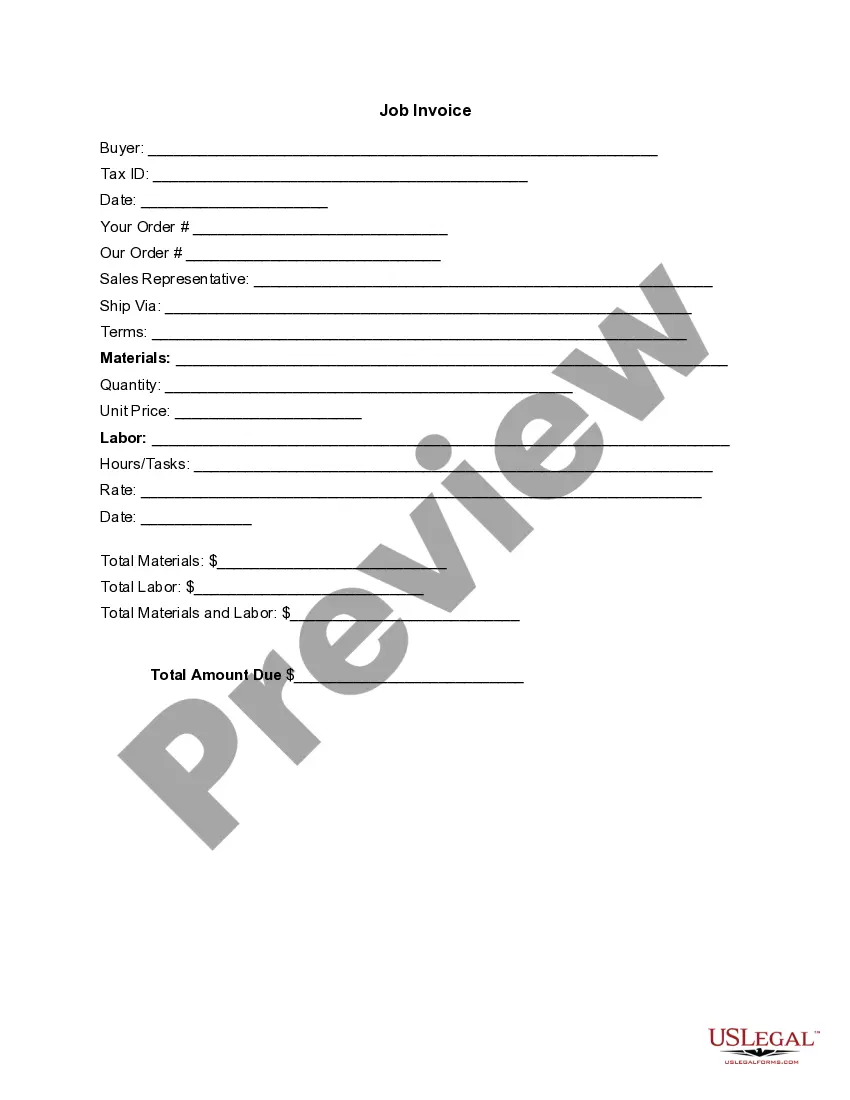
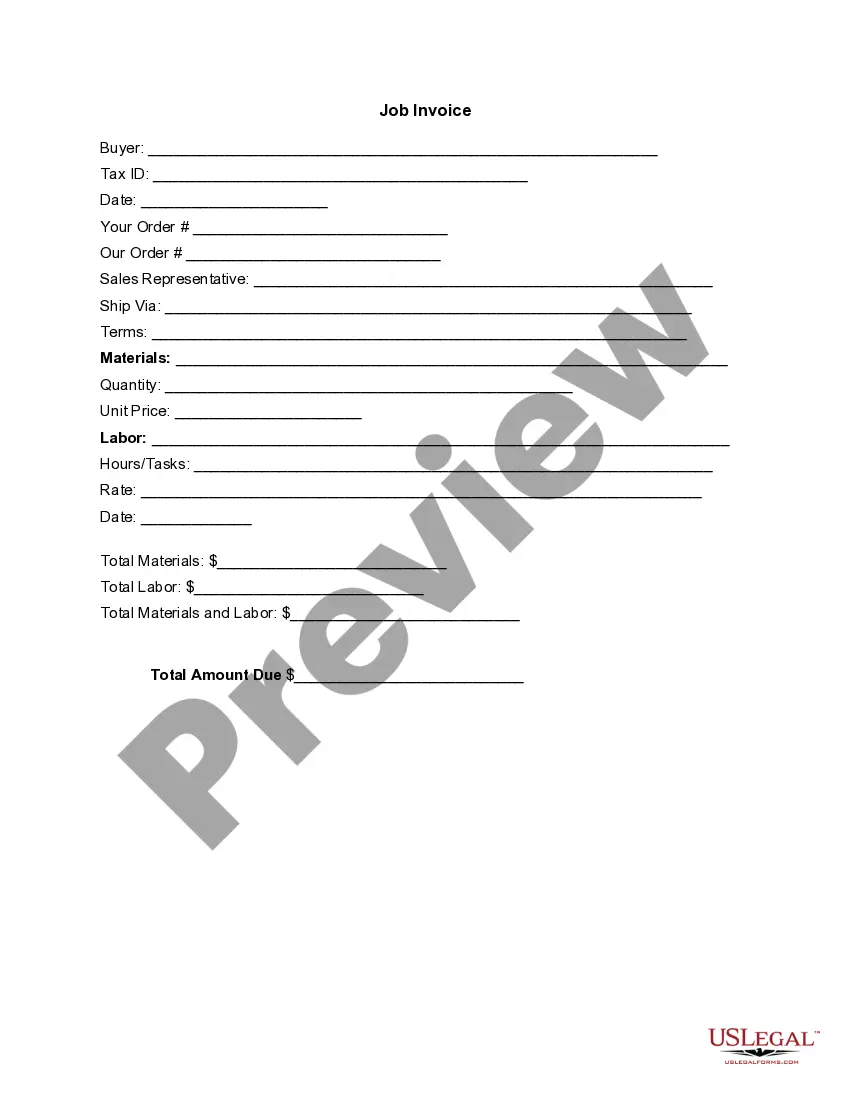
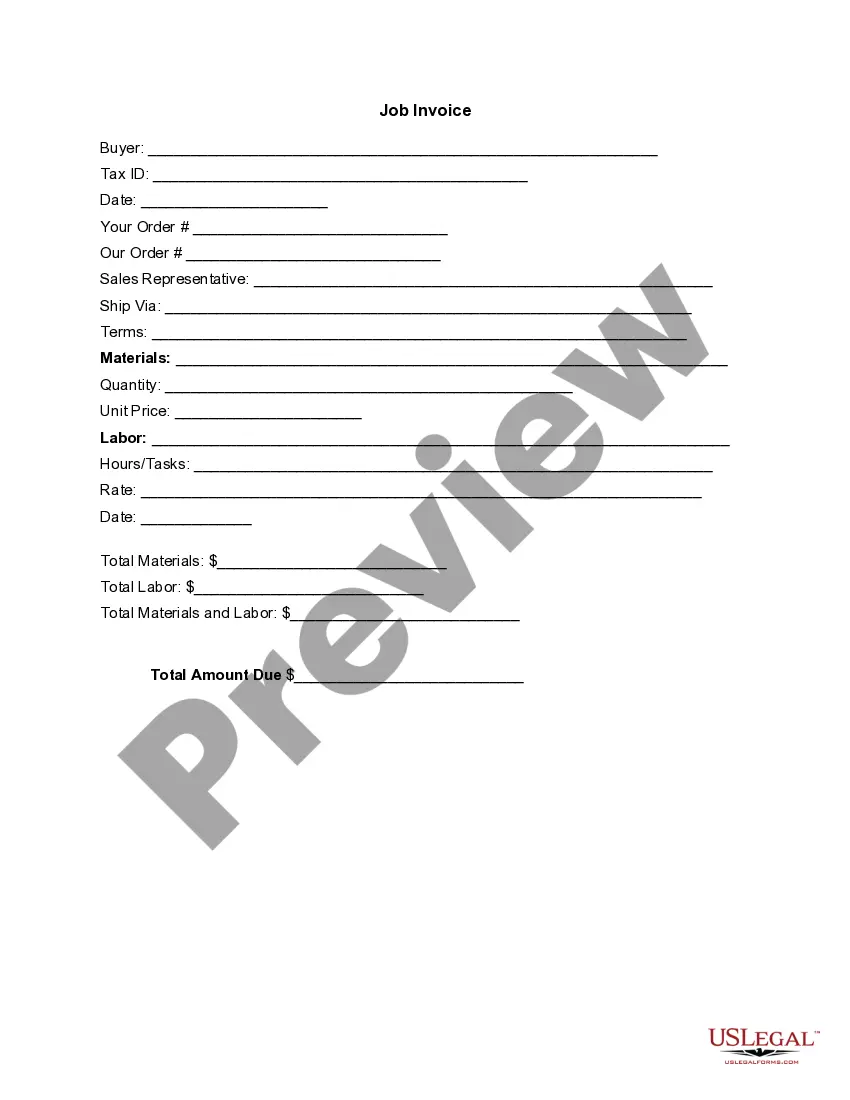
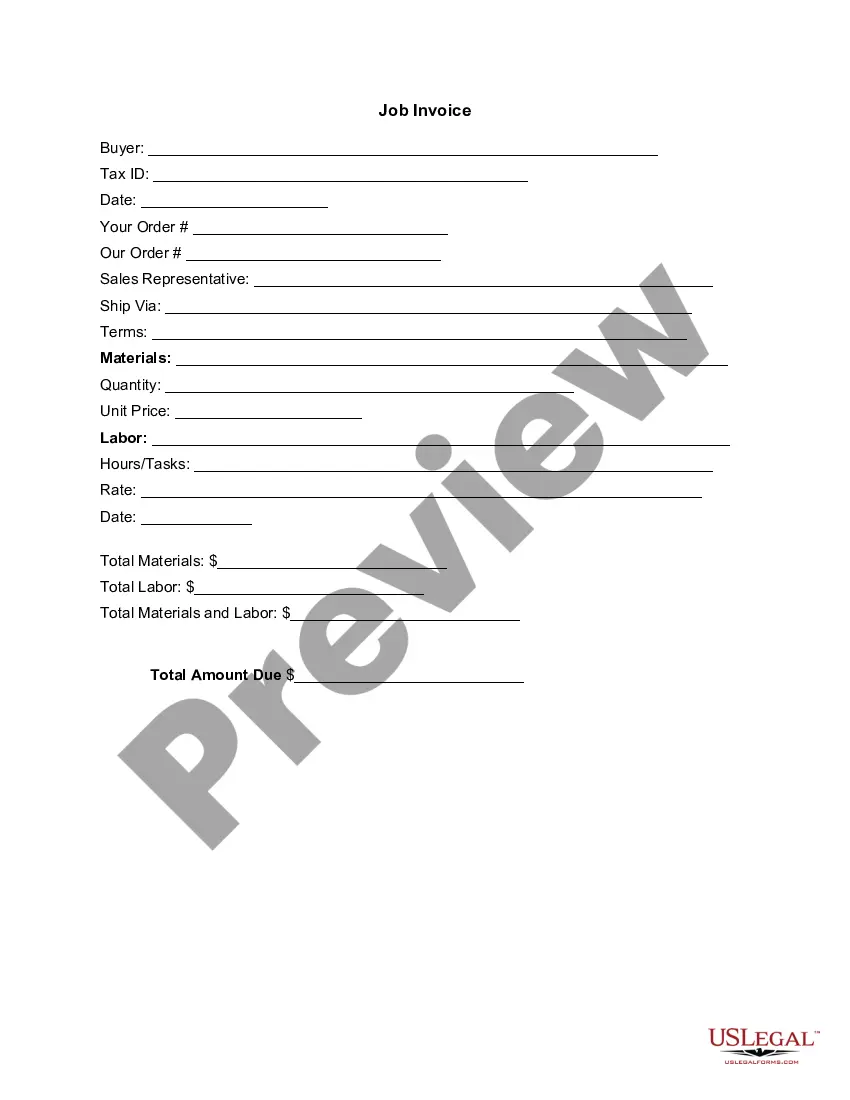
The Invoice Template for Event Vendor is a structured document that outlines all goods delivered or services performed by an event vendor, presenting an itemized list of charges. This form serves to request payment from clients while providing clear details of the transaction. Unlike purchase orders or receipts, this invoice specifically focuses on the vendorâs services and costs associated with hosting events, making it essential for any event-related service provider.
Key components of this form
- Buyer information, including Tax ID
- Order details for both buyer and vendor
- Sales representative contact information
- Shipping method and payment terms
- Itemized list of materials and labor
- Total amounts due for materials, labor, and overall


When to use this form
This form should be used whenever an event vendor has completed work for a client and needs to request payment. Common scenarios include a wedding planner invoicing for services rendered, caterers billing for food and staffing, or equipment rental companies charging for their gear. Using a properly formatted invoice ensures transparency and professional communication between the vendor and client.
Who this form is for
- Event planners providing services for parties, weddings, and corporate events
- Caterers delivering food and beverage services
- Rental companies lending equipment for events
- Freelancers offering event-related services such as photography and entertainment
How to prepare this document
- Identify the buyerâs information and enter their Tax ID.
- Provide the date and reference both your order number and the client's order.
- Detail the sales representative and specify how the goods or services were delivered.
- List all materials and labor costs with their respective quantities and rates.
- Calculate and enter the total amounts due in the designated fields.
Is notarization required?
This form does not typically require notarization unless specified by local law. However, it is advisable to check your jurisdiction's requirements for invoices to ensure compliance.
Get your form ready online
Our built-in tools help you complete, sign, share, and store your documents in one place.
Make edits, fill in missing information, and update formatting in US Legal Forms—just like you would in MS Word.
Download a copy, print it, send it by email, or mail it via USPS—whatever works best for your next step.
Sign and collect signatures with our SignNow integration. Send to multiple recipients, set reminders, and more. Go Premium to unlock E-Sign.
If this form requires notarization, complete it online through a secure video call—no need to meet a notary in person or wait for an appointment.
We protect your documents and personal data by following strict security and privacy standards.

Make edits, fill in missing information, and update formatting in US Legal Forms—just like you would in MS Word.

Download a copy, print it, send it by email, or mail it via USPS—whatever works best for your next step.

Sign and collect signatures with our SignNow integration. Send to multiple recipients, set reminders, and more. Go Premium to unlock E-Sign.

If this form requires notarization, complete it online through a secure video call—no need to meet a notary in person or wait for an appointment.

We protect your documents and personal data by following strict security and privacy standards.
Typical mistakes to avoid
- Forgetting to include all itemized charges, leading to discrepancies in payment.
- Not providing complete buyer information, which can cause issues in processing payments.
- Omitting the payment terms, creating confusion about when payment is expected.
Advantages of online completion
- Convenience of immediate download and access.
- Ability to easily customize and edit fields according to specific services.
- Reliability of using professionally drafted templates ensuring legal compliance.
Looking for another form?
Form popularity
FAQ
Personalize and make your invoice professional. To begin, choose a color that best represents your brand and upload your brand's logo. Fill-out the appropriate contact information on your invoice. Select a due date on your invoice. Fill in the projects/ tasks you are invoicing the client for. Add payment information.
On average, event planners should charge between 15-20% of the total cost of an event as part of their fee. Depending on the complexity of the program and the amount of time it takes to plan and execute an event, sometimes this is enough to cover a planner's entire cost and source of profit.
Event planners can earn anywhere from 10 to 40 percent commission on a project, though typical commission is in the 15 to 20 percent range, according to EventPlanning.com.
Download a free invoice template. Include your business name and contact information. Add business media or logo. Include client's name, business and contact details. Input unique invoice number on template, plus invoice date and due date. List services or products with descriptions and costs for each.
Most event planners price their fees-for-service (the total cost to the client) using a cost plus method. They contract out the labor, supplies and materials involved in producing an event and charge their clients anywhere from 10 to 20 percent of the total cost of the event, with 15 percent being a rough average.
In reality, many wedding/event planners require kickbacks from their preferred vendors. Anywhere between 5% to 20% of the contracted amount is expected to be paid back to the planner as a commission on the referral.
A standard vendor commission percentage fee is 10-15% so for example if a caterer charges $3000 for an event, your fee would be $300-450 for locating and coordinating that particular vendor.
Make your invoice look professional. The first step is to put your invoice together. Clearly mark your invoice. Add company name and information. Write a description of the goods or services you're charging for. Don't forget the dates. Add up the money owed. Mention payment terms.