Receiving Order
Understanding this form
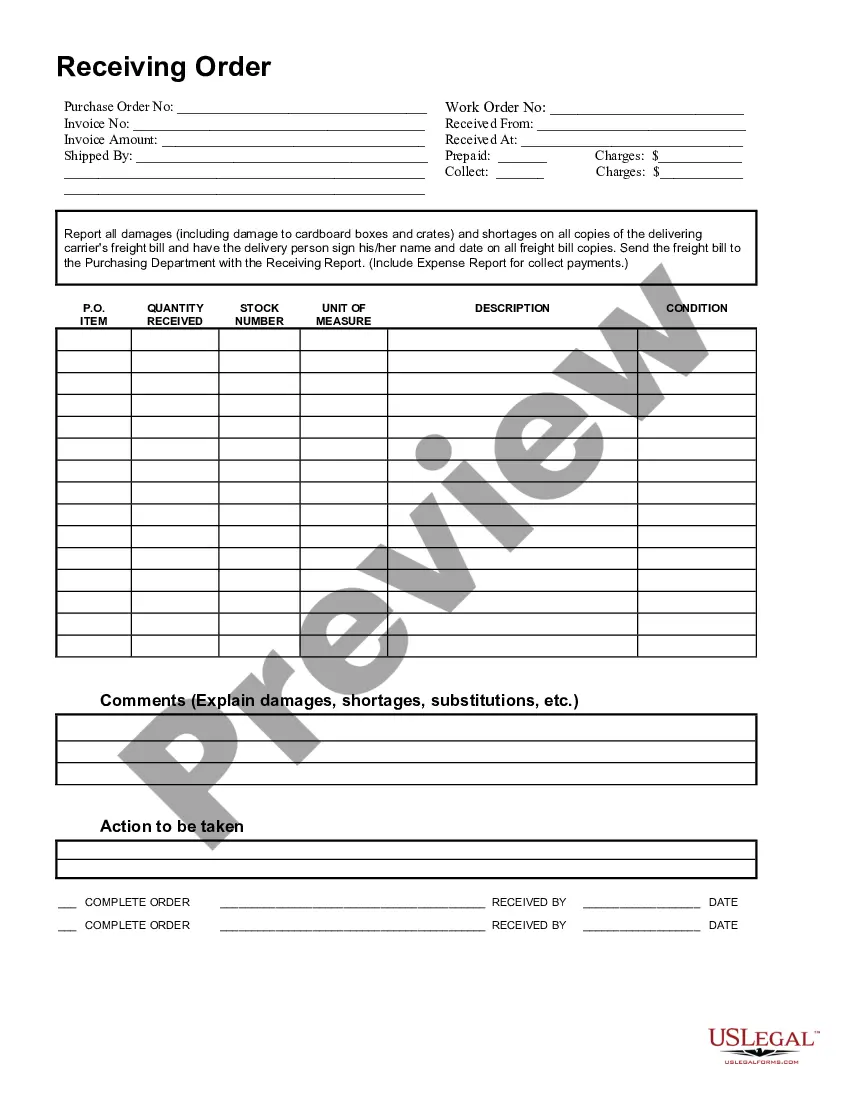
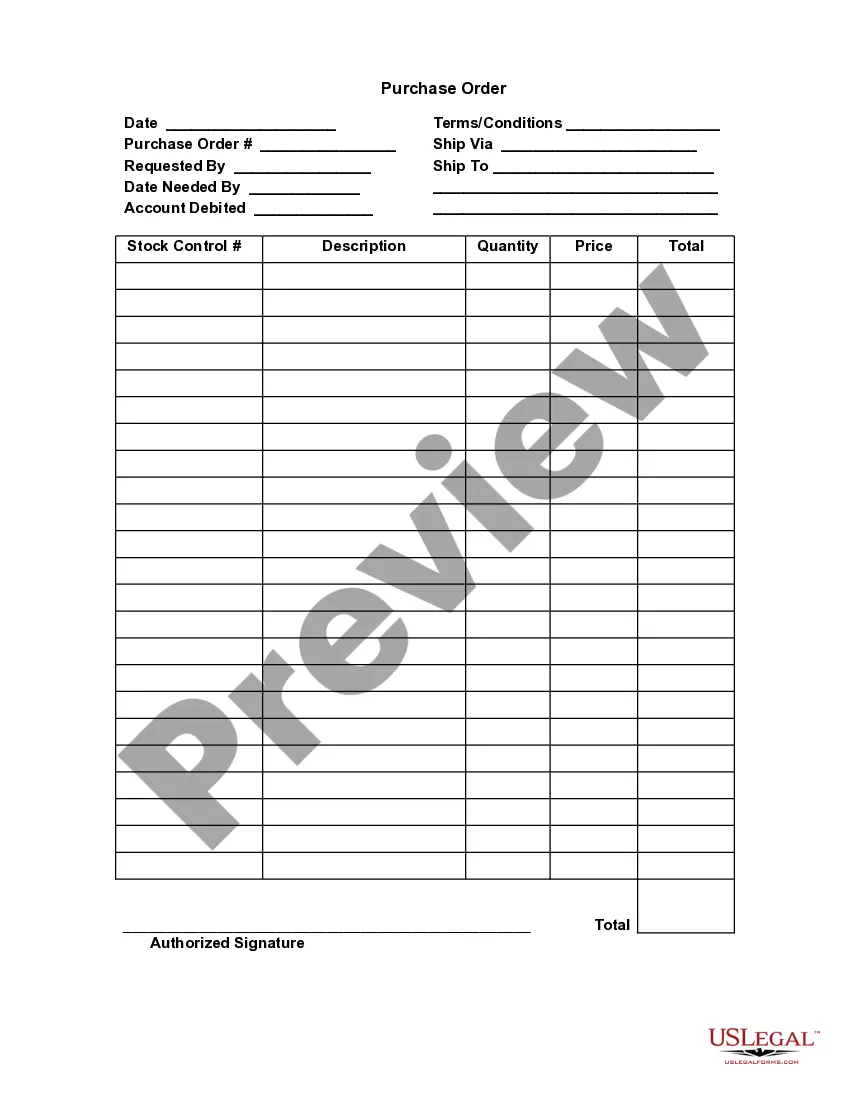
The Receiving Order is a legal document used to record the details of orders that have been received, including any notes on the condition of those orders. This form helps businesses and organizations keep accurate records of shipments, making it essential for effective inventory management and dispute resolution should issues arise, such as damages or shortages. It provides a standardized way to document these transactions, distinguishing it from other forms like delivery receipts or invoices that may not capture the condition of goods upon receipt.
Main sections of this form
- Purchase order number
- Work order number
- Invoice number
- Details of the supplier from whom the order was received
- Invoice amount and shipping details
- Conditions of ordered items, including quantity, stock number, and descriptions
- Signature and date fields for the person receiving the order
- Sections to report damages or shortages and actions to be taken
Common use cases
This form should be used when goods are received, especially in a business or warehouse setting. It's essential when receiving shipments to track the items accurately and note their condition, ensuring that any discrepancies, damages, or shortages are documented immediately. Utilizing this form helps streamline processes related to inventory management, purchasing, and accounting.
Who should use this form
- Business owners managing inventory and supplier relationships
- Warehouse staff receiving shipments
- Accounting departments verifying invoices against received orders
- Procurement or purchasing departments ensuring order accuracy
- Any organization that regularly manages incoming goods and needs to keep track of their condition and completeness
Instructions for completing this form
- Fill in the purchase order number, work order number, and invoice number at the top of the form.
- Enter the supplier's name and the invoice amount received.
- Record shipping information including who shipped the order and where it was received.
- List all items received, including their condition and any observed damages or shortages.
- Sign and date the form, indicating who received the order and noting any required actions to remedy reported issues.
Notarization guidance
This form usually doesn’t need to be notarized. However, local laws or specific transactions may require it. Our online notarization service, powered by Notarize, lets you complete it remotely through a secure video session, available 24/7.
Get your form ready online
Our built-in tools help you complete, sign, share, and store your documents in one place.
Make edits, fill in missing information, and update formatting in US Legal Forms—just like you would in MS Word.
Download a copy, print it, send it by email, or mail it via USPS—whatever works best for your next step.
Sign and collect signatures with our SignNow integration. Send to multiple recipients, set reminders, and more. Go Premium to unlock E-Sign.
If this form requires notarization, complete it online through a secure video call—no need to meet a notary in person or wait for an appointment.
We protect your documents and personal data by following strict security and privacy standards.

Make edits, fill in missing information, and update formatting in US Legal Forms—just like you would in MS Word.

Download a copy, print it, send it by email, or mail it via USPS—whatever works best for your next step.

Sign and collect signatures with our SignNow integration. Send to multiple recipients, set reminders, and more. Go Premium to unlock E-Sign.

If this form requires notarization, complete it online through a secure video call—no need to meet a notary in person or wait for an appointment.

We protect your documents and personal data by following strict security and privacy standards.
Common mistakes
- Failing to document damages immediately upon receipt.
- Leaving fields blank, which can lead to confusion later on.
- Not obtaining a signature from the delivery person, which may weaken claims for damages.
- Neglecting to send the completed receiving report to the purchasing department promptly.
Benefits of completing this form online
- Easy customization to suit specific business needs.
- Immediate access to downloadable templates for efficiency.
- Reduced risk of data entry errors, given the organized structure.
- Ability to update and edit forms as necessary without reprinting.
Looking for another form?

Form popularity
FAQ
Match the delivery to a purchase order. Check products are not damaged. Log received items into your inventory. Allocate storage space for goods. Notify your accounts payable department.
Purchase order number The number from the purchase order on which the items were ordered. From Name of vendor. Material received by Person receiving the item. Date received Date the goods are received. Quantity Number of items received.
A receiving procedure is needed to properly inspect all incoming goods, mark them with tags, and record them as having been received. Upon receipt of a delivery, match the received items to the description stated on the accompanying bill of lading, as well as the description on the related purchase order.
Match the delivery to a purchase order. Check products are not damaged. Log received items into your inventory. Allocate storage space for goods. Notify your accounts payable department.
Receiving documents contain information about where goods should be delivered. They may contain a requesting location.You can print a receiving document to use as a worksheet to record item quantities received against open released purchase orders. You create receiving documents according to their ship to locations.
Today's Warehouse Receiving SystemsReceiving operations involve the transfer of ownership of goods, which by its nature involves financial responsibility. Ensuring that the documentation is accurate, correct and smoothly and efficient allows the material to be made available to the customer as soon as possible.
Explanation: Inspect Incoming Goods (Receiving Staff) Identify and Tag All Received Inventory (Receiving Staff) Log in Received Items (Receiving Staff)
Check quantity in delivery. Check condition on delivery. Check quantity and quality after delivery. Store the stock securely. Deal with damaged or missing stock after delivery.