Service Invoice 2
What this document covers
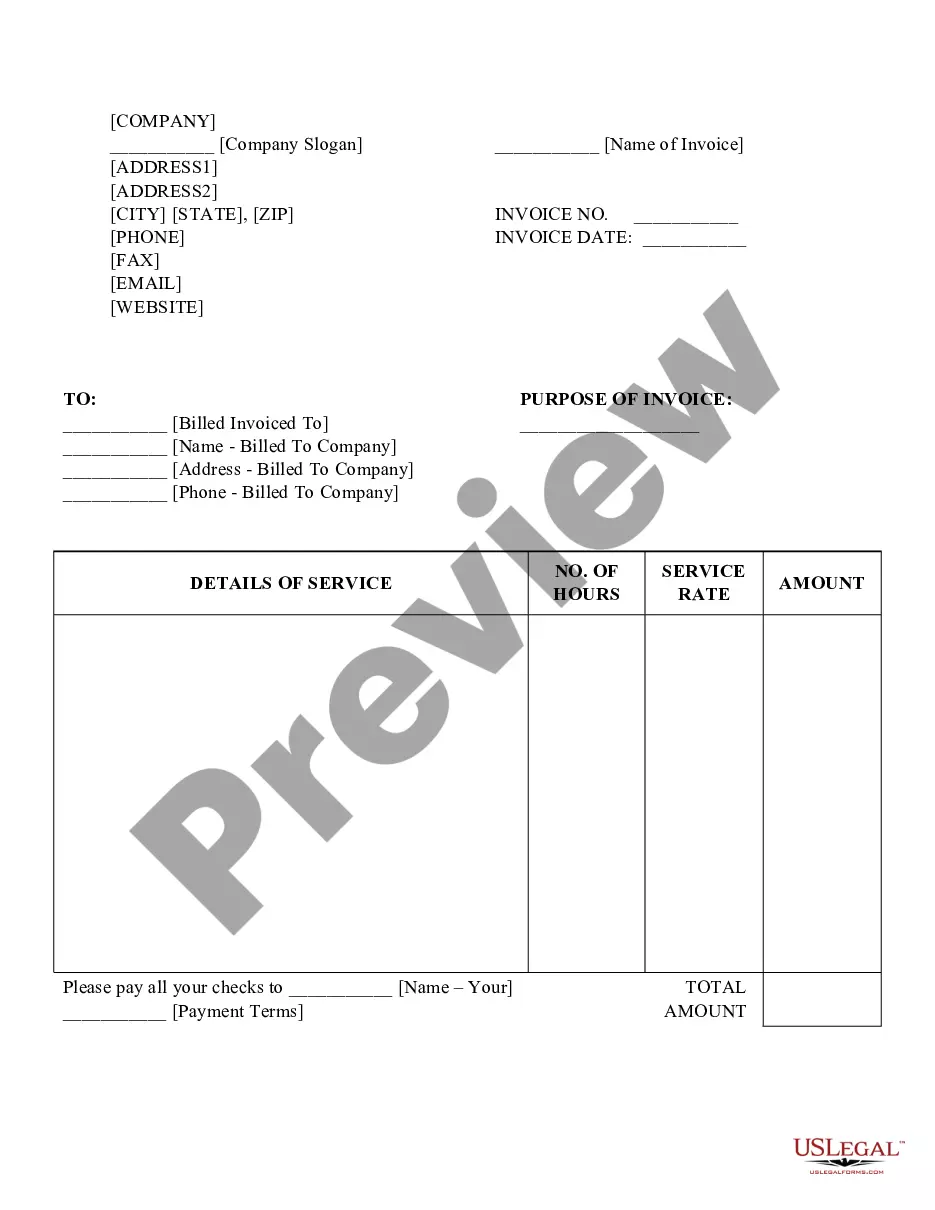
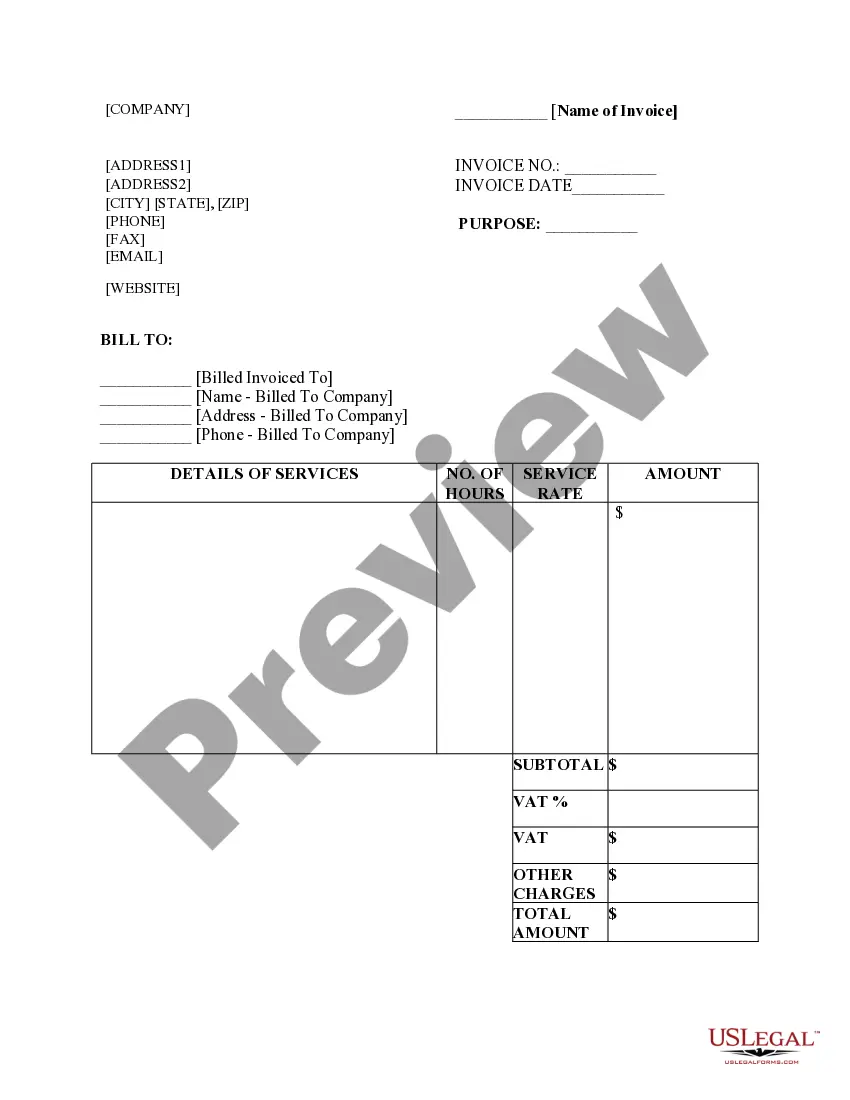
The Service Invoice 2 is a legal document used to itemize and request payment for services rendered. It differs from a standard bill by providing detailed information about the services provided, including the hours worked and the rate charged. With this invoice, businesses can clearly communicate payment expectations to clients, ensuring proper documentation for both parties.
Form components explained
- Company name and slogan for branding.
- Invoice number to track the transaction.
- Contact information including phone, fax, email, and website.
- Client details including name, address, and phone number.
- Description of services provided, including hours worked and service rate.
- Total amount due and payment terms.



Situations where this form applies
This form is essential when a service provider needs to bill a client for work performed. It should be used after delivering the service and is applicable for freelancers, contractors, and businesses of all sizes when requesting payment. Utilize the Service Invoice 2 whenever you need to provide a formal record of the services rendered and the payment amount expected.
Who should use this form
- Freelancers providing services to clients.
- Contractors working on short-term projects.
- Service-based businesses and professionals.
- Any individual or organization that requires payment for services.
Instructions for completing this form
- Enter your company name and contact details at the top of the invoice.
- Provide the client's name and contact information for billing purposes.
- Detail the services rendered, along with the number of hours worked and the hourly rate.
- Calculate and ensure the total amount due is clearly stated.
- Specify payment terms, including any due dates and accepted payment methods.
Notarization requirements for this form
This form does not typically require notarization unless specified by local law. It is designed for straightforward billing purposes, making it easy for both service providers and clients to complete transactions without additional formalities.
Get your form ready online
Our built-in tools help you complete, sign, share, and store your documents in one place.
Make edits, fill in missing information, and update formatting in US Legal Forms—just like you would in MS Word.
Download a copy, print it, send it by email, or mail it via USPS—whatever works best for your next step.
Sign and collect signatures with our SignNow integration. Send to multiple recipients, set reminders, and more. Go Premium to unlock E-Sign.
If this form requires notarization, complete it online through a secure video call—no need to meet a notary in person or wait for an appointment.
We protect your documents and personal data by following strict security and privacy standards.

Make edits, fill in missing information, and update formatting in US Legal Forms—just like you would in MS Word.

Download a copy, print it, send it by email, or mail it via USPS—whatever works best for your next step.

Sign and collect signatures with our SignNow integration. Send to multiple recipients, set reminders, and more. Go Premium to unlock E-Sign.

If this form requires notarization, complete it online through a secure video call—no need to meet a notary in person or wait for an appointment.

We protect your documents and personal data by following strict security and privacy standards.
Common mistakes
- Failing to include the invoice number, which is crucial for tracking.
- Not providing detailed service descriptions, making it hard for clients to understand the charges.
- Omitting contact information which may lead to payment delays.
- Calculation errors in the total amount due.
Advantages of online completion
- Easy to customize with your company's branding and details.
- Convenient digital format allows for quick delivery to clients.
- Streamlined process for tracking invoices and payments.
- Integrated options for electronic signatures, enhancing professionalism.
Legal use & context
- A Service Invoice is vital for maintaining accurate financial records.
- It serves as legal proof of the services rendered in case of disputes.
- Using an invoice can aid in tax preparation, demonstrating business income.
What to keep in mind
- The Service Invoice 2 is crucial for professional billing.
- Accurate completion ensures timely payments and helps maintain a professional image.
- Utilizing this form can prevent common billing mistakes related to service invoicing.
Glossary of terms used in this form
- Invoice Number: A unique identifier assigned to each invoice for tracking purposes.
- Payment Terms: The conditions under which payment is to be made, including the due date and accepted methods of payment.
- Service Rate: The amount charged for services provided, typically expressed as a rate per hour.
Looking for another form?
Form popularity
FAQ
Meaning of service invoice An invoice prepared and issued by a service-oriented business for its services is called a service invoice. Service invoices help in keeping the business organised and help keep track of services rendered to various clients.
Service invoices include information such as the name of the service provider, the name of the client, the date of service, a description of the services provided, the amount charged for the services, and any applicable taxes or fees.
The most basic invoice should include: A unique invoice number. Your complete information ? name, address and phone number. Customer's complete information ? name, address and phone number.
What To Include In An Invoice Invoice number. Business name and contact information. Recipient's name and contact information. Description of services rendered (itemized list of services optional) Total price (including any additional fees, if applicable)
Learn how to write an invoice: Include company and customer information. Add a unique invoice number, an issue date, and a due date. Write each line item with a description of services. Add up line items for total money owed.
Invoice2go is your go-to tool that helps you send invoices and get paid quickly. Optimize your cashflow with easy invoicing, multiple payment options, expense management, and much more.
Service invoices include information such as the name of the service provider, the name of the client, the date of service, a description of the services provided, the amount charged for the services, and any applicable taxes or fees.
The company offers a 30-day free trial, as well as free invoice templates for businesses that don't require the software. $5.99/month or $59.99/year. Create two invoices/month. Create estimates; turn estimates into invoices.