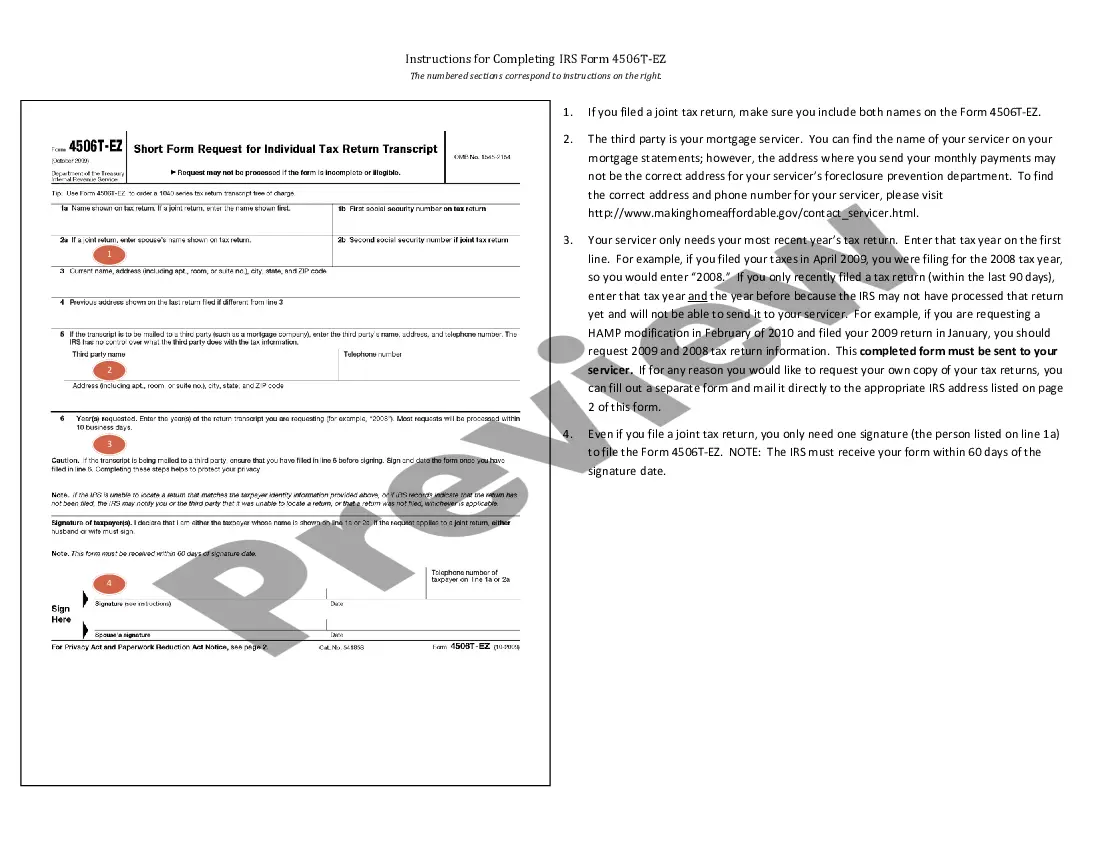
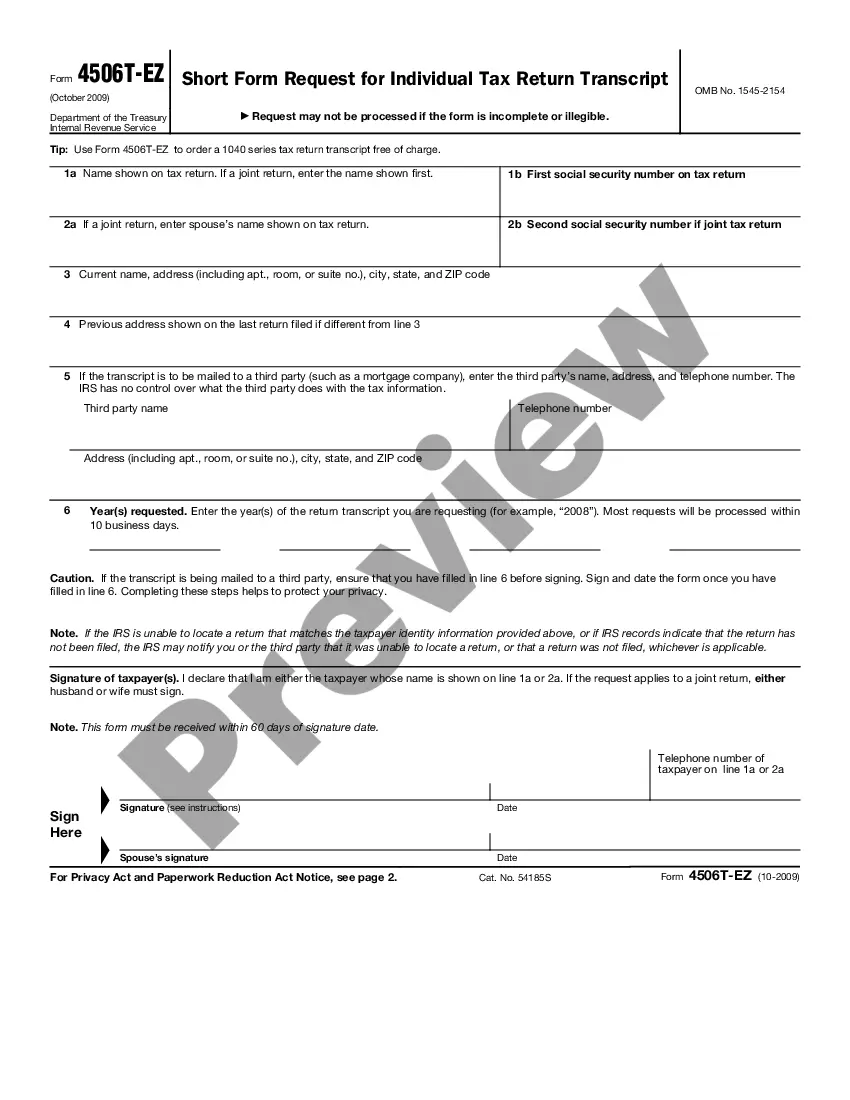
Texas Instructions for Completing IRS Form 4506-EZ
Description

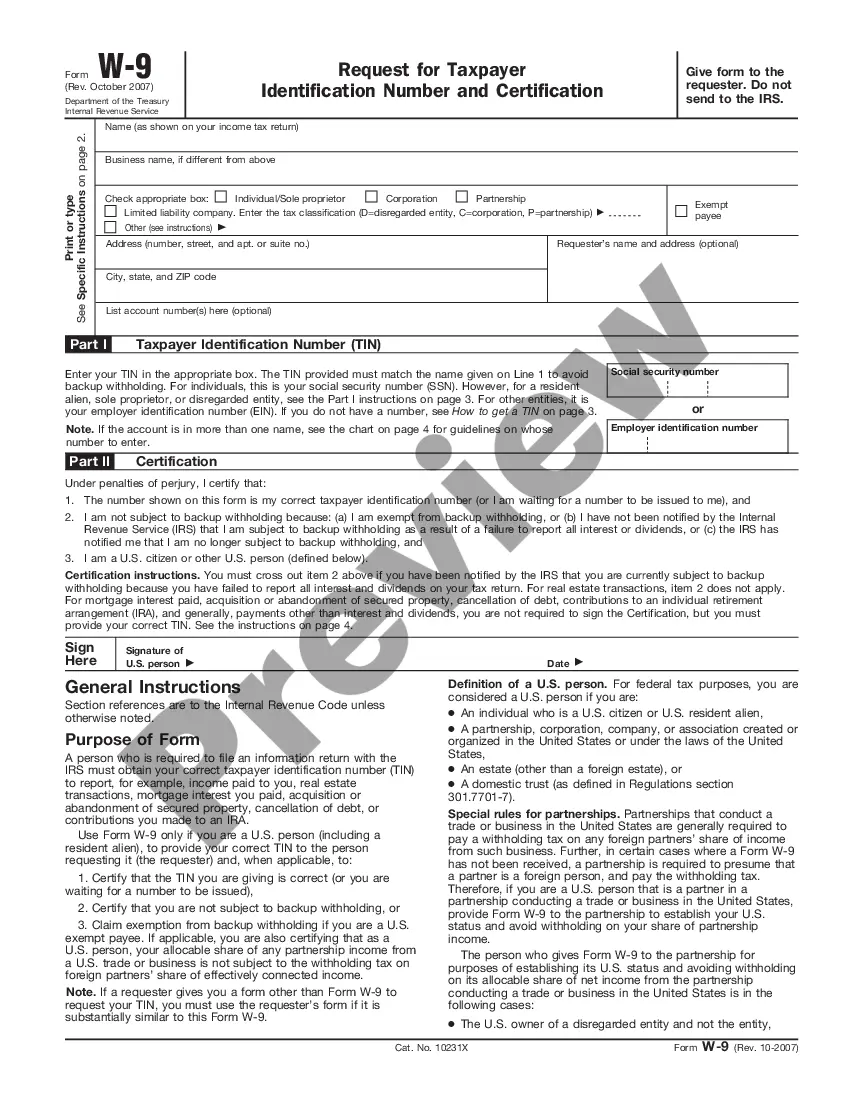
Get your form ready online
Our built-in tools help you complete, sign, share, and store your documents in one place.
Make edits, fill in missing information, and update formatting in US Legal Forms—just like you would in MS Word.
Download a copy, print it, send it by email, or mail it via USPS—whatever works best for your next step.
Sign and collect signatures with our SignNow integration. Send to multiple recipients, set reminders, and more. Go Premium to unlock E-Sign.
If this form requires notarization, complete it online through a secure video call—no need to meet a notary in person or wait for an appointment.
We protect your documents and personal data by following strict security and privacy standards.

Make edits, fill in missing information, and update formatting in US Legal Forms—just like you would in MS Word.

Download a copy, print it, send it by email, or mail it via USPS—whatever works best for your next step.

Sign and collect signatures with our SignNow integration. Send to multiple recipients, set reminders, and more. Go Premium to unlock E-Sign.

If this form requires notarization, complete it online through a secure video call—no need to meet a notary in person or wait for an appointment.

We protect your documents and personal data by following strict security and privacy standards.
Looking for another form?






How to fill out Instructions For Completing IRS Form 4506-EZ?
It is possible to devote time on the web searching for the authorized file format which fits the state and federal demands you need. US Legal Forms supplies thousands of authorized types that happen to be examined by professionals. It is possible to down load or print out the Texas Instructions for Completing IRS Form 4506-EZ from our service.
If you have a US Legal Forms accounts, it is possible to log in and then click the Acquire switch. After that, it is possible to complete, change, print out, or indicator the Texas Instructions for Completing IRS Form 4506-EZ. Every authorized file format you buy is yours permanently. To have yet another duplicate of the purchased kind, proceed to the My Forms tab and then click the related switch.
If you work with the US Legal Forms website initially, adhere to the straightforward directions beneath:
- First, make sure that you have selected the proper file format for the area/area of your choice. Browse the kind outline to make sure you have picked the proper kind. If offered, make use of the Review switch to check from the file format too.
- If you would like find yet another model of the kind, make use of the Research industry to discover the format that meets your requirements and demands.
- When you have discovered the format you need, click Purchase now to continue.
- Choose the pricing prepare you need, key in your credentials, and register for your account on US Legal Forms.
- Total the financial transaction. You can utilize your bank card or PayPal accounts to cover the authorized kind.
- Choose the formatting of the file and down load it in your system.
- Make alterations in your file if needed. It is possible to complete, change and indicator and print out Texas Instructions for Completing IRS Form 4506-EZ.
Acquire and print out thousands of file web templates making use of the US Legal Forms website, which provides the most important assortment of authorized types. Use specialist and express-certain web templates to take on your company or person requires.
Form popularity
FAQ
Individual taxpayers may view their masked transcripts at Get Transcript Online or order by mail for delivery to the address of record. Masked transcripts will still be available to tax professionals through the Transcript Delivery System, an e-Services tool.
Paper 4506-T Instructions Fill out lines 1-4, if applicable. List your BYU ID number on line 5. Check box 7 (for Verification of Non-filing). On line 9 enter 12/31/__ for the tax year you are requesting. ... Sign the document. Mail to the appropriate address on page 2 (Chart for all other transcripts). Non-filing Form (4506-T) - BYU Enrollment Services byu.edu ? financialaid ? non-filing-for... byu.edu ? financialaid ? non-filing-for...
The 10-digit Customer File Number is an alternative tracking number to match a transcript to the taxpayer for third parties such as tax preparers.
Due to the Social Security Number no longer being visible, the IRS has created an entry for a Customer File Number. This is an optional entry that can be used by third parties to match a transcript to a taxpayer. The Customer File Number will be located on line 5b of the Transcript Request Form. Why is my information on my transcript not visible (masked)? taxslayer.com ? en-us ? articles ? 360020... taxslayer.com ? en-us ? articles ? 360020...
When the 10-digit number is listed on Form 4506-T, Request for Transcript of Tax Return, it will appear on the transcript also. The Customer File Number will act like a tracking number for the receiver who requested the copy of the tax return.
More In Forms and Instructions Use Form 4506-T-EZ to request tax return information. Taxpayers using a tax year beginning in one calendar year and ending in the following year (fiscal tax year) must instead use Form 4506-T, Request for Transcript of Tax Return. About Form 4506-T-EZ, Short Form Request for Individual Tax Return ... irs.gov ? forms-pubs ? about-form-4506-t-ez irs.gov ? forms-pubs ? about-form-4506-t-ez
How to access IRS transcripts online You must register or log in to your IRS Online Account. After signing in, click ?Get Transcript Online? here. Pick a reason from the drop-down menu. Select your IRS transcript by year and download the pdf.
1. Complete the form. Line 1a: Enter your name as it's shown on your tax returns. Line 1b: Enter your Social Security number. Line 2a: Enter your spouse's name if you filed a joint return. Line 2b: Enter your spouse's Social Security number, if you filed a joint return. Line 3: Enter your current address. How Do I Complete the 4506-T Form? - Lending Club lendingclub.com ? help ? personal-loan-faq lendingclub.com ? help ? personal-loan-faq