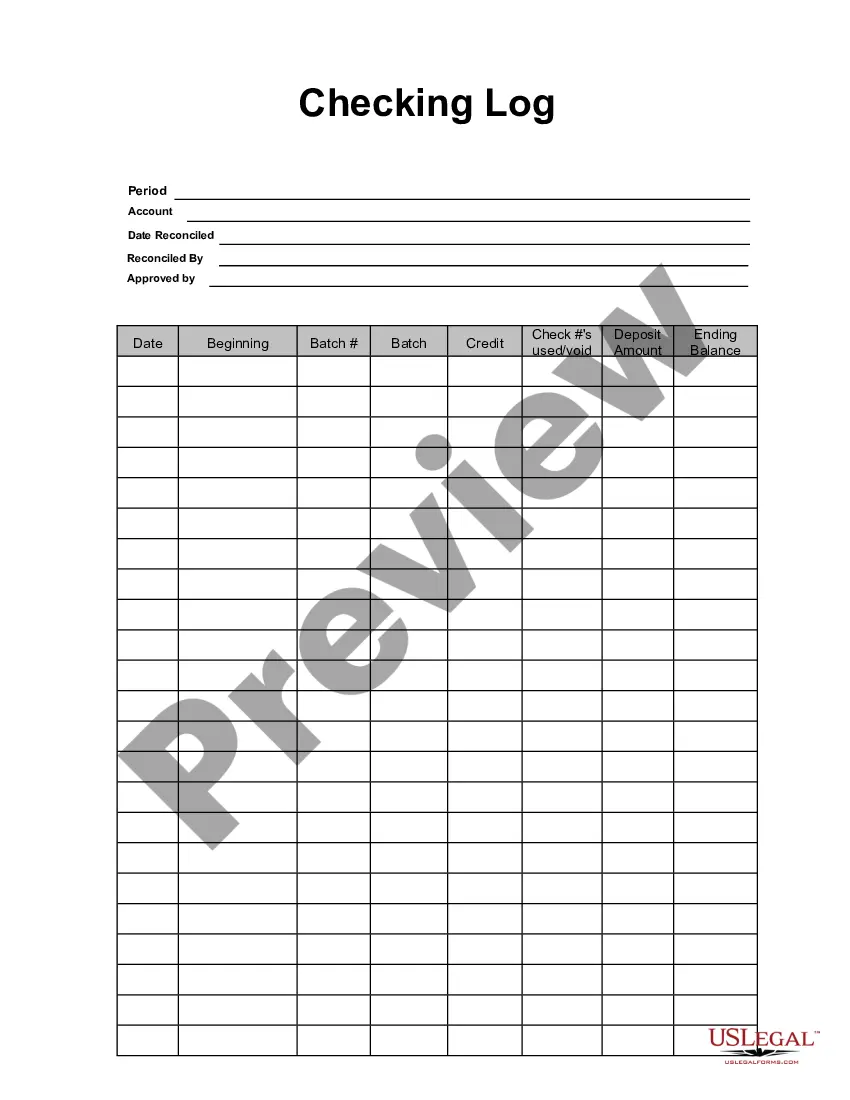
This form is a business type form that is formatted to allow you to complete the form using Adobe Acrobat or Word. The word files have been formatted to allow completion by entry into fields. Some of the forms under this category are rather simple while others are more complex. The formatting is worth the small cost.
Pennsylvania Checking Log
Category:
State:
Multi-State
Control #:
US-130-AZ
Format:
Word;
PDF;
Rich Text
Instant download
Description
Get your form ready online
Our built-in tools help you complete, sign, share, and store your documents in one place.
Built-in online Word editor
Make edits, fill in missing information, and update formatting in US Legal Forms—just like you would in MS Word.
Export easily
Download a copy, print it, send it by email, or mail it via USPS—whatever works best for your next step.
E-sign your document
Sign and collect signatures with our SignNow integration. Send to multiple recipients, set reminders, and more. Go Premium to unlock E-Sign.
Notarize online 24/7
If this form requires notarization, complete it online through a secure video call—no need to meet a notary in person or wait for an appointment.
Store your document securely
We protect your documents and personal data by following strict security and privacy standards.

Make edits, fill in missing information, and update formatting in US Legal Forms—just like you would in MS Word.

Download a copy, print it, send it by email, or mail it via USPS—whatever works best for your next step.

Sign and collect signatures with our SignNow integration. Send to multiple recipients, set reminders, and more. Go Premium to unlock E-Sign.

If this form requires notarization, complete it online through a secure video call—no need to meet a notary in person or wait for an appointment.

We protect your documents and personal data by following strict security and privacy standards.
Looking for another form?
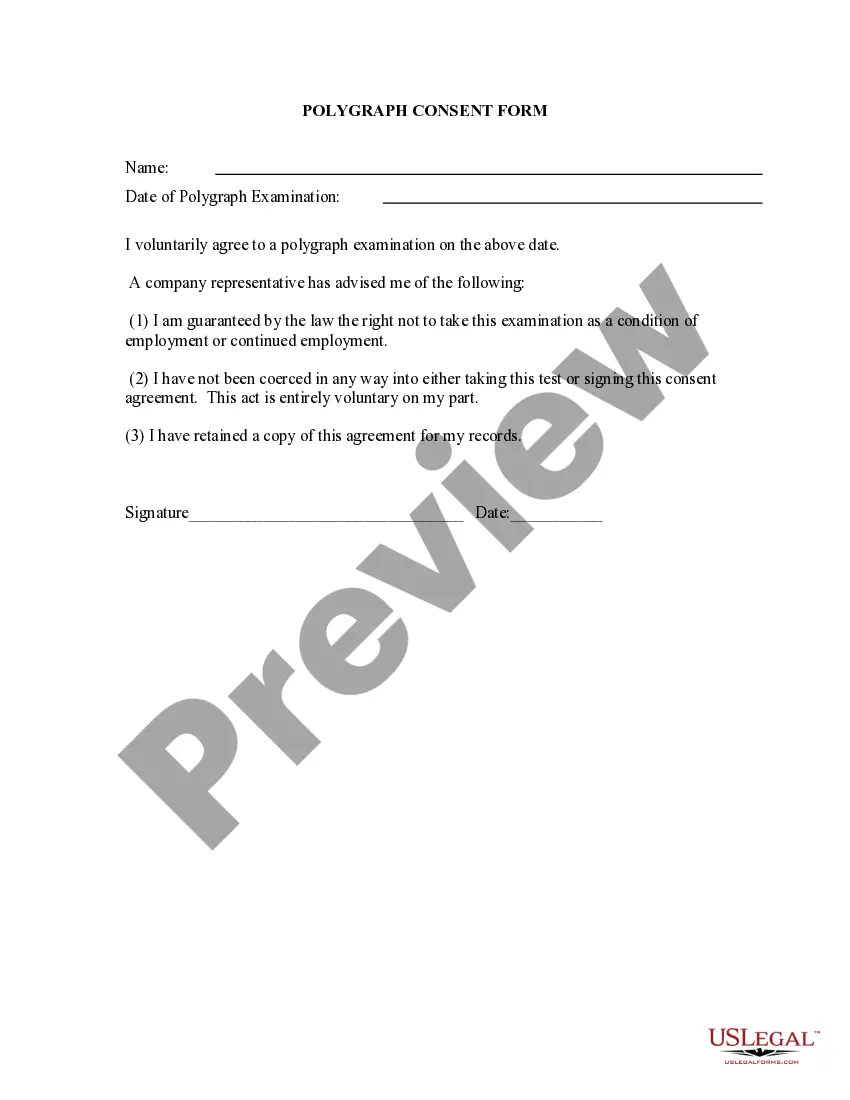

How to fill out Checking Log?
Are you in a situation where you frequently require documents for business or personal purposes? There are numerous legal document templates available online, but finding reliable ones can be challenging.
US Legal Forms offers thousands of form templates, such as the Pennsylvania Checking Log, designed to comply with state and federal regulations.
If you are already familiar with the US Legal Forms website and have an account, simply Log In. After that, you can download the Pennsylvania Checking Log template.
You can access all the document templates you have obtained through the My documents section. You may download an additional copy of the Pennsylvania Checking Log whenever needed. Simply follow the required steps to download or print the document template.
Utilize US Legal Forms, the most extensive collection of legal forms, to save time and avoid mistakes. This service provides professionally crafted legal document templates that can be used for various purposes. Create an account on US Legal Forms and start making your life easier.
- Obtain the form you need and confirm it is for the correct state/region.
- Utilize the Preview button to examine the form.
- Read the details to ensure you have selected the right form.
- If the form isn't what you're searching for, use the Search field to find the form that meets your requirements.
- Once you find the correct form, click on Buy now.
- Select the payment plan you wish to choose, provide the necessary details to create your account, and process the payment using PayPal or a credit card.
- Choose a convenient file format and download your version.
Form popularity
FAQ
All Federal court records are available online at PACER.gov, an electronic public access service that is overseen by the Administrative Office of the United States Courts. This includes all Federal civil court cases, criminal charges, as well as bankruptcies. In all, there are over 500 million documents on PACER.
The Division operates the Pennsylvania Instant Check System (PICS). PICS is used by firearms dealers to verify who can legally buy a firearm. PICS began on July 1, 1998. It provides instant access to background records on a person. The Instant Check Unit is a call center conducting the background check requests.
Covered employers may only consider convictions within the last seven years from date of disposition or release from confinement whichever is later, and may not consider non-convictions regardless of when they occurred.
Yes. Criminal records in Pennsylvania are open to the public under the Right To Know Law. The Pennsylvania State Police is the record custodian of these records, and public requests to view and obtain criminal records go to this agency.
Where can a person find Pennsylvania criminal records?The Pennsylvania State Police maintain the records and provide an online database to conduct a search.It is also possible to access dispositions on criminal cases by reviewing court docket sheets that are located at the Pennsylvania Judiciary web portal.More items...?
The most common search parameters in Pennsylvania background checks are the employee's full name, date of birth, Social Security number, current residence address, state, and email. Another necessary condition is their consent to conduct the background check.
In Pennsylvania, the court system allows citizens to access court records at any time. The court records access is granted by Pennsylvania's Unified Judicial System. Provided court data is available free of charge, including details of every individual court case, plus the docket sheets.
But, for the most part, anyone can go to a court clerk's office (and, sometimes, on a court or state agency website) and search the files for records of conviction for a certain person. Sealed records. An exception to the public access rules applies when convictions have been sealed by the court from public view.
1. What is a DBS Check/Employment Background Check? A Disclosure and Barring Service check (or DBS check for short) is the term used for the analysis and record of a person's past, looking specifically at any convictions, cautions, reprimands and warnings they may have received.
Summary offenses typically include minor convictions such as harassment, loitering, or disorderly conduct. Summary offenses are still considered criminal history, so they may show up on a Pennsylvania background check. Candidates should disclose these offenses if asked about criminal history on job applications.