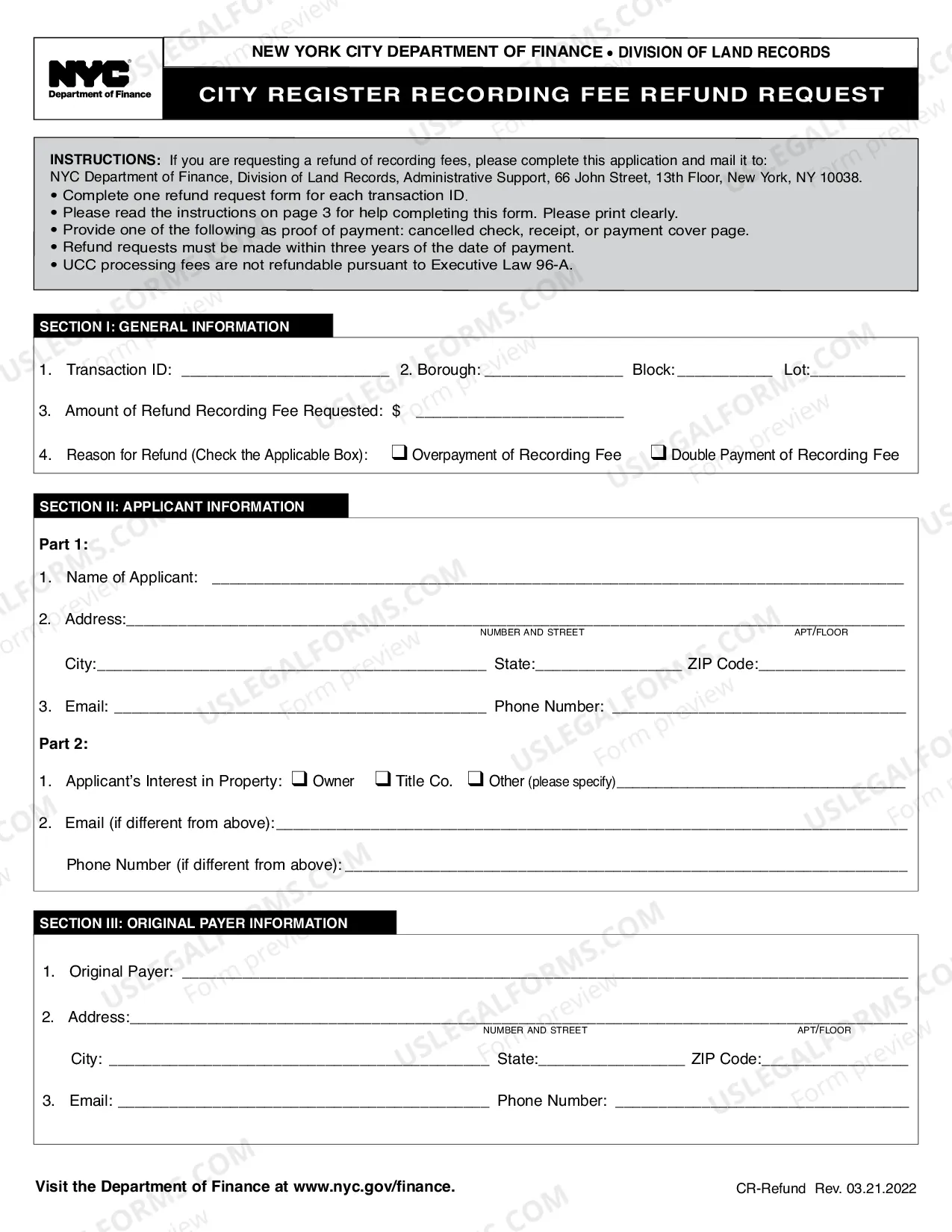
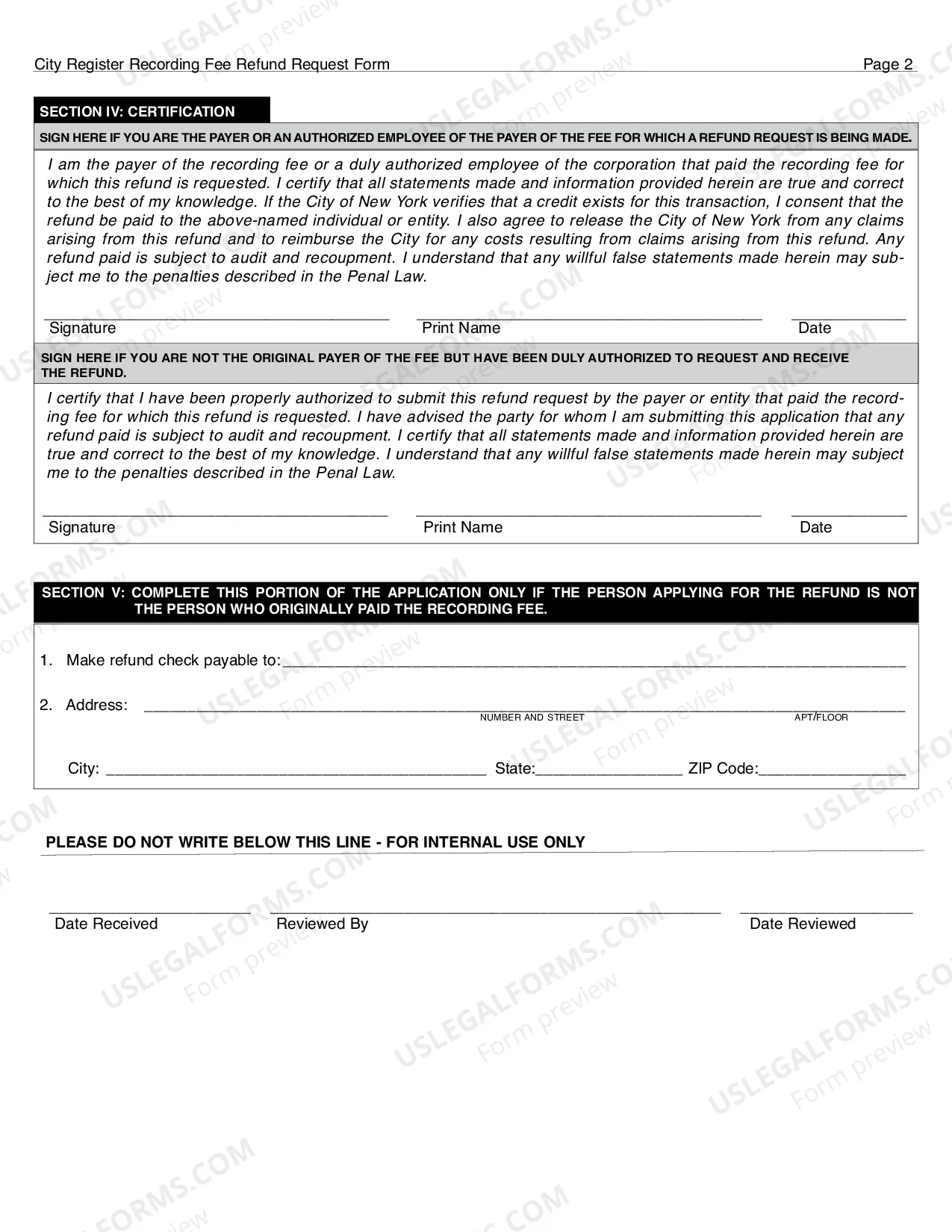
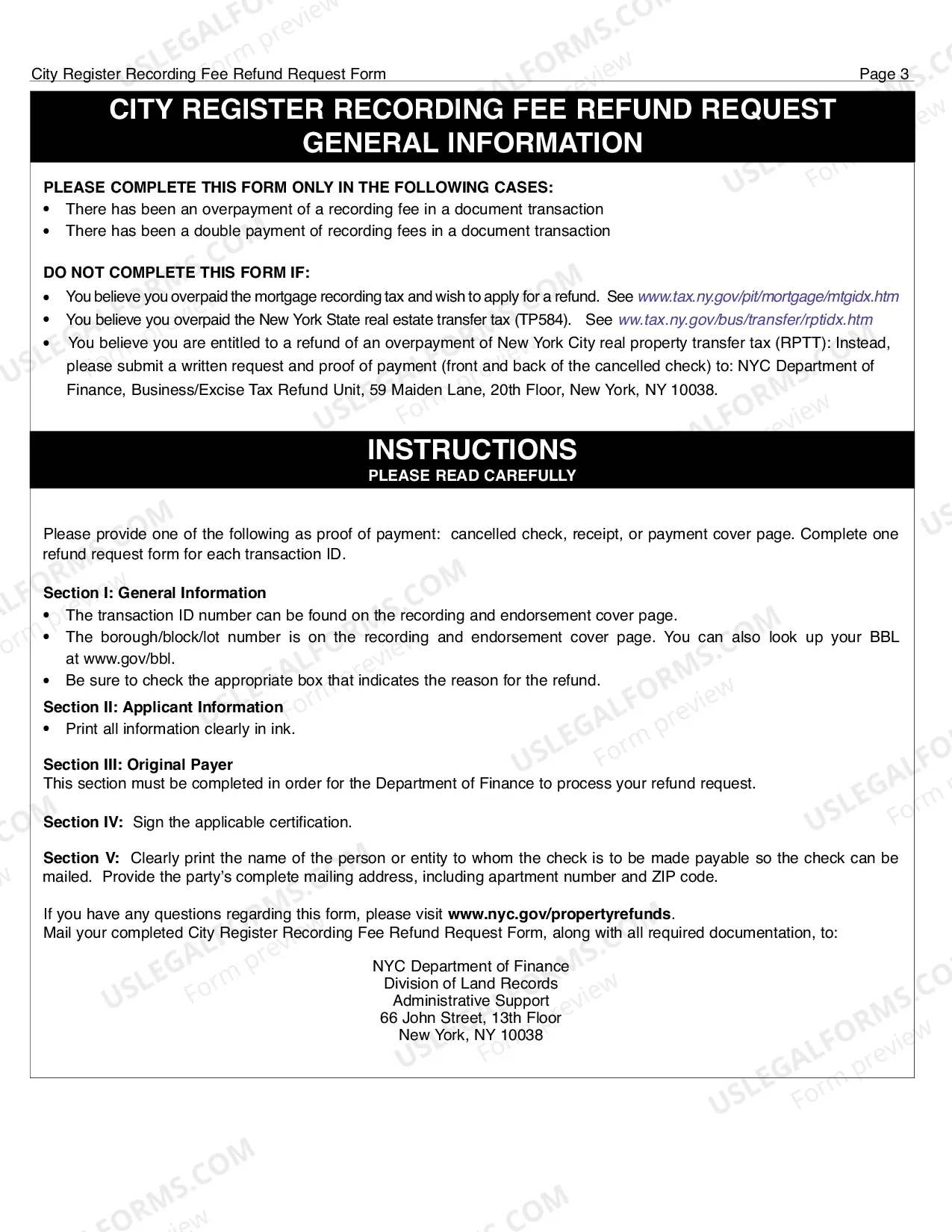
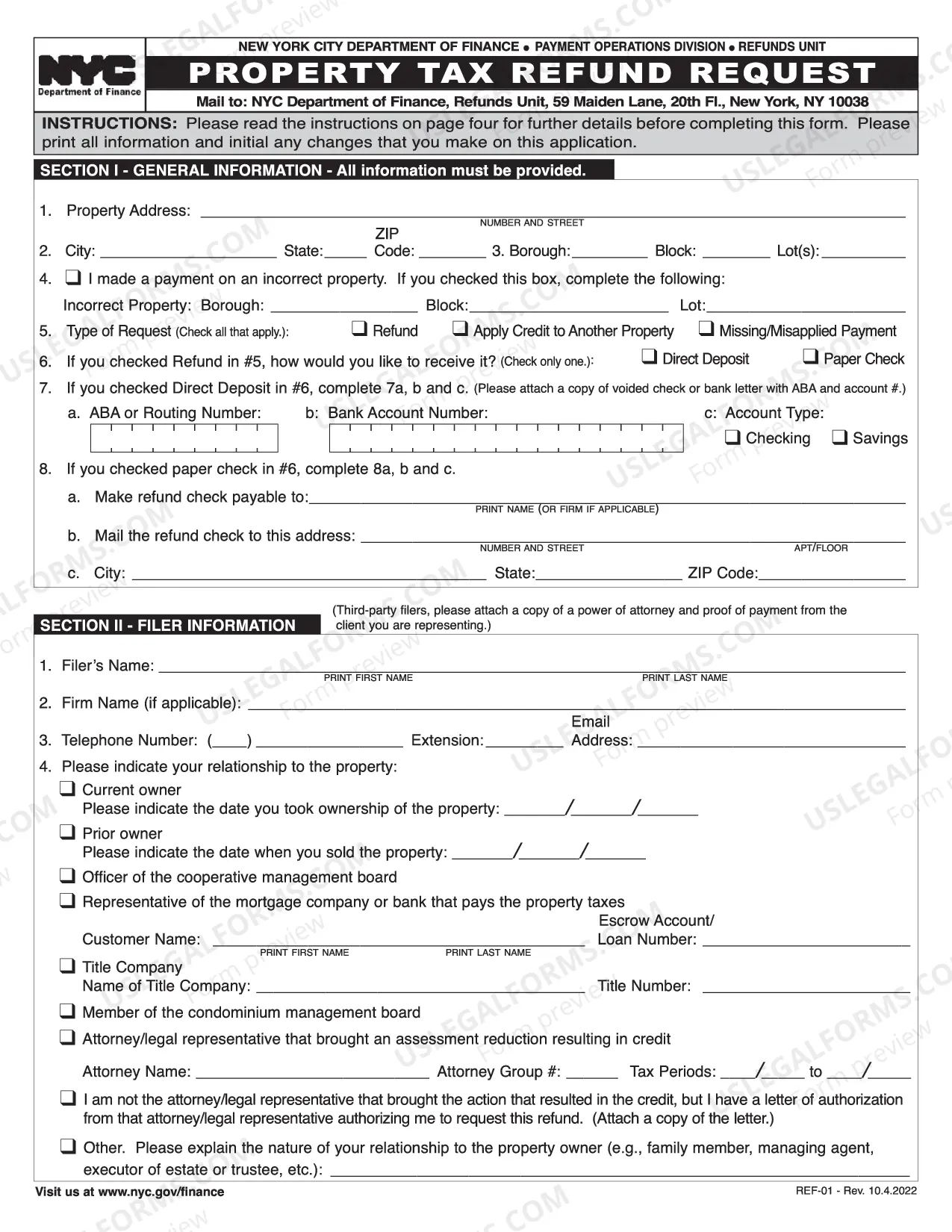
New York City Register Recording Fee Refund Request is a form used to request a refund of fees paid to the New York City Register Recording Office. The fees are associated with filing documents such as deeds, mortgages, judgments, and liens in the City’s public record. There are two types of New York City Register Recording Fee Refund Requests: (1) a Request for Refund of Overpayment and (2) a Request for Refund of Duplicate Payment. Both forms require the filer to provide a detailed description of the document filed, the fee paid, and the reason for the refund request. The form must be signed and notarized to be valid.
New York City Register Recording Fee Refund Request
State:
New York
Control #:
NY-DOF-06
Format:
PDF
Instant download
This website is not affiliated with any governmental entity
Public form
Description
City Register Recording Fee Refund Request
Free preview
Get your form ready online
Our built-in tools help you complete, sign, share, and store your documents in one place.
Built-in online Word editor
Make edits, fill in missing information, and update formatting in US Legal Forms—just like you would in MS Word.
Export easily
Download a copy, print it, send it by email, or mail it via USPS—whatever works best for your next step.
E-sign your document
Sign and collect signatures with our SignNow integration. Send to multiple recipients, set reminders, and more. Go Premium to unlock E-Sign.
Notarize online 24/7
If this form requires notarization, complete it online through a secure video call—no need to meet a notary in person or wait for an appointment.
Store your document securely
We protect your documents and personal data by following strict security and privacy standards.

Make edits, fill in missing information, and update formatting in US Legal Forms—just like you would in MS Word.

Download a copy, print it, send it by email, or mail it via USPS—whatever works best for your next step.

Sign and collect signatures with our SignNow integration. Send to multiple recipients, set reminders, and more. Go Premium to unlock E-Sign.

If this form requires notarization, complete it online through a secure video call—no need to meet a notary in person or wait for an appointment.

We protect your documents and personal data by following strict security and privacy standards.
Looking for another form?

How to fill out New York City Register Recording Fee Refund Request?
Preparing legal paperwork can be a real stress if you don’t have ready-to-use fillable templates. With the US Legal Forms online library of formal documentation, you can be confident in the blanks you find, as all of them correspond with federal and state regulations and are examined by our experts. So if you need to prepare New York City Register Recording Fee Refund Request, our service is the best place to download it.
Obtaining your New York City Register Recording Fee Refund Request from our service is as easy as ABC. Previously registered users with a valid subscription need only log in and click the Download button once they find the proper template. Afterwards, if they need to, users can get the same document from the My Forms tab of their profile. However, even if you are new to our service, registering with a valid subscription will take only a few minutes. Here’s a brief guideline for you:
- Document compliance verification. You should attentively examine the content of the form you want and check whether it satisfies your needs and meets your state law regulations. Previewing your document and reviewing its general description will help you do just that.
- Alternative search (optional). Should there be any inconsistencies, browse the library using the Search tab on the top of the page until you find an appropriate blank, and click Buy Now once you see the one you need.
- Account registration and form purchase. Sign up for an account with US Legal Forms. After account verification, log in and select your preferred subscription plan. Make a payment to proceed (PayPal and credit card options are available).
- Template download and further usage. Choose the file format for your New York City Register Recording Fee Refund Request and click Download to save it on your device. Print it to complete your paperwork manually, or take advantage of a multi-featured online editor to prepare an electronic copy faster and more effectively.
Haven’t you tried US Legal Forms yet? Subscribe to our service today to get any formal document quickly and easily every time you need to, and keep your paperwork in order!
Form popularity
FAQ
When will I receive my property tax rebate check? We expect to mail most checks in August of 2022. If you do not receive your check by the end of September, please contact us at .nyc.gov/dofcustomerservice. Please note that you will only be mailed a check if you are up to date on your property taxes.
Use the IRS Where's My Refund tool or the IRS2Go mobile app to check your refund online. This is the fastest and easiest way to track your refund. The systems are updated once every 24 hours. You can call the IRS to check on the status of your refund.
Note: The information below is for the property tax relief credit, which ended in 2019. If you're looking for information about the 2022 homeowner tax rebate credit, see homeowner tax rebate credit. The property tax relief credit directly reduced your property tax burden if you were a qualifying homeowner.
How can I check my refund status? Go to e-Services and click on ?Where's my refund??, select SS# under the ID type and put in your SS# under ID.
The US Government does not refund Sales Tax to Visitors US Customs and Border Protection has clarified on the CBP website that says, ?The United States Government does not refund sales tax to foreign visitors. Sales tax charged in the United States is paid to individual states, not the Federal government ??.
If you did not receive an HTRC check, it's likely for one of the following reasons: You did not receive a 2022 STAR credit or exemption. Your 2020 income was greater than $250,000. You did not have a 2022 school tax liability.
You must fax a copy of the receipt or voucher to the attention of the Refunds Unit - Parking Refunds at 212-232-1891 along with the confirmation that you will receive after submitting this application.