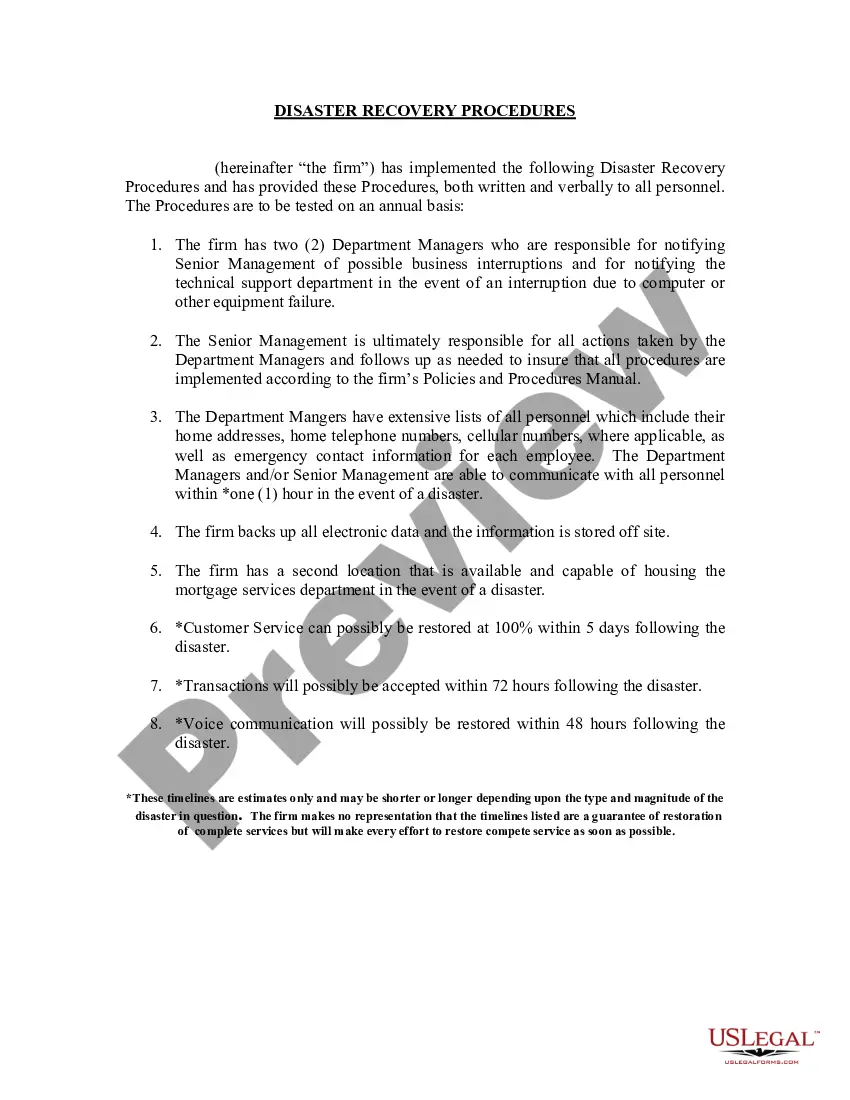
Maine Sample Disaster Recovery Procedures
Description
Get your form ready online
Our built-in tools help you complete, sign, share, and store your documents in one place.
Make edits, fill in missing information, and update formatting in US Legal Forms—just like you would in MS Word.
Download a copy, print it, send it by email, or mail it via USPS—whatever works best for your next step.
Sign and collect signatures with our SignNow integration. Send to multiple recipients, set reminders, and more. Go Premium to unlock E-Sign.
If this form requires notarization, complete it online through a secure video call—no need to meet a notary in person or wait for an appointment.
We protect your documents and personal data by following strict security and privacy standards.

Make edits, fill in missing information, and update formatting in US Legal Forms—just like you would in MS Word.

Download a copy, print it, send it by email, or mail it via USPS—whatever works best for your next step.

Sign and collect signatures with our SignNow integration. Send to multiple recipients, set reminders, and more. Go Premium to unlock E-Sign.

If this form requires notarization, complete it online through a secure video call—no need to meet a notary in person or wait for an appointment.

We protect your documents and personal data by following strict security and privacy standards.
Looking for another form?
How to fill out Sample Disaster Recovery Procedures?
If you need to compile, download, or create legal document templates, utilize US Legal Forms, the largest collection of legal forms available online.
Take advantage of the site's intuitive and user-friendly search feature to locate the documents you need.
A variety of templates for business and personal purposes are organized by categories and states, or keywords.
Every legal document template you purchase is yours indefinitely. You can access every form you saved in your account.
Select the My documents section and choose a form to print or download again. Complete and download, and print the Maine Sample Disaster Recovery Procedures with US Legal Forms. There are numerous professional and state-specific forms available for your business or personal needs.
- Utilize US Legal Forms to obtain the Maine Sample Disaster Recovery Procedures with just a few clicks.
- If you are already a US Legal Forms user, Log In to your account and click the Download button to access the Maine Sample Disaster Recovery Procedures.
- You can also access forms you previously saved in the My documents section of your account.
- If you are using US Legal Forms for the first time, follow these instructions.
- Step 1. Ensure you have selected the correct form for your city/state.
- Step 2. Use the Preview option to view the details of the form. Be sure to read the information carefully.
- Step 3. If you are not satisfied with the form, use the Search field at the top of the screen to find alternative versions of the legal document template.
- Step 4. Once you have located the form you need, click the Get now button. Choose your preferred pricing plan and enter your details to register for an account.
- Step 5. Complete the transaction. You can use your Visa, Mastercard, or PayPal account to finalize the purchase.
- Step 6. Select the format of the legal document and download it to your device.
- Step 7. Fill out, edit, and print or sign the Maine Sample Disaster Recovery Procedures.
Form popularity
FAQ
What are the five methods of testing a DRP?Walkthrough Testing.Simulation Testing.Checklist Testing.Full Interruption Testing and.Parallel Testing.
The first stage in any disaster recovery project should be to assess the risks facing the organisation. Managers should link risk assessments to a business impact analysis.
Outline Response Procedures Communication procedures for employees, media and customers. Data backup procedures, including a list of facilities and third-party solutions. Instructions for initiating a response strategy, including staff roles and critical activities.
Tiers of disaster recoveryTier 0: No off-site data.Tier 1: Physical backup with a cold site.Tier 2: Physical backup with a hot site.Tier 3: Electronic vaulting.Tier 4: Point-in-time recovery.Tier 5: Two-site commit/transaction integrity.Tier 6: Minimal to zero data loss.Tier 7: Recovery automation.
7 Steps to a Successful Disaster Recovery Plan.
There are seven main components of any good disaster recovery plan. These include mapping out your assets, identifying your assets' criticality and context, conducting a risk assessment, defining your recovery objectives, choosing a disaster recovery setup, budgeting for your setup, and testing and reviewing the plan.
5 phases of emergency managementPrevention. Prevention focuses on preventing hazards from occurring, whether they are natural, technological or caused by humans.Mitigation. Mitigation is the effort to reduce loss of life and property by lessening the impact of disasters and emergencies.Preparedness.Response.Recovery.
For example, a disaster recovery document might cover key areas such as a company's website, email services, ERP system, and file and print services. In an ideal world, organizations would have unlimited funds to build multiple levels of redundancy into all of these systems to avoid any downtime whatsoever.
5 Elements of a Disaster Recovery Plan Is Your Business...Create a disaster recovery team.Identify and assess disaster risks.Determine critical applications, documents, and resources.Determine critical applications, documents, and resources.Specify backup and off-site storage procedures.More items...
A 10-Step IT Disaster Recovery PlanCreate an inventory.Establish a recovery timeline.Communicate, communicate, communicate.Back up your data.Consider physical damages.Consider the human factor.Consider insurance.Test your disaster recovery plan.More items...?23-May-2019