Illinois Driveway Waiver
Overview of this form
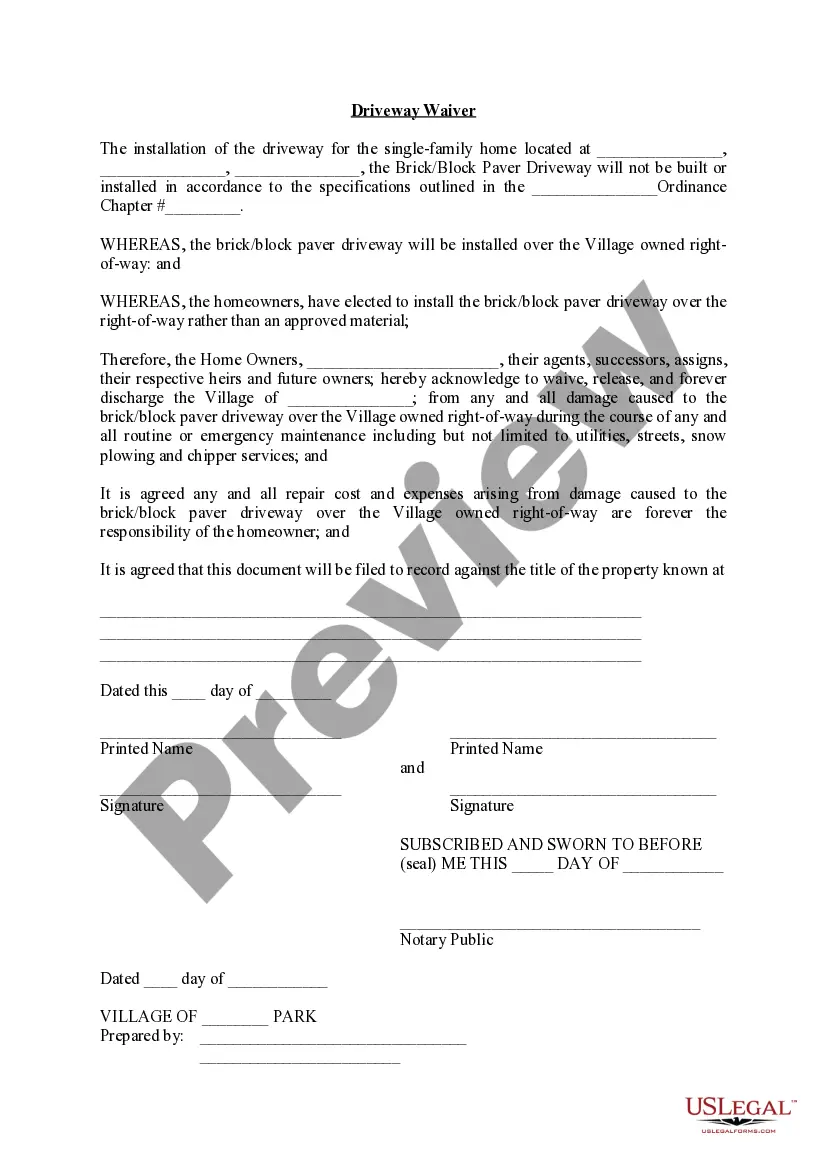
The Driveway Waiver is a legal document that allows homeowners to waive rights to repair costs resulting from damage to their brick or block paver driveways when they are installed over Village-owned right-of-way. This form is important for homeowners who opt for non-approved materials for their driveways, as it outlines the responsibilities for any damages incurred during maintenance activities. It differs from other property waivers by specifically addressing issues related to driveway installations and municipal rights-of-way.
What’s included in this form
- Property Details: Space for the homeowner to enter the property address.
- Specifications Notice: A clause acknowledging the deviation from ordinance specifications.
- Waiver Clauses: A section where homeowners release the Village Association from liability for damage incurred during maintenance.
- Repair Responsibilities: Explicit recognition that repair costs fall to the homeowner.
- Signature Area: Sections for homeowner signatures and notarization details.
- Date Fields: Spaces for entering relevant dates for documentation.

When to use this form
This form should be used when a homeowner intends to install a brick or block paver driveway over a Village-owned right-of-way and agrees to assume all liability for potential damages. It is particularly relevant when the chosen materials do not meet village standards, and the homeowner wishes to proceed with the installation while acknowledging the associated risks and responsibilities.
Intended users of this form
- Homeowners seeking to install a non-approved driveway material.
- Individuals living in areas governed by a Village Association.
- Property owners aware that future repairs and maintenance may damage their driveway.
- People who want to clearly document their responsibilities regarding their property improvements.
Instructions for completing this form
- Identify the property by filling in the address where the driveway will be installed.
- Specify the ordinance chapter and number that supports the waiver.
- Enter the names of all homeowners involved in the agreement.
- Read and understand the waiver clauses, then sign and date the document.
- Find a notary public to notarize the document, if required.
Does this form need to be notarized?
Yes, this form must be notarized to be legally valid. Notarization verifies the identity of the signers and adds a layer of authenticity to the document. US Legal Forms offers integrated online notarization services, ensuring convenience with 24/7 availability through secure video calls, without any requirement for travel.
Get your form ready online
Our built-in tools help you complete, sign, share, and store your documents in one place.
Make edits, fill in missing information, and update formatting in US Legal Forms—just like you would in MS Word.
Download a copy, print it, send it by email, or mail it via USPS—whatever works best for your next step.
Sign and collect signatures with our SignNow integration. Send to multiple recipients, set reminders, and more. Go Premium to unlock E-Sign.
If this form requires notarization, complete it online through a secure video call—no need to meet a notary in person or wait for an appointment.
We protect your documents and personal data by following strict security and privacy standards.

Make edits, fill in missing information, and update formatting in US Legal Forms—just like you would in MS Word.

Download a copy, print it, send it by email, or mail it via USPS—whatever works best for your next step.

Sign and collect signatures with our SignNow integration. Send to multiple recipients, set reminders, and more. Go Premium to unlock E-Sign.

If this form requires notarization, complete it online through a secure video call—no need to meet a notary in person or wait for an appointment.

We protect your documents and personal data by following strict security and privacy standards.
Mistakes to watch out for
- Failing to provide complete property details including correct addresses.
- Not specifying the ordinance chapter, leading to confusion on enforceability.
- Omitting signatures or dates, which could invalidate the waiver.
- Not consulting local laws that pertain to the use of non-approved materials.
Why use this form online
- Convenient downloadable access allows homeowners to complete the waiver at their own pace.
- Editability ensures that users can easily input their specific information.
- Legal drafts prepared by licensed professionals ensure that the form meets jurisdictional requirements.