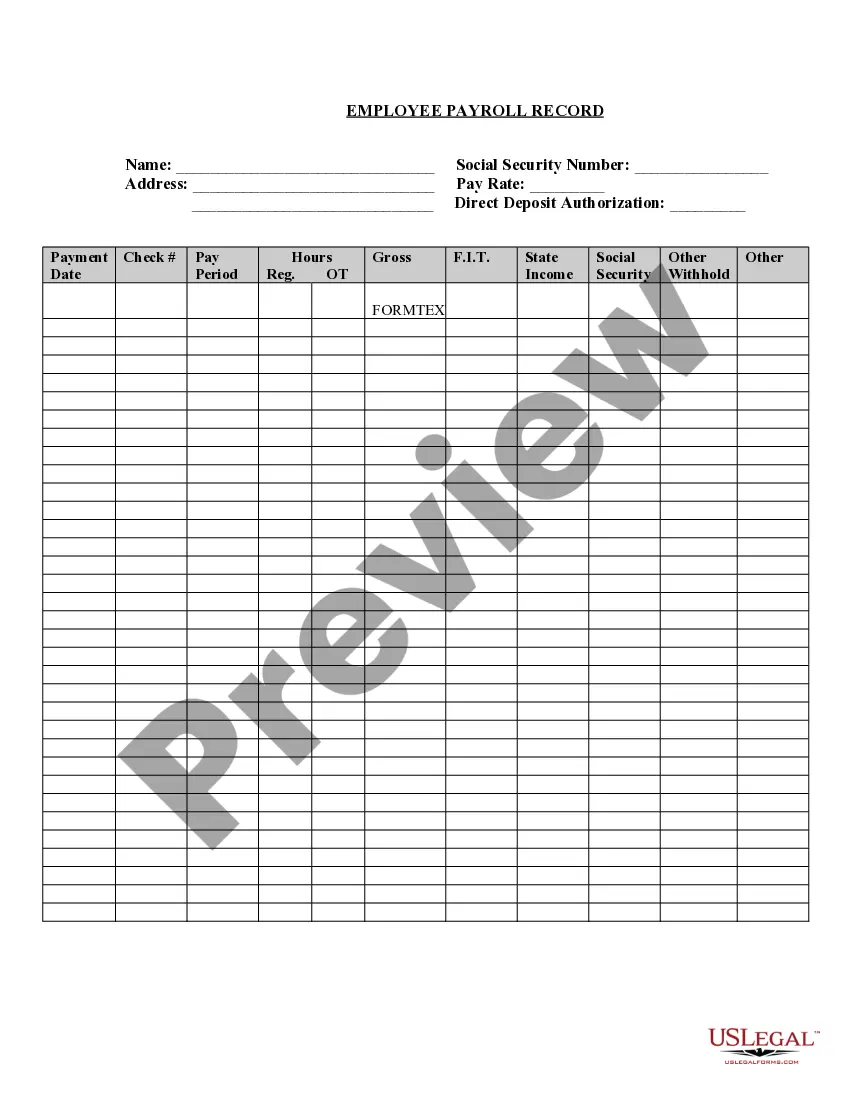
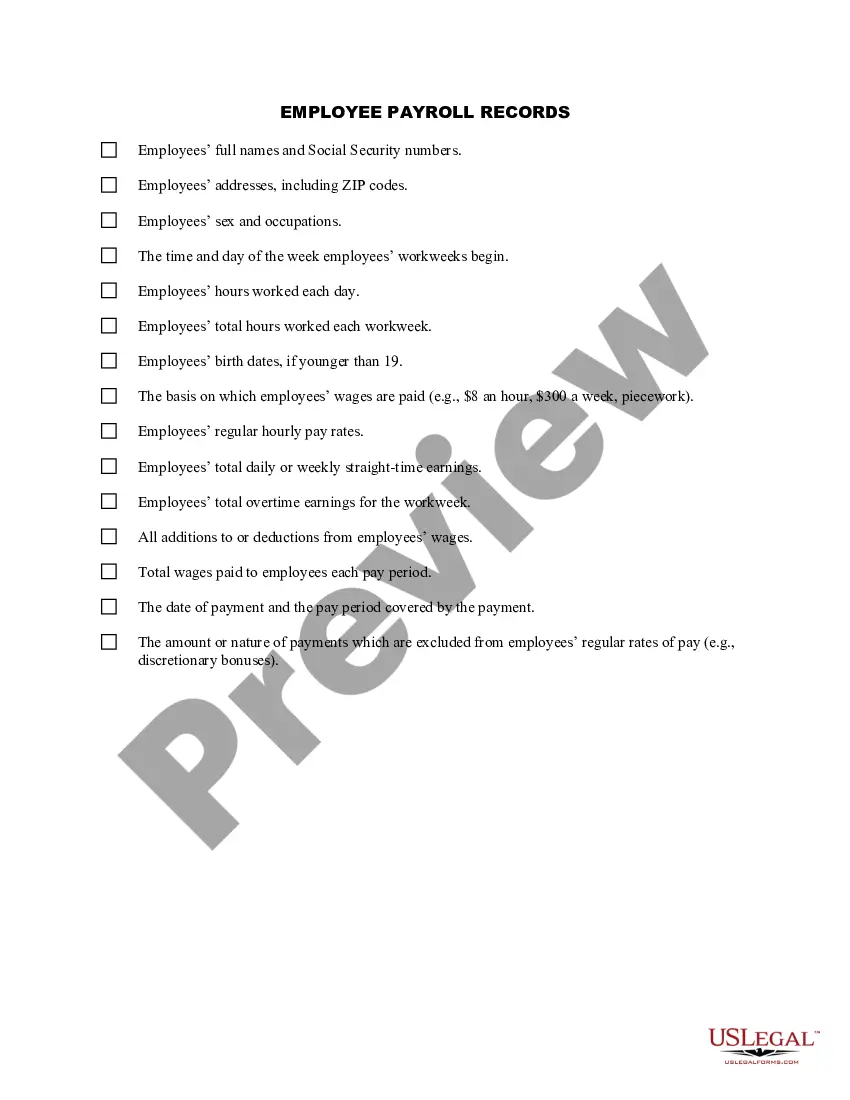
District of Columbia Employee Payroll Record
Description

Get your form ready online
Our built-in tools help you complete, sign, share, and store your documents in one place.
Make edits, fill in missing information, and update formatting in US Legal Forms—just like you would in MS Word.
Download a copy, print it, send it by email, or mail it via USPS—whatever works best for your next step.
Sign and collect signatures with our SignNow integration. Send to multiple recipients, set reminders, and more. Go Premium to unlock E-Sign.
If this form requires notarization, complete it online through a secure video call—no need to meet a notary in person or wait for an appointment.
We protect your documents and personal data by following strict security and privacy standards.

Make edits, fill in missing information, and update formatting in US Legal Forms—just like you would in MS Word.

Download a copy, print it, send it by email, or mail it via USPS—whatever works best for your next step.

Sign and collect signatures with our SignNow integration. Send to multiple recipients, set reminders, and more. Go Premium to unlock E-Sign.

If this form requires notarization, complete it online through a secure video call—no need to meet a notary in person or wait for an appointment.

We protect your documents and personal data by following strict security and privacy standards.
Looking for another form?





How to fill out Employee Payroll Record?
US Legal Forms - one of the largest collections of legal documents in the USA - provides a wide range of legal template options you can download or print.
By using the website, you can find thousands of forms for both business and personal purposes, organized by categories, states, or keywords. You can access the latest versions of forms like the District of Columbia Employee Payroll Record in a matter of seconds.
If you already have a subscription, Log In and download the District of Columbia Employee Payroll Record from the US Legal Forms library. The Download button will appear on every form you view. You can find all previously downloaded forms in the My documents section of your account.
Process the transaction. Use your credit card or PayPal account to finalize the purchase.
Select the format and download the form to your device. Make changes. Complete, edit, print, and sign the downloaded District of Columbia Employee Payroll Record. Every template you add to your account has no expiration date and belongs to you indefinitely. So, if you wish to download or print another copy, just revisit the My documents section and click on the form you need. Access the District of Columbia Employee Payroll Record through US Legal Forms, one of the most comprehensive collections of legal document templates. Utilize thousands of professional and state-specific templates that meet your business or personal needs and requirements.
- Make sure you have selected the appropriate form for your city/state.
- Click the Preview button to view the form’s details.
- Check the form description to ensure you have selected the correct form.
- If the form does not meet your requirements, utilize the Search field at the top of the screen to find one that does.
- If you are satisfied with the form, confirm your choice by clicking the Order Now button.
- Then, select your preferred pricing plan and provide your information to register for an account.
Form popularity
FAQ
Register online at the OTR's Combined Registration Application to receive the number within 3-5 business days.Find an existing Employer Account Number online or by contacting the DC Office of Tax and Revenue.
How to Pay Employer Federal TaxesStep 1: Complete an IRS Form 941, Employer's Quarterly Income Tax Return, or annually Form 943 for Agriculture Employees.Step 2: Calculate your Federal Unemployment Tax (FUTA) on Form 940.Step 3: Sign up for the Electronic Federal Tax Payment System (EFTPS)
Covered employers are required to develop and maintain records pertaining to their obligations under the Act. Covered employers must keep the records for no less than three years and make them available for inspection, copying, and transcription by DOES representatives upon request.
The District of Columbia law requires employers to withhold state income tax from employee's wages and remit the amounts withheld to the Office of Tax and Revenue.
District of Columbia Income Tax WithholdingThe District of Columbia law requires employers to withhold state income tax from employee's wages and remit the amounts withheld to the Office of Tax and Revenue.
Filers get taxed 4.00% on their first $10,000 of taxable income; 6.00% on income between $10,000 and $40,000; 6.50% up to $60,000; 8.50% up to $250,000; 9.25% up to $500,000; 9.75% up to $1 million; and 10.75% for taxable income above $1 million.
How does an employer get an account number assigned in the District of Columbia?Office of Unemployment Compensation - Tax Division.does@dc.gov.(202) 698-7550.(202) 698-5706.TTY.4th Floor.Monday to Friday 9 am to pm.
The D.C. Department of Employment Services (DOES) hosts a webinar to answer questions regarding unemployment insurance. We use this opportunity to inform unemployment insurance claimants on the current application process, and we outline important information related to unemployment claims.
DC residents pay the highest per-capita federal income taxes in the US. In total, DC residents pay more in total federal income tax than residents of 22 other states, but have no say over how those tax dollars are spent.