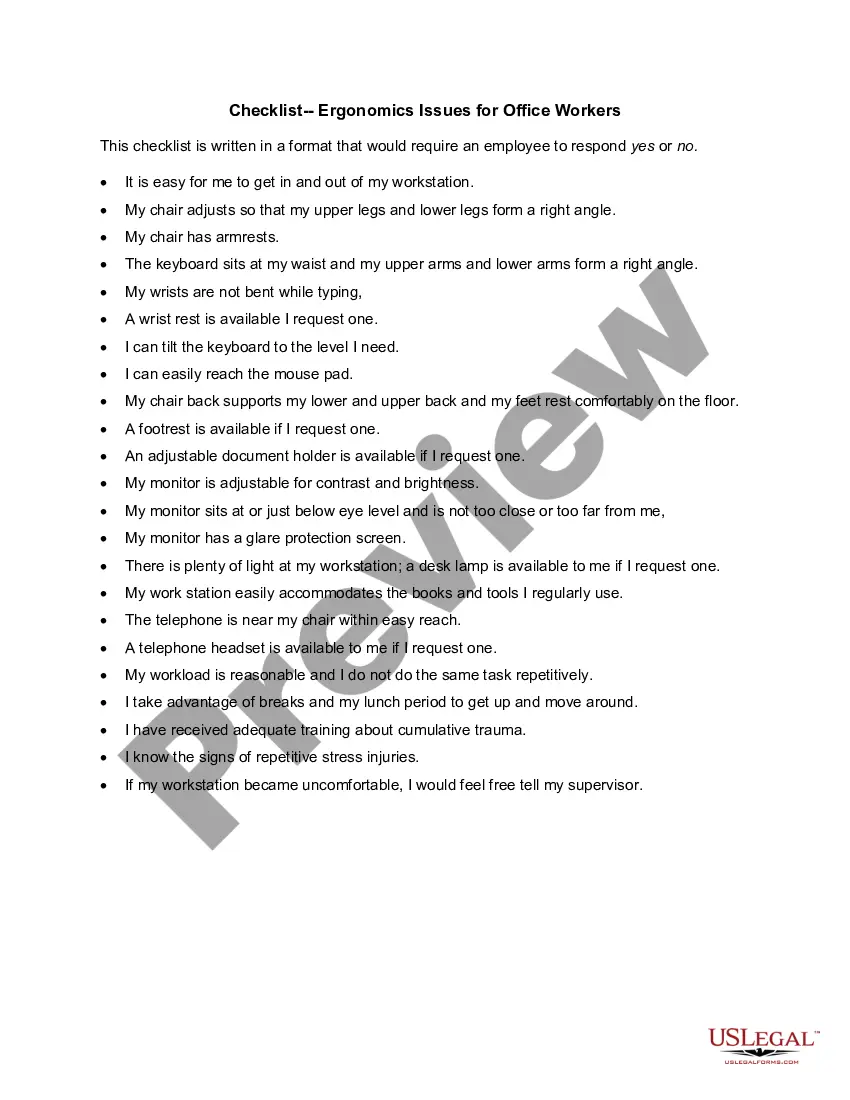
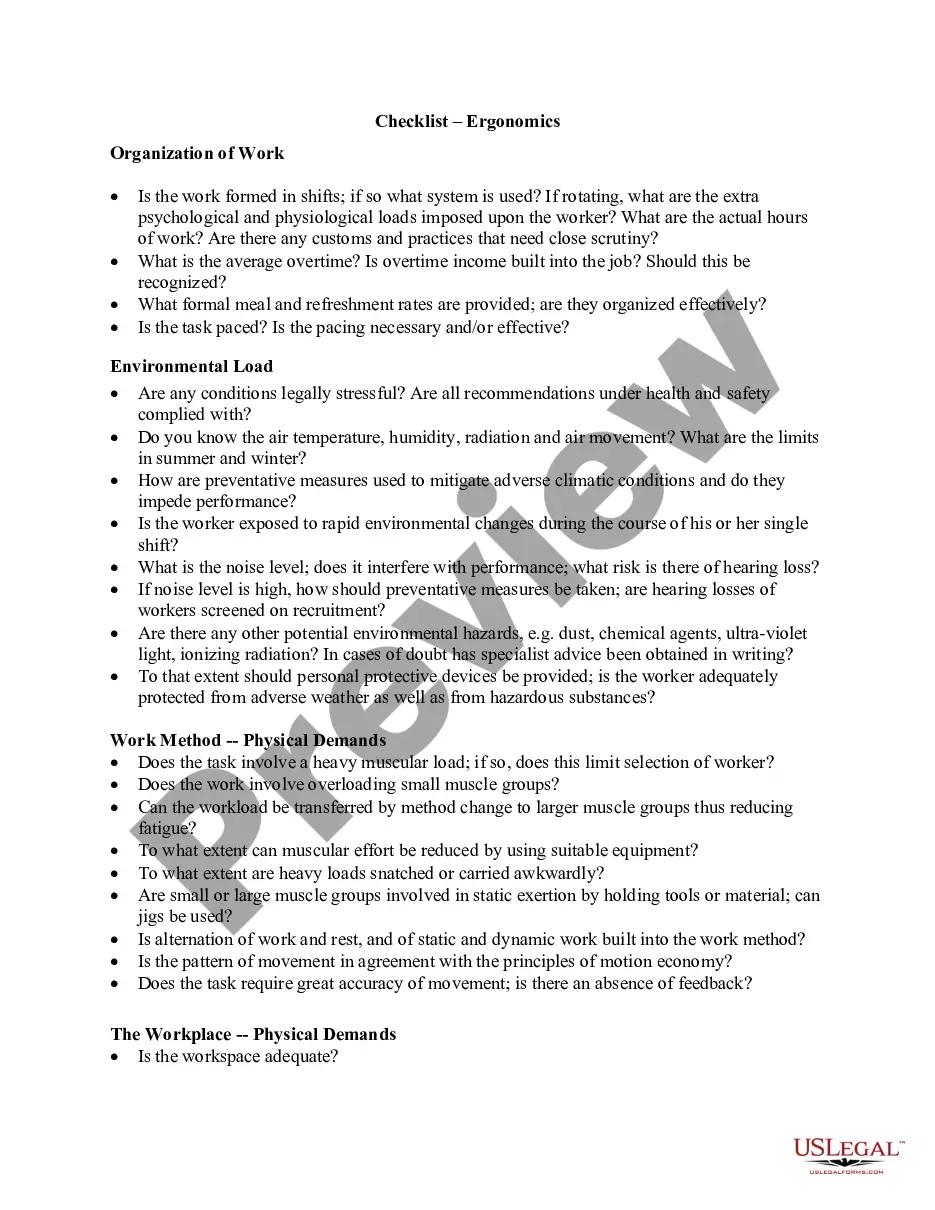
Ergonomics is the science of fitting workplace conditions and job demands to the capabilities of the working population. A major component of ergonomics is the development of industry-specific and task-specific guidelines to reduce and prevent workplace musculoskeletal disorders (MSDs). These voluntary guidelines are tools to assist employers in recognizing and controlling ergonomics-related risk factors. Employers in other industries for which guidelines have not been developed may find useful information in these guidelines for implementing their own ergonomic programs.
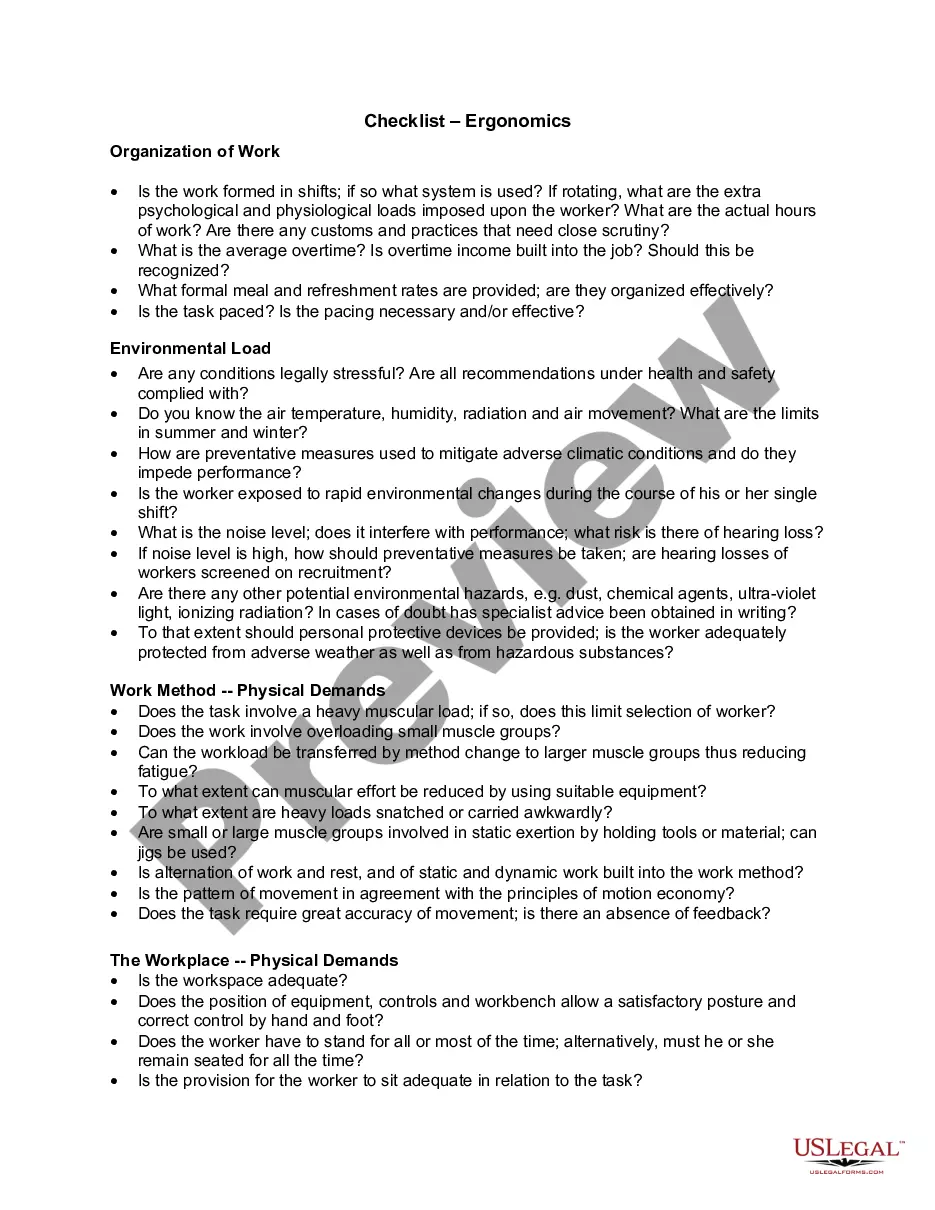
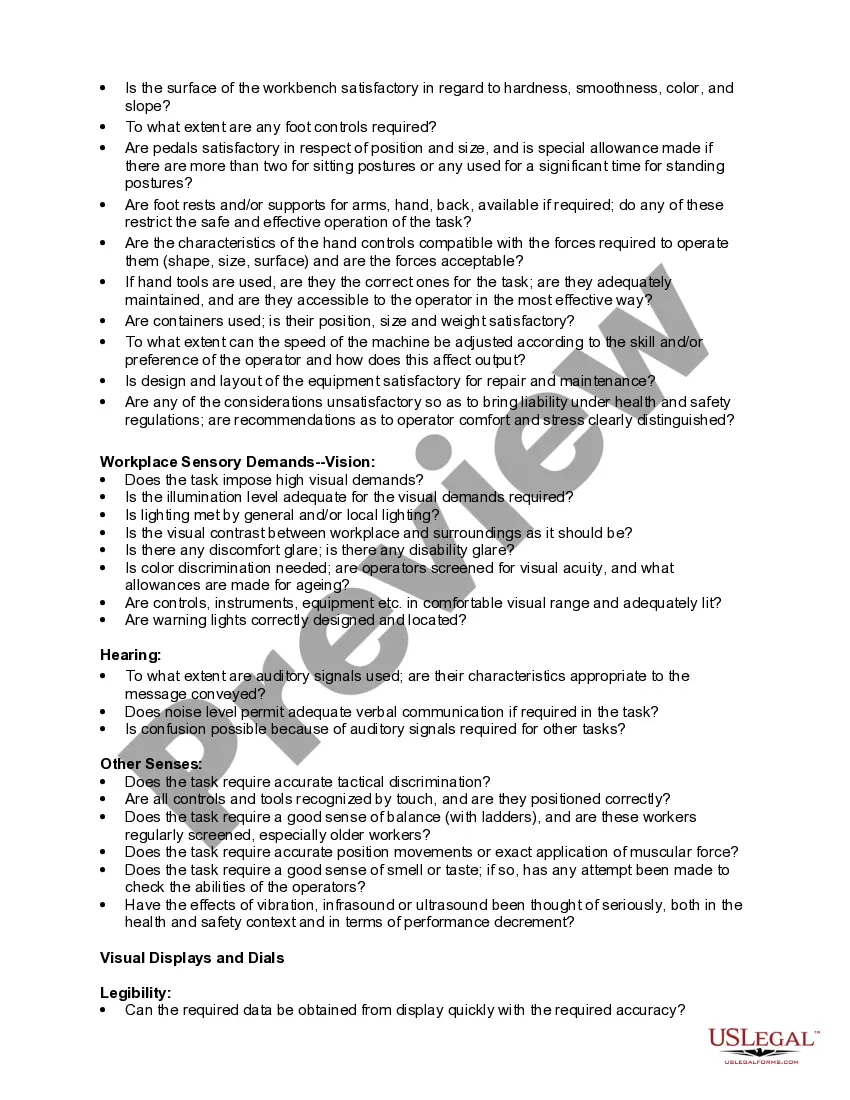
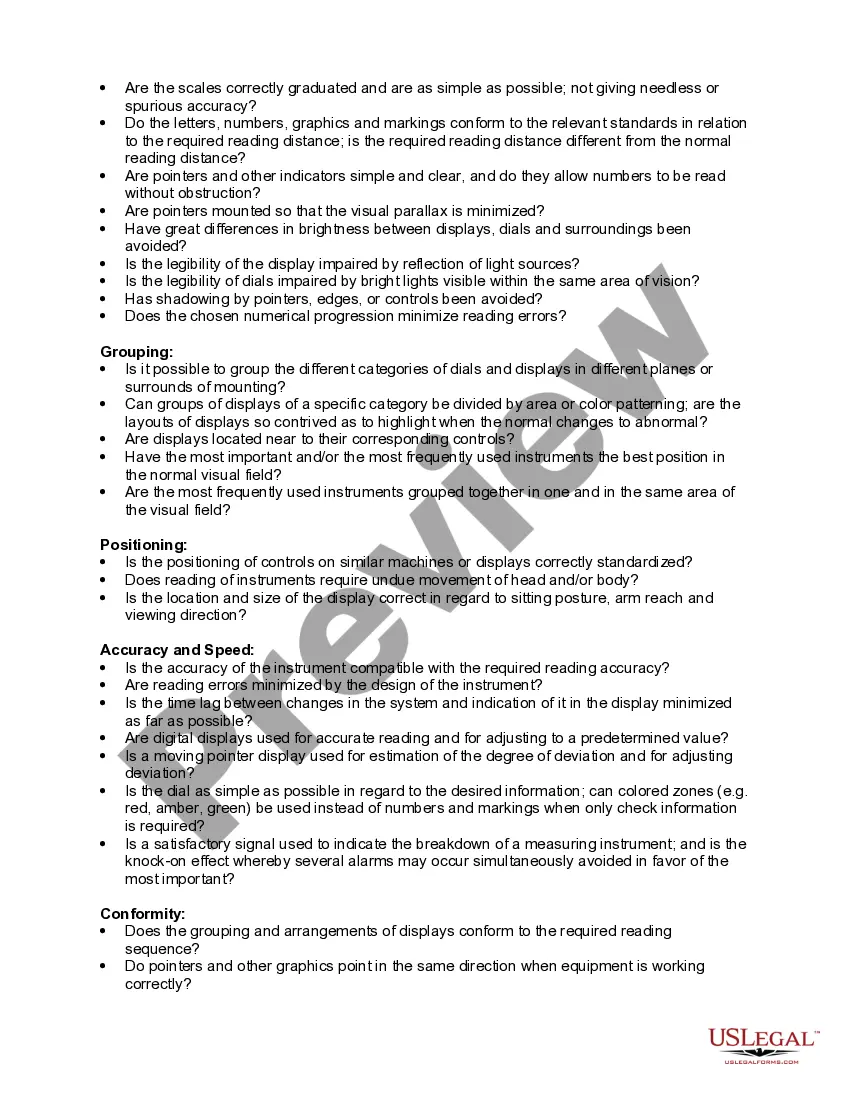
Arizona Checklist - Ergonomics
Category:
State:
Multi-State
Control #:
US-03058BG
Format:
Word;
Rich Text
Instant download
Description
Free preview
Get your form ready online
Our built-in tools help you complete, sign, share, and store your documents in one place.
Built-in online Word editor
Make edits, fill in missing information, and update formatting in US Legal Forms—just like you would in MS Word.
Export easily
Download a copy, print it, send it by email, or mail it via USPS—whatever works best for your next step.
E-sign your document
Sign and collect signatures with our SignNow integration. Send to multiple recipients, set reminders, and more. Go Premium to unlock E-Sign.
Notarize online 24/7
If this form requires notarization, complete it online through a secure video call—no need to meet a notary in person or wait for an appointment.
Store your document securely
We protect your documents and personal data by following strict security and privacy standards.

Make edits, fill in missing information, and update formatting in US Legal Forms—just like you would in MS Word.

Download a copy, print it, send it by email, or mail it via USPS—whatever works best for your next step.

Sign and collect signatures with our SignNow integration. Send to multiple recipients, set reminders, and more. Go Premium to unlock E-Sign.

If this form requires notarization, complete it online through a secure video call—no need to meet a notary in person or wait for an appointment.

We protect your documents and personal data by following strict security and privacy standards.
Looking for another form?


How to fill out Checklist - Ergonomics?
Are you presently in a situation where you require documents for both business or personal reasons almost every day.
There is an array of legal document templates accessible online, but finding ones you can trust isn’t easy.
US Legal Forms offers numerous templates, such as the Arizona Checklist - Ergonomics, designed to meet federal and state regulations.
Select a convenient file format and download your copy.
Find all the document templates you have purchased in the My documents section. You can obtain an additional copy of the Arizona Checklist - Ergonomics anytime if necessary. Simply choose the desired template to download or print it.
Utilize US Legal Forms, offering the most extensive range of legal templates, to save time and avoid errors. The service provides professionally crafted legal document templates that can be used for a variety of purposes. Create an account on US Legal Forms and start making your life easier.
- If you are familiar with the US Legal Forms website and have an account, just Log In.
- After that, you can download the Arizona Checklist - Ergonomics template.
- If you do not have an account and wish to start using US Legal Forms, follow these steps.
- Select the template you need and ensure it's for the right city/state.
- Utilize the Preview button to review the document.
- Check the description to confirm that you have selected the correct template.
- If the template isn’t what you are looking for, use the Search field to find the template that suits your needs.
- If you find the correct template, click Acquire now.
- Choose the pricing plan you need, fill in the required information to create your account, and purchase your order using PayPal or a credit card.
Form popularity
FAQ
An ergonomic assessment typically includes an examination of the work environment, employee tasks, and potential risks. During this process, the Arizona Checklist - Ergonomics can guide you in identifying specific areas for improvement. The assessment also provides recommendations for adapting workstations, enhancing tools, and offering training. By focusing on ergonomics, organizations can create a healthier and more productive workplace.
While OSHA does not specifically mandate ergonomic programs, it does require employers to maintain a safe and healthful workplace. The Arizona Checklist - Ergonomics serves as a valuable resource to help employers comply with these standards. By implementing ergonomic practices, businesses can prevent workplace injuries and improve overall worker safety. It's a proactive step that protects both employees and employers.
The five components of ergonomics include body mechanics, workstation design, environmental factors, task design, and employee training. When you consider the Arizona Checklist - Ergonomics, these elements work together to enhance comfort and efficiency in the workplace. Proper body mechanics reduce strain, while effective workstation design ensures that tools are accessible. Overall, a comprehensive approach leads to better productivity and worker satisfaction.
The five points of ergonomics emphasize creating a work environment that promotes health and productivity. Begin with proper chair height to ensure good posture while sitting. Secondly, position computer monitors at eye level to reduce neck strain. Thirdly, encourage regular movement to prevent stiffness. Fourth, ensure the layout maximizes convenience and reduces unnecessary movements. Lastly, involve employees in ergonomic discussions to foster engagement, as highlighted in the Arizona Checklist - Ergonomics.
The five principles of ergonomic design focus on safety, comfort, efficiency, and productivity. First, design should accommodate the needs of all users by ensuring adjustability. Next, tools and spaces should reduce strain and enhance posture. Third, simplify tasks to lower mental and physical demands. Fourth, maintain proper interaction between users and technology. Lastly, periodic assessments must ensure continuous improvement, aligning perfectly with the Arizona Checklist - Ergonomics.
The ergonomic rating scale is a tool used to assess the level of ergonomic risk associated with specific job tasks. It typically ranges from low to high risk and considers factors such as posture, force, and repetition. This scale assists employers in determining necessary interventions to improve workplace ergonomics. Utilizing the Arizona Checklist - Ergonomics helps in applying these ratings effectively to enhance workplace safety and comfort.
Conducting an ergonomic assessment in an office setting involves several steps. Start by evaluating workstation layouts to ensure they meet ergonomic standards. Follow this by observing employees to identify potential discomfort and areas for improvement. Afterward, collect feedback from staff about their work experiences. Finally, document the findings and apply recommendations, which is vital when using the Arizona Checklist - Ergonomics to enhance employee well-being.
The five steps of a risk assessment order begin with identifying hazards in the workplace. Next, evaluate who might be harmed and how, which helps prioritize risks. Then, consider existing control measures to mitigate those risks. Once that is done, document the findings and implement necessary changes. Finally, review the assessment regularly, ensuring it stays relevant, especially within the context of the Arizona Checklist - Ergonomics.
Typically, an ergonomic assessment can be conducted by trained professionals, such as occupational health specialists or ergonomists. These individuals have the expertise to evaluate workstations and recommend changes. With uslegalforms, you can access resources that connect you to qualified professionals to perform comprehensive ergonomic assessments using the Arizona Checklist - Ergonomics.
An ergonomic check involves evaluating an individual's work environment to ensure it supports good posture and reduces strain. This process identifies areas for improvement that can contribute to employee well-being. Using the Arizona Checklist - Ergonomics can facilitate this check, leading to actionable recommendations and better workplace practices.