Arizona Fastcase User Guide
Description

Get your form ready online
Our built-in tools help you complete, sign, share, and store your documents in one place.
Make edits, fill in missing information, and update formatting in US Legal Forms—just like you would in MS Word.
Download a copy, print it, send it by email, or mail it via USPS—whatever works best for your next step.
Sign and collect signatures with our SignNow integration. Send to multiple recipients, set reminders, and more. Go Premium to unlock E-Sign.
If this form requires notarization, complete it online through a secure video call—no need to meet a notary in person or wait for an appointment.
We protect your documents and personal data by following strict security and privacy standards.

Make edits, fill in missing information, and update formatting in US Legal Forms—just like you would in MS Word.

Download a copy, print it, send it by email, or mail it via USPS—whatever works best for your next step.

Sign and collect signatures with our SignNow integration. Send to multiple recipients, set reminders, and more. Go Premium to unlock E-Sign.

If this form requires notarization, complete it online through a secure video call—no need to meet a notary in person or wait for an appointment.

We protect your documents and personal data by following strict security and privacy standards.
Looking for another form?


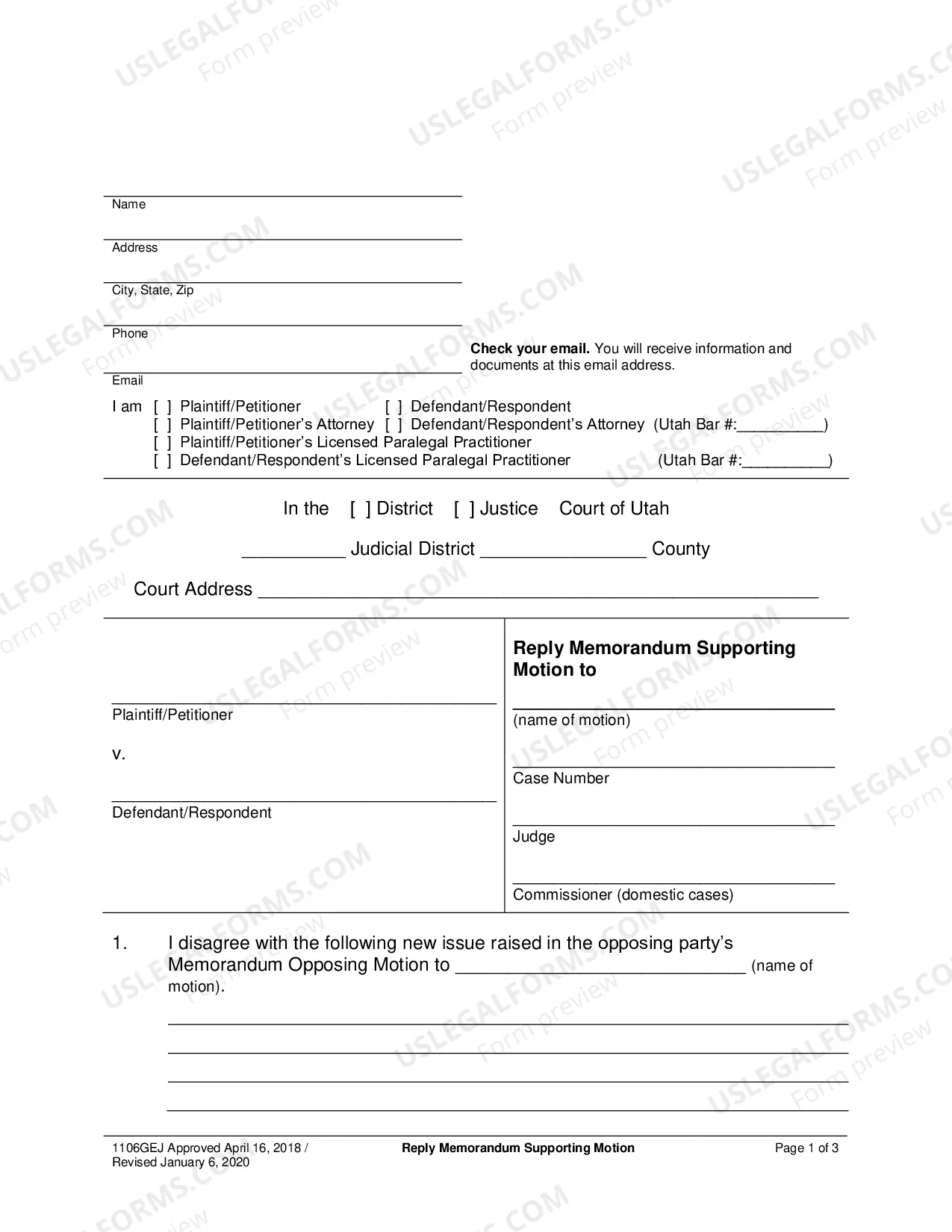
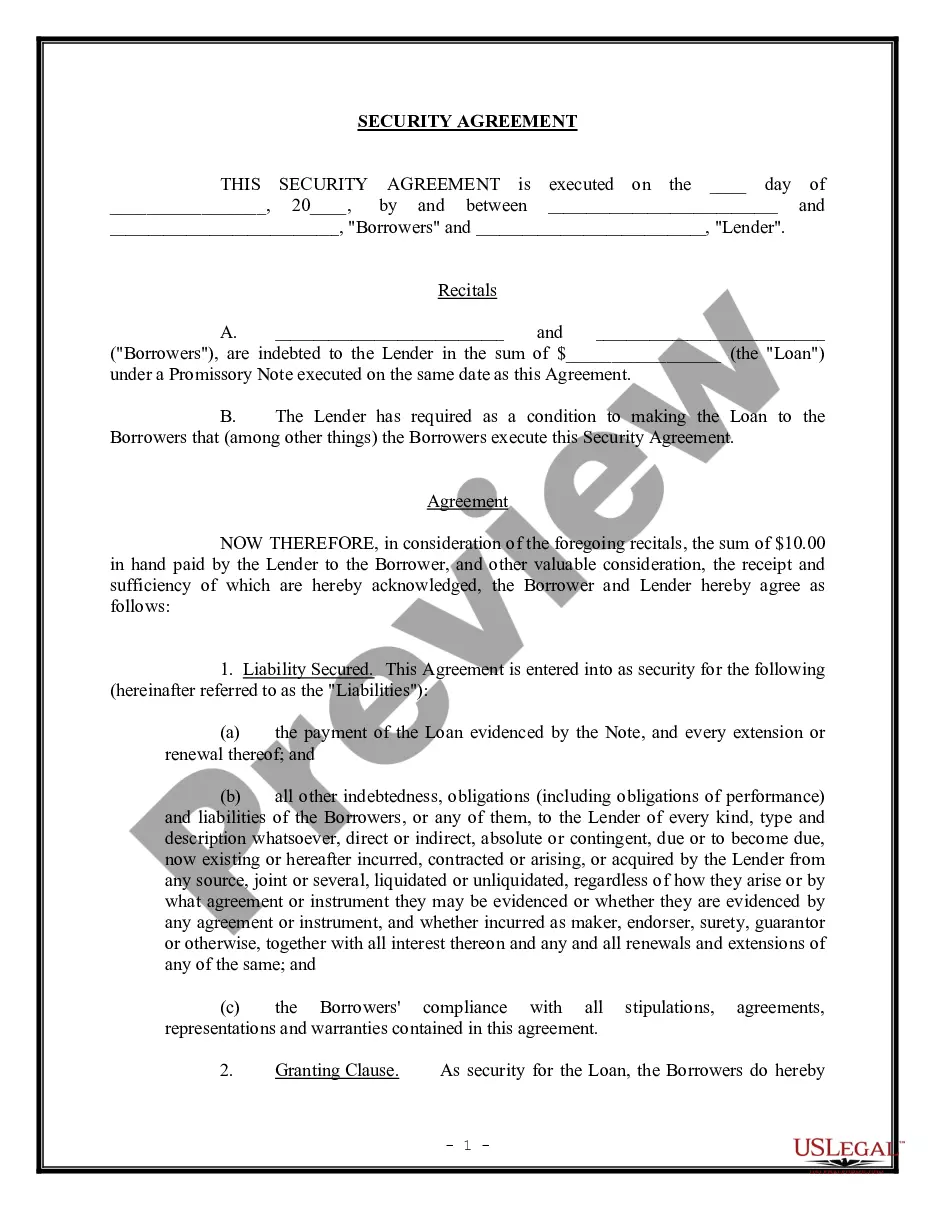
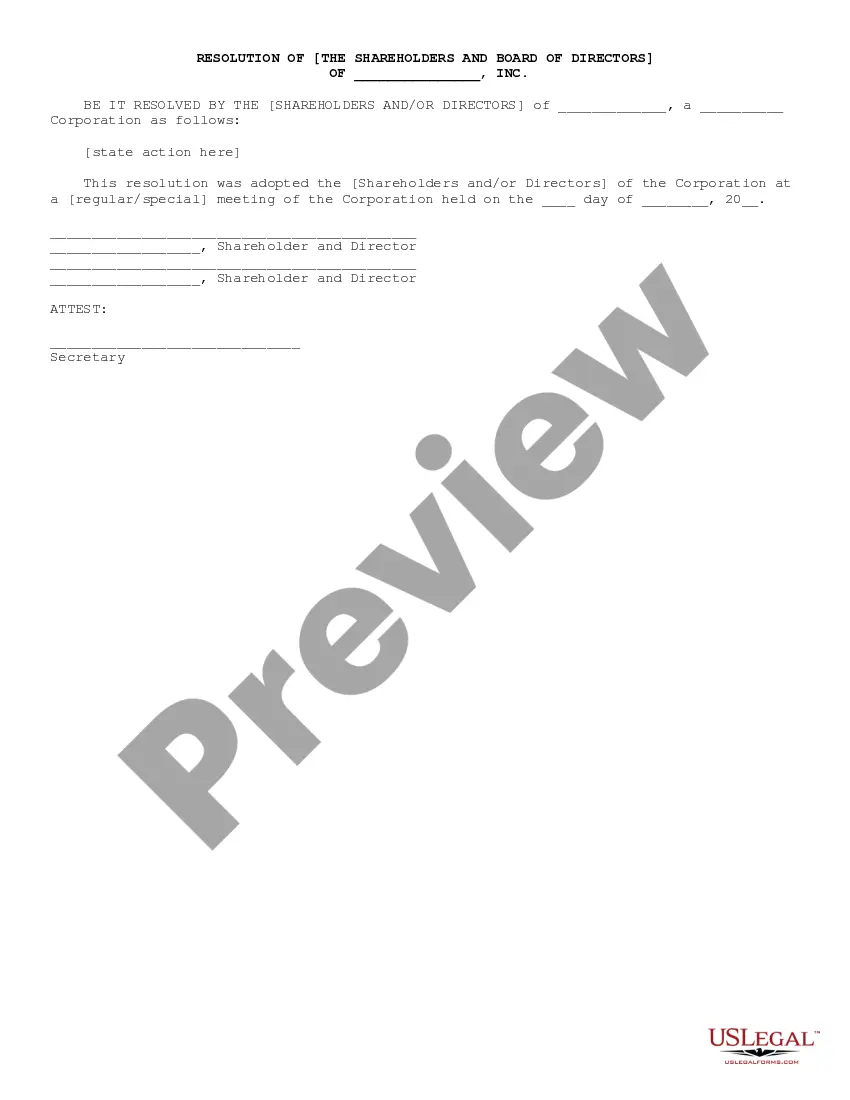
How to fill out Arizona Fastcase User Guide?
Handling official documentation necessitates focus, precision, and utilizing well-constructed templates. US Legal Forms has been assisting individuals nationwide in accomplishing this for 25 years, so when you select your Arizona Fastcase User Guide template from our collection, you can trust it complies with federal and state regulations.
Interacting with our service is straightforward and swift. To obtain the required documentation, all you’ll need is an account with an active subscription. Here’s a concise guide for you to access your Arizona Fastcase User Guide in a matter of minutes.
All documents are created for multiple usages, like the Arizona Fastcase User Guide showcased on this page. If you require them in the future, you can complete them without additional payment - simply access the My documents tab in your profile and finalize your document whenever necessary. Experience US Legal Forms and prepare your business and personal paperwork swiftly and in complete legal adherence!
- Ensure you thoroughly review the form's content and its alignment with general and legal standards by previewing it or examining its description.
- Seek an alternative official form if the previously accessed one does not fit your circumstances or state regulations (the option for this is located at the top page corner).
- Log In to your account and save the Arizona Fastcase User Guide in the format you prefer. If it’s your initial experience with our service, click Buy now to proceed.
- Establish an account, choose your subscription tier, and pay using your credit card or PayPal account.
- Select the format in which you wish to save your form and click Download. Print the form or upload it to a professional PDF editor for a paperless submission.
Form popularity
FAQ
Fastcase is an excellent legal research option whether a lawyer already has access through their bar association or not. Its comprehensive database and growing list of secondary sources is highly competitive with Westlaw and LexisNexis, but at a much lower price.
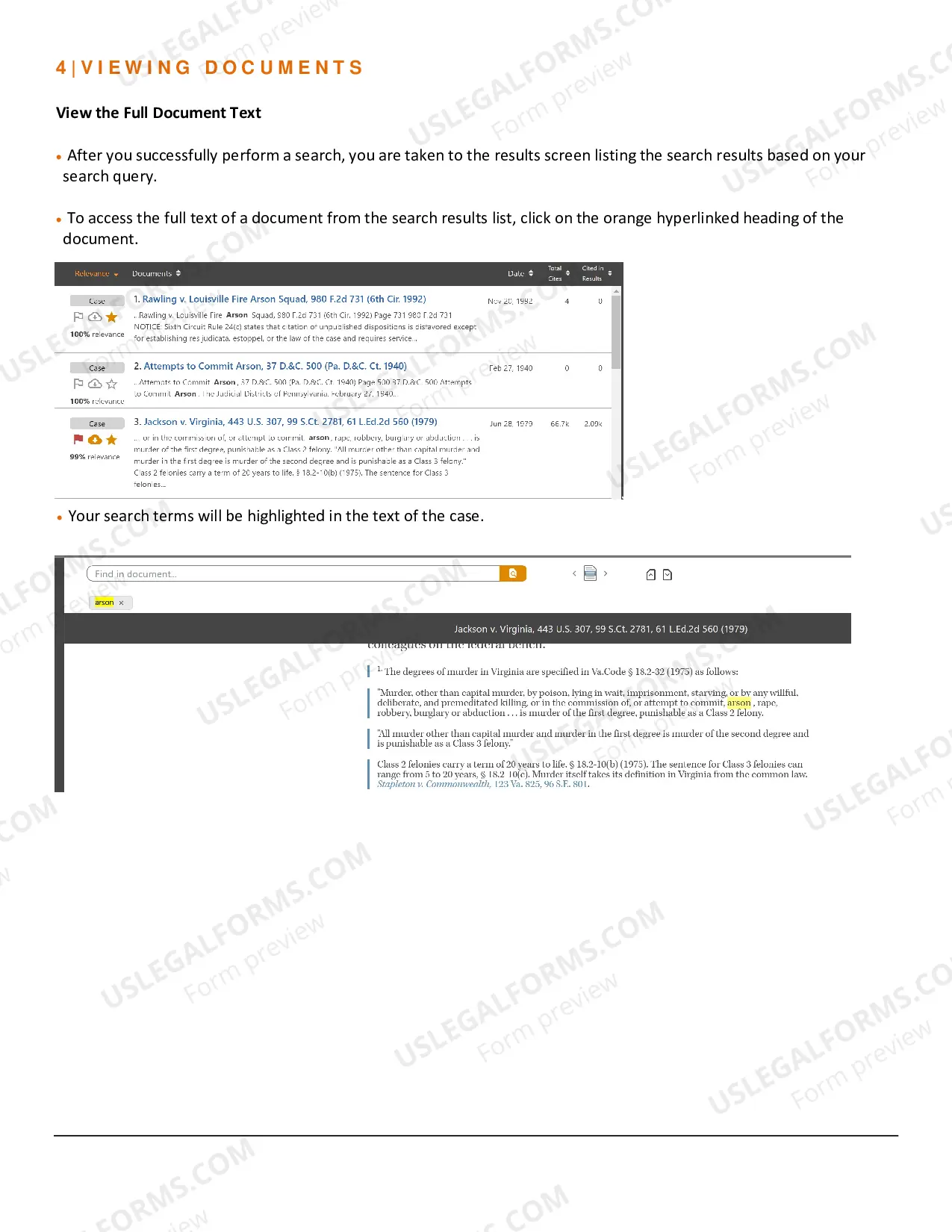
Fastcase integrates citation analysis into search results, telling you how often each case in your results list has been cited. Only Fastcase offers this powerful tool.
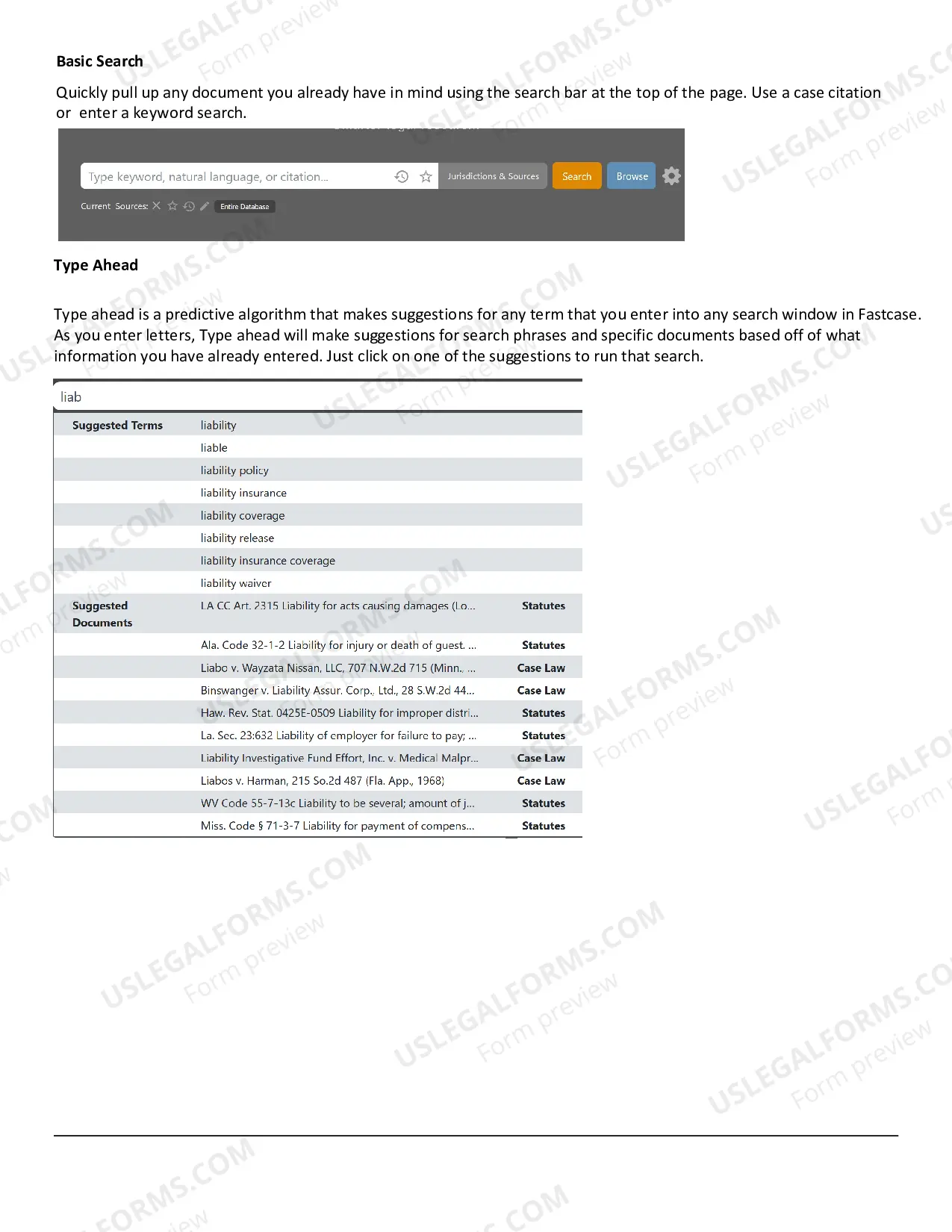
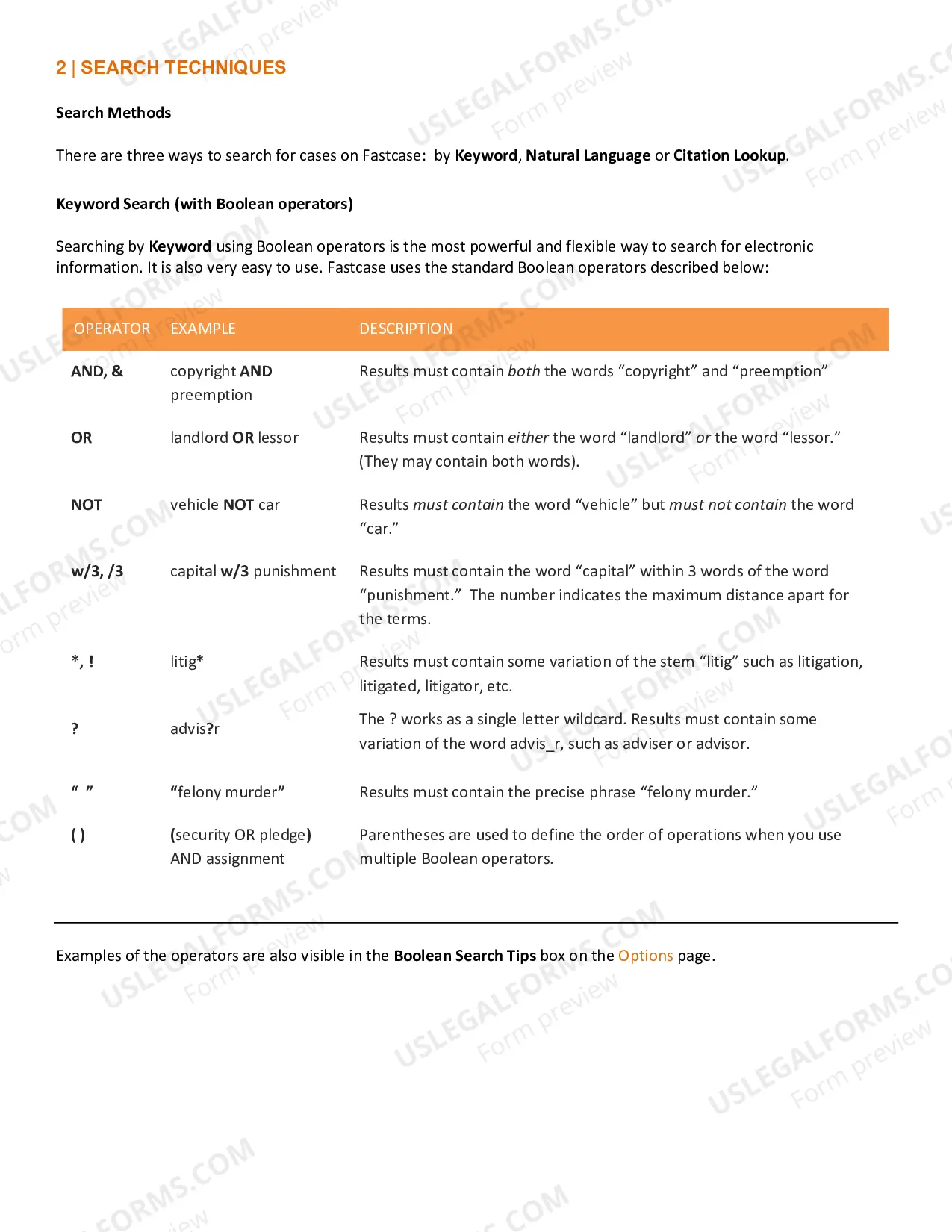
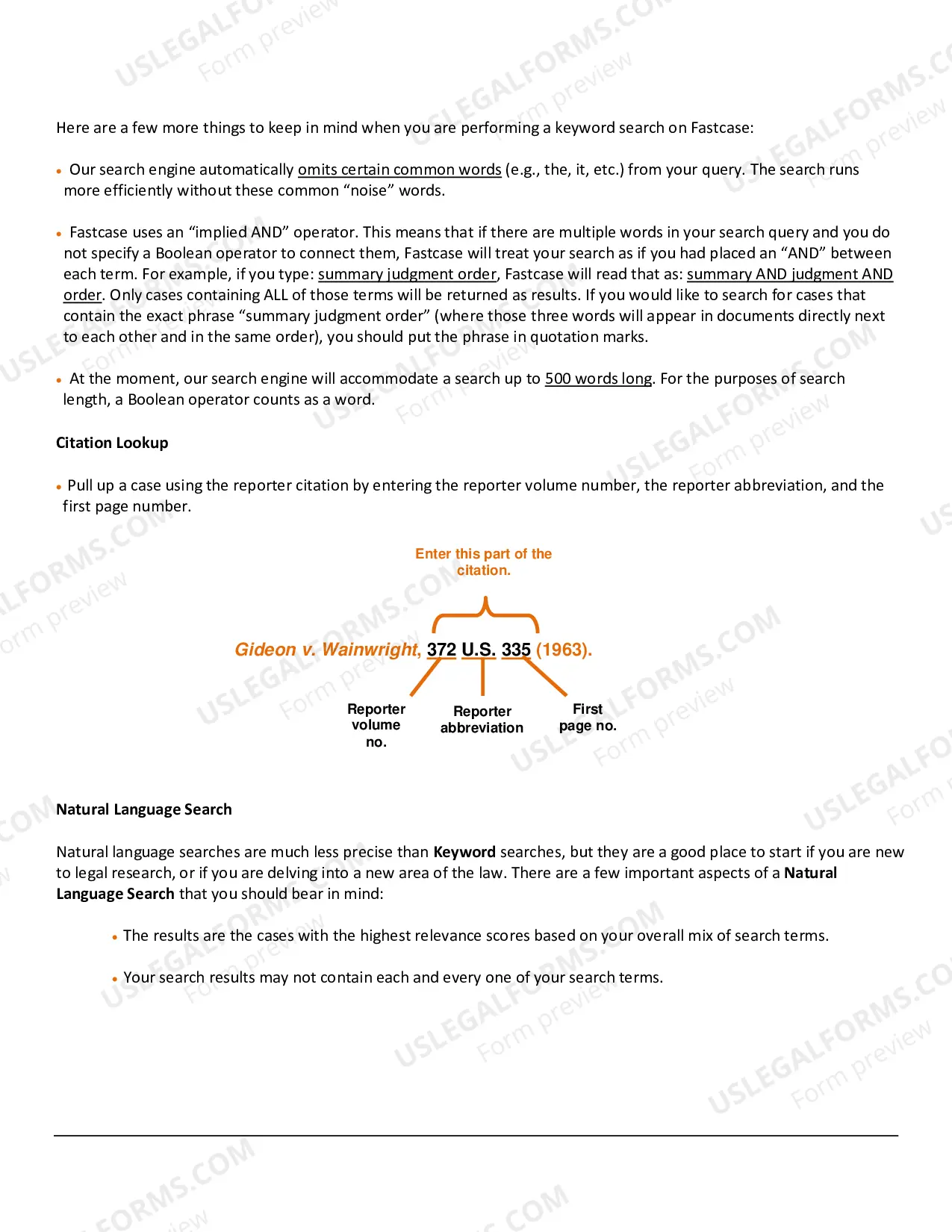
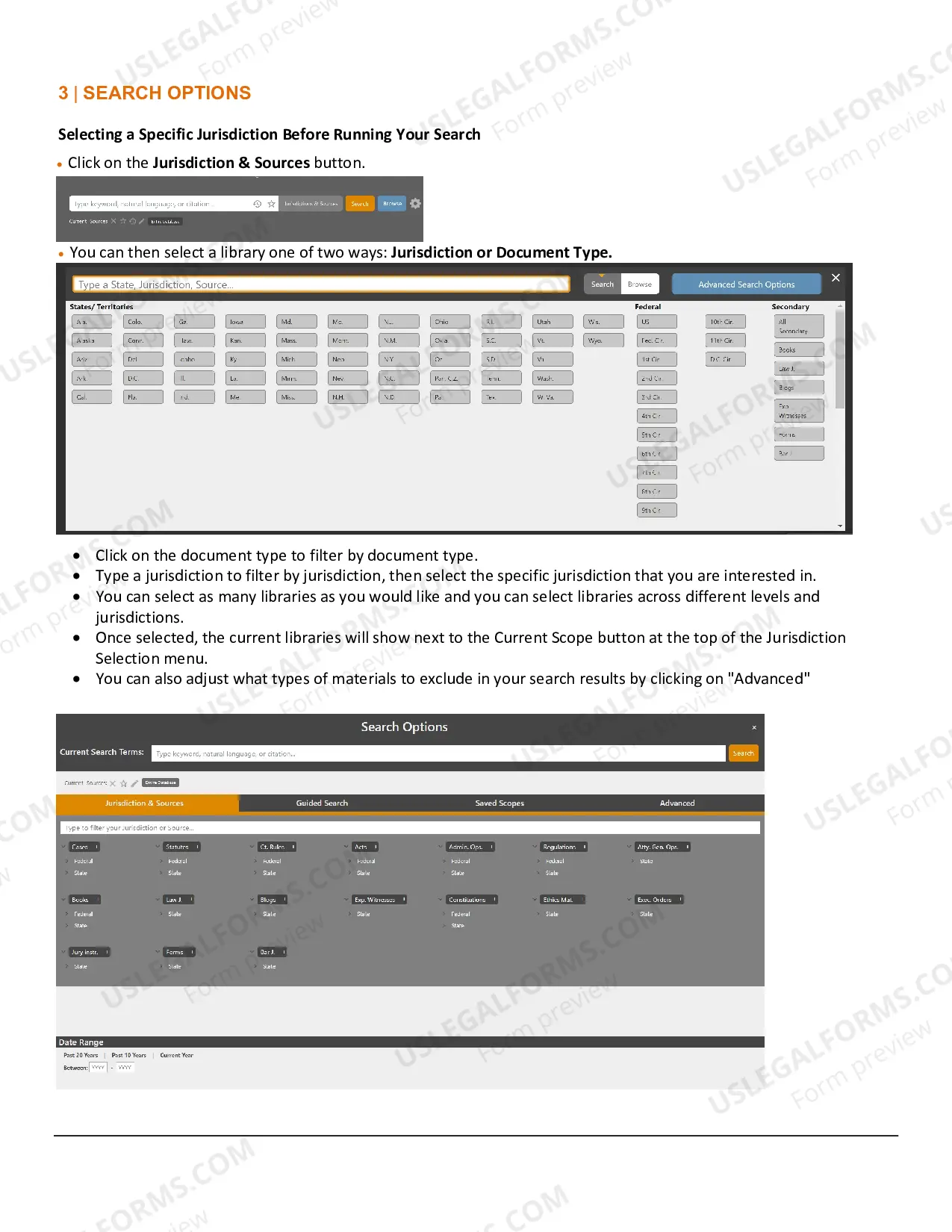
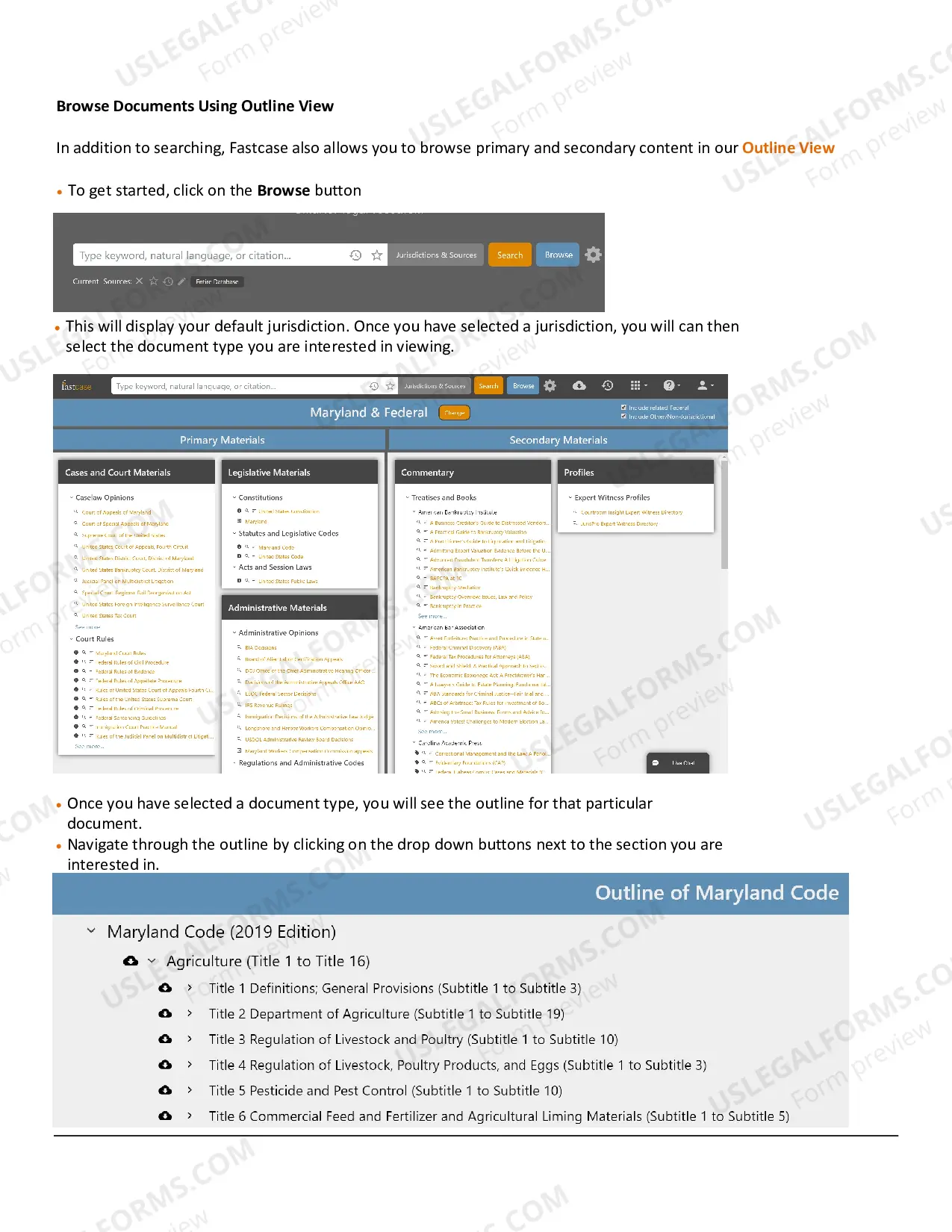
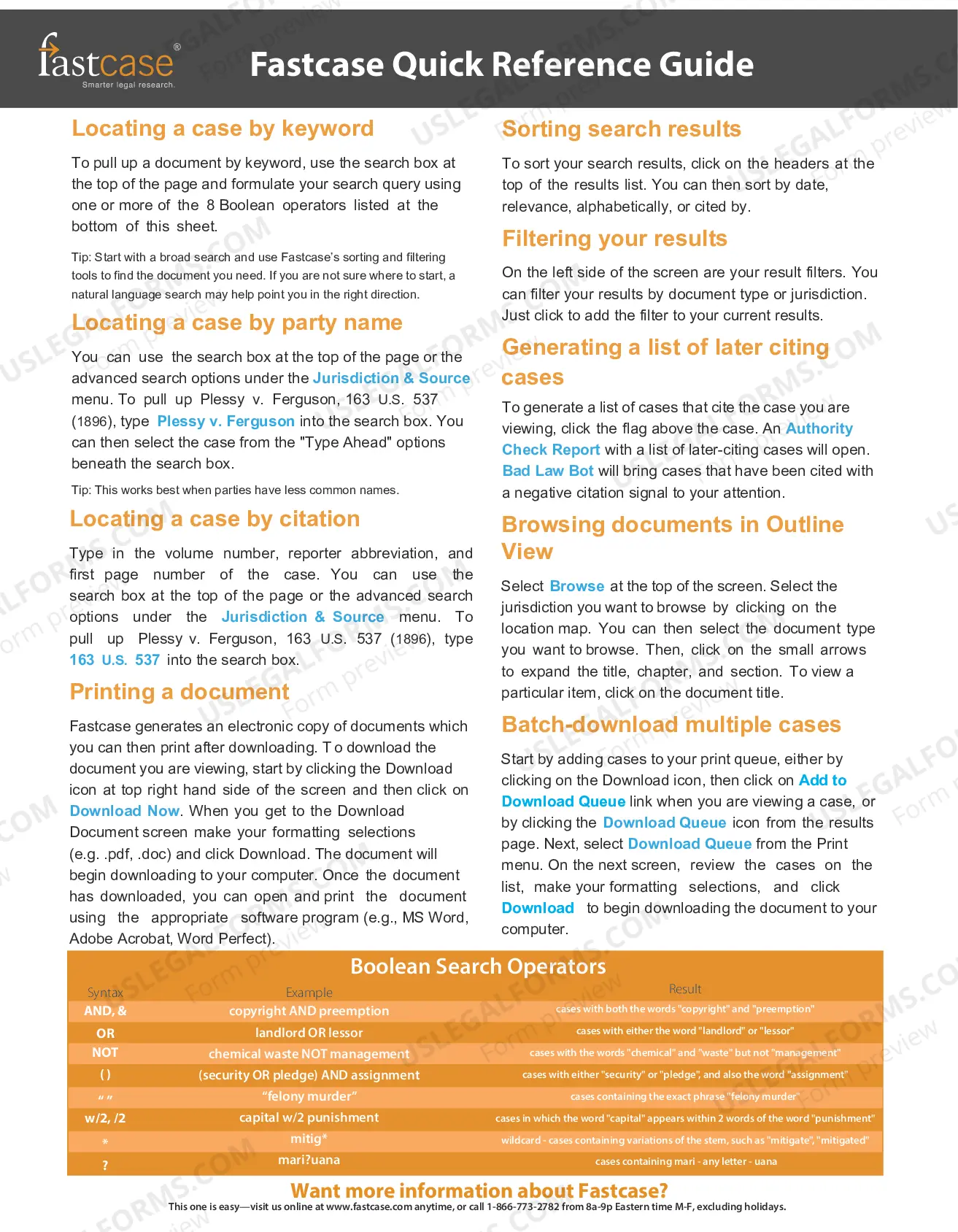
There are three ways to search for cases on Fastcase: Keyword, Natural Language and Citation Lookup. the reporter volume number, the reporter abbreviation, and the first page number. Search and Advanced Caselaw Search. contain both words).
You can preview thousands of forms before you buy them, and download forms that you can edit and save. It's a form library at your fingertips!
Fastcase gives you the ability to save and print clean, professional-looking documents in single- or dual-column format. Click the Print icon on your toolbar. Then click "print now".
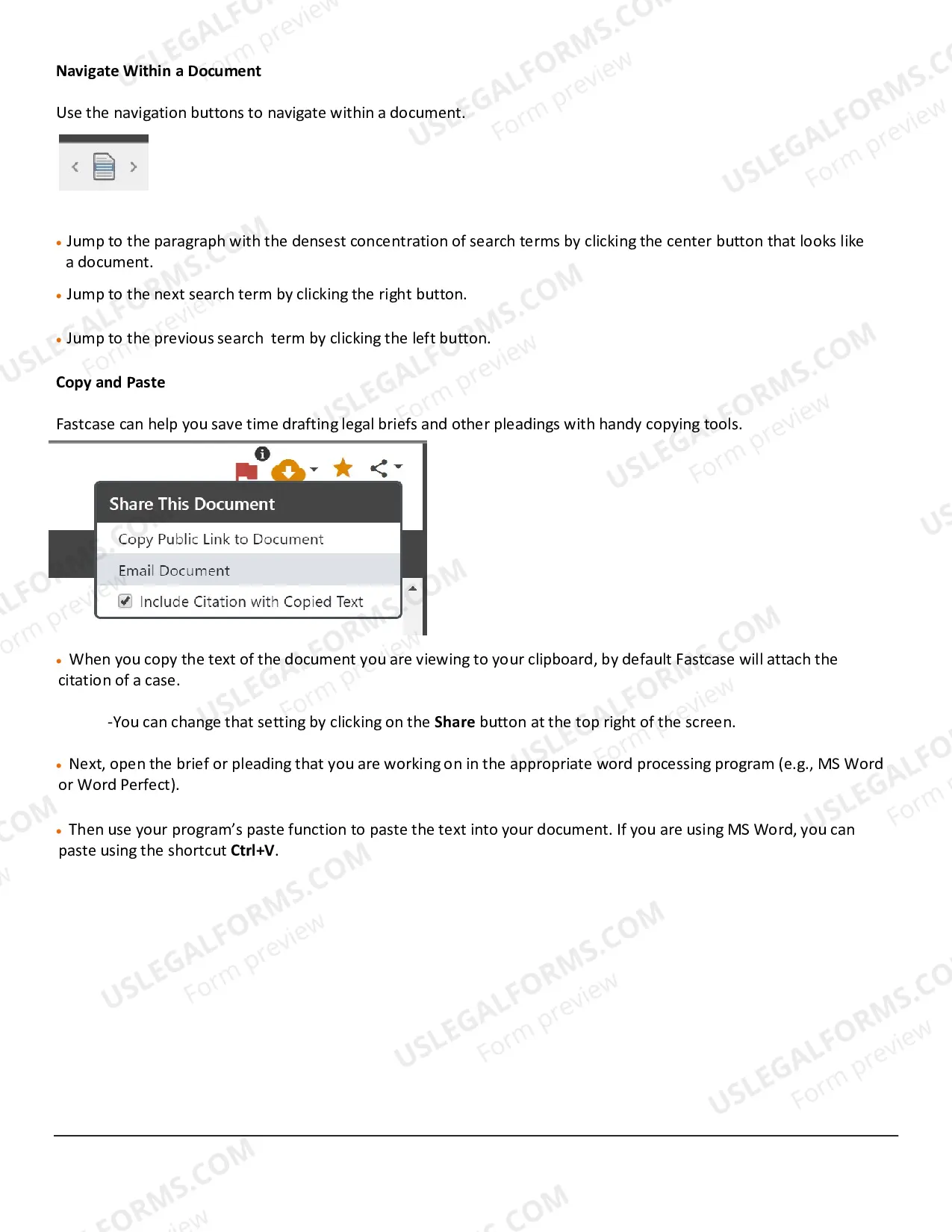
To search within your case, use your browser's find command by pressing Ctrl + F. Jump to the next search term by clicking the ?next term? link. Jump to the previous search term by clicking the ?previous term? link. Fastcase Tip: These options are also available under the ?Document? menu.