Alabama Order to Submit Documents
Overview of this form
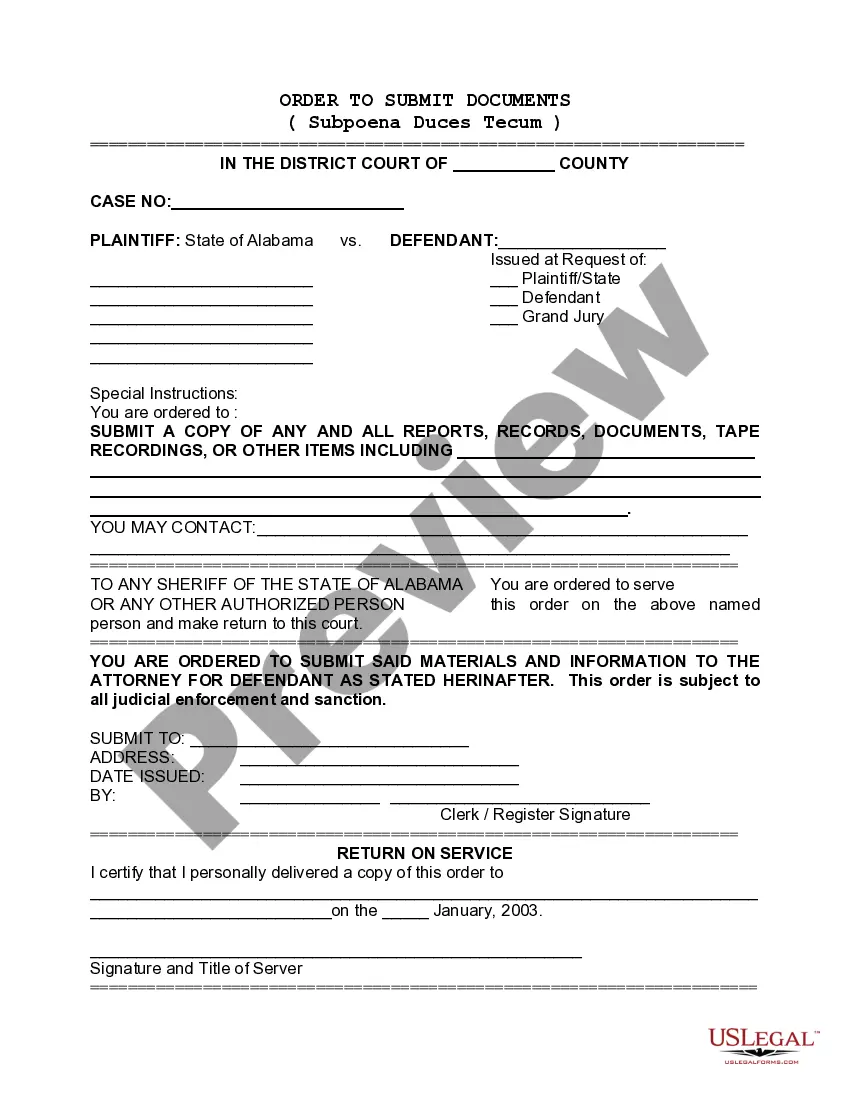
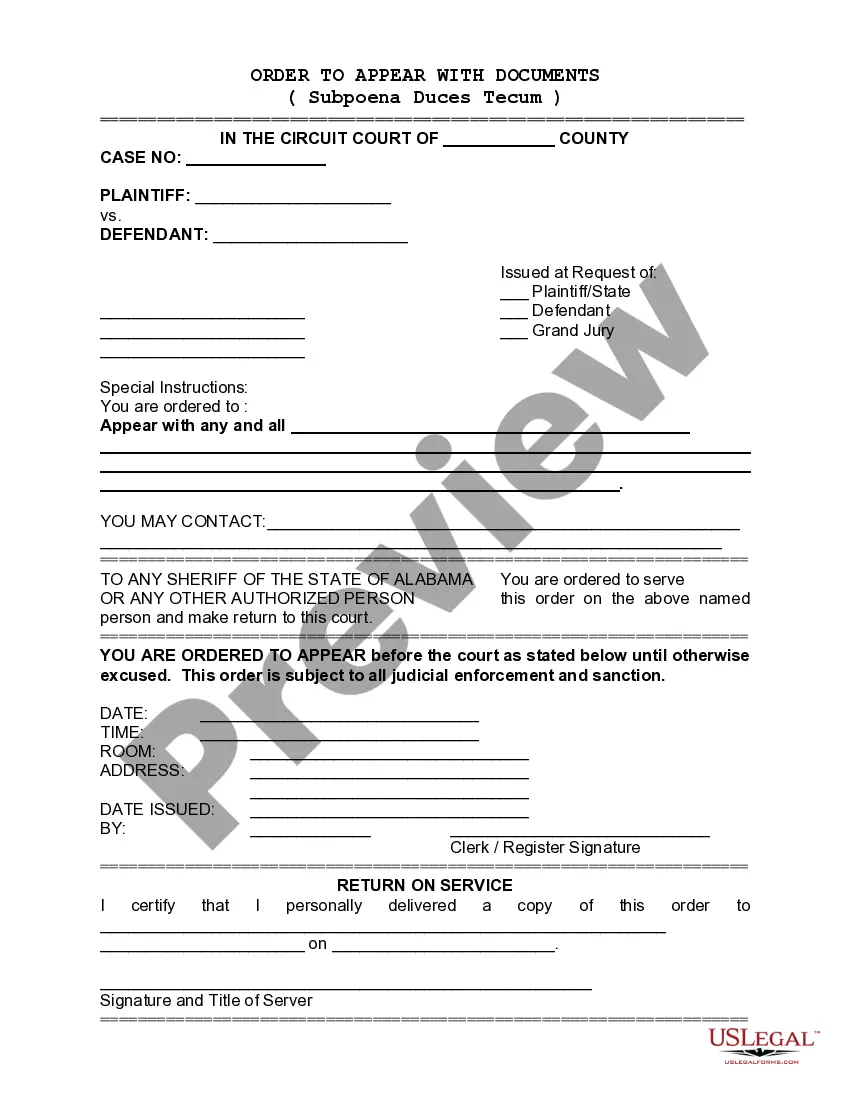
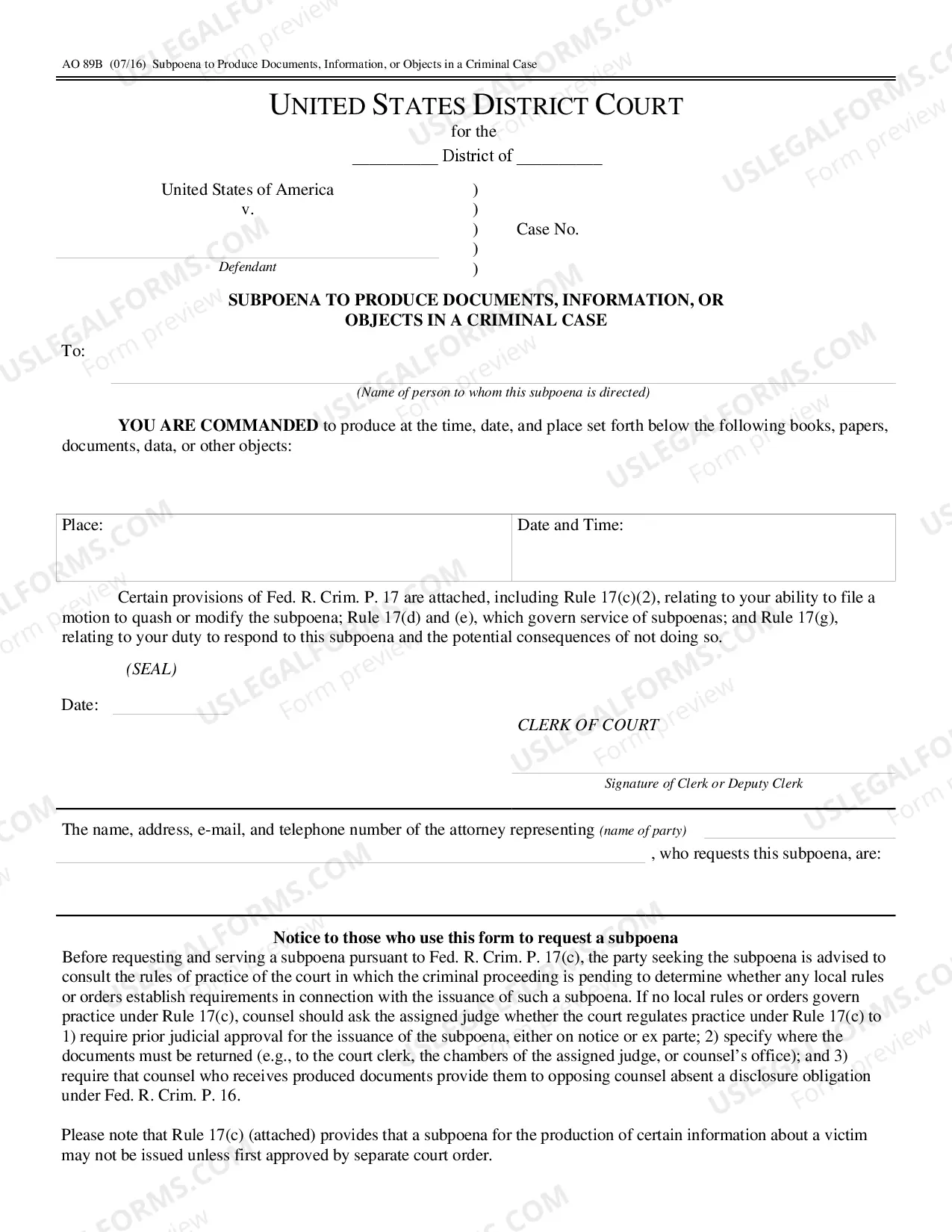
The Order to Submit Documents, also known as a Subpoena Duces Tecum, is a legal form used to compel an individual to produce documents pertinent to a court case. This form serves an important purpose by ensuring the necessary evidence is presented for legal proceedings. It is distinct from other legal requests due to its requirement for the recipient to furnish specific documentation at a designated time and location.
Form components explained
- Case Identification: Section to fill in the case number and court details.
- Instructions for Submission: Specific guidelines for what documents need to be provided.
- Signature of Issuer: Section where the clerk or issuing authority signs off on the order.
- Return on Service: A space for the server to certify delivery of the order to the named individual.
- Contact Information: Required details for individuals or entities to reach out for further instructions.
When to use this form
This form should be used in situations where a party involved in a legal case needs critical documents that another party possesses. Common scenarios include cases involving evidence production for trials, depositions, or hearings where specific records, tapes, or written materials are necessary to uphold legal arguments or defenses.
Intended users of this form
This form is intended for:
- Attorneys representing clients in civil or criminal cases.
- Individuals seeking to obtain evidence from the opposing party in a lawsuit.
- Local government officials and law enforcement needing documents for legal proceedings.
- Parties involved in grand jury investigations requiring evidence submission.
Steps to complete this form
Follow these steps to complete the Order to Submit Documents:
- Identify the parties involved by entering their names and case details at the top of the form.
- Clearly specify the documents or reports that are being requested in the section provided.
- Enter the date of issuance to establish a timeline for document production.
- Include the contact information of the individual who can be reached for any inquiries regarding the order.
- Ensure the order is signed by the issuing authority to validate it.
Does this form need to be notarized?
This form does not typically require notarization unless specified by local law. However, it is important to confirm any specific requirements that may apply in your jurisdiction.
Get your form ready online
Our built-in tools help you complete, sign, share, and store your documents in one place.
Make edits, fill in missing information, and update formatting in US Legal Forms—just like you would in MS Word.
Download a copy, print it, send it by email, or mail it via USPS—whatever works best for your next step.
Sign and collect signatures with our SignNow integration. Send to multiple recipients, set reminders, and more. Go Premium to unlock E-Sign.
If this form requires notarization, complete it online through a secure video call—no need to meet a notary in person or wait for an appointment.
We protect your documents and personal data by following strict security and privacy standards.

Make edits, fill in missing information, and update formatting in US Legal Forms—just like you would in MS Word.

Download a copy, print it, send it by email, or mail it via USPS—whatever works best for your next step.

Sign and collect signatures with our SignNow integration. Send to multiple recipients, set reminders, and more. Go Premium to unlock E-Sign.

If this form requires notarization, complete it online through a secure video call—no need to meet a notary in person or wait for an appointment.

We protect your documents and personal data by following strict security and privacy standards.
Common mistakes to avoid
- Failing to provide correct case details, which can lead to confusion about the order.
- Not specifying all required documents, leading to incomplete submissions.
- Omitting the signature of the issuing authority, which invalidates the order.
- Forgetting to serve the order to the correct party in accordance with legal protocols.
Why use this form online
- Convenient access: Download and complete the form from anywhere.
- Editable template: Tailor the document easily to fit specific legal requirements.
- Reliability: Forms are drafted by licensed attorneys to ensure compliance with laws.
- This order is enforceable under local court rules and serves as a legal command to produce documents.
- Failure to comply with the order may result in legal penalties or sanctions against the individual ordered to produce the documents.
Quick recap
- The Order to Submit Documents is crucial for obtaining necessary evidence in legal cases.
- Ensure all sections of the form are accurately completed to avoid delays.
- Understand state-specific rules to enhance the effectiveness of the order.
Looking for another form?
Form popularity
FAQ
You may file your PUA claim online at https://pua.labor.alabama.gov or by calling 800-752-7389.
You can file your Alabama Resident and Non-Resident returns online through My Alabama Taxes (MAT) at no charge. This free electronic filing option is available to all taxpayers filing an Alabama Individual Income tax return.Last year more than 1.8 million Alabamians electronically filed their tax returns.
Form 40 without payment: P.O. Box 154, Montgomery, AL 36135-0001. Form 40 with payment: P.O. Box 2401, Montgomery, AL 36140-0001. Form 40A without payment: P.O. Box 327465, Montgomery, AL 36132-7465. Form 40A with payment: P.O. Box 327477, Montgomery, AL 36132-7477.
Submit your articles of incorporation to the Office of the Judge of Probate in the county where the corporation's initial registered office is located. You must submit a packet containing the original articles of incorporation (also called Certificate of Formation), two copies, and the Certificate of Name Reservation.
You may file your PUA claim online at https://pua.labor.alabama.gov or by calling 800-752-7389. You should always report your gross earnings before deductions, including all tips, room and meals. You must report all wages and other forms of compensation.
Alabama State Income Taxes for Tax Year 2020 (January 1 - Dec. 31, 2020) can be prepared and e-Filed now along with an IRS or Federal Income Tax Return (or you can learn how to only prepare and file a AL state return). The Alabama tax filing and tax payment deadline is April 15, 2021.
Alabama Direct E-filing Option You can file your Alabama Resident and Non-Resident returns online through My Alabama Taxes (MAT) at no charge. This free electronic filing option is available to all taxpayers filing an Alabama Individual Income tax return.
For PUA claims filed in Alabama, your weekly PUA benefit amount will range between the minimum of $113 per week, and the state maximum of $275 per week.
E-Filing and Payments You can file and/or pay select taxes on My Alabama Taxes. Several tax types are required to be filed electronically and payments for these taxes are made at the time the return is filed.