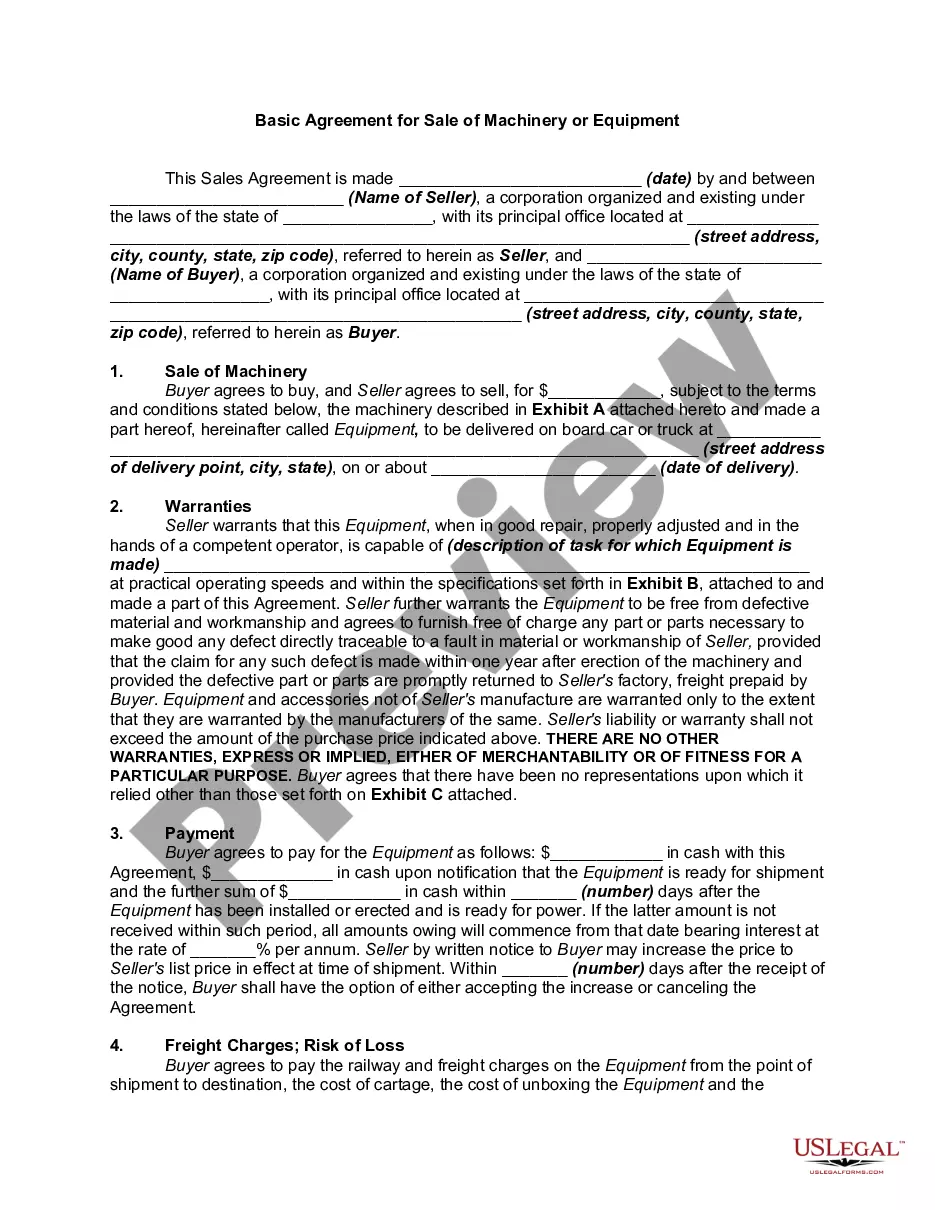
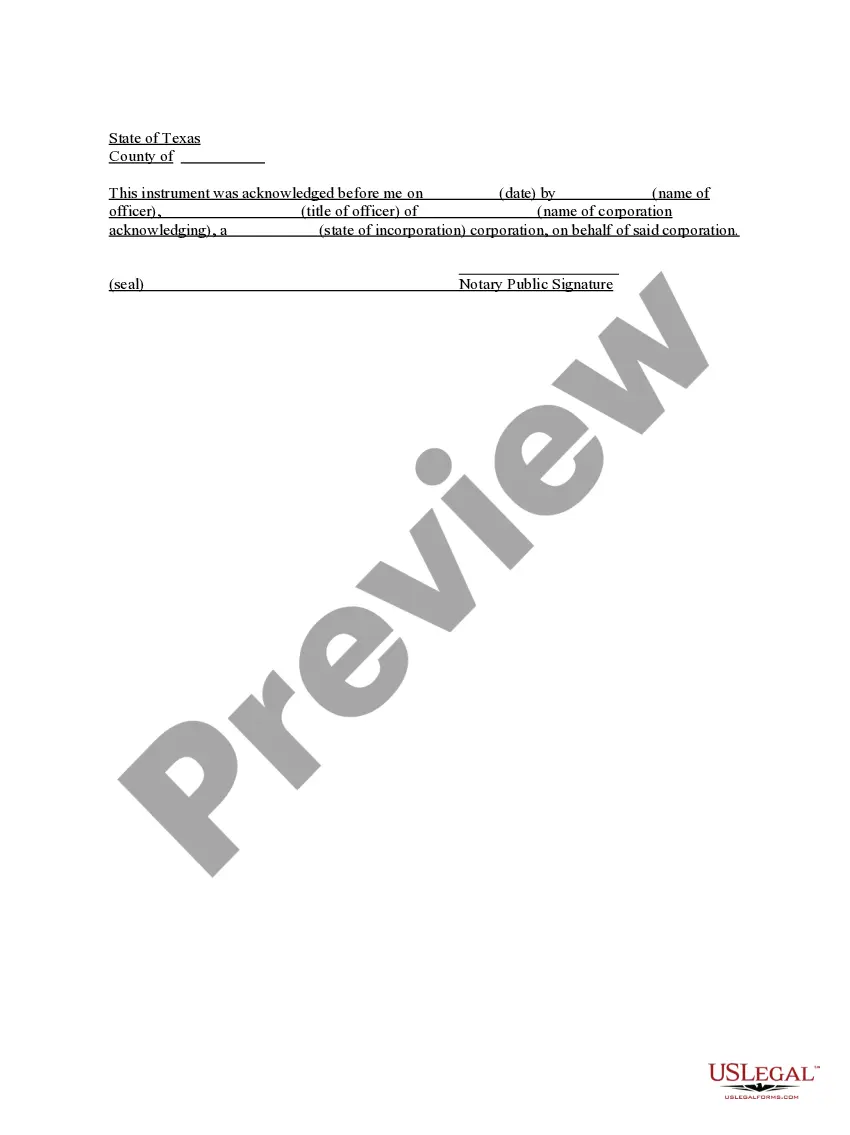
Texas Acknowledgment for Corporation
What this document covers
The Acknowledgment for Corporation is a legal document used to confirm that a corporate officer has acknowledged a particular action or decision made on behalf of their corporation. This form differs from other acknowledgments by being specifically tailored for corporate entities, thereby ensuring that it meets the legal requirements associated with corporate formalities.
Form components explained
- Identification of the date of acknowledgment
- Name of the officer acknowledging the corporate action
- Title of the officer within the corporation
- Name of the corporation
- State of incorporation of the corporation
- Signature of the Notary Public

When to use this document
This form is typically used when a corporation needs to formalize decisions, such as signing contracts or resolutions, that require acknowledgment by an authorized officer. It serves to assure third parties that the signing individual is legally permitted to act on behalf of the corporation.
Who needs this form
- Corporate officers who are authorized to sign documents on behalf of the corporation
- Legal representatives or attorneys working on behalf of a corporation
- Corporations involved in any activity that requires formal acknowledgment of actions taken
Steps to complete this form
- Identify and enter the date of the acknowledgment.
- Provide the name of the corporate officer who is acknowledging the action.
- Include the title of the officer within the corporation.
- Specify the name of the corporation that the officer represents.
- List the state of incorporation.
- Ensure the form is signed by the Notary Public present during the acknowledgment.
Is notarization required?
This document requires notarization to meet legal standards. US Legal Forms provides secure online notarization powered by Notarize, allowing you to complete the process through a verified video call, available 24/7.
Get your form ready online
Our built-in tools help you complete, sign, share, and store your documents in one place.
Make edits, fill in missing information, and update formatting in US Legal Forms—just like you would in MS Word.
Download a copy, print it, send it by email, or mail it via USPS—whatever works best for your next step.
Sign and collect signatures with our SignNow integration. Send to multiple recipients, set reminders, and more. Go Premium to unlock E-Sign.
If this form requires notarization, complete it online through a secure video call—no need to meet a notary in person or wait for an appointment.
We protect your documents and personal data by following strict security and privacy standards.

Make edits, fill in missing information, and update formatting in US Legal Forms—just like you would in MS Word.

Download a copy, print it, send it by email, or mail it via USPS—whatever works best for your next step.

Sign and collect signatures with our SignNow integration. Send to multiple recipients, set reminders, and more. Go Premium to unlock E-Sign.

If this form requires notarization, complete it online through a secure video call—no need to meet a notary in person or wait for an appointment.

We protect your documents and personal data by following strict security and privacy standards.
Mistakes to watch out for
- Failing to include the date of acknowledgment.
- Omitting the full name and title of the officer.
- Incorrectly stating the name of the corporation or its state of incorporation.
Benefits of completing this form online
- Convenience of downloading and filling out the form at any time.
- Editability to customize the acknowledgment to your specific needs.
- Reliability through use of forms drafted by licensed attorneys.
Main things to remember
- The Acknowledgment for Corporation is essential for formalizing corporate actions.
- Ensure accurate completion to avoid common mistakes.
- Online notarization services enhance the accessibility and efficiency of using this form.
Looking for another form?
Form popularity
FAQ
The certificate of a notary public, justice of the peace, or other authorized officer, attached to a deed, mortgage, or other instrument, setting forth that the parties thereto personally appeared before him on such a date and acknowledged the instrument to be their free and voluntary act and deed. Read v.
Step 1: Require Personal Appearance. Step 2: Check Over The Document. Step 3: Carefully Identify The Signer. Step 4: Record Your Journal Entry. Step 5: Complete The Notarial Certificate. A Last Note: Never Give Advice.
Respect individual beliefs and choices.Do not joke or behave frivolously during the procedure.Use appropriate ceremonial gestures.Other State Requirements.
Step 1: Require Personal Appearance. Step 2: Check Over The Document. Step 3: Carefully Identify The Signer. Step 4: Record Your Journal Entry. Step 5: Complete The Notarial Certificate. A Last Note: Never Give Advice.
1Require Personal Appearance.2Review The Document.3Screen The Signer And Verify The Facts.4Record The Notarization.5Complete The Notarization.
For an acknowledgment, the signer must always: Be positively identified by the Notary. The Notary must always identify the signer for an acknowledgement; whether the signer personally knows the Notary, presents an ID document, or is identified by a credible witness depends on the circumstances.
When you see (here insert the name and character of the officer) next to a blank as shown below, it means you should insert Your name, Notary Public in the blank.