Telecommuting Agreement Form
Description



Get your form ready online
Our built-in tools help you complete, sign, share, and store your documents in one place.
Make edits, fill in missing information, and update formatting in US Legal Forms—just like you would in MS Word.
Download a copy, print it, send it by email, or mail it via USPS—whatever works best for your next step.
Sign and collect signatures with our SignNow integration. Send to multiple recipients, set reminders, and more. Go Premium to unlock E-Sign.
If this form requires notarization, complete it online through a secure video call—no need to meet a notary in person or wait for an appointment.
We protect your documents and personal data by following strict security and privacy standards.

Make edits, fill in missing information, and update formatting in US Legal Forms—just like you would in MS Word.

Download a copy, print it, send it by email, or mail it via USPS—whatever works best for your next step.

Sign and collect signatures with our SignNow integration. Send to multiple recipients, set reminders, and more. Go Premium to unlock E-Sign.

If this form requires notarization, complete it online through a secure video call—no need to meet a notary in person or wait for an appointment.

We protect your documents and personal data by following strict security and privacy standards.
Looking for another form?






How to fill out Telecommuting Agreement?
Properly constructed official documentation is one of the crucial safeguards for preventing problems and legal disputes, but obtaining it without the support of an attorney may require time.
Whether you need to swiftly locate an updated Telecommuting Agreement Form or any other documents for employment, family, or business scenarios, US Legal Forms is always ready to assist.
The procedure is even simpler for current subscribers of the US Legal Forms library. If your subscription is active, you only need to Log In to your account and click the Download button next to the file you want. Furthermore, you can retrieve the Telecommuting Agreement Form anytime later, as all documents previously acquired on the platform remain accessible within the My documents tab of your profile. Save time and resources on preparing official documents. Experience US Legal Forms today!
- Verify that the form fits your situation and location by reviewing the description and preview.
- Search for another example (if necessary) using the Search bar located in the page header.
- Select Buy Now once you find the suitable template.
- Choose the pricing plan, Log In to your account or create a new one.
- Select your preferred payment method to acquire the subscription plan (via credit card or PayPal).
- Pick either PDF or DOCX file format for your Telecommuting Agreement Form.
- Click Download, then print the document to complete it or upload it to an online editor.
Form popularity
FAQ
How to Create a Remote Work PolicyDetermine how employees will be expected to work and communicate at your organization.Provide the right tools for successful and secure work.Establish clear rules about working from home.Plan time for collaborating and socializing.More items...
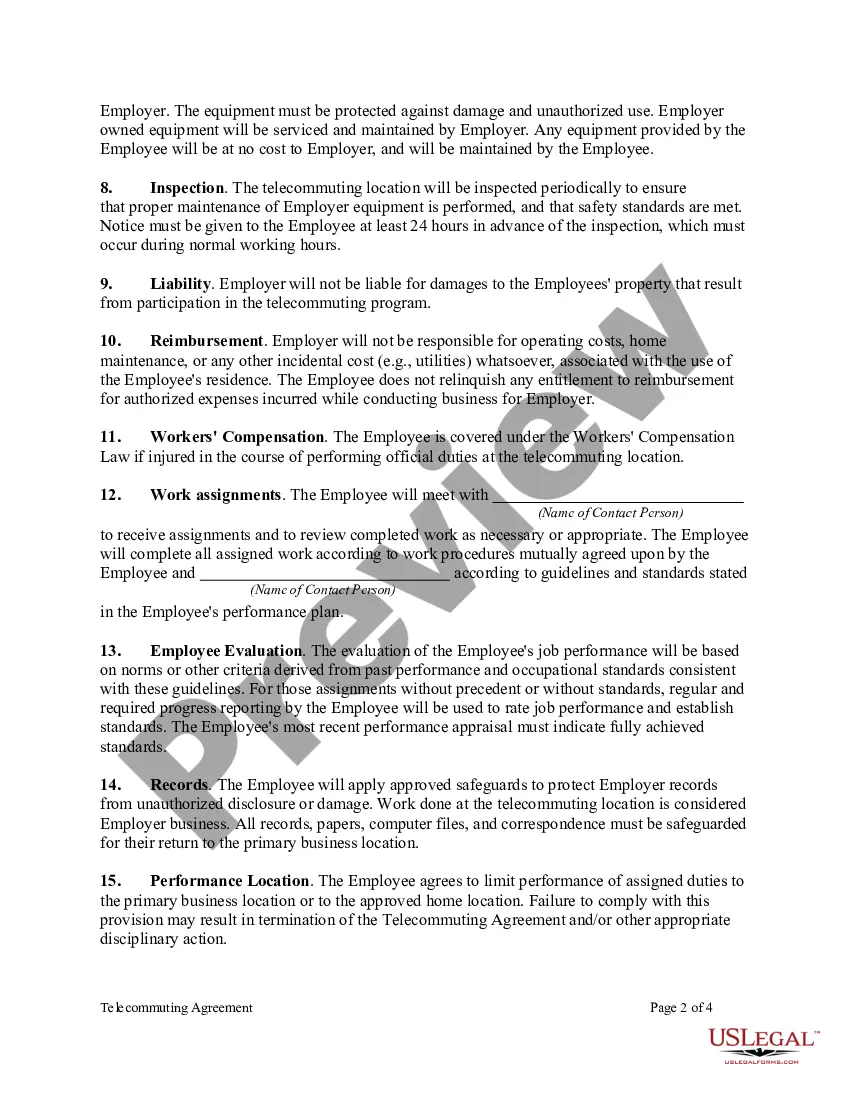
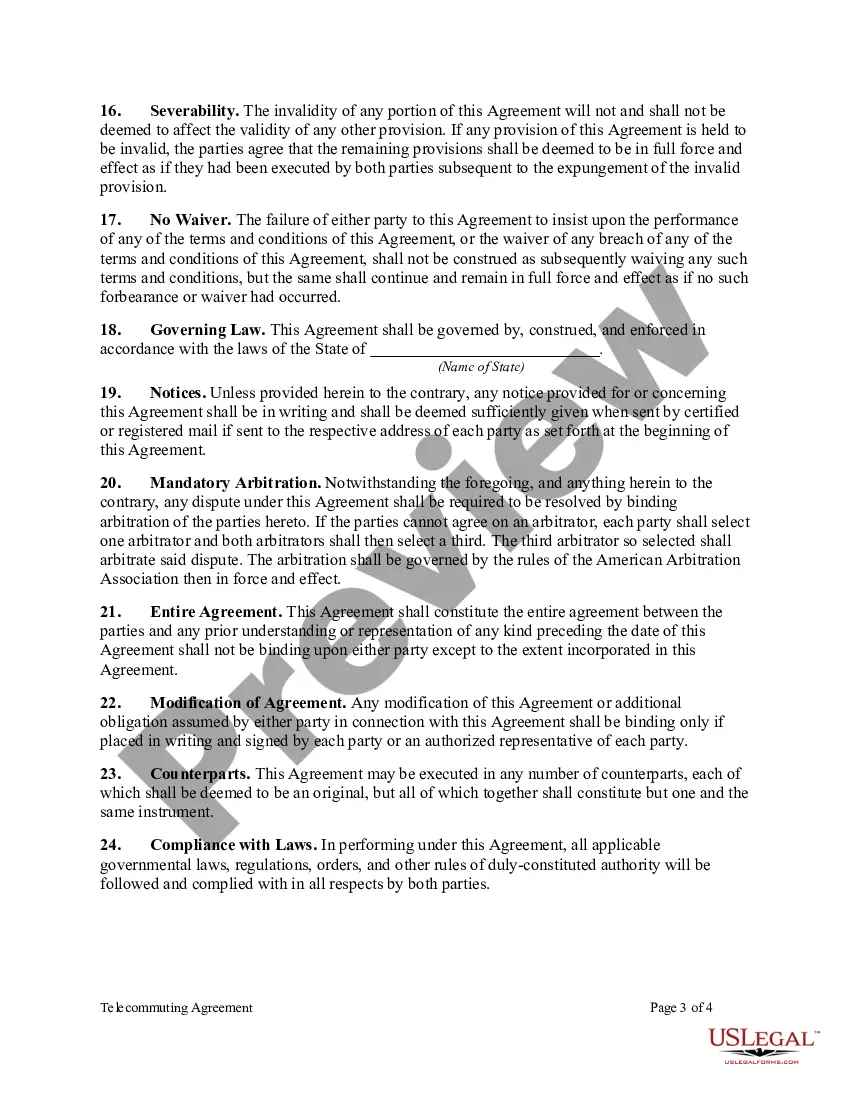
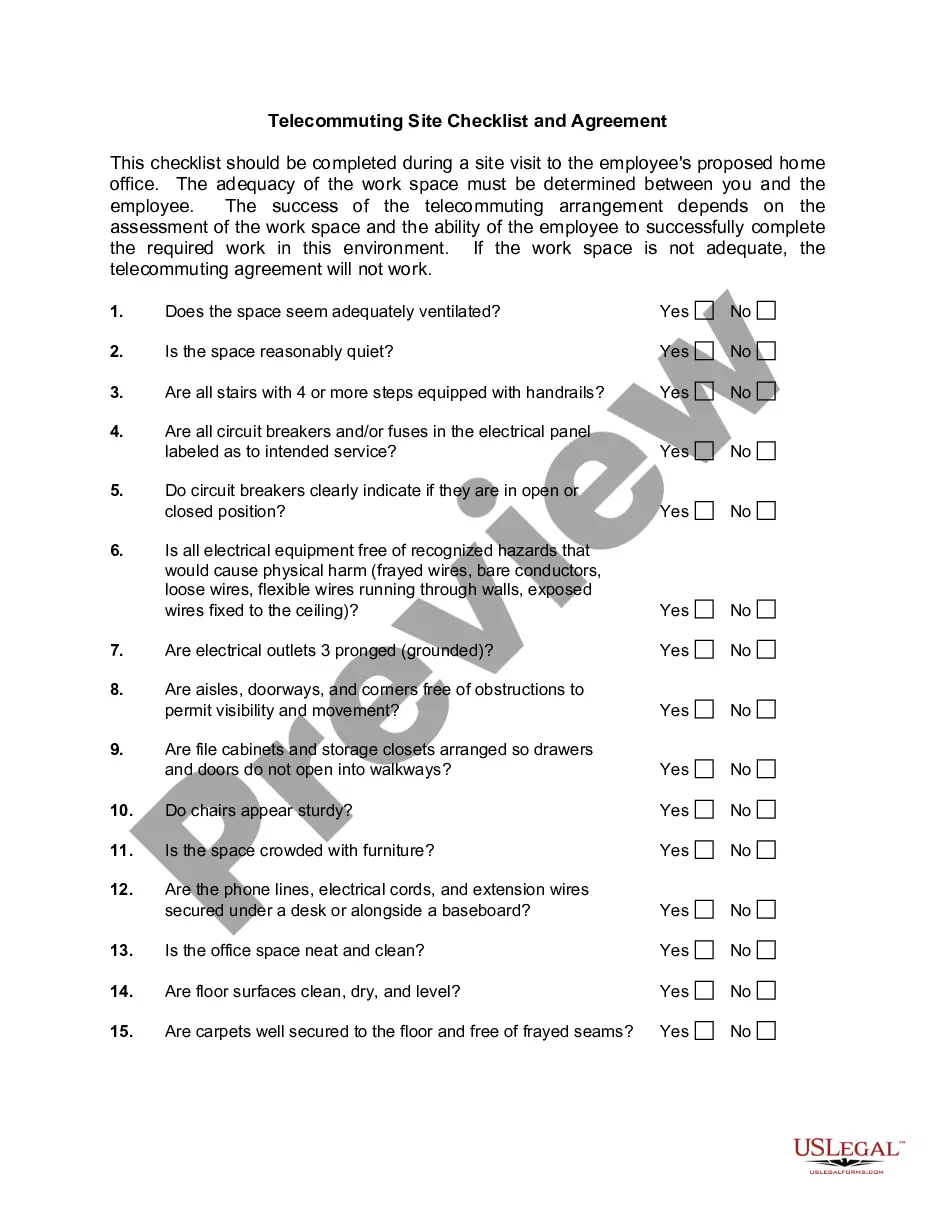
The Telecommuting Agreement specifies the terms and conditions of the agreed upon arrangement, which includes verification that the alternate location provides a workspace that is free from safety and fire hazards.
8 Things To Include In Your Telecommuting ProposalMake Your Proposal Align With Employer Objectives.Explain Your Telecommuting Weekly Plan.Explain How Your Job Is Compatible.Explain How Your Telecommuting Will Affect Others.Listing All Possible Problems & Coming Up With Solutions.Explain How You Will Keep In Contact.More items...?
Teleworking staff must adhere to all departmental and institutional policies including, but not limited to policies regarding confidentiality of information, work schedules, work hours, use of equipment, ethics, performance, leave use and tracking of work hours.
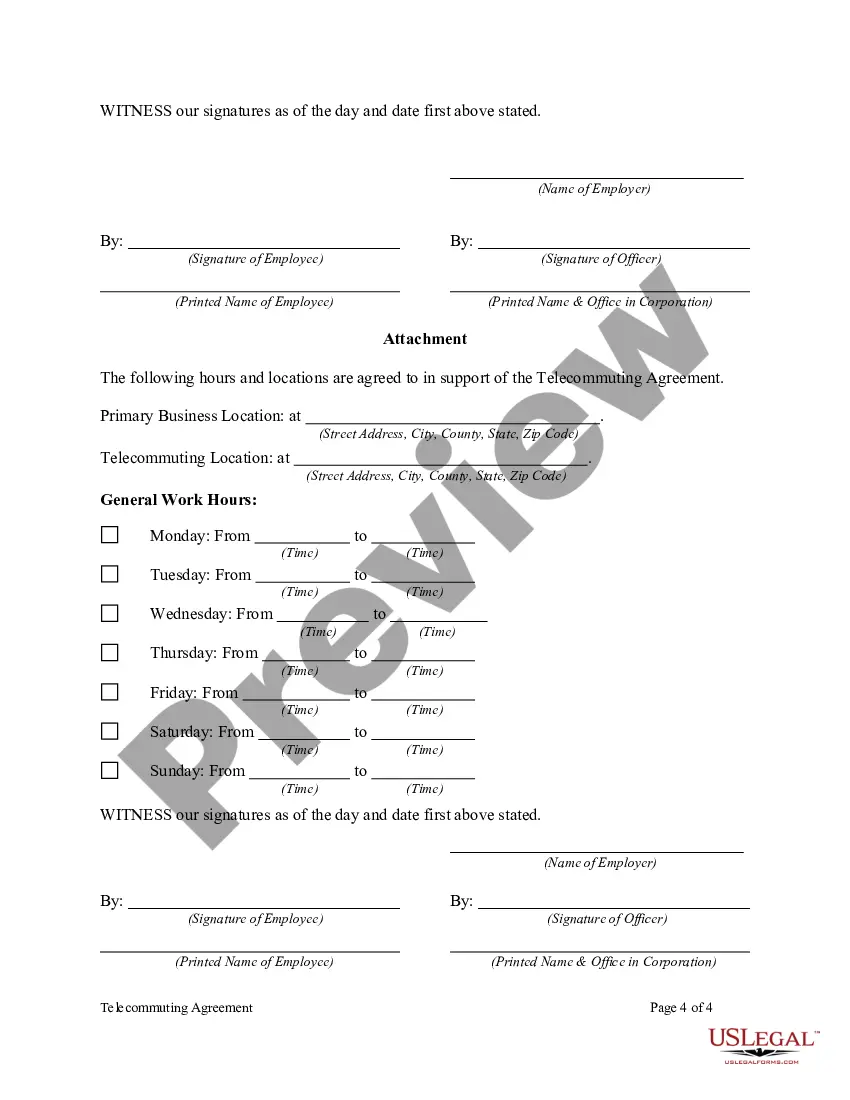
Location of the telework office (e.g., home or another alternative workplace) Equipment inventory (e.g., what the employee is supplying, what the agency is providing, and who is responsible to maintain it) A general list of job tasks that will be performed while teleworking. The telework schedule.
