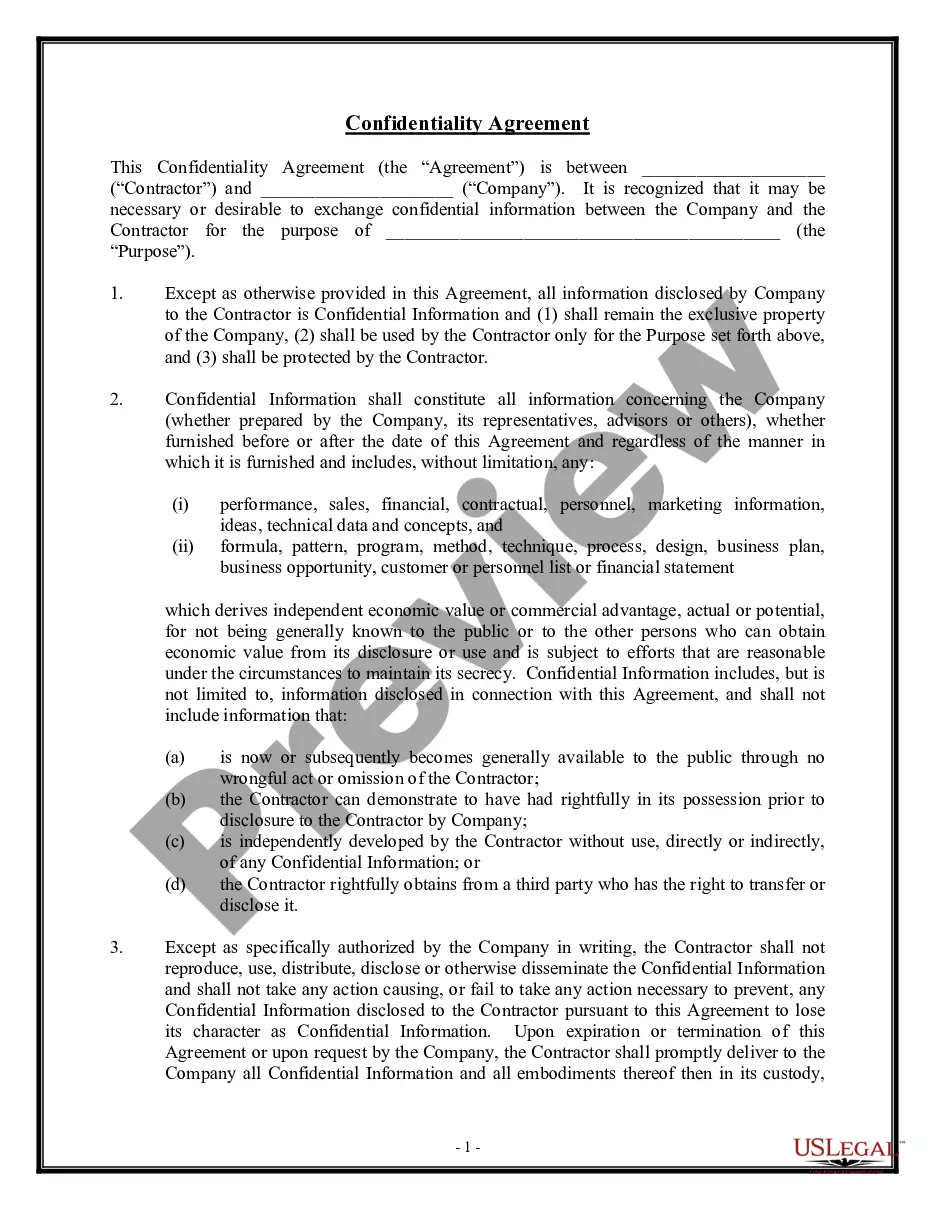
Confidentiality Agreement Employees Contract For Restaurant
Description

Get your form ready online
Our built-in tools help you complete, sign, share, and store your documents in one place.
Make edits, fill in missing information, and update formatting in US Legal Forms—just like you would in MS Word.
Download a copy, print it, send it by email, or mail it via USPS—whatever works best for your next step.
Sign and collect signatures with our SignNow integration. Send to multiple recipients, set reminders, and more. Go Premium to unlock E-Sign.
If this form requires notarization, complete it online through a secure video call—no need to meet a notary in person or wait for an appointment.
We protect your documents and personal data by following strict security and privacy standards.

Make edits, fill in missing information, and update formatting in US Legal Forms—just like you would in MS Word.

Download a copy, print it, send it by email, or mail it via USPS—whatever works best for your next step.

Sign and collect signatures with our SignNow integration. Send to multiple recipients, set reminders, and more. Go Premium to unlock E-Sign.

If this form requires notarization, complete it online through a secure video call—no need to meet a notary in person or wait for an appointment.

We protect your documents and personal data by following strict security and privacy standards.
Looking for another form?



How to fill out Confidentiality Agreements - Noncompetition In Employment?
It’s clear that you cannot instantly become a legal expert, nor can you swiftly master how to create a Confidentiality Agreement Employees Contract For Restaurant without a specific background.
Drafting legal documents is a labor-intensive task that necessitates particular training and expertise. So why not entrust the creation of the Confidentiality Agreement Employees Contract For Restaurant to the specialists.
With US Legal Forms, one of the most extensive legal document repositories, you can discover everything from court documents to templates for internal corporate correspondence.
If you require a different form, begin your search anew.
Create a free account and choose a subscription option to purchase the template. Select Buy now. Once the transaction is finalized, you can download the Confidentiality Agreement Employees Contract For Restaurant, fill it out, print it, and send it to the appropriate individuals or entities. You can access your documents again from the My documents tab at any time. If you’re a returning customer, you can easily Log In and find and download the template from the same tab. No matter the reason for your paperwork—whether it’s financial, legal, or personal—our platform has you covered. Try US Legal Forms today!
- We recognize the importance of compliance and adherence to federal and state laws and regulations.
- That’s why, on our site, all forms are location-specific and current.
- Here’s how you can initiate your experience with our platform and obtain the document you require in just a few minutes.
- Search for the document you need using the search bar at the top of the page.
- Preview it (if this option is available) and read the accompanying description to ascertain whether the Confidentiality Agreement Employees Contract For Restaurant fits your needs.
Form popularity
FAQ
Private/Non-Public Social security number. Birth date. Home phone number. Home address. Health information. Passwords. Parking leases. Gender.
Ingly, to protect the Confidential Information that will be disclosed during employment, the Employee agrees as follows: Employee will hold the Confidential Information received from [Company Name] in strict confidence and will exercise a reasonable degree of care to prevent disclosure to others.
A typical confidentiality clause might say, "The phrases and circumstances of this Agreement are completely confidential between the parties and shall not be disclosed to anybody else. Any disclosure in violation shall be deemed a breach of this Agreement."
As part of the condition of my work with [name of agency] I hereby undertake to keep in strict confidence any information regarding any client, employee or business of [name of agency] or any other organization that comes to my attention while at [name of agency].
A confidentiality agreement should include a clear definition of the confidential information, scope of the agreement, obligations of the receiving party, the duration of the contract, any exceptions to confidentiality, and the consequences of a breach of the contract.