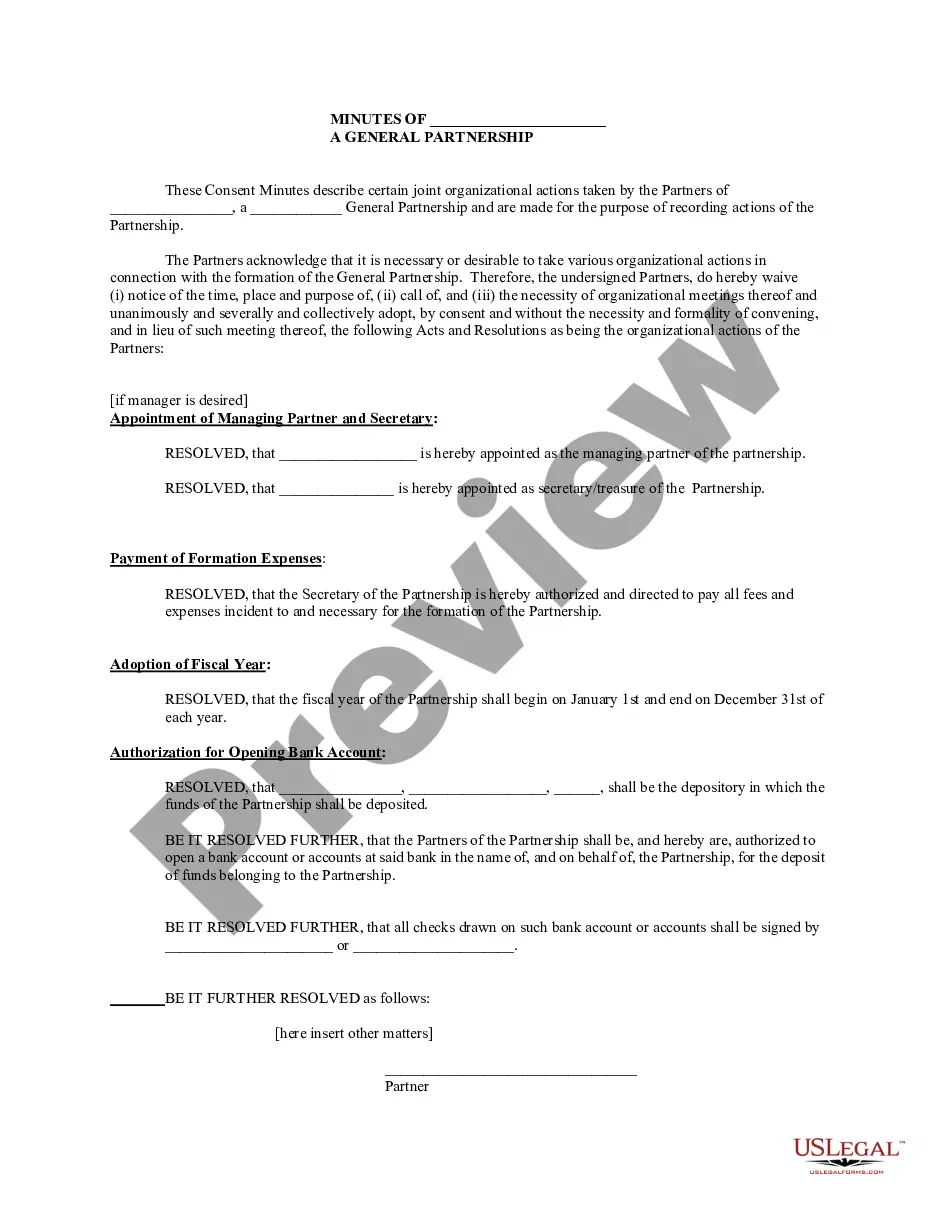
Partnership Meeting Minutes Template With Action Column
Description


Get your form ready online
Our built-in tools help you complete, sign, share, and store your documents in one place.
Make edits, fill in missing information, and update formatting in US Legal Forms—just like you would in MS Word.
Download a copy, print it, send it by email, or mail it via USPS—whatever works best for your next step.
Sign and collect signatures with our SignNow integration. Send to multiple recipients, set reminders, and more. Go Premium to unlock E-Sign.
If this form requires notarization, complete it online through a secure video call—no need to meet a notary in person or wait for an appointment.
We protect your documents and personal data by following strict security and privacy standards.

Make edits, fill in missing information, and update formatting in US Legal Forms—just like you would in MS Word.

Download a copy, print it, send it by email, or mail it via USPS—whatever works best for your next step.

Sign and collect signatures with our SignNow integration. Send to multiple recipients, set reminders, and more. Go Premium to unlock E-Sign.

If this form requires notarization, complete it online through a secure video call—no need to meet a notary in person or wait for an appointment.

We protect your documents and personal data by following strict security and privacy standards.
Looking for another form?






How to fill out Minutes For Partnership?
Managing legal documents can be daunting, even for seasoned professionals.
If you are seeking a Partnership Meeting Minutes Template With Action Column but lack the time to search for the appropriate and current version, the process can be stressful.
US Legal Forms addresses all your requirements, from personal documentation to business forms, all in a single platform.
Utilize advanced functionalities to complete and manage your Partnership Meeting Minutes Template With Action Column.
After downloading the necessary form, follow these steps: Verify that it is the correct form by previewing it and reviewing its details. Confirm that the template is valid in your state or county. Click Buy Now when you are prepared. Choose a subscription option. Locate the format you need, and Download, fill out, sign, print, and submit your documents. Take advantage of the US Legal Forms online catalog, supported by 25 years of expertise and reliability. Transform your daily document management into a simple and user-friendly experience today.
- Access a library of articles, guides, and resources related to your circumstances and needs.
- Save time and effort searching for the documents you require, using US Legal Forms’ sophisticated search and Review feature to locate and download the Partnership Meeting Minutes Template With Action Column.
- If you possess a membership, Log In to your US Legal Forms account, search for the form, and download it.
- Check your My documents tab to review the documents you have previously saved and organize your folders as needed.
- If this is your first experience with US Legal Forms, create an account to gain unlimited access to all the benefits of the library.
- An extensive online form repository could significantly improve the efficiency for anyone looking to handle these matters effectively.
- US Legal Forms stands as a pioneer in digital legal documents, boasting over 85,000 state-specific legal forms readily accessible.
- With US Legal Forms, you can access legal and business forms tailored to your state or county needs.
Form popularity
FAQ
To effectively show action items in meeting minutes, clearly outline each task, the person responsible, and the deadline for completion. Using a dedicated action column within your Partnership meeting minutes template with action column can enhance clarity and accountability. This structure not only keeps everyone informed but also helps track progress and ensures tasks are completed on time.
ChatGPT can assist in drafting meeting minutes by summarizing discussions based on notes you provide. However, it cannot directly attend or listen to meetings. To make the process easier, consider using a Partnership meeting minutes template with action column available at US Legal Forms, which can guide you in structuring the information efficiently.
Creating a meeting minutes template is straightforward. Start by outlining the essential sections, such as date, attendees, agenda items, discussions, and decisions made. Be sure to include an action column to track responsibilities and deadlines. You can use a pre-designed Partnership meeting minutes template with action column from US Legal Forms to simplify this process and ensure all critical details are captured.
Writing actions in minutes requires clarity and precision. Utilize a Partnership meeting minutes template with action column to clearly outline each action item, the person responsible, and the deadline. Make sure to start each action statement with a verb to convey clear expectations. By doing so, you ensure accountability and provide a straightforward way to track progress on tasks discussed during the meeting.
Organizing your meeting minutes template is crucial for clear communication. Begin with a Partnership meeting minutes template with action column, which allows you to categorize information into sections like attendees, agenda, discussion points, and action items. Use bullet points for easy reading and consider including timestamps for discussions. This structured approach enhances readability and ensures that important details are not overlooked.
To report minutes of a meeting effectively, start by using a structured Partnership meeting minutes template with action column. This template helps you capture essential details, including attendees, agenda items, and key discussions. Remember to summarize decisions made and actions assigned to ensure clarity. By organizing this information systematically, you provide a clear record that can be referenced later.
How to write a meeting agenda Define the meeting's primary goal. ... Ask for input. ... Choose topics that affect the entire team. ... List the questions to be answered. ... Define each agenda item's purpose. ... Allocate a realistic time to spend on each agenda item. ... Determine who leads each agenda item.
Here are the most important steps you should follow to make sure your minutes are comprehensive and reliable: Note the finer details. ... Summarize the meeting goal. ... Recap the previous meeting. ... Detail the agenda items. ... Define the action items. ... Use a pre-built template. ... Assign responsibility and deadlines.
How to use action items for meetings Record action items. Each time you agree on an action item, record the task. ... Discuss the purpose. Once you've recorded an action item, discuss why it's necessary. ... Assign action items. ... Agree on due dates. ... Specify the next steps.
How to Make a Meeting Action Plan Step 1: Outline a Draft of the Meeting. Outline a draft of the meeting action plan. ... Step 2: Make a List of a Schedule for Meetings. ... Step 3: Write Down Your Meeting Objectives. ... Step 4: Finalize the Meeting Action Plan.