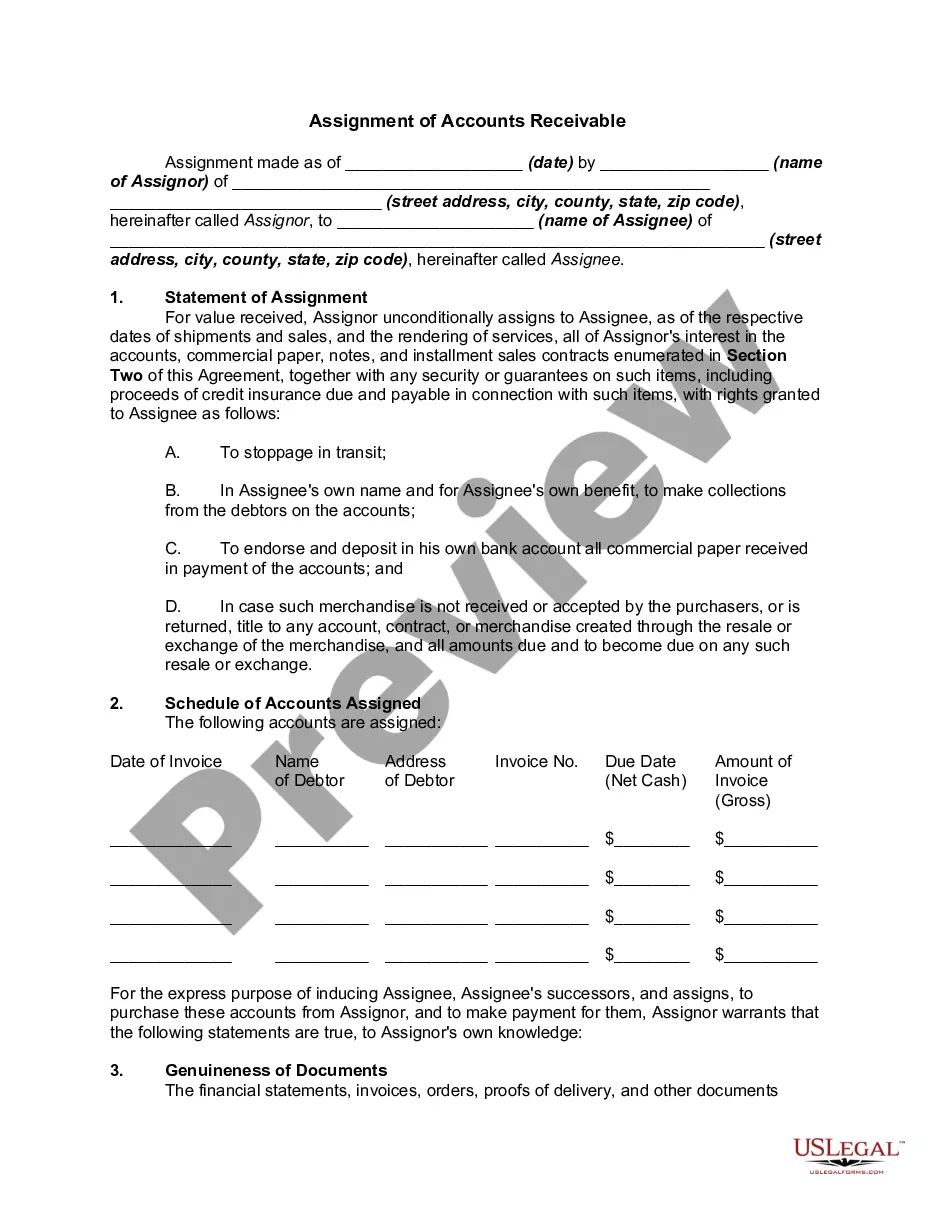
Accounts Receivable Contract With Customer Service In King
Description



Get your form ready online
Our built-in tools help you complete, sign, share, and store your documents in one place.
Make edits, fill in missing information, and update formatting in US Legal Forms—just like you would in MS Word.
Download a copy, print it, send it by email, or mail it via USPS—whatever works best for your next step.
Sign and collect signatures with our SignNow integration. Send to multiple recipients, set reminders, and more. Go Premium to unlock E-Sign.
If this form requires notarization, complete it online through a secure video call—no need to meet a notary in person or wait for an appointment.
We protect your documents and personal data by following strict security and privacy standards.

Make edits, fill in missing information, and update formatting in US Legal Forms—just like you would in MS Word.

Download a copy, print it, send it by email, or mail it via USPS—whatever works best for your next step.

Sign and collect signatures with our SignNow integration. Send to multiple recipients, set reminders, and more. Go Premium to unlock E-Sign.

If this form requires notarization, complete it online through a secure video call—no need to meet a notary in person or wait for an appointment.

We protect your documents and personal data by following strict security and privacy standards.
Looking for another form?








Form popularity
FAQ
AI is making a big difference in accounts payable (AP) and accounts receivable (AR) by improving efficiency, accuracy, and decision-making. It handles tasks like smart invoice processing, automated approvals, and predictive analytics. This means your financial operations run smoother, and your business can grow faster.
Accounts receivable is a regular point of contact with your customer. Any point of contact should be viewed as an opportunity to enhance a customer relationship. Even a collection call can help to cement a relationship with a customer when the collector is friendly, courteous and business-like.
How to Implement AR Automation Step 1: Consult with all stakeholders. Step 2: Clearly explain the goals of the switch. Step 3: Integrate accounting software. Step 4: Automate payment reminders. Step 5: Select and connect payment options. Step 6: Reconcile and report.
Follow these steps to calculate accounts receivable: Add up all charges. You'll want to add up all the amounts that customers owe the company for products and services that the company has already delivered to the customer. Find the average. Calculate net credit sales. Divide net credit sales by average accounts receivable.
Contract AR should be entered when the revenue has been earned but not collected. This normally occurs at the time goods or services are provided and should coincide when the invoice is sent. Postponing the recording of contract AR until the payment is received is not encouraged.
How to Automate Accounts Receivable Processes Step 1: Pick Your Tool. Step 2: Connect to Your Cloud Accounting Software. Step 3: Set Up the Automated Payment Reminder Cadence. Step 4: Connect Payment Gateways. Step 5: Clean the Books Before Automations Run. Step 6: Assess Collection Efforts.
How to automate your accounting processes Analyze your current setup. Document your existing accounting systems, tools, processes, and bottlenecks. Research accounting software options. Evaluate and choose vendors. Prepare for data migration. Set up and test new workflows. Train and communicate.
The main types include: Trade receivables. Trade receivables are amounts customers owe for selling goods or services as part of the normal course of business. Non-trade receivables. Secured receivables. Unsecured receivables.
Accounts receivable staff work closely with sales and finance teams and are typically responsible for collecting revenue, recording transactions, verifying payments, and resolving discrepancies on accounts.
The three types of confirmation forms are positive confirmation, blank confirmation forms, and negative confirmation. Negative confirmation is best applied when the risk of material misstatement is low, meaning that inherent risk and control risk are relatively low.
