Sample Letter To Be Removed From Mailing List Without Notice In Massachusetts
Description

Get your form ready online
Our built-in tools help you complete, sign, share, and store your documents in one place.
Make edits, fill in missing information, and update formatting in US Legal Forms—just like you would in MS Word.
Download a copy, print it, send it by email, or mail it via USPS—whatever works best for your next step.
Sign and collect signatures with our SignNow integration. Send to multiple recipients, set reminders, and more. Go Premium to unlock E-Sign.
If this form requires notarization, complete it online through a secure video call—no need to meet a notary in person or wait for an appointment.
We protect your documents and personal data by following strict security and privacy standards.

Make edits, fill in missing information, and update formatting in US Legal Forms—just like you would in MS Word.

Download a copy, print it, send it by email, or mail it via USPS—whatever works best for your next step.

Sign and collect signatures with our SignNow integration. Send to multiple recipients, set reminders, and more. Go Premium to unlock E-Sign.

If this form requires notarization, complete it online through a secure video call—no need to meet a notary in person or wait for an appointment.

We protect your documents and personal data by following strict security and privacy standards.
Looking for another form?








Form popularity
FAQ
In addition, the three major credit-reporting services (Equifax, Experian & TransUnion) also offer a name removal option for prescreened offers at: 1-888-5-OPT-OUT (1-888-567-8688) or visit .optoutprescreen.
If you are receiving mail that is addressed to someone else, you should contact your local post office and ask them to investigate the issue. They may be able to trace the source of the mail and stop it from being sent to you. You can also contact the sender directly and ask them to stop sending mail to your address.
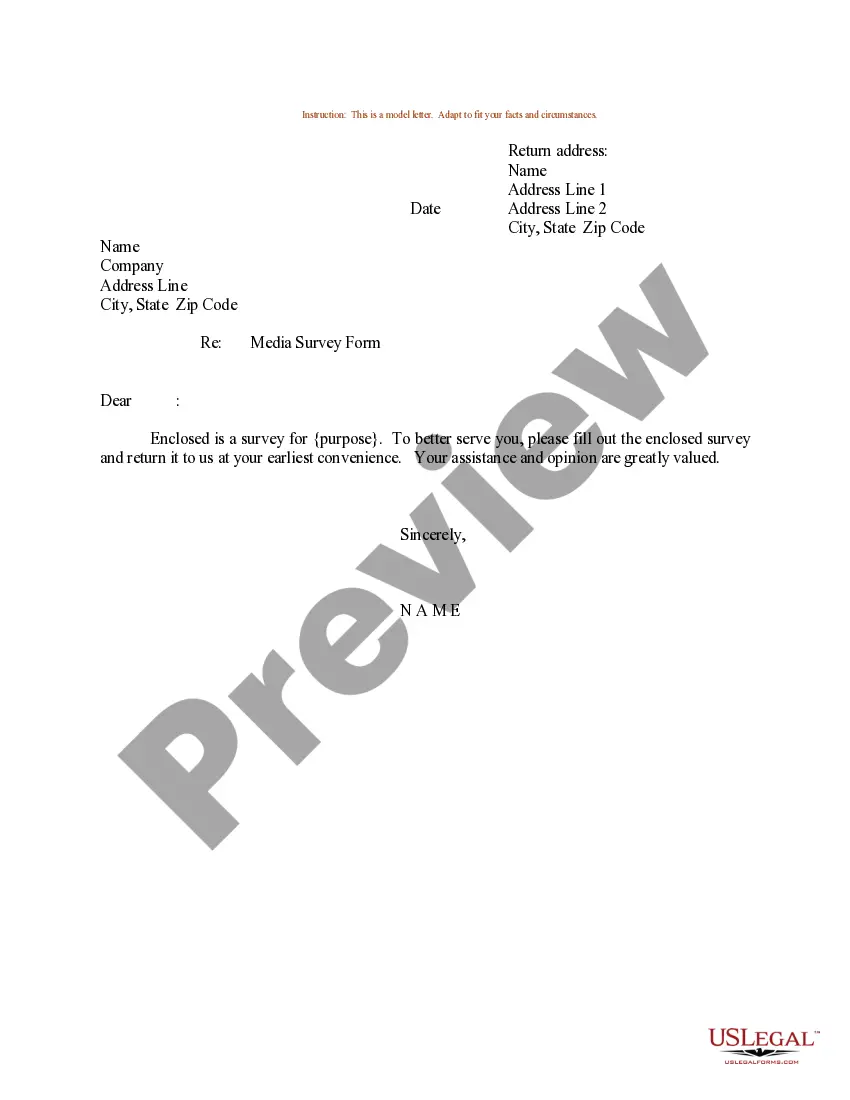
Dear Sir/Madam, This is a request that my personal information is removed from all of your mailing lists for unsolicited mail. I would like my name and address removed, effective immediately. You are currently sending unsolicited mail to: insert name, address, and zip code.
Document Everything: Keep a record of all the mail you receive from this person, including dates and any correspondence where you requested them to stop. Contact the Sender: If you feel safe doing so, send a clear and firm message (via email or a letter) stating that you do not wish to receive any more mail from them.
To opt out permanently: Go to optoutprescreen or call 1-888-5-OPT-OUT (1-888-567-8688) to start the process. But to complete your request, you'll need to sign and return the Permanent Opt-Out Election form you'll get after you've started the process.
The most effective way to stop receiving mail for previous residents or strangers is to talk to your local Post Office. Most of the time, you'll be able to quickly resolve any issues by listing your household members as the only people who should receive mail at your address.
To opt out permanently: Go to optoutprescreen or call 1-888-5-OPT-OUT (1-888-567-8688) to start the process. But to complete your request, you'll need to sign and return the Permanent Opt-Out Election form you'll get after you've started the process.
Contact Companies Directly Contact the company's customer service department (this information will probably be included on the mailing or the company's website) and ask them to remove your name from its mailing list.
Removing someone from your email list is very simple, and depending on the email client or marketing tools you use, the process of removing them is relatively the same. Go to your contacts, lists, subscribers, or audiences. Place a checkmark by each contact you want to remove. Choose to unsubscribe, or delete.

