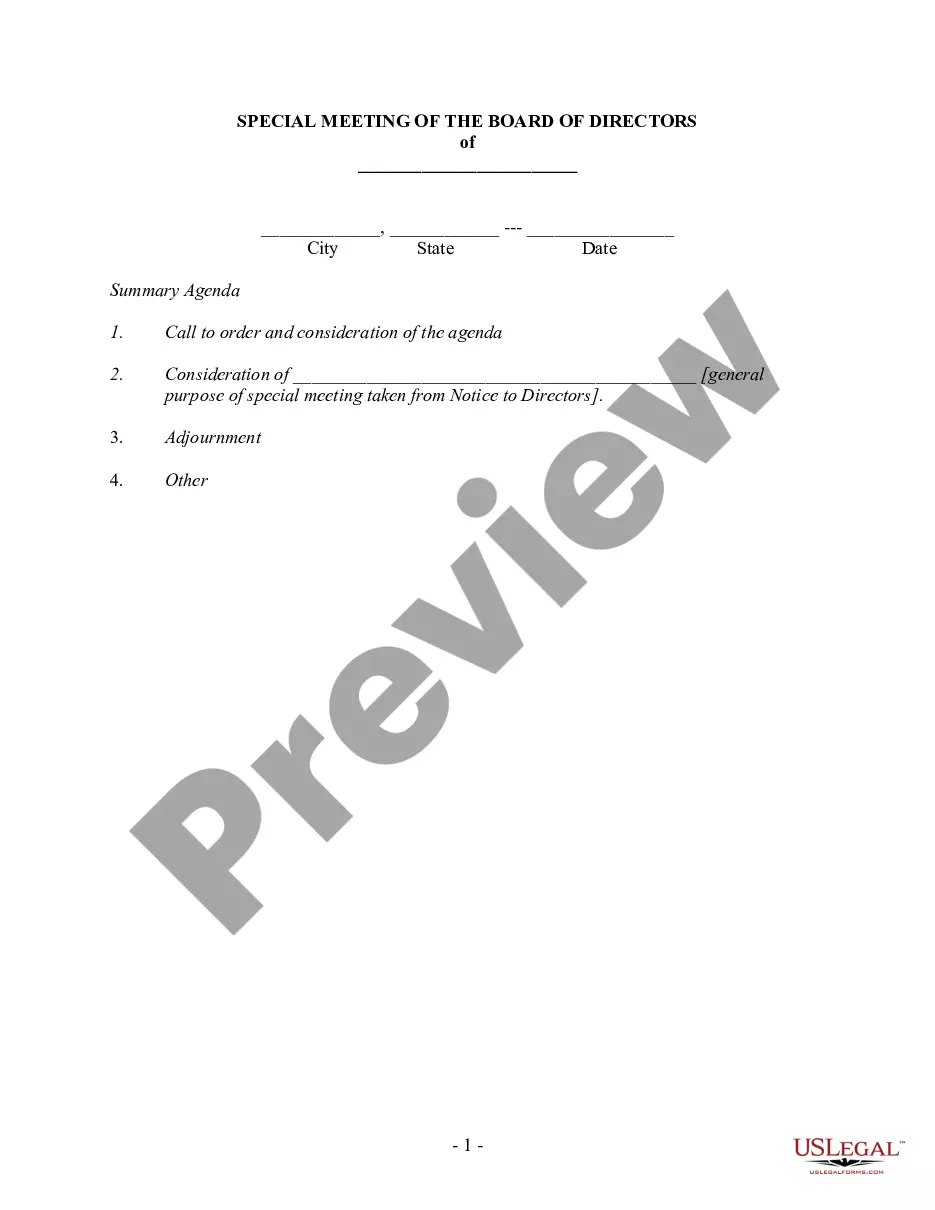
Board Meeting For In Nassau
Description



Get your form ready online
Our built-in tools help you complete, sign, share, and store your documents in one place.
Make edits, fill in missing information, and update formatting in US Legal Forms—just like you would in MS Word.
Download a copy, print it, send it by email, or mail it via USPS—whatever works best for your next step.
Sign and collect signatures with our SignNow integration. Send to multiple recipients, set reminders, and more. Go Premium to unlock E-Sign.
If this form requires notarization, complete it online through a secure video call—no need to meet a notary in person or wait for an appointment.
We protect your documents and personal data by following strict security and privacy standards.

Make edits, fill in missing information, and update formatting in US Legal Forms—just like you would in MS Word.

Download a copy, print it, send it by email, or mail it via USPS—whatever works best for your next step.

Sign and collect signatures with our SignNow integration. Send to multiple recipients, set reminders, and more. Go Premium to unlock E-Sign.

If this form requires notarization, complete it online through a secure video call—no need to meet a notary in person or wait for an appointment.

We protect your documents and personal data by following strict security and privacy standards.
Looking for another form?






Form popularity
FAQ
President: The president of your board of directors is the head of your nonprofit board. They preside at board meetings and create meeting agendas. This individual also supervises all of the business affairs of the board and acts as the primary contact for the group.
Most board meeting agendas follow a classic meeting structure: Calling meeting to order – ensure you have quorum. Approve the agenda and prior board meeting minutes. Executive and committee reports – allow 25% of time here for key topic discussion. Old/new/other business. Close the meeting and adjourn.
What to include in your template. Logistics: Include the date, time, location, and list of attendees. A call to order: This signals the official start of the meeting. Approval of minutes: Review and approve the minutes from your last meeting. Old business: Close the loop on any unresolved issues from previous meetings.
profit looking for a better way to schedule board meetings needs to keep in mind only 3 simple steps. Work within a date range that works for the organization's calendar. Work within days/times that works for board members' calendars. Make the final decision quickly and stick with it.
Effective steps for running productive board meetings Step 1 – get clear on the board chair role. Step 2 – ensure board members know their role. Step 3 – communicate before, during, and after the board meeting. Step 4 – use meeting time well: right agenda, right leadership. Step 5 – prepare for meetings effectively.
Board meeting etiquette don'ts Don't – Make your agenda unrealistic. Don't – Be late. Don't – Interrupt others. Don't – Put others down. Don't – Use your smartphone. Don't – Inundate your board with several different pre-meeting emails. Don't – Allow side conversations. Don't – Read committee reports out loud.
How to Run an Effective Nonprofit Board Meeting 7-Step Guide Prepare the Board Meeting Agenda in Advance. Make Sure the Board Meeting Agenda is Strategic. Make Sure the Board Meeting Agenda is Mission-Focused. Start & End Your Nonprofit Board Meeting on Time. Make the Meeting about Decisions & not Updates.
Essentially, the meeting protocol is a template workflow from calling the meeting to signing off the minutes from the previous meeting. The technical details that must be met to ensure the board can make its decisions. This could be the minimum number of members required for a quorum or the type of majority needed.
profit looking for a better way to schedule board meetings needs to keep in mind only 3 simple steps. Work within a date range that works for the organization's calendar. Work within days/times that works for board members' calendars. Make the final decision quickly and stick with it.

