Motion For Support In Chicago
Description





Get your form ready online
Our built-in tools help you complete, sign, share, and store your documents in one place.
Make edits, fill in missing information, and update formatting in US Legal Forms—just like you would in MS Word.
Download a copy, print it, send it by email, or mail it via USPS—whatever works best for your next step.
Sign and collect signatures with our SignNow integration. Send to multiple recipients, set reminders, and more. Go Premium to unlock E-Sign.
If this form requires notarization, complete it online through a secure video call—no need to meet a notary in person or wait for an appointment.
We protect your documents and personal data by following strict security and privacy standards.

Make edits, fill in missing information, and update formatting in US Legal Forms—just like you would in MS Word.

Download a copy, print it, send it by email, or mail it via USPS—whatever works best for your next step.

Sign and collect signatures with our SignNow integration. Send to multiple recipients, set reminders, and more. Go Premium to unlock E-Sign.

If this form requires notarization, complete it online through a secure video call—no need to meet a notary in person or wait for an appointment.

We protect your documents and personal data by following strict security and privacy standards.
Looking for another form?








Form popularity
FAQ
Steps Check if the court has blank motion forms. Some courts have "check the boxes" or "fill in the blank" motion forms. Create your caption. Title your motion. Draft the introductory paragraph to the body of the motion. Request relief. Lay out the applicable facts. Make your legal argument. Insert a signature block.
The Motion and the Notice of Motion need to be e-filed with the Clerk of the Court. The e-Filing system will reject your filing if you do not enter a court date on the form before e-filing it.
General format - each motion generally consists of a case caption, a title that briefly identifies the relief sought, a series of numbered paragraphs that explains -- in a logical way -- why you are entitled to that relief, a prayer for relief, a signature block, a certification that a copy of the motion was sent to ...
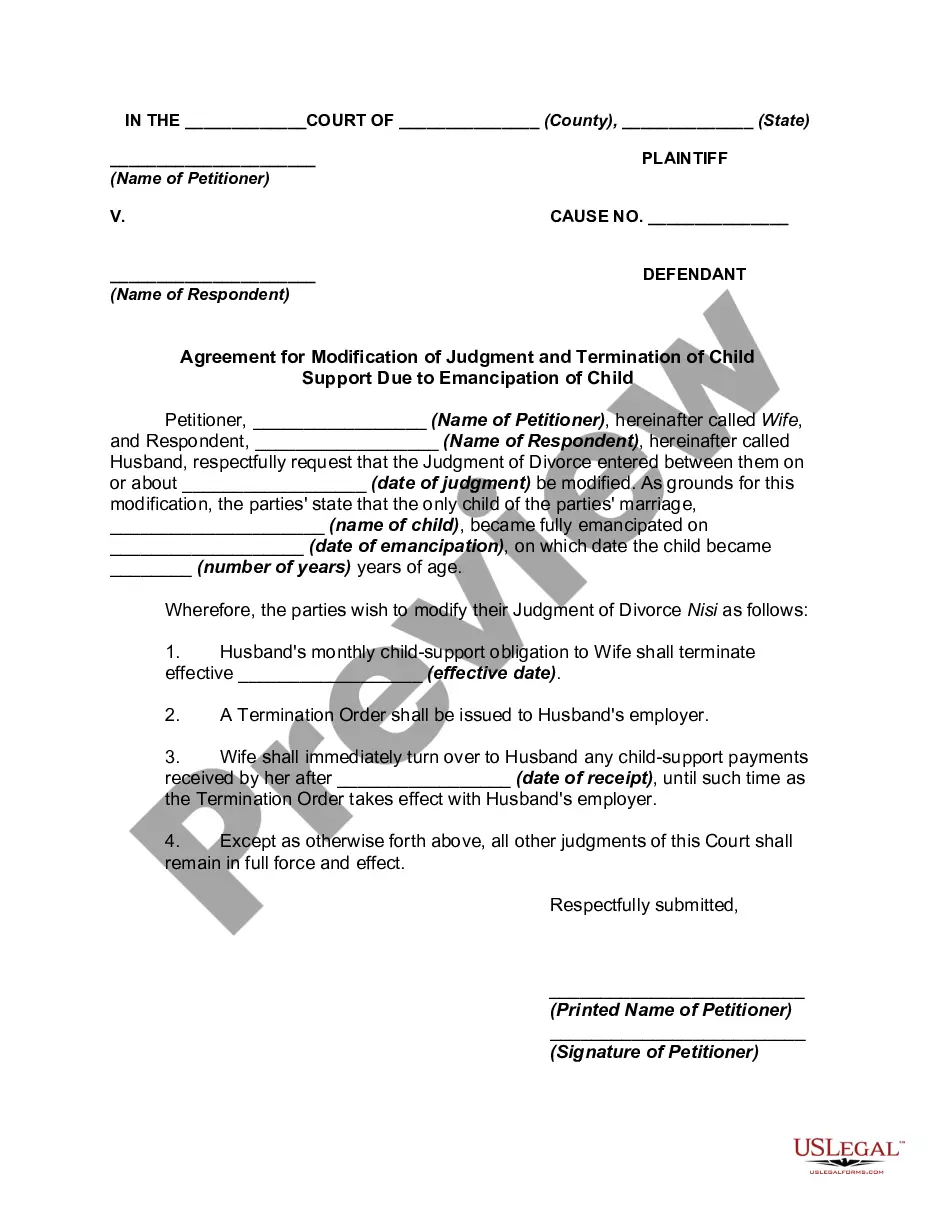
You must file a Motion to terminate child support and a Notice of Motion with the Clerk of the Circuit Court and then appear in front of a judge. A form motion is available in the law library or on-line at .
In some circumstances, you file a petition or a motion. The court has several complaint forms that you may use in drafting your complaint. The forms are available online and at the Pro Se Intake Unit. You may also write your own complaint without using a court form.
Petitions are the first step, introducing the case to the court, whereas motions are maneuvers within the ongoing litigation, addressing issues as they arise. This difference is critical, impacting how these documents are used to advance a party's position in the case.
General format - each motion generally consists of a case caption, a title that briefly identifies the relief sought, a series of numbered paragraphs that explains -- in a logical way -- why you are entitled to that relief, a prayer for relief, a signature block, a certification that a copy of the motion was sent to ...
The Motion and the Notice of Motion need to be e-filed with the Clerk of the Court. The e-Filing system will reject your filing if you do not enter a court date on the form before e-filing it.
How do I terminate child support? You must file a Motion to terminate child support and a Notice of Motion with the Clerk of the Circuit Court and then appear in front of a judge. A form motion is available in the law library or on-line at .
Although you do not need a lawyer to pursue a child support case, you should consider hiring one. A family lawyer specializes in family law and can help you navigate the process. In some cases, you may need to hire a private attorney.
