New York Form Print With Frame
Description
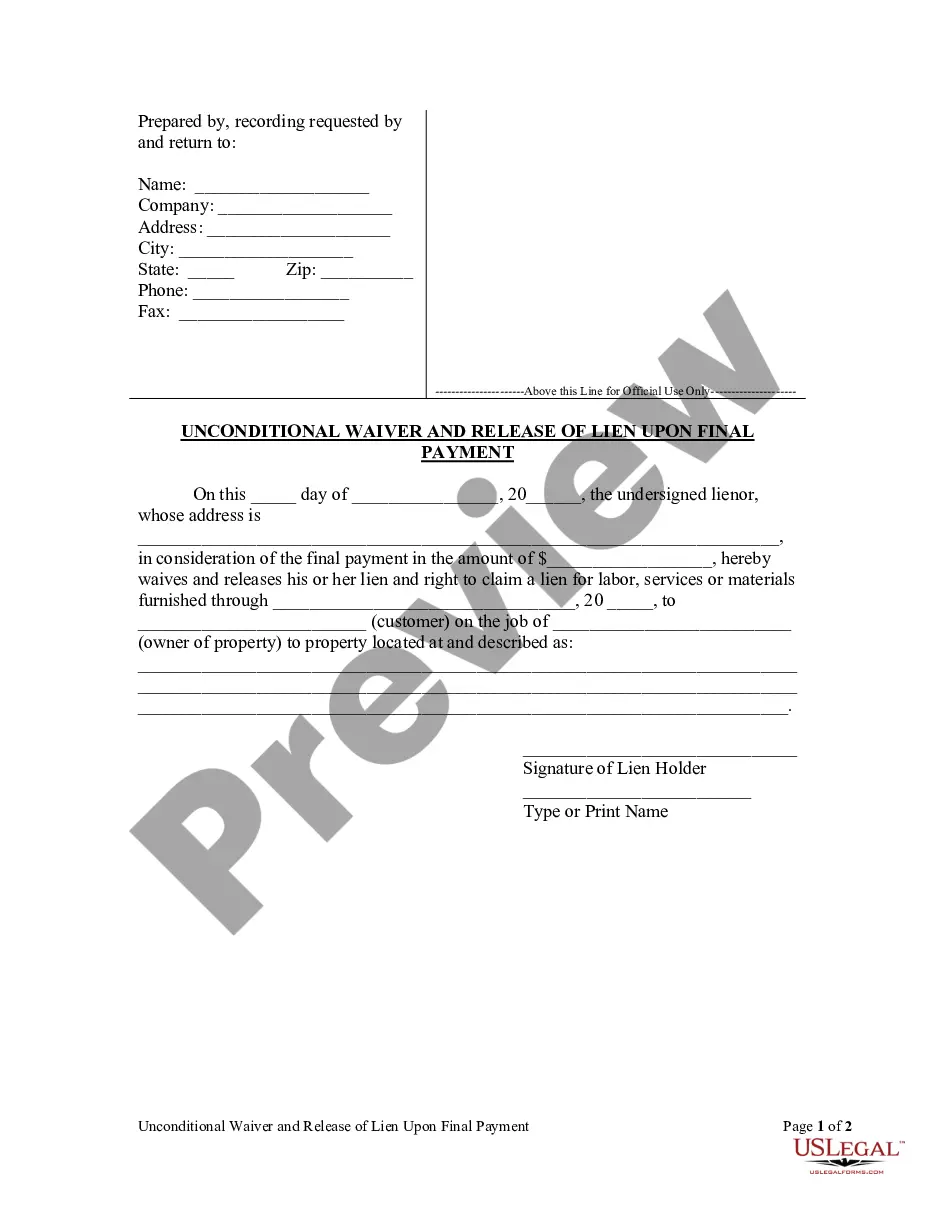
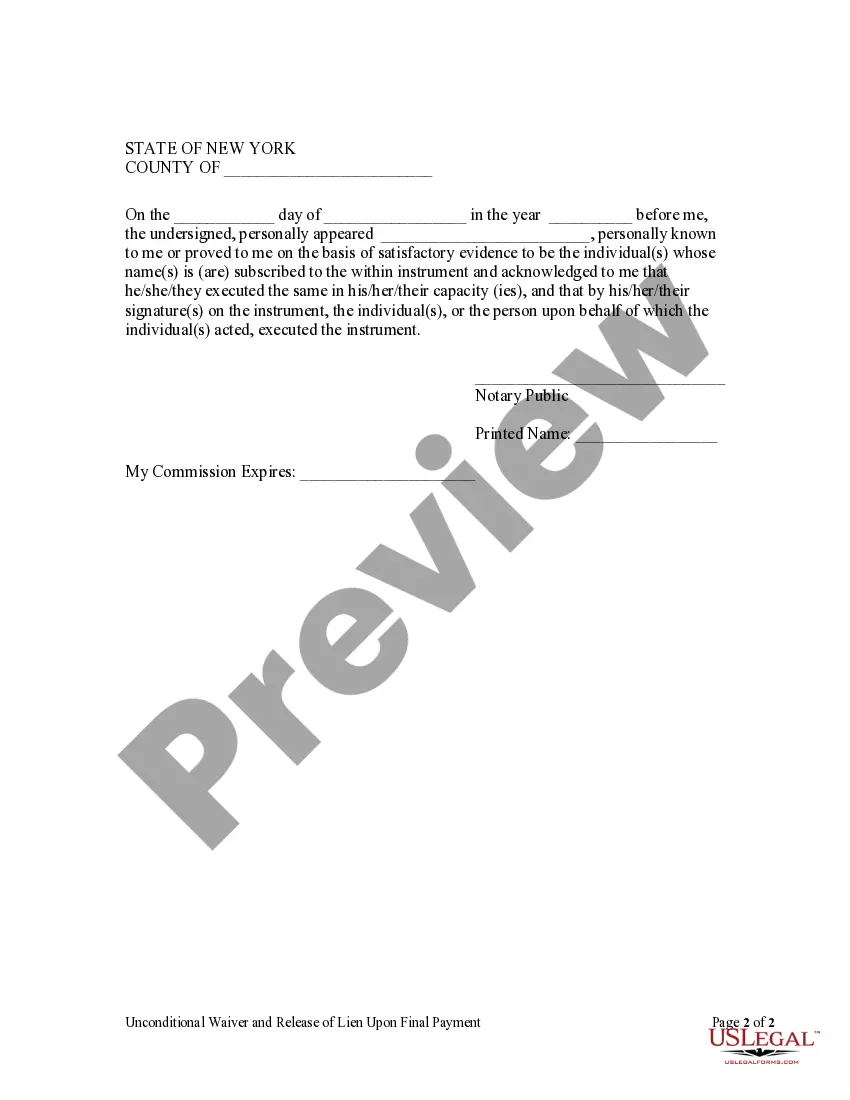
Get your form ready online
Our built-in tools help you complete, sign, share, and store your documents in one place.
Make edits, fill in missing information, and update formatting in US Legal Forms—just like you would in MS Word.
Download a copy, print it, send it by email, or mail it via USPS—whatever works best for your next step.
Sign and collect signatures with our SignNow integration. Send to multiple recipients, set reminders, and more. Go Premium to unlock E-Sign.
If this form requires notarization, complete it online through a secure video call—no need to meet a notary in person or wait for an appointment.
We protect your documents and personal data by following strict security and privacy standards.

Make edits, fill in missing information, and update formatting in US Legal Forms—just like you would in MS Word.

Download a copy, print it, send it by email, or mail it via USPS—whatever works best for your next step.

Sign and collect signatures with our SignNow integration. Send to multiple recipients, set reminders, and more. Go Premium to unlock E-Sign.

If this form requires notarization, complete it online through a secure video call—no need to meet a notary in person or wait for an appointment.

We protect your documents and personal data by following strict security and privacy standards.
Looking for another form?










How to fill out New York Unconditional Waiver And Release Of Lien Upon Final Payment?
Utilizing legal templates that comply with federal and regional regulations is essential, and the internet provides numerous options to select from.
However, what’s the benefit of spending time searching for the right New York Form Print With Frame template online if the US Legal Forms digital library already compiles such templates in one location.
US Legal Forms is the largest online legal repository with more than 85,000 fillable templates created by legal professionals for any business and personal situation. They are easy to navigate, with all documents organized by state and intended purpose.
All documents you find through US Legal Forms are reusable. To re-download and fill out previously acquired forms, visit the My documents section in your account. Enjoy the most comprehensive and user-friendly legal paperwork service!
- Our specialists keep abreast of legal updates, so you can always trust that your documents are current and compliant when obtaining a New York Form Print With Frame from our site.
- Acquiring a New York Form Print With Frame is quick and straightforward for both existing and new users.
- If you already possess an account with an active subscription, Log In and save the document sample you need in the correct format.
- If you are new to our platform, follow the steps below.
- Examine the template using the Preview feature or through the text outline to confirm it meets your requirements.
Form popularity
FAQ
The Department of Revenue consists of four divisions and the director's office.
State of Missouri: Department of Revenue (573) 751-4450. Automated Tax Credit Status. (573) 526-8299. Property Tax Credit Claim. (573) 751-3505.
Phone: (573) 526-3669. P.O. Box 43 E-mail: dealerlic@dor.mo.gov Jefferson City, MO 65105-0043 Visit for additional information. Name. ... Year. ... Vehicle Identification Number. ... Name of Person or Business Address City State Zip Code Have you contacted the owner or agent about the problem? ... Signature.
The Missouri Department of Revenue is a U.S. state government agency in Missouri created under the Missouri Constitution in 1945, which is responsible for ensuring the proper functioning of state and local government through the collection and distribution of state revenue, and administration of state laws governing ...
If you choose not to e-file, you may print any Missouri tax form from our website at dor.mo.gov/forms.
Missouri residents with income from another state, nonresidents, and part-year residents need to file Form MO-CR or Form MO-NRI with Form MO-1040 (long form).
Wayne Wallingford, Director The Missouri Department of Revenue was created in 1945 by the Missouri Constitution to serve as the central collection agency for all state revenue. The primary duties of the Department are to collect taxes, title and register motor vehicles, and license drivers.
PART 1 - Missouri Modifications to Federal Adjusted Gross Income. Form MO-A, Part 1, computes Missouri modifications to federal adjusted gross income. Modifications on Lines 1, 2, 3, 4 and 5 include income that is exempt from federal tax, but taxable for state tax purposes.