Residential Real Estate Sales Disclosure Statement
MI Seller Disclosure Act - [Loislaw 8-14-2002]
565.951 Short title.
565.952 Applicability of seller disclosure requirements.
565.953 Seller disclosure requirements; exceptions.
565.954 Written statement; delivery; time limits; compliance; terminating
purchase agreement within certain time limits; expiration of right to terminate.
565.955 Liability for error, inaccuracy, or omission; delivery as compliance
with requirements of act; conditions.
565.956 Disclosures; inaccuracy as result of action, occurrence, or
agreement after delivery; unknown or unavailable information; basis.
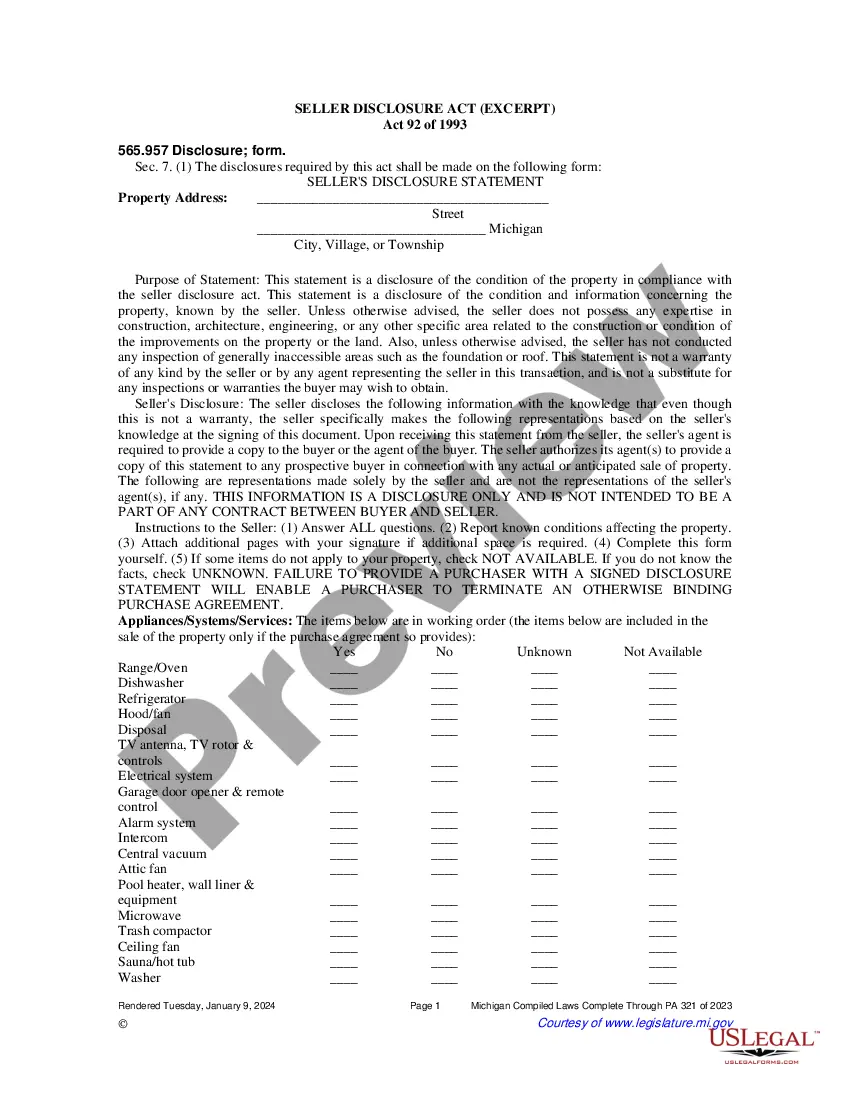
565.957 Disclosure; form.
565.958 Availability of copies.
565.959 Additional disclosures.
565.960 Disclosure; good faith.
565.961 Other obligations created by law not limited.
565.962 Disclosure; amendment.
565.963 Disclosure; manner of delivery.
565.964 Transfer not invalidated by noncompliance.
565.965 Liability of agent.
565.966 Effective date.
565.951 Short title.
Sec. 1. This act shall be known and may be cited as the "seller disclosure
act".
History: 1993, Act 92, Eff. Jan. 10, 1994.
565.952 Applicability of seller disclosure requirements.
Sec. 2. The seller disclosure requirements of sections 4 to 13 apply to
the transfer of any interest in real estate consisting of not less than
1 or more than 4 residential dwelling units, whether by sale, exchange,
installment land contract, lease with an option to purchase, any other
option to purchase, or ground lease coupled with proposed improvements
by the purchaser or tenant, or a transfer of stock or an interest in a
residential cooperative.
History: 1993, Act 92, Eff. Jan. 10, 1994.
565.953 Seller disclosure requirements; exceptions.
Sec. 3. The seller disclosure requirements of sections 4 to 13 do not apply
to any of the following:
(a) Transfers pursuant to court order, including, but not limited to, transfers
ordered by a probate court in administration of an estate, transfers pursuant
to a writ of execution, transfers by any foreclosure sale, transfers by
a trustee in bankruptcy, transfers by eminent domain, and transfers resulting
from a decree for specific performance.
(b) Transfers to a mortgagee by a mortgagor or successor in interest who
is in default, or transfers to a beneficiary of a deed of trust by a trustor
or successor in interest who is in default.
(c) Transfers by a sale under a power of sale or any foreclosure sale under
a decree of foreclosure after default in an obligation secured by a mortgage
or deed of trust or secured by any other instrument containing a power
of sale, or transfers by a mortgagee or a beneficiary under a deed of trust
who has acquired the real property at a sale conducted pursuant to a power
of sale under a mortgage or deed of trust or a sale pursuant to a decree
of foreclosure or has acquired the real property by a deed in lieu of foreclosure.
(d) Transfers by a nonoccupant fiduciary in the course of the administration
of a decedent's estate, guardianship, conservatorship, or trust.
(e) Transfers from 1 co-tenant to 1 or more other co-tenants.
(f) Transfers made to a spouse, parent, grandparent, child, or grandchild.
(g) Transfers between spouses resulting from a judgment of divorce or a
judgment of separate maintenance or from a property settlement agreement
incidental to such a judgment.
(h) Transfers or exchanges to or from any governmental entity.
(i) Transfers made by a person licensed under article 24 of Act No. 299
of the Public Acts of 1980, being sections 339.2401 to 339.2412 of the
Michigan Compiled Laws, of newly constructed residential property that
has not been inhabited.
History: 1993, Act 92, Eff. Jan. 10, 1994.
565.954 Written statement; delivery; time limits; compliance;
terminating purchase agreement within certain time limits;
expiration of right to terminate.
Sec. 4. (1) The transferor of any real property described in section 2
shall deliver to the transferor's agent or to the prospective transferee
or the transferee's agent the written statement required by this act. If
the written statement is delivered to the transferor's agent, the transferor's
agent shall provide a copy to the prospective transferee or his or her
agent. A written disclosure statement provided to a transferee's
agent shall be considered to have been provided to the transferee. The
written statement shall be delivered to the prospective transferee within
the following time limits:
(a) In the case of a sale, before the transferor executes a binding purchase
agreement with the prospective transferee.
(b) In the case of transfer by an installment sales contract where a binding
purchase agreement has not been executed, or in the case of a lease together
with an option to purchase or a ground lease coupled with improvements
by the tenant, before the transferor executes the installment sales contract
with the prospective transferee.
(2) With respect to any transfer subject to subsection (1), the transferor
shall indicate compliance with this act either on the purchase agreement,
the installment sales contract, the lease, or any addendum attached to
the purchase agreement, contract, or lease, or on a separate document.
(3) Except as provided in subsection (4), if any disclosure or amendment
of any disclosure required to be made by this act is delivered after the
transferor executes a binding purchase agreement, the prospective transferee
may terminate the purchase agreement by delivering written notice of termination
to the transferor or the transferor's agent within the following time limits:
(a) Not later than 72 hours after delivery of the disclosure statement
to the prospective transferee, if the disclosure statement was delivered
to the prospective transferee in person.
(b) Not later than 120 hours after delivery of the disclosure statement
to the prospective transferee, if the disclosure statement was delivered
to the prospective transferee by registered mail.
(4) A transferee's right to terminate the purchase agreement expires upon
the transfer of the subject property by deed or installment sales contract.
History: 1993, Act 92, Eff. Jan. 10, 1994.
565.955 Liability for error, inaccuracy, or omission; delivery as compliance
with requirements of act; conditions.
Sec. 5. (1) The transferor or his or her agent is not liable for any error,
inaccuracy, or omission in any information delivered pursuant to this act
if the error, inaccuracy, or omission was not within the personal knowledge
of the transferor, or was based entirely on information provided by public
agencies or provided by other persons specified in subsection (3), and
ordinary care was exercised in transmitting the information. It is not
a violation of this act if the transferor fails to disclose information
that could be obtained only through inspection or observation of inaccessible
portions of real estate or could be discovered only by a person with expertise
in a science or trade beyond the knowledge of the transferor.
(2) The delivery of any information required by this act to be disclosed
to a prospective transferee by a public agency or other person specified
in subsection (3) shall be considered to comply with the requirements of
this act and relieves the transferor of any further duty under this act
with respect to that item of information, unless the transferor has knowledge
of a known defect or condition that contradicts the information provided
by the public agency or the person specified in subsection (3).
(3) The delivery of a report or opinion prepared by a licensed professional
engineer, professional surveyor, geologist, structural pest control operator,
contractor, or other expert, dealing with matters within the scope of the
professional's license or expertise, is sufficient compliance for application
of the exemption provided by subsection (1) if the information is provided
upon the request of the prospective transferee, unless the transferor has
knowledge of a known defect or condition that contradicts the information
contained in the report or opinion. In responding to a request by a prospective
transferee, an expert may indicate, in writing, an understanding that the
information provided will be used in fulfilling the requirements of section
7 and, if so, shall indicate the required disclosures, or parts of disclosures,
to which the information being furnished applies. In furnishing the statement,
the expert is not responsible for any items of information other than those
expressly set forth in the statement.
History: 1993, Act 92, Eff. Jan. 10, 1994.
565.956 Disclosures; inaccuracy as result of action, occurrence, or
agreement after delivery; unknown or unavailable information; basis.
Sec. 6. If information disclosed in accordance with this act becomes inaccurate
as a result of any action, occurrence, or agreement after the delivery
of the required disclosures, the resulting inaccuracy does not constitute
a violation of this act. If at the time the disclosures are required
to be made, an item of information required to be disclosed under this
act is unknown or unavailable to the transferor, the transferor may comply
with this act by advising a prospective purchaser of the fact that the
information is unknown. The information provided to a prospective purchaser
pursuant to this act shall be based upon the best information available
and known to the transferor.
History: 1993, Act 92, Eff. Jan. 10, 1994.
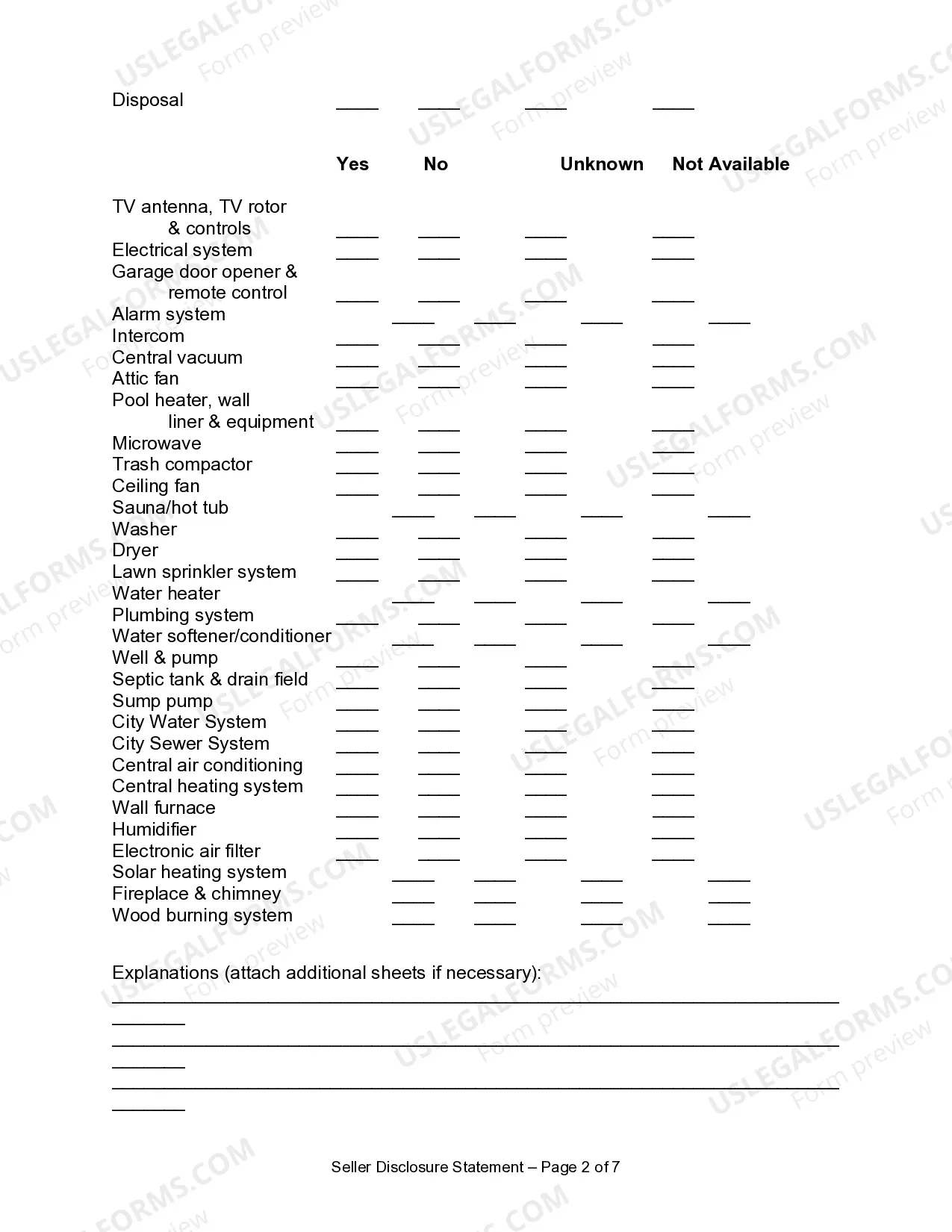
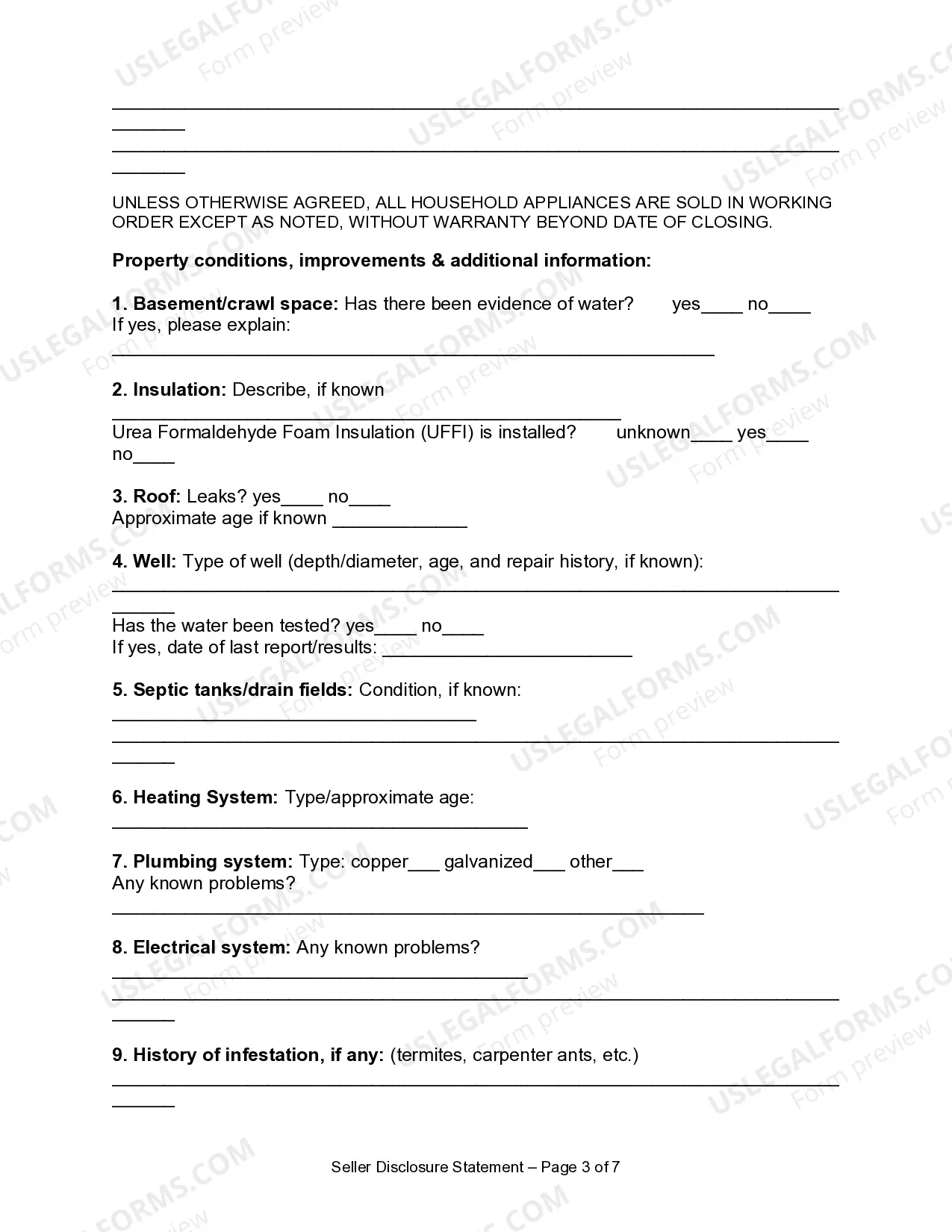
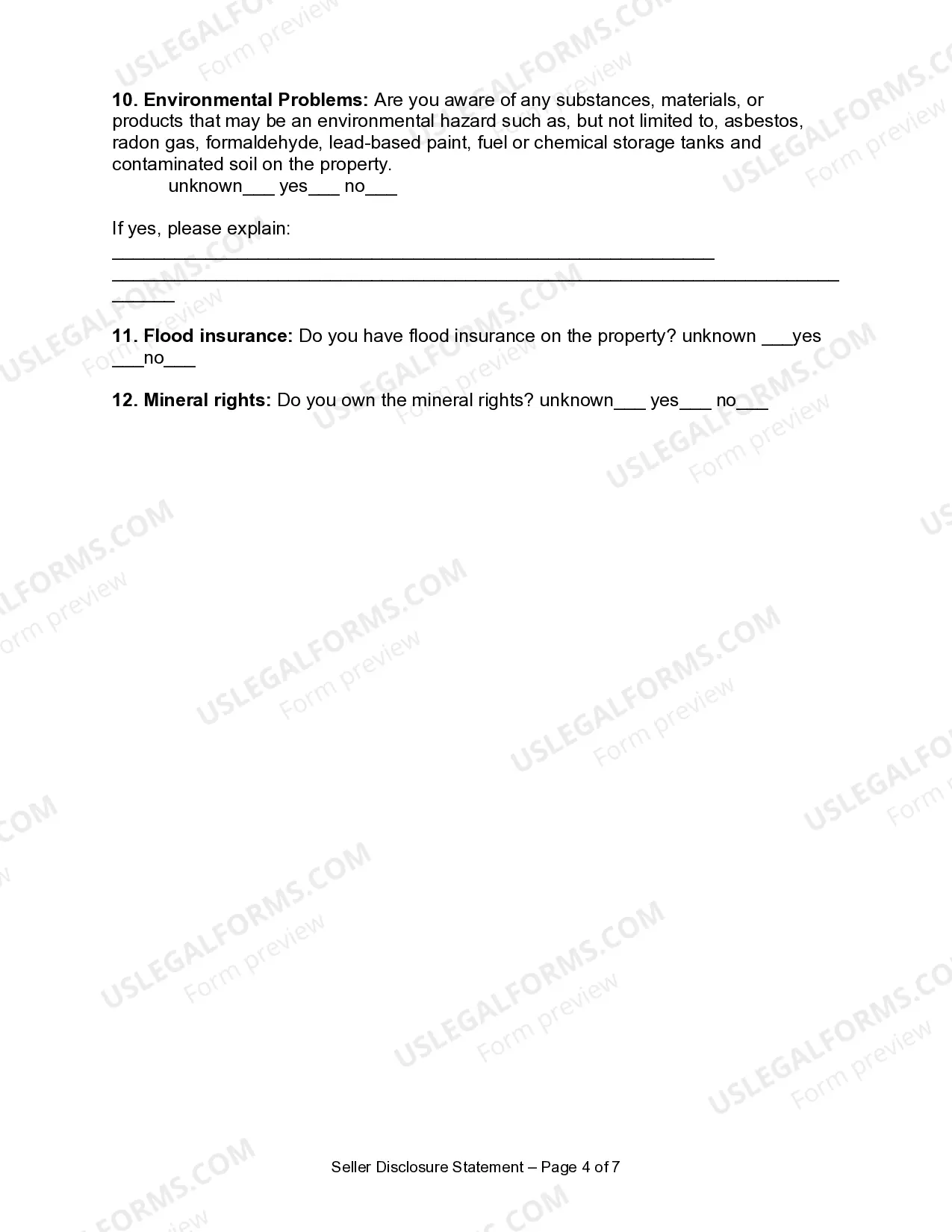
565.957 Disclosure; form.
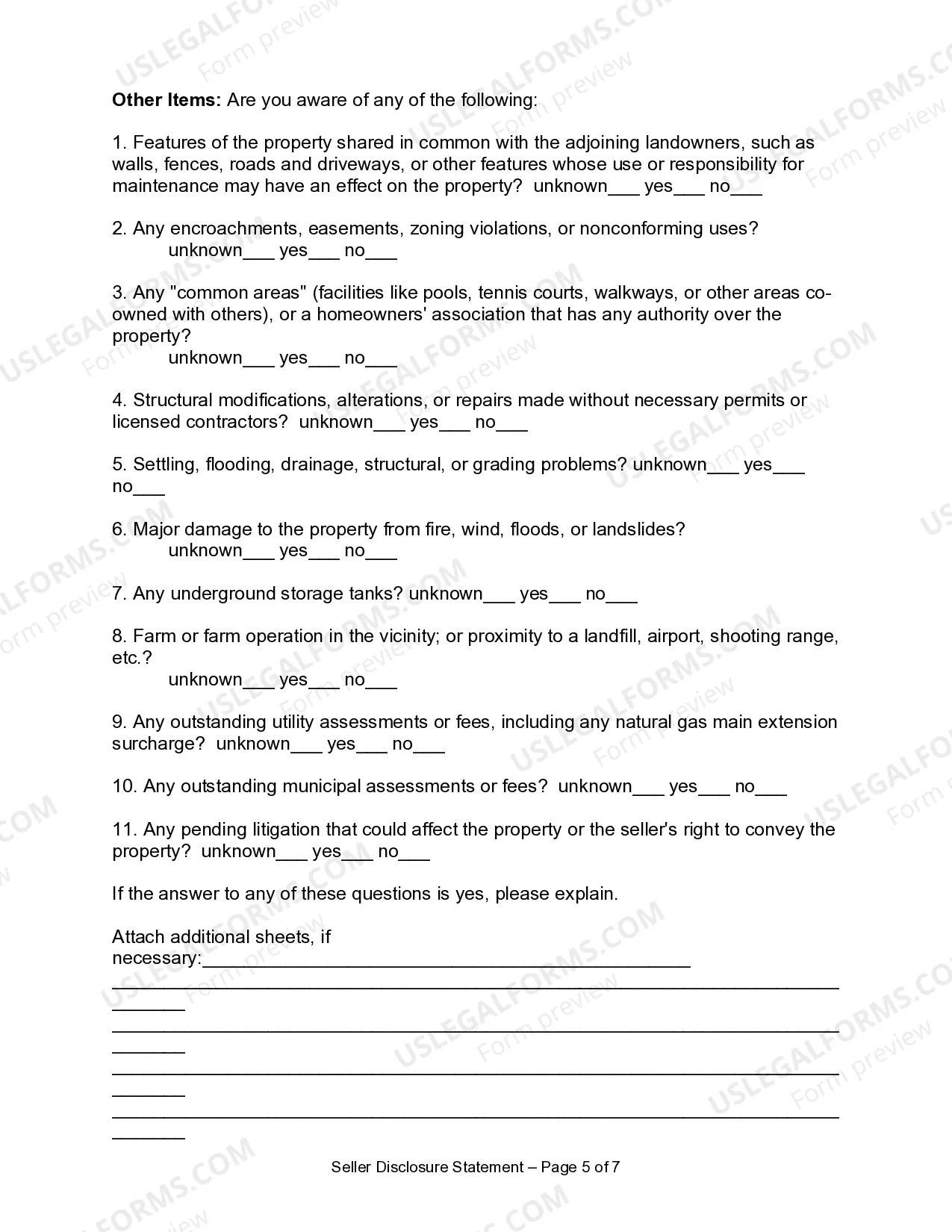
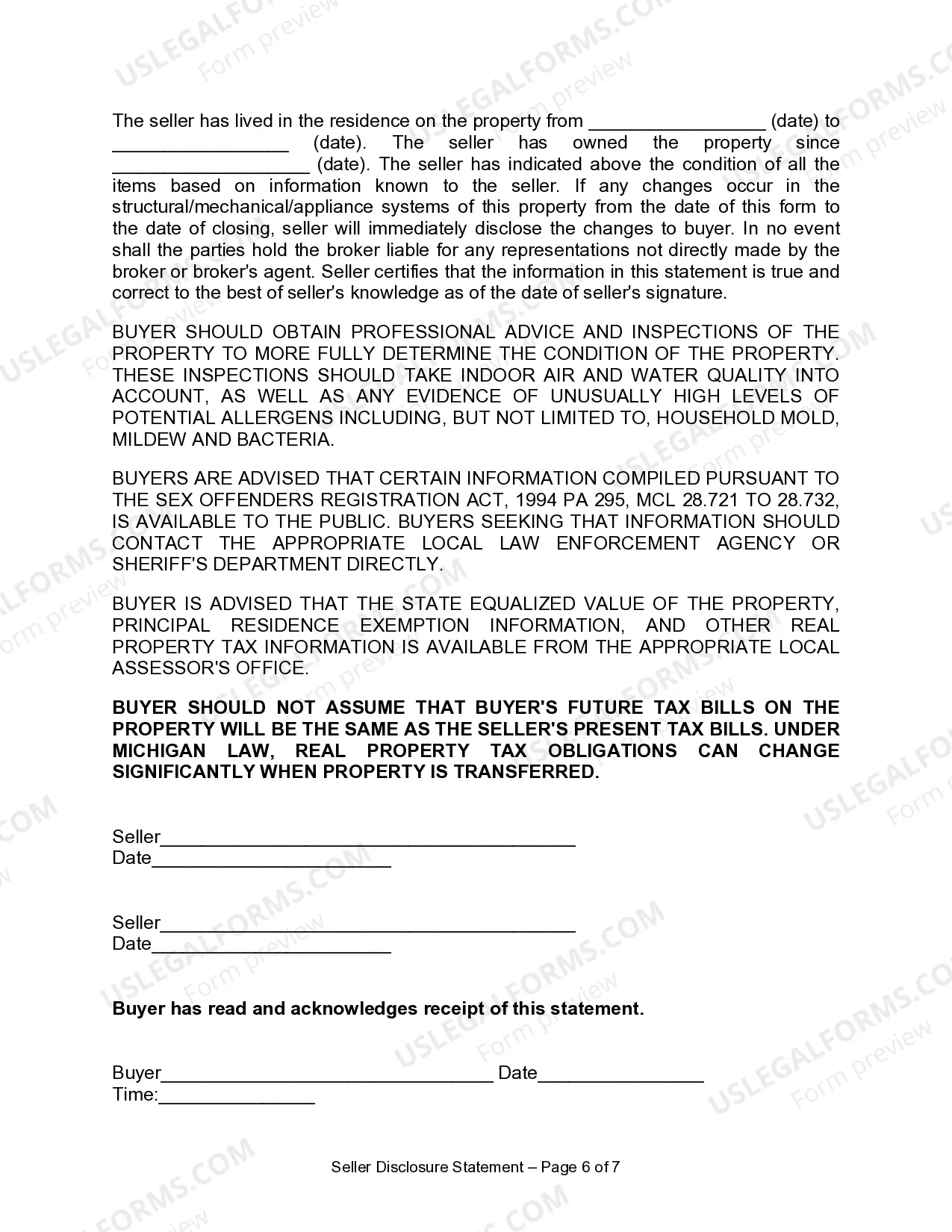
Sec. 7. (1) The disclosures required by this act shall be made on the following
form:
[See USLF form # MI-37014]
565.958 Availability of copies.
Sec. 8. Copies of the form prescribed in section 7 shall be made available
to the public by all real estate brokers and real estate salespersons.
History: 1993, Act 92, Eff. Jan. 10, 1994.
565.959 Additional disclosures.
Sec. 9. A city, township, or county may require disclosures in addition
to those disclosures required by section 7, and may require disclosures
on a different disclosure form in connection with transactions subject
to this act.
History: 1993, Act 92, Eff. Jan. 10, 1994.
565.960 Disclosure; good faith.
Sec. 10. Each disclosure required by this act shall be made in good faith.
For purposes of this act, "good faith" means honesty in fact in the conduct
of the transaction.
History: 1993, Act 92, Eff. Jan. 10, 1994.
565.961 Other obligations created by law not limited.
Sec. 11. The specification of items for disclosure in this act does not
limit or abridge any obligation for disclosure created by any other provision
of law regarding fraud, misrepresentation, or deceit in transfer transactions.
History: 1993, Act 92, Eff. Jan. 10, 1994.
565.962 Disclosure; amendment.
Sec. 12. Any disclosure made pursuant to this act may be amended
in writing by the transferor, but the amendment is subject to section 4.
History: 1993, Act 92, Eff. Jan. 10, 1994.
565.963 Disclosure; manner of delivery.
Sec. 13. Delivery of a disclosure statement required by this act shall
be by personal delivery, facsimile delivery, or by registered mail to the
prospective purchaser. Execution of a facsimile counterpart of the disclosure
statement shall be considered to be execution of the original.
History: 1993, Act 92, Eff. Jan. 10, 1994.
565.964 Transfer not invalidated by noncompliance.
Sec. 14. A transfer subject to this act shall not be invalidated solely
because of the failure of any person to comply with a provision of this
act.
History: 1993, Act 92, Eff. Jan. 10, 1994.
565.965 Liability of agent.
Sec. 15. An agent of a transferor shall not be liable for any violation
of this act by a transferor unless any agent knowingly acts in concert
with a transferor to violate this act.
History: 1993, Act 92, Eff. Jan. 10, 1994.
565.966 Effective date.
Sec. 16. This act shall take effect upon the expiration of 180 days after
the date of its enactment.
History: 1993, Act 92, Eff. Jan. 10, 1994.