Blank Invoice
What this document covers
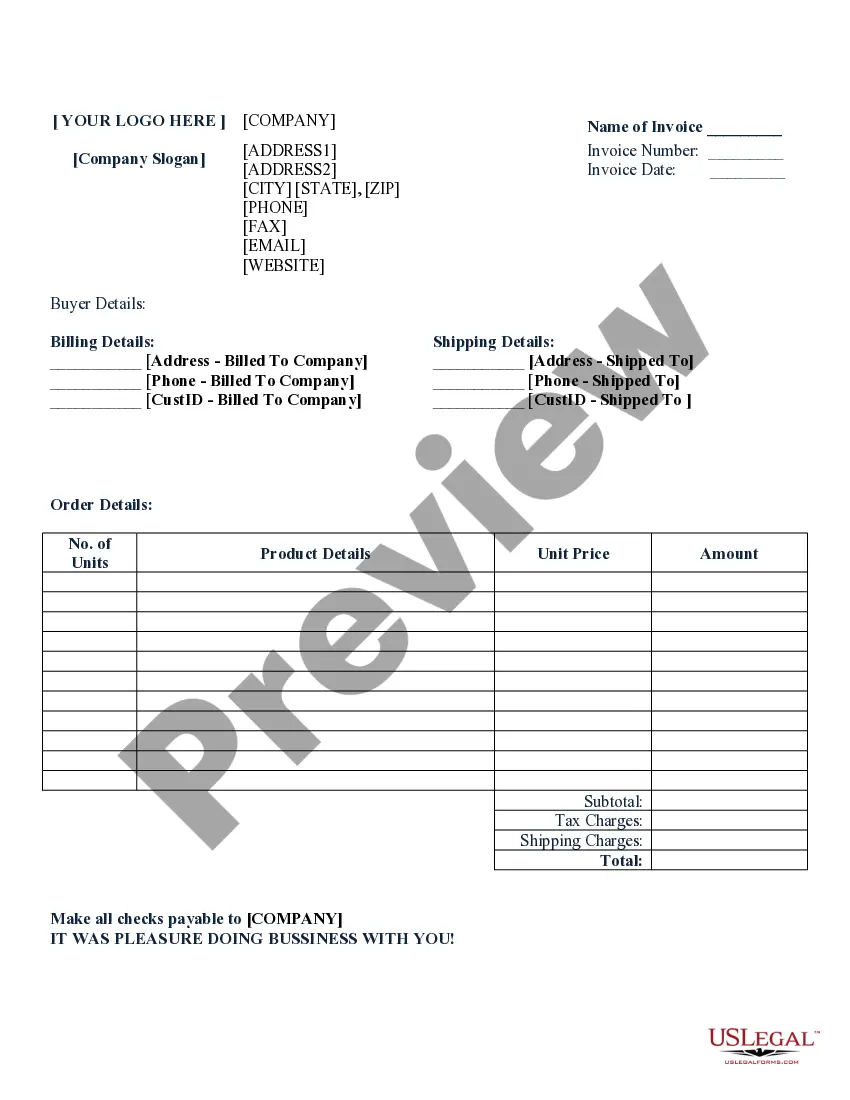
A blank invoice is a document used by businesses to itemize and request payment for goods or services provided. It is often referred to simply as a bill. This form serves as a formal record of a transaction, detailing the items sold, the price for each unit, and the total amount due, along with necessary billing information. Unlike pro forma invoices, a blank invoice indicates that payment is required immediately upon receipt unless otherwise stipulated.
What’s included in this form
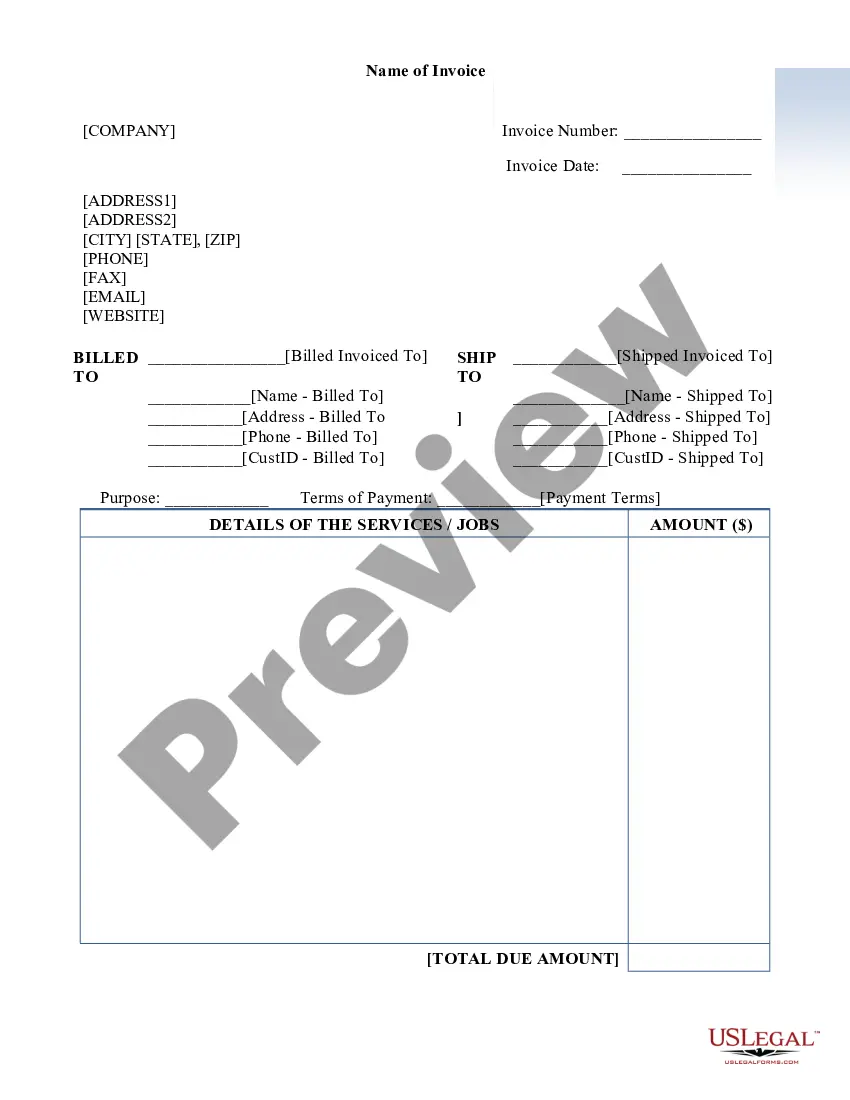
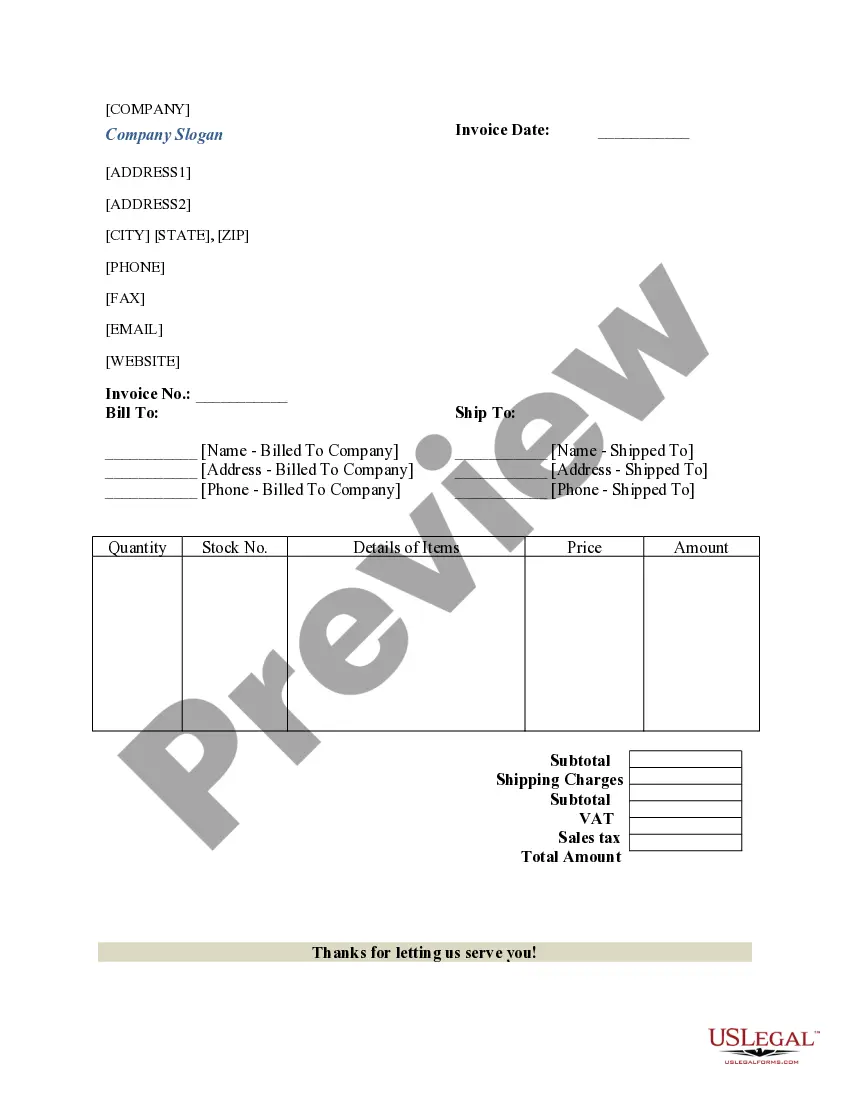
- Company details: Name, address, contact information, and branding.
- Invoice number: A unique identifier for the transaction.
- Invoice date: The date the invoice is issued.
- Buyer details: Information about the billing and shipping addresses.
- Order details: Includes product descriptions, quantity, unit price, subtotal, taxes, and total amount due.



When to use this form
This blank invoice form should be used whenever a business needs to perform billing for services rendered or products sold. It is particularly useful in situations where formal invoicing is required for record-keeping, payment tracking, or for providing a professional document to clients. It can be used by freelancers, service providers, retail businesses, and many others in various industries.
Who should use this form
This form is intended for:
- Freelancers seeking to invoice clients for completed work.
- Small business owners needing to request payment for goods or services.
- Service providers who need a formal billing document for their clients.
- Individuals or professionals who wish to document sales transactions.
Steps to complete this form
- Enter your company's name and contact information at the top of the form.
- Fill in the invoice number and date to maintain records.
- Input the buyer's details, including their billing and shipping addresses.
- List the order details, including product descriptions, quantities, unit prices, and calculate the subtotal.
- Add applicable taxes and any shipping charges, then compute the total amount due.
- Sign the invoice if needed, and state payment instructions at the bottom.
Does this form need to be notarized?
Notarization is generally not required for this form. However, certain states or situations might demand it. You can complete notarization online through US Legal Forms, powered by Notarize, using a verified video call available anytime.
Get your form ready online
Our built-in tools help you complete, sign, share, and store your documents in one place.
Make edits, fill in missing information, and update formatting in US Legal Forms—just like you would in MS Word.
Download a copy, print it, send it by email, or mail it via USPS—whatever works best for your next step.
Sign and collect signatures with our SignNow integration. Send to multiple recipients, set reminders, and more. Go Premium to unlock E-Sign.
If this form requires notarization, complete it online through a secure video call—no need to meet a notary in person or wait for an appointment.
We protect your documents and personal data by following strict security and privacy standards.

Make edits, fill in missing information, and update formatting in US Legal Forms—just like you would in MS Word.

Download a copy, print it, send it by email, or mail it via USPS—whatever works best for your next step.

Sign and collect signatures with our SignNow integration. Send to multiple recipients, set reminders, and more. Go Premium to unlock E-Sign.

If this form requires notarization, complete it online through a secure video call—no need to meet a notary in person or wait for an appointment.

We protect your documents and personal data by following strict security and privacy standards.
Avoid these common issues
- Not including a unique invoice number to track the transaction.
- Forgetting to specify payment terms and due dates.
- Omitting important buyer details, leading to delivery errors.
- Calculating totals incorrectly or forgetting to include taxes and fees.
Advantages of online completion
- Convenient access: Download or print the form from anywhere at any time.
- Editability: Personalize the form to fit your business needs easily.
- Professional appearance: Enhance your business image with well-drafted invoices.
- Time-saving: Quickly generate invoices without the need for complex software.
Legal use & context
- Provides evidence of a transaction for both the seller and buyer.
- Can be introduced in court as proof of services rendered or goods sold.
- Helps in maintaining comprehensive financial records for tax purposes.
What to keep in mind
- A blank invoice is essential for businesses to issue requests for payment.
- Completing the form correctly ensures accurate transaction records.
- Using an online template can simplify the invoicing process.
Looking for another form?
Form popularity
FAQ
What to include in your blank invoice template Sender's information: your name or company name, address, and phone number. Client information: your client's name or company name, address, and phone number. Invoice number: An invoice number so you can easily refer to the invoice. Date sent: the date you sent the invoice.
Let Adobe Express be your go-to free invoice maker. With Adobe Express, it's free and easy to make, save, and share your designs within minutes.
A blank invoice template is a functional document that allows you to describe the services you have provided, add up the costs and include payment information so that you can bill your clients.
This free blank invoice template is a simple and easy way to send a professional-looking invoice to clients. Simply download the file and fill out the customizable fields. Then you're ready to email or print and mail the invoice. This printable invoice works perfectly for standard 8.5? x 11? printer paper.
How to create an invoice: A step-by-step guide Brand your invoice.Add a professional header.Include invoice information.Include the dates.Description of goods/services delivered.Include tax details and highlight the total money owed.Include payment terms.Add explanatory notes with terms and conditions.
An invoice creates a sales agreement between a business and a client. For small businesses, invoices are used to get paid on time for the services they provide by giving clients a document that outlines the amount owed, the payment terms, the invoice due date, and an itemized listing of services.
An invoice is a demand for payment (delivered either electronically or physically) that's sent by the seller after the sale of goods/services has been completed, but before payment has been made. In essence, invoices are used to ensure that your business gets paid.