Internet Rules For Students
Description



Get your form ready online
Our built-in tools help you complete, sign, share, and store your documents in one place.
Make edits, fill in missing information, and update formatting in US Legal Forms—just like you would in MS Word.
Download a copy, print it, send it by email, or mail it via USPS—whatever works best for your next step.
Sign and collect signatures with our SignNow integration. Send to multiple recipients, set reminders, and more. Go Premium to unlock E-Sign.
If this form requires notarization, complete it online through a secure video call—no need to meet a notary in person or wait for an appointment.
We protect your documents and personal data by following strict security and privacy standards.

Make edits, fill in missing information, and update formatting in US Legal Forms—just like you would in MS Word.

Download a copy, print it, send it by email, or mail it via USPS—whatever works best for your next step.

Sign and collect signatures with our SignNow integration. Send to multiple recipients, set reminders, and more. Go Premium to unlock E-Sign.

If this form requires notarization, complete it online through a secure video call—no need to meet a notary in person or wait for an appointment.

We protect your documents and personal data by following strict security and privacy standards.
Looking for another form?
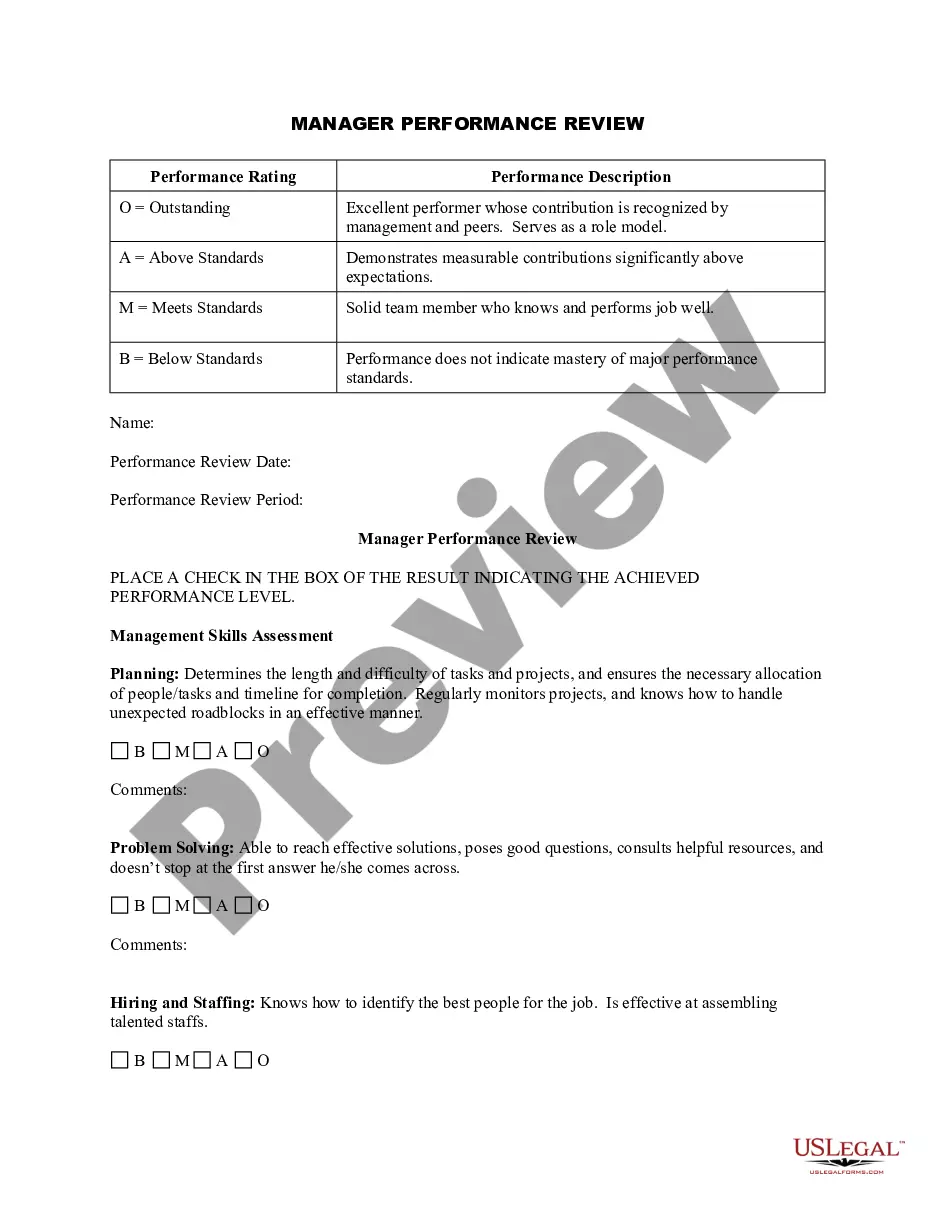
How to fill out Client EMail And Internet Use Policies Memo?
Dealing with legal paperwork and procedures can be a laborious addition to your routine.
Internet Guidelines For Students and similar forms often require you to look for them and find the optimal way to fill them out correctly.
Thus, if you are managing financial, legal, or personal issues, having an extensive and straightforward online library of forms readily available will be quite beneficial.
US Legal Forms is the premier online platform for legal templates, providing more than 85,000 state-specific documents along with various resources to assist you in completing your paperwork with ease.
Is this your first time utilizing US Legal Forms? Create an account and establish your profile in just a few minutes to gain access to the document library and Internet Guidelines For Students. Then, follow the steps below to finish your form: Ensure you have the right document using the Review feature and reading the document details. Select Buy Now when ready, and choose the monthly subscription option that suits you best. Click Download, then fill it out, sign it, and print the document. US Legal Forms has 25 years of expertise aiding users in managing their legal paperwork. Get the document you need today and streamline any process effortlessly.
- Explore the collection of relevant documents available at your fingertips with just a single click.
- US Legal Forms offers state- and county-specific documents that can be downloaded at any time.
- Protect your document handling processes with a premium service that enables you to prepare any form within minutes without extra or concealed fees.
- Simply Log In to your account, search for Internet Guidelines For Students, and obtain it immediately from the My documents section.
- You can also retrieve formerly saved documents.
Form popularity
FAQ
Finding internet safety rules is crucial for students to navigate online spaces securely. You can start by visiting educational websites, government resources, and advocacy organizations that focus on internet safety. These platforms often provide comprehensive guides and tips tailored to students' needs. Additionally, US Legal Forms offers valuable resources to help students understand and adhere to internet rules for students, ensuring they make safe online choices.
To be safe on the internet, students should educate themselves about safe browsing habits, such as recognizing secure websites and understanding privacy settings on social media. It's essential to be cautious about whom they interact with and to avoid engaging with unknown users. By following internet rules for students, users can enjoy a positive and secure online experience while benefiting from platforms like uslegalforms that provide resources for safe internet use.
Students should know to always use strong passwords, avoid sharing personal information, think critically about the content they see, and be mindful of their interactions with others. Additionally, they should report any suspicious behavior or content. Sticking to these internet rules for students helps create a secure and respectful online community.
The 3 C's of internet safety are content, contact, and conduct. Content refers to what students view and share online, contact involves interactions with others, and conduct relates to their behavior while online. Educating students about these aspects can help them understand and apply effective internet rules for students, leading to a safer digital experience.
Using internet safety involves being aware of potential online risks and employing strategies to mitigate them. Students should regularly update their software and avoid downloading files or applications from unknown sources. By adhering to clear internet rules for students, they can protect themselves from cyberbullying, identity theft, and other online dangers.
To use the internet safely, students should first understand the importance of setting strong passwords and keeping them private. They should also learn about secure websites and recognize the signs of scams or phishing attempts. By following consistent internet rules for students, such as only sharing personal information on trusted sites, learners can navigate online spaces more securely.
Rules of using the internet encompass practicing digital citizenship, safeguarding personal data, and staying informed about online threats. Students should also learn to differentiate between credible sources and misinformation, fostering a more informed online community. Following these rules ensures adherence to the overarching internet rules for students.
The 10 basic rules of netiquette include being polite, using clear language, respecting others’ opinions, and avoiding all caps in communication. Students should also avoid spamming, sharing too much personal information, and engage in meaningful discussions. These netiquette rules contribute significantly to effective internet rules for students.
The rules of using the Internet center around safety, respect, and responsibility. Students should navigate online spaces carefully, respect the opinions and privacy of others, and use the Internet as a tool for learning and growth. Adhering to these rules fortifies the foundation of internet rules for students.
When it comes to internet use, students should do engage positively with others, verify information before sharing, and protect their privacy online. Conversely, they shouldn't engage in cyberbullying, share personal information publicly, or click on suspicious links. These do's and don'ts align closely with essential internet rules for students.