Comparing And Merging Documents
Description
Get your form ready online
Our built-in tools help you complete, sign, share, and store your documents in one place.
Make edits, fill in missing information, and update formatting in US Legal Forms—just like you would in MS Word.
Download a copy, print it, send it by email, or mail it via USPS—whatever works best for your next step.
Sign and collect signatures with our SignNow integration. Send to multiple recipients, set reminders, and more. Go Premium to unlock E-Sign.
If this form requires notarization, complete it online through a secure video call—no need to meet a notary in person or wait for an appointment.
We protect your documents and personal data by following strict security and privacy standards.

Make edits, fill in missing information, and update formatting in US Legal Forms—just like you would in MS Word.

Download a copy, print it, send it by email, or mail it via USPS—whatever works best for your next step.

Sign and collect signatures with our SignNow integration. Send to multiple recipients, set reminders, and more. Go Premium to unlock E-Sign.

If this form requires notarization, complete it online through a secure video call—no need to meet a notary in person or wait for an appointment.

We protect your documents and personal data by following strict security and privacy standards.
Looking for another form?
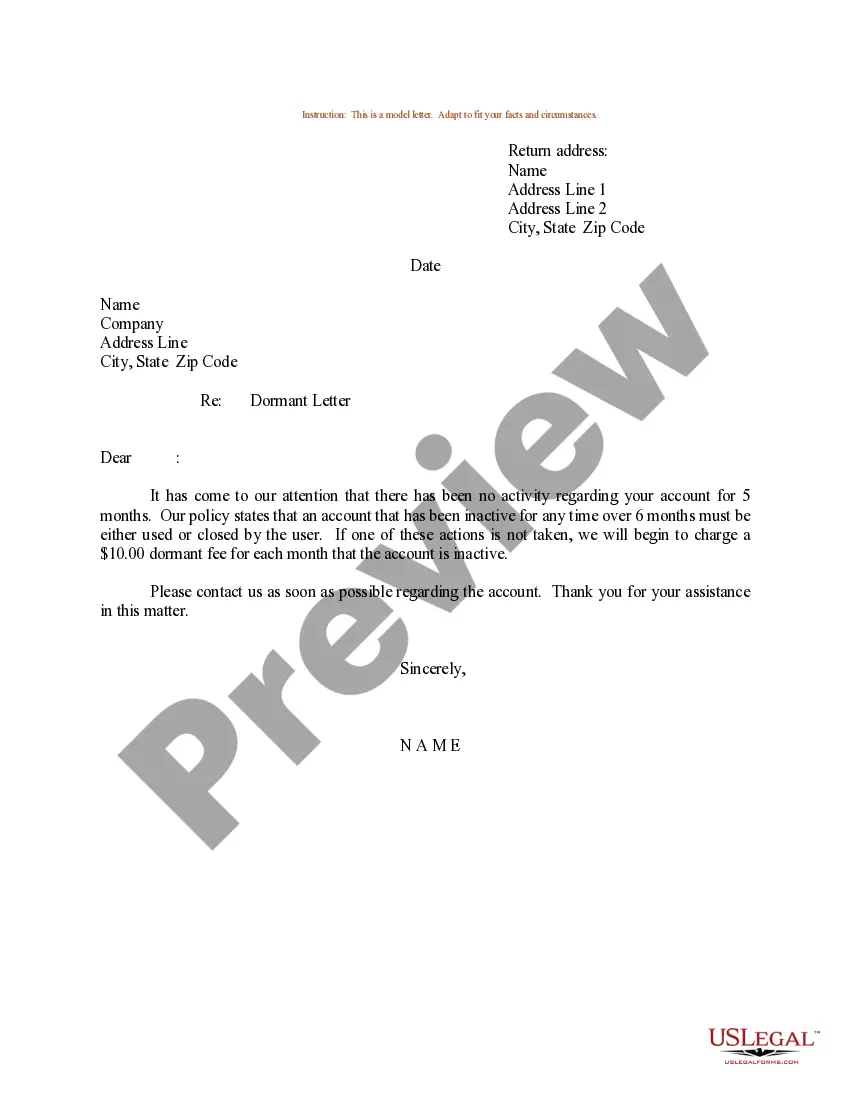

How to fill out Checklist Of Matters That Should Be Considered In Drafting A Merger Agreement?
The Comparing And Merging Documents showcased on this page is a versatile legal template crafted by expert attorneys in compliance with federal and state statutes and regulations.
For over 25 years, US Legal Forms has supplied individuals, organizations, and legal practitioners with more than 85,000 authenticated, state-specific documents for any professional and personal circumstance. It’s the quickest, simplest, and most reliable method to acquire the paperwork you require, as the service ensures the utmost level of data protection and anti-malware safeguards.
Subscribe to US Legal Forms to access verified legal templates for all of life's circumstances.
- Search for the document you require and examine it.
- Select the pricing option that fits you and create an account.
- Choose the format you prefer for your Comparing And Merging Documents (PDF, DOCX, RTF) and save the sample to your device.
- Complete and sign the document.
- Utilize the same document again whenever necessary.
Form popularity
FAQ
Press and hold Ctrl to select more than one document. Documents will be merged in the order in which they appear in the file list. To use a different order, select and insert each file individually in the desired order.
Open a new document in Word. In the upper ribbon, click Review. Click Compare, and then click Compare Documents. Select the two documents you want to compare, and then click OK.
Writing a comparative essay Read the topic carefully. Make sure that you understand exactly what the topic is asking you to do. ... Give roughly equal weight to each text. ... Choose your preferred structure. ... Focus on differences as well as similarities. ... Use linking words and phrases. ... Explore a range of elements.
Writing A Compare/Contrast Paper Picking a subject. Focus on things that can obviously be compared or contrasted. ... Listing characteristics. Divide a piece of paper into two sides. ... Organizing. There are at least two ways to organize a compare/contrast essay. ... Signaling transitions.
Merge two versions of a document Click Review > Compare > Combine. ... Under Original document, click the down arrow and choose the document you sent for review. ... Under Revised document, choose the document you want to merge.