Info Personnel Contact Details
Description



Get your form ready online
Our built-in tools help you complete, sign, share, and store your documents in one place.
Make edits, fill in missing information, and update formatting in US Legal Forms—just like you would in MS Word.
Download a copy, print it, send it by email, or mail it via USPS—whatever works best for your next step.
Sign and collect signatures with our SignNow integration. Send to multiple recipients, set reminders, and more. Go Premium to unlock E-Sign.
If this form requires notarization, complete it online through a secure video call—no need to meet a notary in person or wait for an appointment.
We protect your documents and personal data by following strict security and privacy standards.

Make edits, fill in missing information, and update formatting in US Legal Forms—just like you would in MS Word.

Download a copy, print it, send it by email, or mail it via USPS—whatever works best for your next step.

Sign and collect signatures with our SignNow integration. Send to multiple recipients, set reminders, and more. Go Premium to unlock E-Sign.

If this form requires notarization, complete it online through a secure video call—no need to meet a notary in person or wait for an appointment.

We protect your documents and personal data by following strict security and privacy standards.
Looking for another form?






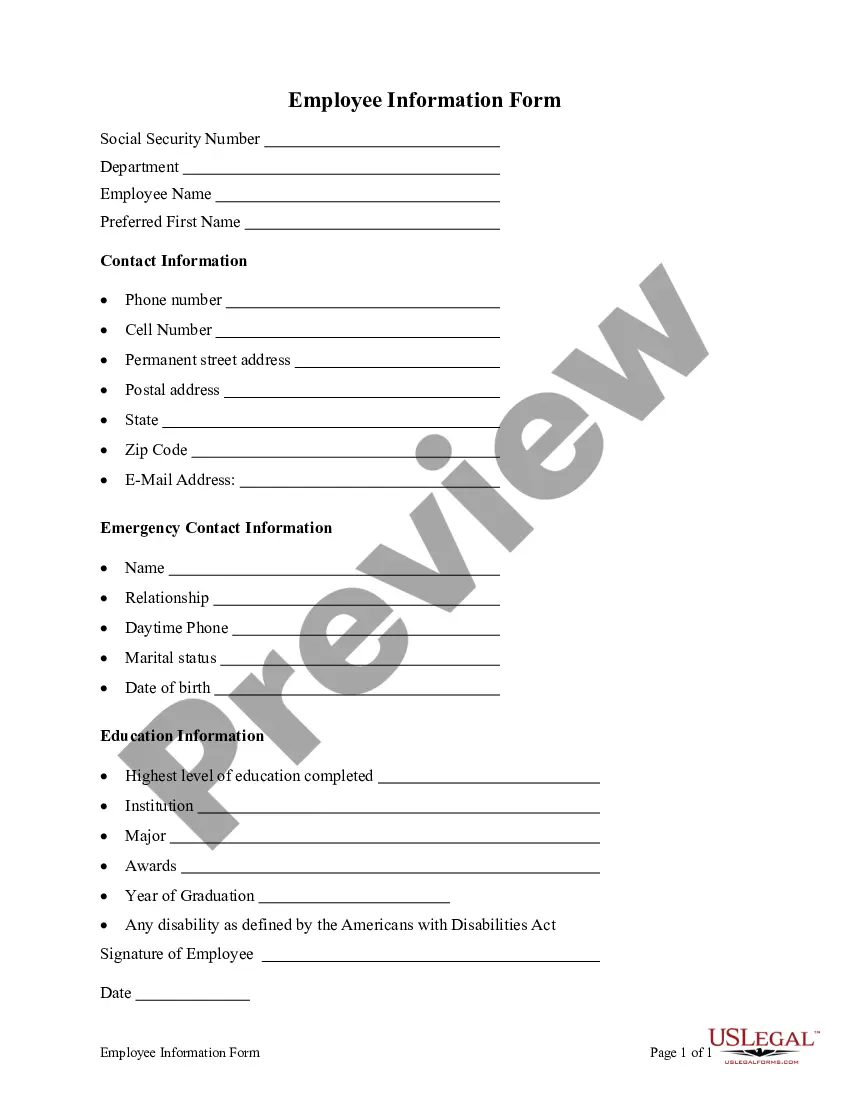
How to fill out Employee Information Form?
Managing legal documents can be perplexing, even for experienced professionals.
When you need Info Personnel Contact Details and lack the time to search for the correct and updated version, the procedures can become overwhelming.
US Legal Forms meets all of your needs, whether they are personal or business-related, all in one convenient location.
Utilize cutting-edge tools to complete and manage your Info Personnel Contact Details.
Here are the steps to follow after downloading your desired form: Verify it is the correct form by previewing it and reviewing its description. Ensure that the template is accepted in your state or county. Click Buy Now once you’re ready. Choose a monthly subscription plan. Select your preferred format, then Download, complete, eSign, print, and send your document. Take advantage of the US Legal Forms online catalog, backed by 25 years of expertise and reliability. Streamline your daily document management into a seamless and user-friendly experience today.
- Tap into a valuable resource center filled with articles, guides, and materials pertinent to your situation and requirements.
- Conserve time and energy by searching for the documents you require, using US Legal Forms’ sophisticated search and Preview feature to find Info Personnel Contact Details and download it.
- If you possess a monthly subscription, Log In to your US Legal Forms account, find the form, and download it.
- Check your My documents section to view previously downloaded documents and manage your folders as desired.
- If this is your first experience with US Legal Forms, register an account to gain unlimited access to all platform benefits.
- A comprehensive online form library can significantly improve how these situations are handled.
- US Legal Forms stands as a leading provider of online legal forms, offering over 85,000 state-specific legal documents available at any time.
- With US Legal Forms, you can easily access the legal and organizational forms relevant to your state or county.
Form popularity
FAQ
Conversely, this section should only be completed by a third party if the employee receives assistance filling out the form. For example, a preparer or translator might assist a remote or disabled employee. Or, an employee who doesn't speak English as their first language might require a translator.
1. Enter Personal Information: Start by entering your name, address, phone number, and email address. 2. Enter Employment Information: Include your start date, position, department, and supervisor, as well as details about your pay and any benefits you are eligible for.
If a newly hired employee has applied for, but has not yet received his or her SSN (e.g., the employee is a newly arrived immigrant), attach an explanation to the employee's Form I-9 and set it aside. Then create a case in E-Verify using the employee's SSN as soon as it is available.
If you do not have a Social Security Number (SSN) enter your Individual Tax Identification Number (ITIN). If you do not have an SSN or ITIN leave the entry field blank.
A good employee information form should be comprehensive yet straightforward. It should include: Personal Information: Full name, address, contact details, marital status, and spouse's details. Job Information: Title, department, supervisor, work location, start date, and salary.