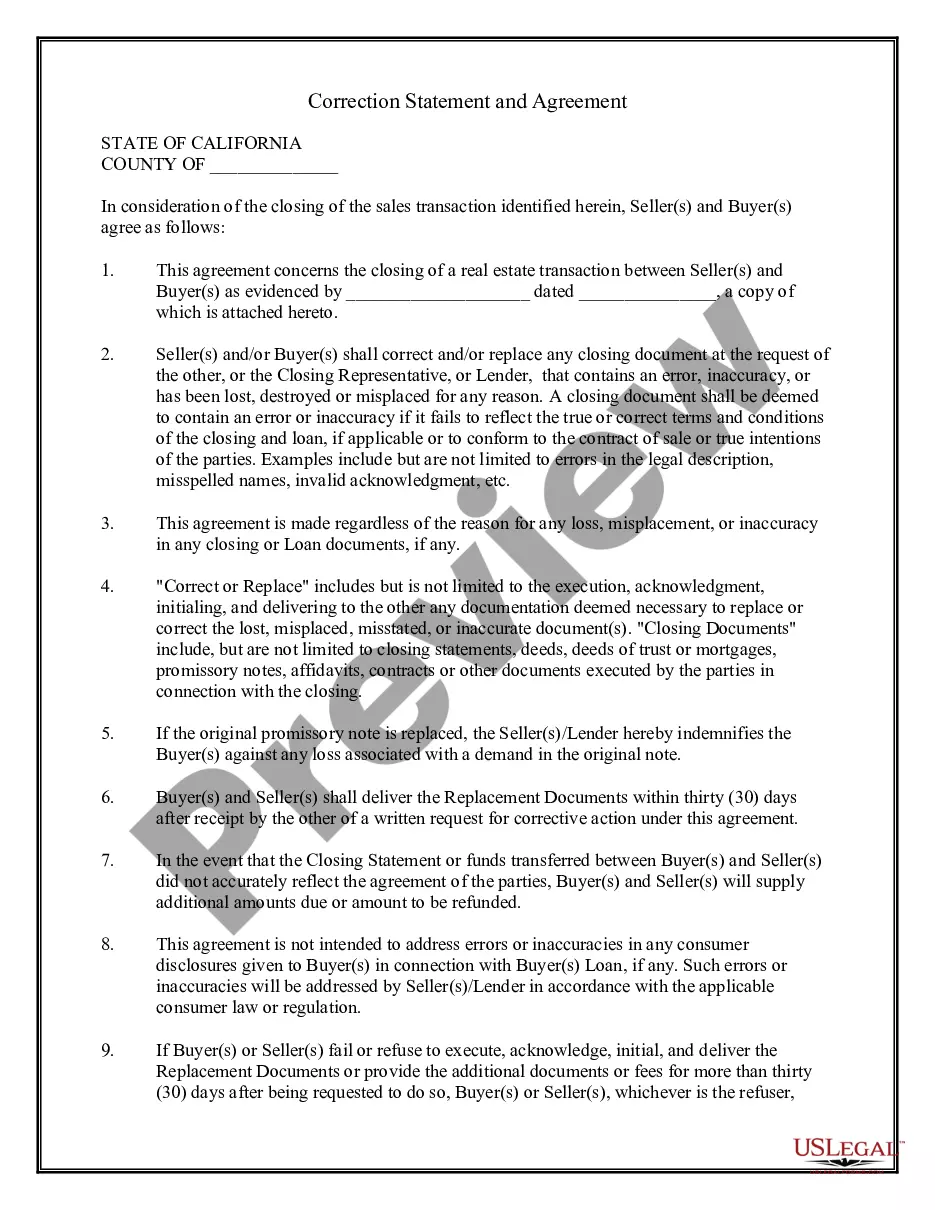
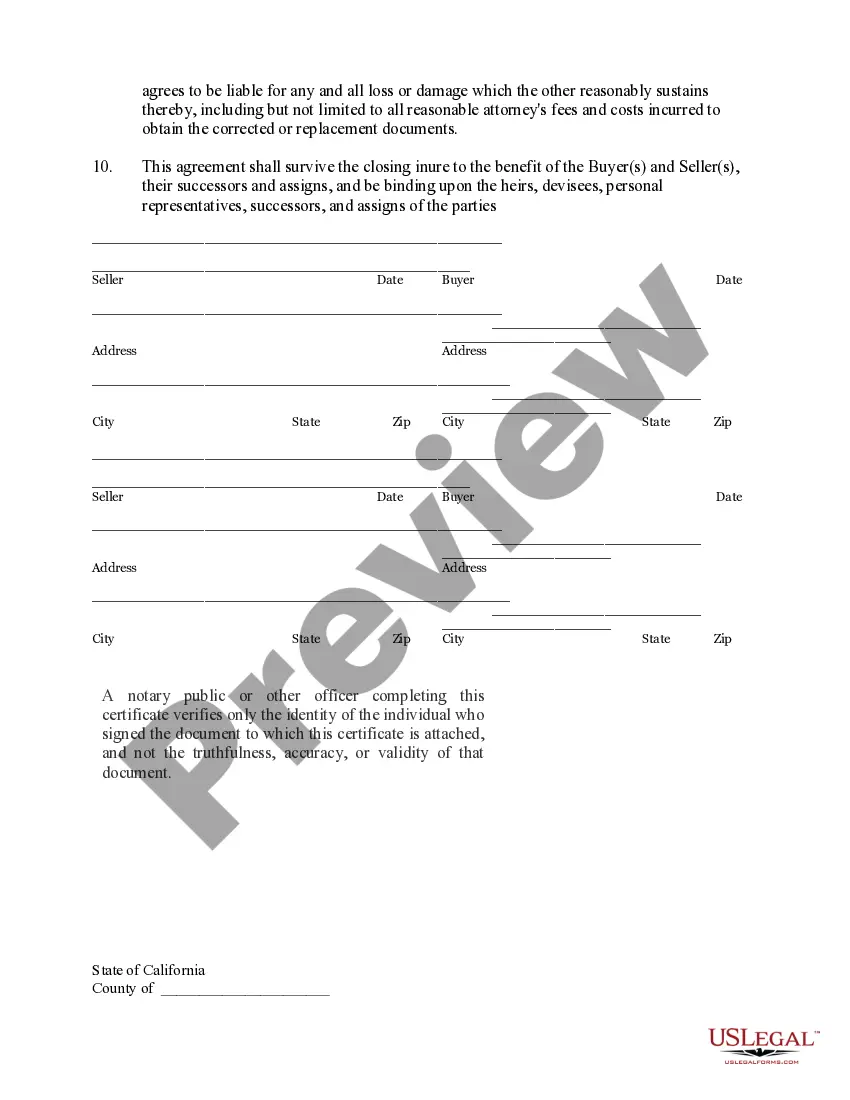
This Correction Statement and Agreement form is for a buyer and seller to sign at the closing for a loan or purchase of real property agreeing to execute corrected documents in the event of certain errors. It also is used to provide replacement documents in the event any documents are lost or misplaced.
Riverside California Correction Statement and Agreement
State:
CaliforniaPlease select your state
Select state
Category:
County:
Riverside
Control #:
CA-CLOSE1
Format:
Word;
Rich Text
50 downloads
Description
Free preview
Get your form ready online
Our built-in tools help you complete, sign, share, and store your documents in one place.
Built-in online Word editor
Make edits, fill in missing information, and update formatting in US Legal Forms—just like you would in MS Word.
Export easily
Download a copy, print it, send it by email, or mail it via USPS—whatever works best for your next step.
E-sign your document
Sign and collect signatures with our SignNow integration. Send to multiple recipients, set reminders, and more. Go Premium to unlock E-Sign.
Notarize online 24/7
If this form requires notarization, complete it online through a secure video call—no need to meet a notary in person or wait for an appointment.
Store your document securely
We protect your documents and personal data by following strict security and privacy standards.

Make edits, fill in missing information, and update formatting in US Legal Forms—just like you would in MS Word.

Download a copy, print it, send it by email, or mail it via USPS—whatever works best for your next step.

Sign and collect signatures with our SignNow integration. Send to multiple recipients, set reminders, and more. Go Premium to unlock E-Sign.

If this form requires notarization, complete it online through a secure video call—no need to meet a notary in person or wait for an appointment.

We protect your documents and personal data by following strict security and privacy standards.
Looking for another form?

How to fill out California Correction Statement And Agreement?
If you have previously utilized our service, Log In to your account and secure the Riverside California Correction Statement and Agreement on your device by clicking the Download button. Ensure your subscription is active. If it is not, renew it based on your payment plan.
If this marks your initial encounter with our service, follow these straightforward steps to acquire your document.
You have indefinite access to all documents you have purchased: you can find it in your profile under the My documents section whenever you wish to use it again. Leverage the US Legal Forms service to swiftly find and secure any template for your personal or professional requirements!
- Ensure you’ve located the correct document. Review the description and use the Preview feature, if accessible, to determine if it suits your needs. If it does not, use the Search tab above to find the suitable one.
- Make the purchase of the template. Click the Buy Now button and select either a monthly or annual subscription plan.
- Create an account and complete a payment. Use your credit card information or the PayPal option to finalize the purchase.
- Receive your Riverside California Correction Statement and Agreement. Choose the file format for your document and store it on your device.
- Complete your document. Print it out or utilize professional online editors to fill it out and sign it electronically.
Form popularity
FAQ
Pursuant to Code of Civil Procedure §1010.6 and the California Rules of Court, rule 2.253(b)(2), the Civil Division of the Riverside Superior Court is implementing electronic filing (eFiling). You can eFile documents 24/7 through an approved Electronic Filing Service Provider (EFSP).
This rule is essentially forcing parties to try to settle issues in their case before going to trial. If Local Rule 5153 is not complied with, the Court will not allow your case to go forward until these procedures are met.
If you are representing yourself, you may use eFiling through a selected Electronic Filing Service Provider (EFSP) to submit an ex parte application. You may also bring the paperwork to the clerk's office for processing. All ex parte hearings will be set in the department assigned for all purposes.
ESubmit is Citi's ability to process client requests based on scanned images of completed account opening and maintenance documents. The information within the documents will be securely delivered using an enterprise wide process to secure email between the Citi and the client.
An Ex Parte Application should only be filed when there is not enough time to hear a regularly noticed motion (16 court days minimum). There is no form for most ex parte applications. However, it must be typed on pleading paper. Department 53 schedules ex parte hearings in the mornings, starting at am.
The jurisdiction for Riverside is Riverside County Superior Court.
Superior Court of California, County of Riverside.
The Superior Court of California, County of Riverside, also known as the Riverside County Superior Court, is the branch of the California superior courts with jurisdiction over Riverside County.... Riverside County Superior CourtCurrentlyHon. Judith C. ClarkSinceCourt Executive OfficerCurrentlySam Hamrick12 more rows
Pursuant to Code of Civil Procedure §1010.6 and the California Rules of Court, rule 2.253(b)(2), the Civil Division of the Riverside Superior Court is implementing electronic filing (eFiling). You can eFile documents 24/7 through an approved Electronic Filing Service Provider (EFSP).