West Virginia Tenant Welcome Letter
What is this form?
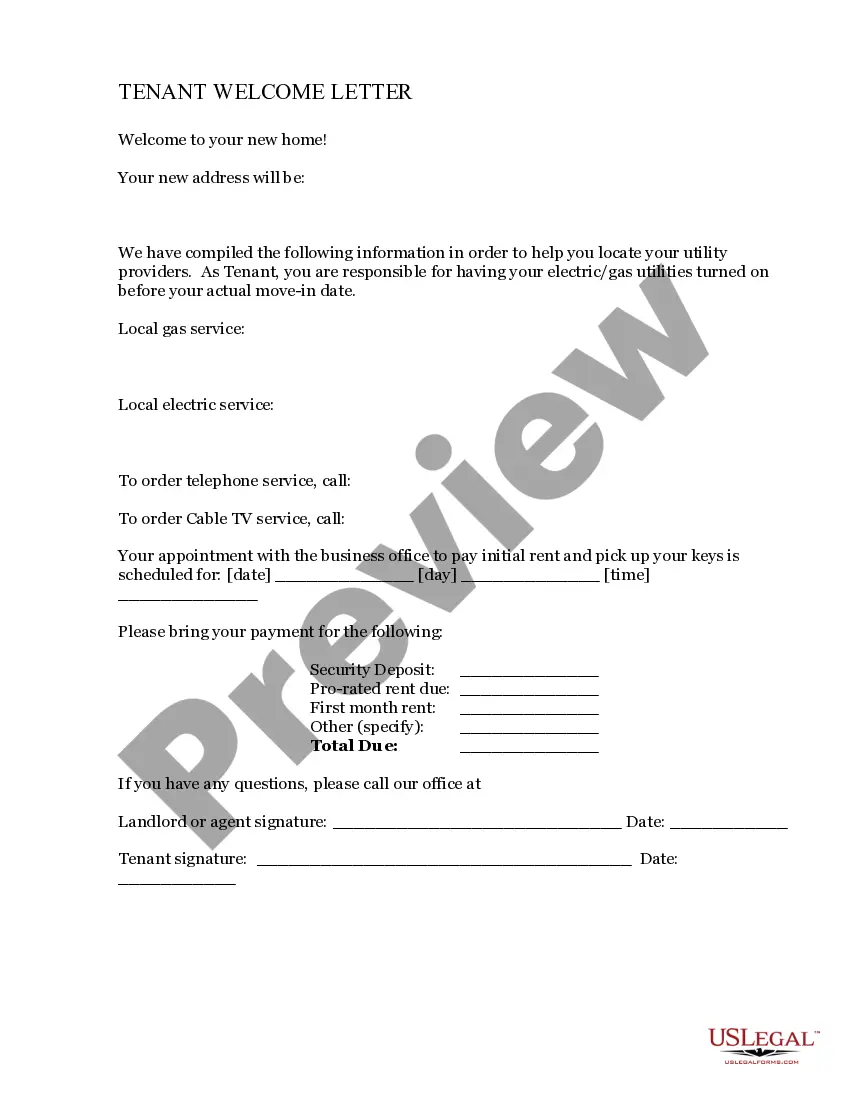
The Tenant Welcome Letter is a document provided to new tenants that outlines important information regarding their rental agreement. This letter includes contact details for utilities and essential reminders related to the lease. Unlike other leasing documents, this letter serves as an introduction to the rental experience, helping tenants settle in smoothly.
Key components of this form
- Contact information for utility services
- Payment details for security deposit and rent
- Reminders relevant to the lease agreement
Common use cases
This form should be used when welcoming new tenants to a rental property. It is useful during the initial move-in period to ensure that tenants have all necessary information to facilitate their transition and comply with lease terms. The letter can also serve as a communication tool for landlords to reinforce important aspects of the rental agreement.
Who can use this document
- Landlords or property managers with new tenants
- Tenants moving into a new rental property
Instructions for completing this form
- Provide a date for the welcome letter.
- List each required payment: security deposit, pro-rated rent, and first month's rent.
- Specify any additional charges in the "Other" section.
- Calculate the total amount due and include it in the designated area.
- Include the name and contact information of the landlord or property manager.
Does this form need to be notarized?
This form does not typically require notarization unless specified by local law.
Get your form ready online
Our built-in tools help you complete, sign, share, and store your documents in one place.
Make edits, fill in missing information, and update formatting in US Legal Forms—just like you would in MS Word.
Download a copy, print it, send it by email, or mail it via USPS—whatever works best for your next step.
Sign and collect signatures with our SignNow integration. Send to multiple recipients, set reminders, and more. Go Premium to unlock E-Sign.
If this form requires notarization, complete it online through a secure video call—no need to meet a notary in person or wait for an appointment.
We protect your documents and personal data by following strict security and privacy standards.

Make edits, fill in missing information, and update formatting in US Legal Forms—just like you would in MS Word.

Download a copy, print it, send it by email, or mail it via USPS—whatever works best for your next step.

Sign and collect signatures with our SignNow integration. Send to multiple recipients, set reminders, and more. Go Premium to unlock E-Sign.

If this form requires notarization, complete it online through a secure video call—no need to meet a notary in person or wait for an appointment.

We protect your documents and personal data by following strict security and privacy standards.
Mistakes to watch out for
- Failing to include complete contact information for utilities.
- Omitting payment details, leading to confusion for tenants.
- Using unclear language that may cause misunderstandings.
Benefits of using this form online
- Convenient access to downloadable templates.
- Easy to customize for individual property needs.
- Reliable source of legal forms drafted by licensed attorneys.