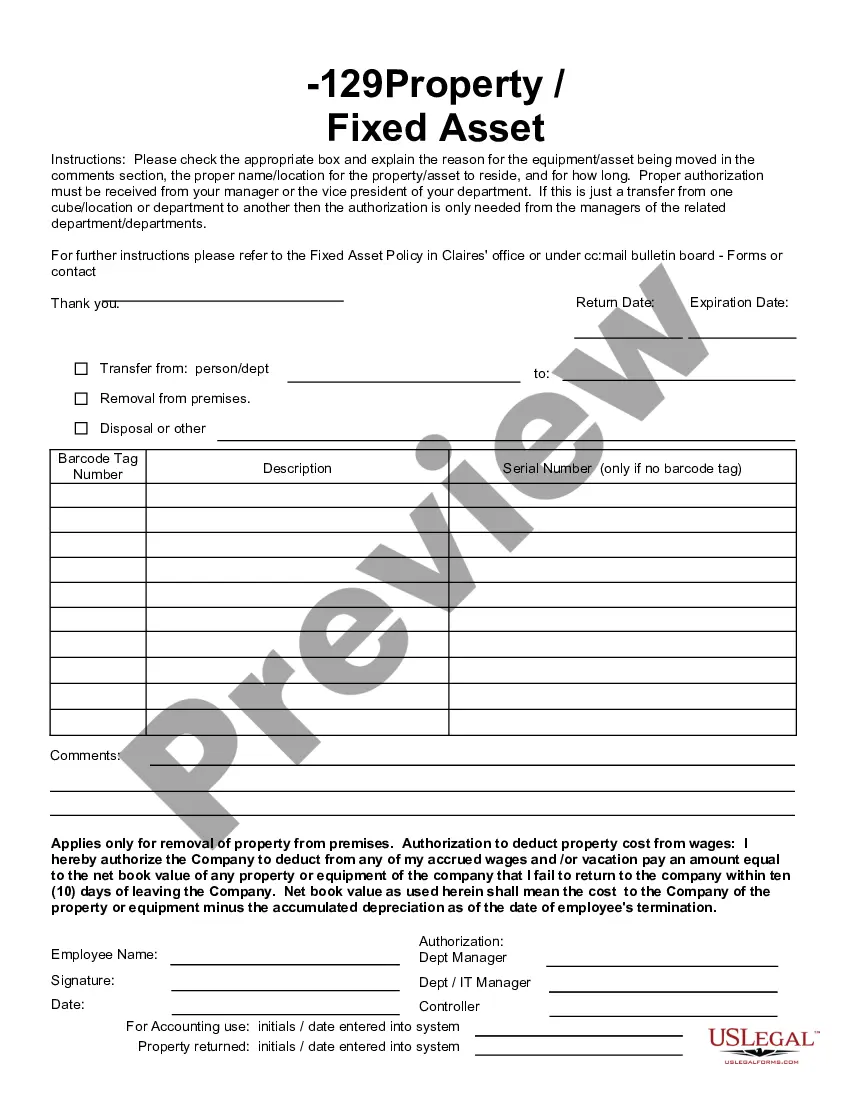
This form is a business type form that is formatted to allow you to complete the form using Adobe Acrobat or Word. The word files have been formatted to allow completion by entry into fields. Some of the forms under this category are rather simple while others are more complex. The formatting is worth the small cost.
Washington Fixed Asset Removal Form
Category:
State:
Multi-State
Control #:
US-142-AZ
Format:
Word;
PDF;
Rich Text
Instant download
Description
Get your form ready online
Our built-in tools help you complete, sign, share, and store your documents in one place.
Built-in online Word editor
Make edits, fill in missing information, and update formatting in US Legal Forms—just like you would in MS Word.
Export easily
Download a copy, print it, send it by email, or mail it via USPS—whatever works best for your next step.
E-sign your document
Sign and collect signatures with our SignNow integration. Send to multiple recipients, set reminders, and more. Go Premium to unlock E-Sign.
Notarize online 24/7
If this form requires notarization, complete it online through a secure video call—no need to meet a notary in person or wait for an appointment.
Store your document securely
We protect your documents and personal data by following strict security and privacy standards.

Make edits, fill in missing information, and update formatting in US Legal Forms—just like you would in MS Word.

Download a copy, print it, send it by email, or mail it via USPS—whatever works best for your next step.

Sign and collect signatures with our SignNow integration. Send to multiple recipients, set reminders, and more. Go Premium to unlock E-Sign.

If this form requires notarization, complete it online through a secure video call—no need to meet a notary in person or wait for an appointment.

We protect your documents and personal data by following strict security and privacy standards.
Looking for another form?






How to fill out Fixed Asset Removal Form?
Are you currently in a location where you frequently require documents for either business or personal reasons almost every day? There are numerous legal document templates available online, but finding reliable forms can be challenging.
US Legal Forms provides a vast collection of form templates, such as the Washington Fixed Asset Removal Form, designed to comply with state and federal regulations.
If you are already familiar with the US Legal Forms website and hold an account, simply Log In. After that, you can download the Washington Fixed Asset Removal Form template.
- Obtain the form you need and ensure it is for your correct area/region.
- Utilize the Preview feature to review the form.
- Check the description to confirm you have selected the correct form.
- If the form does not meet your expectations, use the Search bar to locate a form that suits your needs and requirements.
- Once you find the right form, select Purchase now.
- Choose the pricing plan you prefer, complete the required information to create your account, and finalize the transaction using your PayPal or credit card.
- Select a suitable file format and download your copy.
Form popularity
FAQ
In the Accounting menu, select Advanced, then click Fixed assets.Select the status tab for the asset you want to delete.Click the asset number to open the asset details.Click Options, then click Delete.Click Delete to confirm.
When there is a loss on the sale of a fixed asset, debit cash for the amount received, debit all accumulated depreciation, debit the loss on sale of asset account, and credit the fixed asset.
ResolutionHighlight the asset(s) that is to be deleted. You can hold the Ctrl key and click individual asset to select multiple assets or use the Shift key to select a block of assets.Select the Asset menu.Select Delete Assets.
When there is a loss on the sale of a fixed asset, debit cash for the amount received, debit all accumulated depreciation, debit the loss on sale of asset account, and credit the fixed asset.
The entry to remove the asset and its contra account off the balance sheet involves decreasing (crediting) the asset's account by its cost and decreasing (crediting) the accumulated depreciation account by its account balance.
Asset Disposal and the Balance Sheet The entry to remove the asset and its contra account off the balance sheet involves decreasing (crediting) the asset's account by its cost and decreasing (crediting) the accumulated depreciation account by its account balance.
Disposal of fixed assets is accounted for by removing cost of the asset and any related accumulated depreciation and accumulated impairment losses from balance sheet, recording receipt of cash and recognizing any resulting gain or loss in income statement.
Compare the cash proceeds received from the sale with the asset's book value to determine if a gain or loss on disposal has been realized. The gain or loss should be reported on the income statement.
A fixed asset is written off when it is determined that there is no further use for the asset, or if the asset is sold off or otherwise disposed of.
A fixed asset is written off when it is determined that there is no further use for the asset, or if the asset is sold off or otherwise disposed of.