Sales Invoice 4
What this document covers
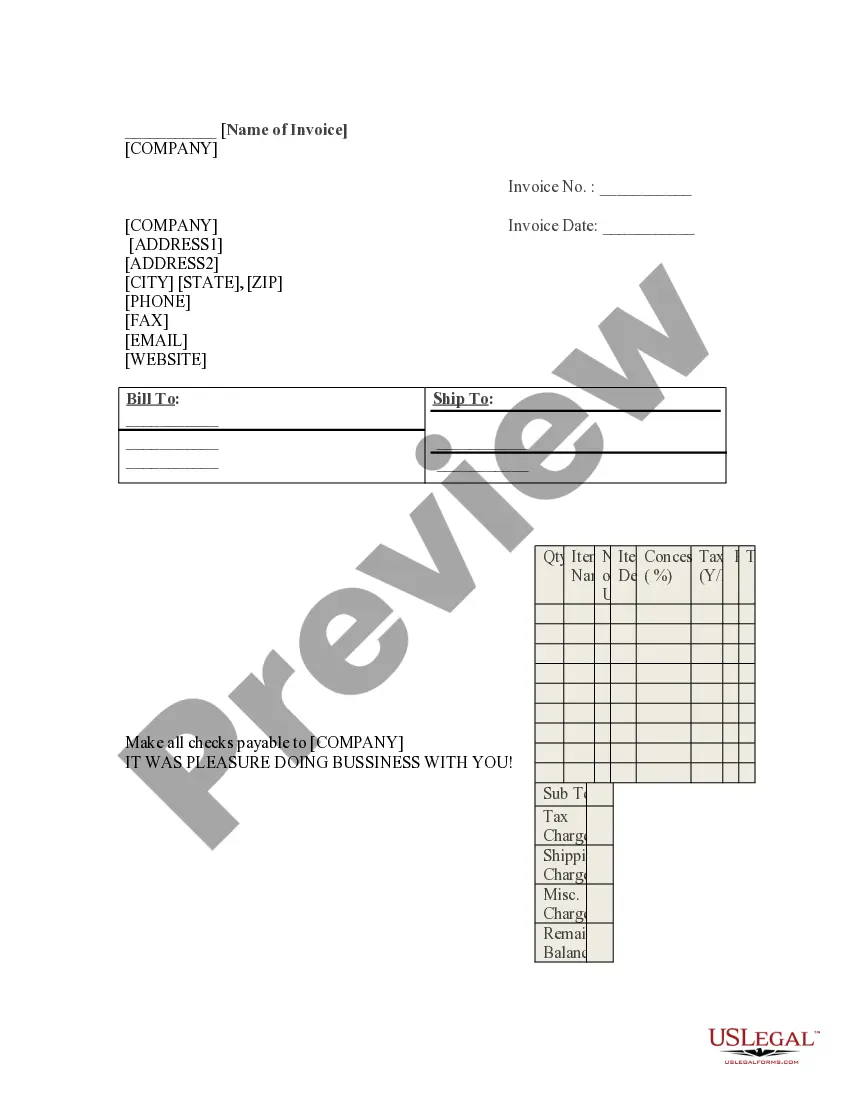
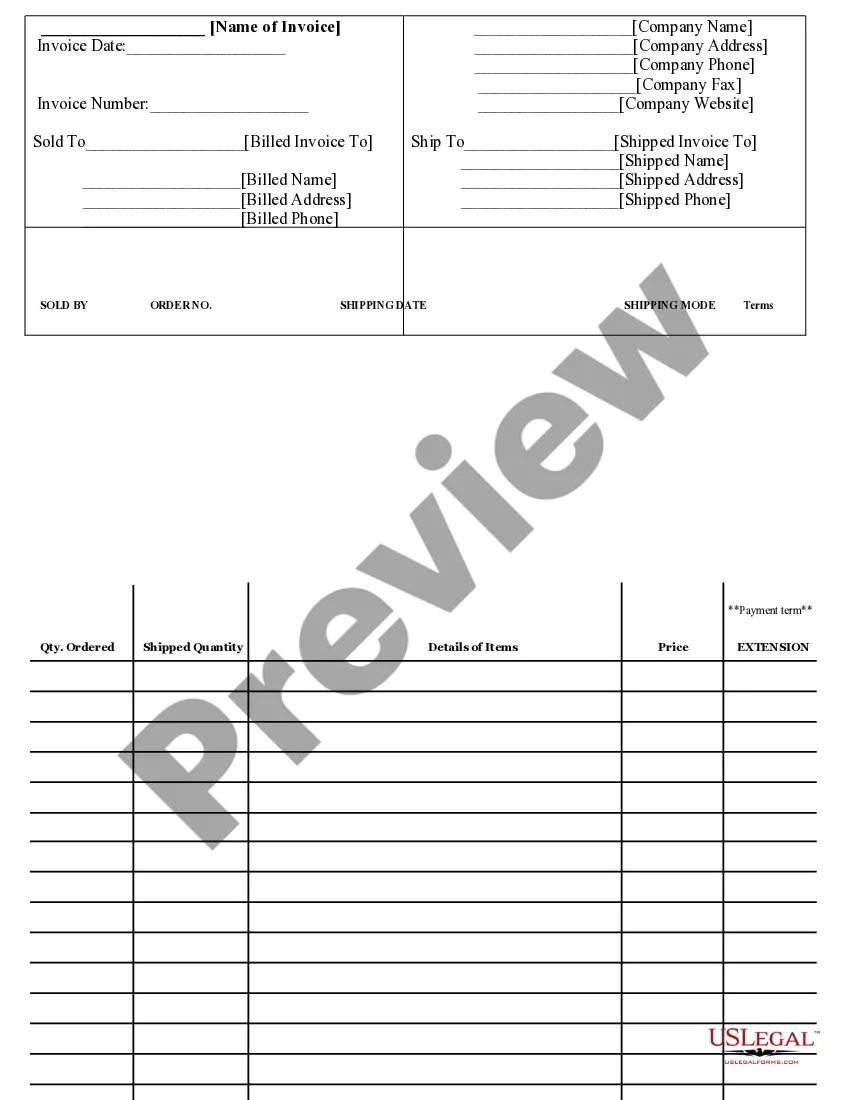
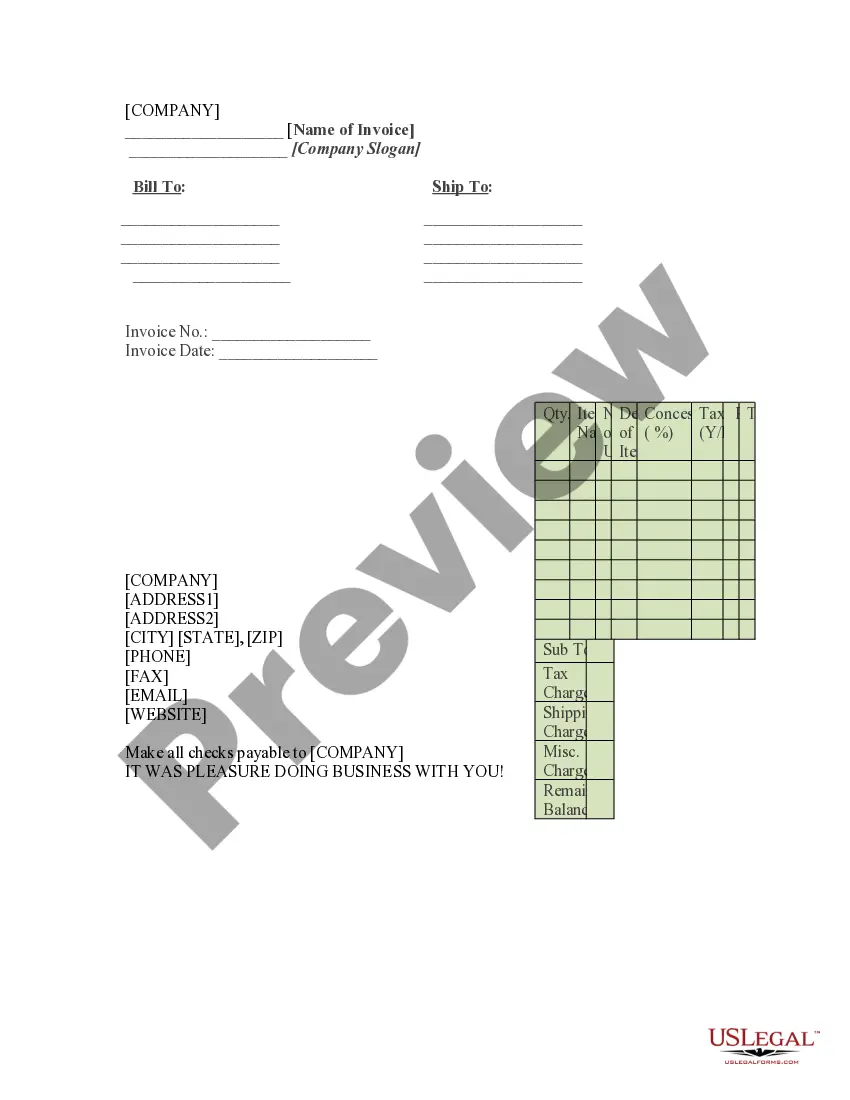
The Sales Invoice 4 is a legal document used to itemize and request payment for goods or services provided. It serves as both a record of the transaction and a formal request for payment, distinct from other billing documents, such as receipts or payment confirmations. This type of invoice includes detailed information such as the items sold, pricing, and any applicable taxes or concessions, ensuring clarity for both the seller and buyer.
Form components explained
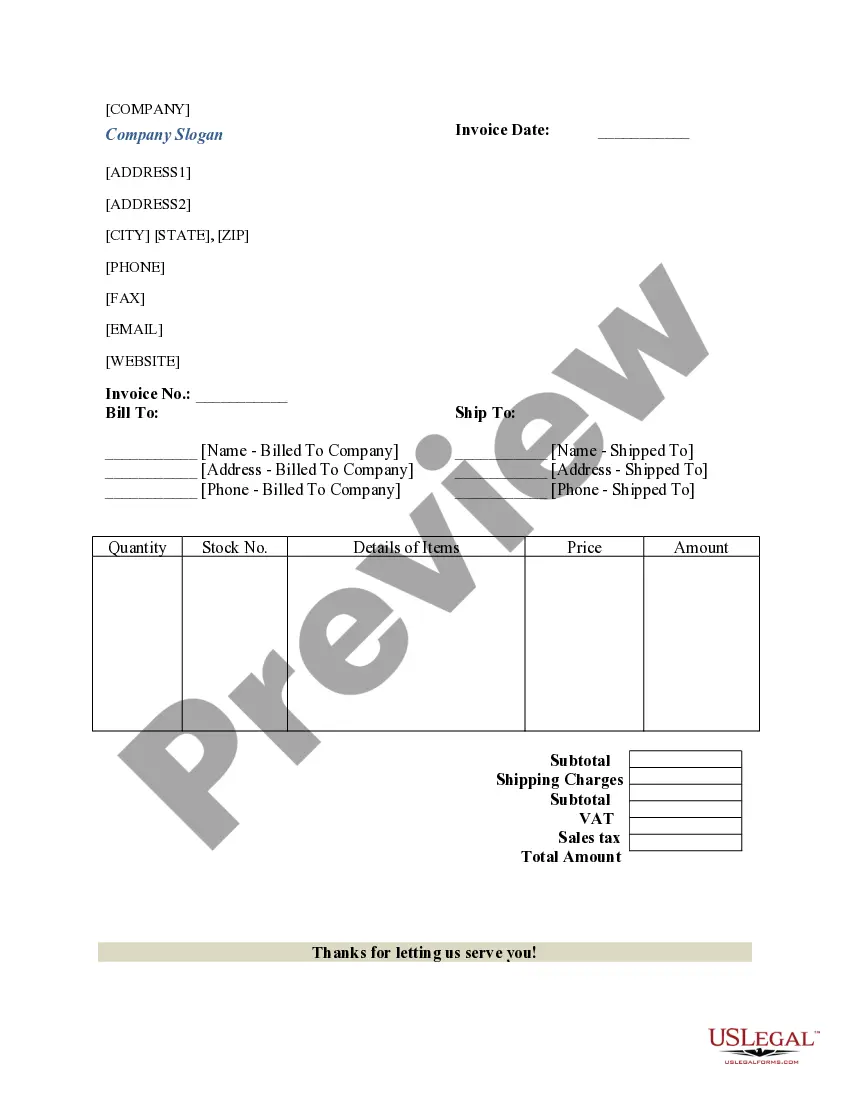
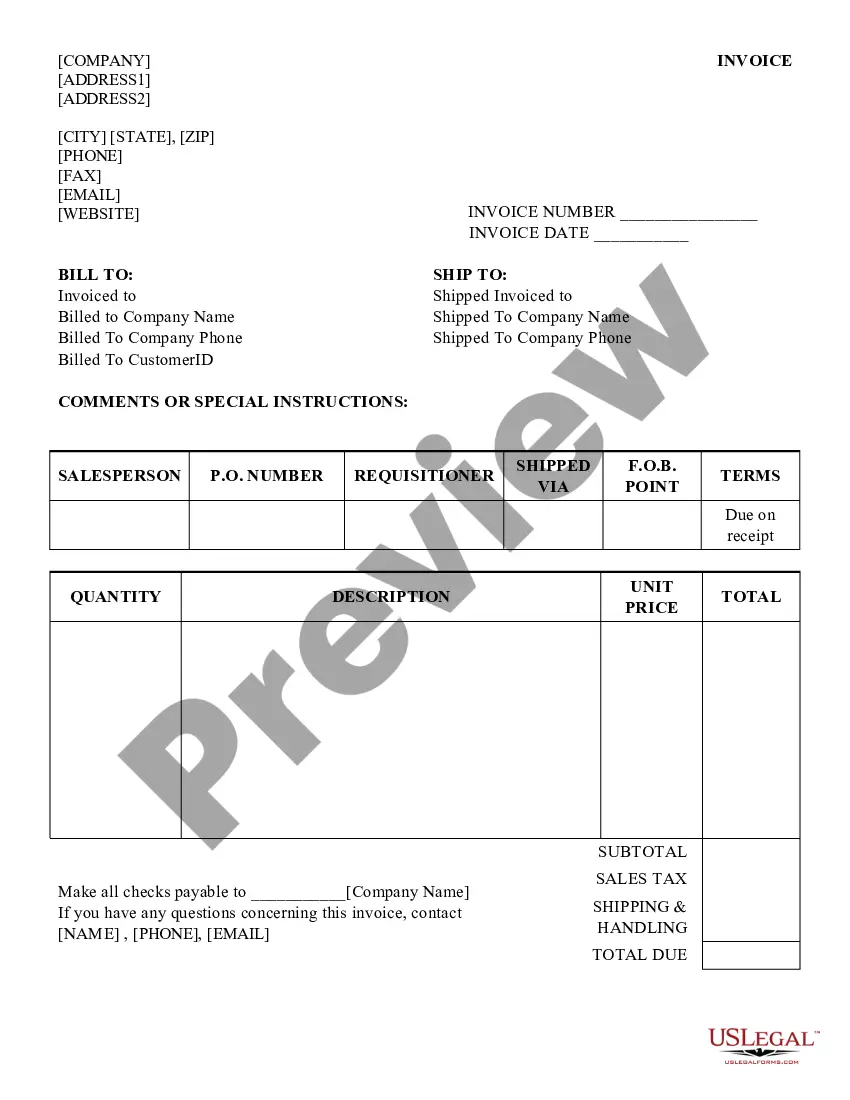
- Invoice number: A unique identifier for tracking the invoice.
- Invoice date: The date when the invoice was issued.
- Bill to: The name and address of the person or company being billed.
- Ship to: The name and address of where the goods should be delivered.
- Item details: A description of each product or service sold.
- Pricing fields: Sections for quantity, unit price, and total price, which calculate the final amount due.

When to use this form
This form should be used when a seller is ready to bill a customer for goods or services provided. It is typically utilized in business transactions, whether for a one-time purchase or ongoing services. Common scenarios include finalizing a sale in a retail environment, billing for completed freelance work, or invoicing for a service period in contract work.
Who needs this form
- Businesses of all sizes needing to bill customers.
- Freelancers or independent contractors providing services.
- Service providers who require a formal billing method for their clients.
- Manufacturers or wholesalers selling products to retailers or consumers.
Steps to complete this form
- Identify your company name and invoice number at the top of the document.
- Enter the invoice date to indicate when the document is being issued.
- Fill in the billing and shipping addresses to ensure correct delivery of products.
- List all items sold, including quantity, description, and pricing for each item.
- Calculate totals for each line item, including taxes and any shipping charges.
- Provide space for any additional charges or balances to be settled.
Is notarization required?
In most cases, this form does not require notarization. However, some jurisdictions or signing circumstances might. US Legal Forms offers online notarization powered by Notarize, accessible 24/7 for a quick, remote process.
Get your form ready online
Our built-in tools help you complete, sign, share, and store your documents in one place.
Make edits, fill in missing information, and update formatting in US Legal Forms—just like you would in MS Word.
Download a copy, print it, send it by email, or mail it via USPS—whatever works best for your next step.
Sign and collect signatures with our SignNow integration. Send to multiple recipients, set reminders, and more. Go Premium to unlock E-Sign.
If this form requires notarization, complete it online through a secure video call—no need to meet a notary in person or wait for an appointment.
We protect your documents and personal data by following strict security and privacy standards.

Make edits, fill in missing information, and update formatting in US Legal Forms—just like you would in MS Word.

Download a copy, print it, send it by email, or mail it via USPS—whatever works best for your next step.

Sign and collect signatures with our SignNow integration. Send to multiple recipients, set reminders, and more. Go Premium to unlock E-Sign.

If this form requires notarization, complete it online through a secure video call—no need to meet a notary in person or wait for an appointment.

We protect your documents and personal data by following strict security and privacy standards.
Mistakes to watch out for
- Failing to include a unique invoice number, which can complicate tracking.
- Not providing clear descriptions of items sold.
- Forgetting to confirm the billed address, leading to delivery issues.
- Calculating totals incorrectly, which can lead to payment disputes.
Benefits of using this form online
- Convenience: Easily customizable and downloadable from any device.
- Editability: Fields can be filled out or adjusted to meet specific transaction needs.
- Reliability: Forms are created by licensed attorneys to ensure legal compliance.
Legal use & context
- Invoices provide a legally recognized record of sales transactions.
- They may be required for tax purposes to document income.
- Properly completed invoices can help in resolving payment disputes between parties.
Summary of main points
- The Sales Invoice 4 is essential for formalizing payment requests for goods and services.
- Completing this form accurately helps ensure smooth transactions and account management.
- Users should review their local billing regulations for additional requirements.
Looking for another form?


Form popularity
FAQ
A chronological invoice number includes not only a unique number but also the date of the issuance. This method is exploited to avoid disambiguation, ensuring the invoices from the same day won't end up with duplicate numbers. Chronological invoice numbers usually look like this: 20220928-001, 20220928-002, and so on.
A typical invoice number will have 3 to 5 digits, and it is often alphanumeric, meaning it contains both numbers and letters with no special characters. Invoice numbering follows a specific system that assigns a unique invoice number to each invoice you generate.
Is the Invoice Number the Same as the Receipt Number? Invoice numbers are different from receipt numbers. An invoice number helps you track multiple invoices sent to clients to indicate payment is due. A receipt number helps track receipts, which are given when a payment is made.
A sales invoice is an accounting document sent by a provider of goods/services to a purchaser. It records services rendered, items provided, the amount owed by the customer, and how they can make payment.
A sales invoice is an accounting document sent by a provider of goods/services to a purchaser. It records services rendered, items provided, the amount owed by the customer, and how they can make payment.
In most cases, you can find the invoice number at the top-left or top-right corner of the invoice. Every invoice must always have an invoice number.
An invoice number is a unique, sequential code that is systematically assigned to invoices. Invoice numbers are one of the most important aspects of invoicing as they ensure that income is properly documented for tax and accounting purposes. They also make it easier to track payments and manage overdue invoices.
How to create an invoice number numbering your invoices sequentially, for example, INV00001, INV00002. starting with a unique customer code, for example, XER00001. including the date at the start of your invoice number, for example, 2023-01-001. combining the customer code and date, for example, XER-2023-01-001.