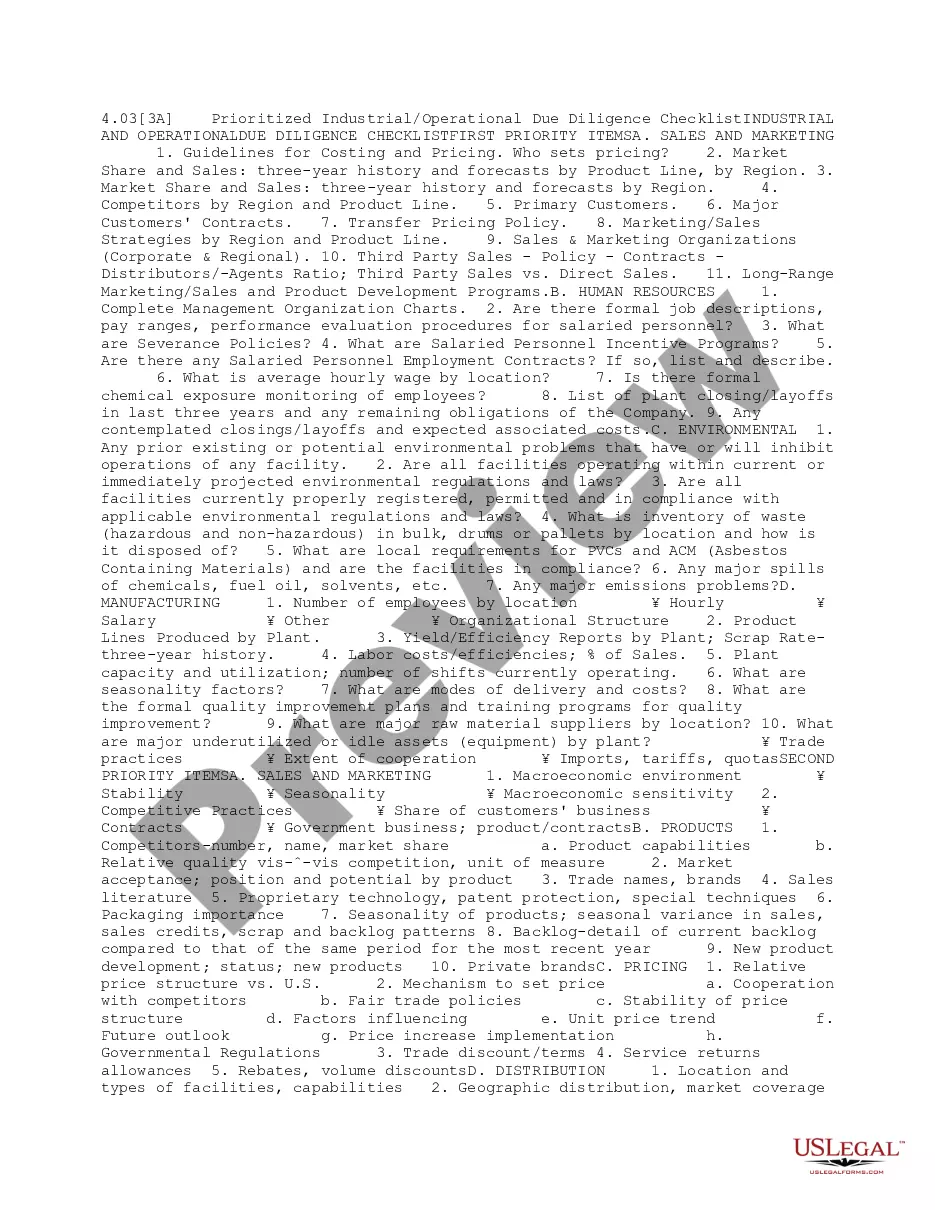
Texas Benefits Consultant Checklist
Description



Get your form ready online
Our built-in tools help you complete, sign, share, and store your documents in one place.
Make edits, fill in missing information, and update formatting in US Legal Forms—just like you would in MS Word.
Download a copy, print it, send it by email, or mail it via USPS—whatever works best for your next step.
Sign and collect signatures with our SignNow integration. Send to multiple recipients, set reminders, and more. Go Premium to unlock E-Sign.
If this form requires notarization, complete it online through a secure video call—no need to meet a notary in person or wait for an appointment.
We protect your documents and personal data by following strict security and privacy standards.

Make edits, fill in missing information, and update formatting in US Legal Forms—just like you would in MS Word.

Download a copy, print it, send it by email, or mail it via USPS—whatever works best for your next step.

Sign and collect signatures with our SignNow integration. Send to multiple recipients, set reminders, and more. Go Premium to unlock E-Sign.

If this form requires notarization, complete it online through a secure video call—no need to meet a notary in person or wait for an appointment.

We protect your documents and personal data by following strict security and privacy standards.
Looking for another form?





How to fill out Benefits Consultant Checklist?
If you wish to finish, acquire, or create legal document templates, utilize US Legal Forms, the largest assortment of legal documents available online.
Capitalize on the site's user-friendly and effective search feature to find the documents you need.
Many templates for business and personal use are categorized by types and suggestions, or keywords.
Step 5. Complete the transaction. You can use your credit card or PayPal account to finalize the purchase.
Step 6. Choose the format of the legal document and download it to your device.
- Use US Legal Forms to obtain the Texas Benefits Consultant Checklist in just a few clicks.
- If you are an existing US Legal Forms user, Log In to your account and click the Acquire button to get the Texas Benefits Consultant Checklist.
- You can also access documents you previously saved in the My documents section of your account.
- If you're using US Legal Forms for the first time, follow the guidelines below.
- Step 1. Ensure you have selected the form for the correct jurisdiction.
- Step 2. Utilize the Preview mode to view the contents of the form. Remember to read the description.
- Step 3. If you are not satisfied with the form, utilize the Search area at the top of the screen to find alternative templates.
- Step 4. Once you have found the form you need, click the Acquire now button. Choose your payment plan and enter your information to register for an account.
Form popularity
FAQ
' If you already have a case, you can also upload files using the Your Texas Benefits mobile app. Download it in the Google Play or iTunes App Store....Mail:Log in to your account.Click 'Manage'Click 'Details' on the case you want to upload files to.Click 'Upload Files'Follow the steps to upload your files.
Call 2-1-1 or 1-877-541-7905 (after you pick a language, press 2).
You can also report changes using the Your Texas Benefits mobile app....If it is required that you report a change, you must do so within 10 days of knowing about the change.Log in to your account.Select 'Manage'Find the case you want to make changes to and select 'Details'Select 'Report a change'
8 Documents Needed to Apply for Food StampsIdentification.Proof of Citizenship.Proof of Residence.Earned and Unearned Income.Medical Expenses.Household Expenses.Proof of any Disabilities.Proof of any School Attendance.18-Feb-2021
When applying for food stamps, you will be required to submit proof of your monthly income and liquid assets, but the agency you apply through will not look directly into your bank accounts to verify.
Proof of income from your job Last 3 pay stubs or paychecks, a statement from your employer, or self-employment records. Bank accounts The most current statement for all accounts. Medical costs Bills, receipts, or statements from health-care providers (doctors, hospitals, drug stores, etc.).
To confirm your identity: Select 'Manage,' and under Confirm your identity, select 'Confirm. '...To confirm your alert settings:Log in to your account.Click 'Manage'Click on 'Message Center'Go to 'Email & Phone Settings'Type your code in the box next to the correct email or phone number.Click 'Confirm'
It takes up to four weeks to get approved for benefits in Texas. How do I know if my Texas benefits are approved? You can check the status of your application on the online portal. If your application is approved, you will see a green checkmark next to it.