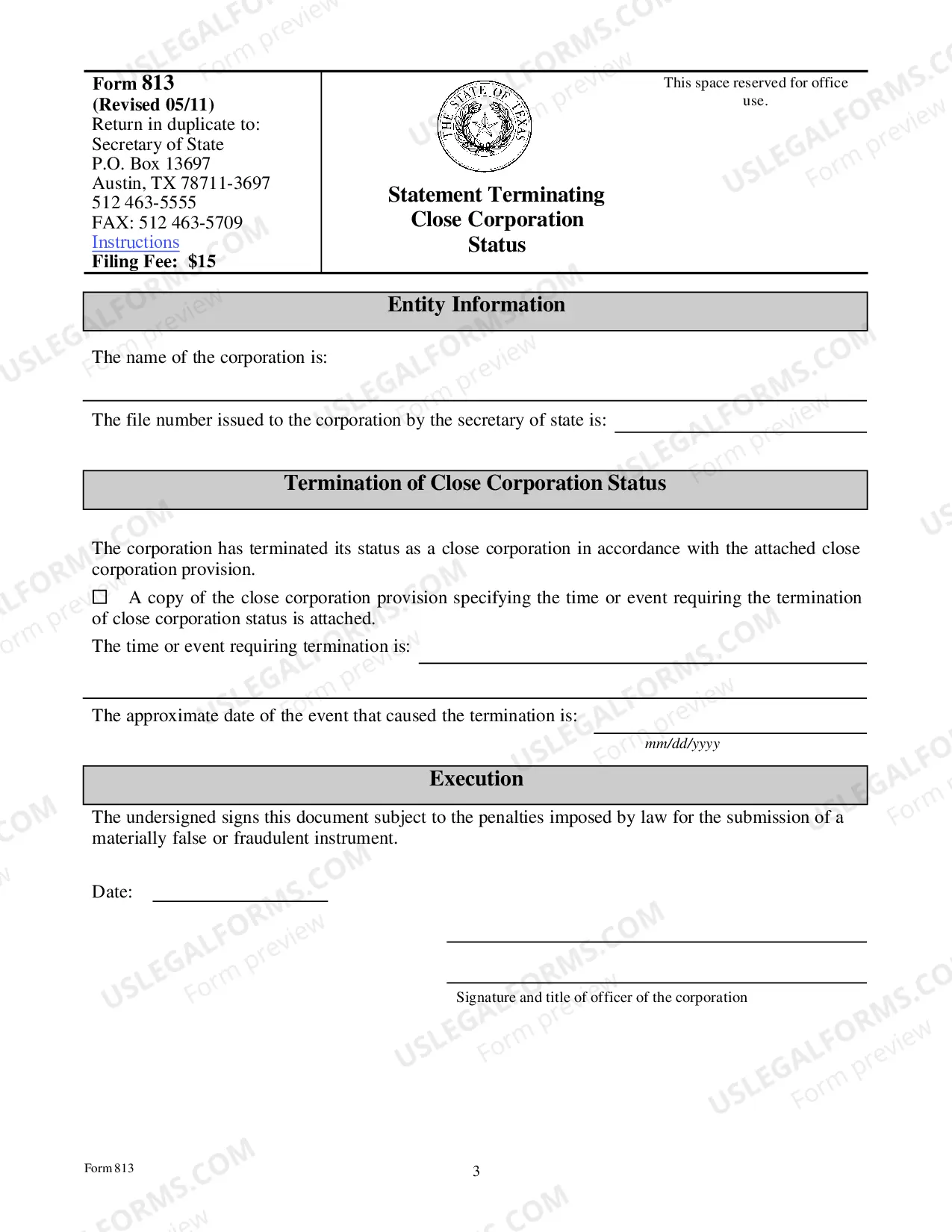
Texas Statement Terminating Close Corporation Status
Description
Get your form ready online
Our built-in tools help you complete, sign, share, and store your documents in one place.
Make edits, fill in missing information, and update formatting in US Legal Forms—just like you would in MS Word.
Download a copy, print it, send it by email, or mail it via USPS—whatever works best for your next step.
Sign and collect signatures with our SignNow integration. Send to multiple recipients, set reminders, and more. Go Premium to unlock E-Sign.
If this form requires notarization, complete it online through a secure video call—no need to meet a notary in person or wait for an appointment.
We protect your documents and personal data by following strict security and privacy standards.

Make edits, fill in missing information, and update formatting in US Legal Forms—just like you would in MS Word.

Download a copy, print it, send it by email, or mail it via USPS—whatever works best for your next step.

Sign and collect signatures with our SignNow integration. Send to multiple recipients, set reminders, and more. Go Premium to unlock E-Sign.

If this form requires notarization, complete it online through a secure video call—no need to meet a notary in person or wait for an appointment.

We protect your documents and personal data by following strict security and privacy standards.
Looking for another form?
How to fill out Texas Statement Terminating Close Corporation Status?
US Legal Forms is the most easy and cost-effective way to locate suitable legal templates. It’s the most extensive online library of business and personal legal paperwork drafted and verified by legal professionals. Here, you can find printable and fillable templates that comply with federal and local laws - just like your Texas Statement Terminating Close Corporation Status.
Getting your template requires just a couple of simple steps. Users that already have an account with a valid subscription only need to log in to the web service and download the document on their device. Afterwards, they can find it in their profile in the My Forms tab.
And here’s how you can obtain a properly drafted Texas Statement Terminating Close Corporation Status if you are using US Legal Forms for the first time:
- Read the form description or preview the document to make sure you’ve found the one corresponding to your needs, or find another one using the search tab above.
- Click Buy now when you’re certain about its compatibility with all the requirements, and judge the subscription plan you like most.
- Register for an account with our service, sign in, and purchase your subscription using PayPal or you credit card.
- Decide on the preferred file format for your Texas Statement Terminating Close Corporation Status and download it on your device with the appropriate button.
Once you save a template, you can reaccess it anytime - simply find it in your profile, re-download it for printing and manual completion or upload it to an online editor to fill it out and sign more effectively.
Take advantage of US Legal Forms, your trustworthy assistant in obtaining the corresponding official paperwork. Give it a try!
Form popularity
FAQ
Dissolving a corporation successfully takes several key steps. Such requirements may vary across the fifty states. Generally, it is recommended that business owners get legal assistance to file the necessary documents with the proper state agencies.
Submit Form 05-305, Certificate of Account Status to Terminate Texas Registration, once you receive it from the Comptroller's office.
The entity must: Take the necessary internal steps to wind up its affairs.Submit two signed copies of the certificate of termination.Unless the entity is a nonprofit corporation, attach a Certificate of Account Status for Dissolution/Termination issued by the Texas Comptroller.Pay the appropriate filing fee.
Forfeited Existence - An inactive status indicating that the corporation or limited liability company failed to file its franchise tax return or to pay the tax due thereunder. Status is changed by secretary of state when certification of the delinquency is received from the comptroller of public accounts.
Is there a filing fee to dissolve or cancel a Texas Corporation? To dissolve a corporation or LLC in Texas, a $40 filing fee is required.
How to dissolve a business in 7 steps Step 1: Get approval of the owners of the corporation or LLC.Step 2: File the Certificate of Dissolution with the state.Step 3: File federal, state, and local tax forms.Step 4: Wind up affairs.Step 5: Notify creditors your business is closing.Step 6: Settle creditors' claims.