Video/Photography Release Form - State of North Carolina
What is this form?
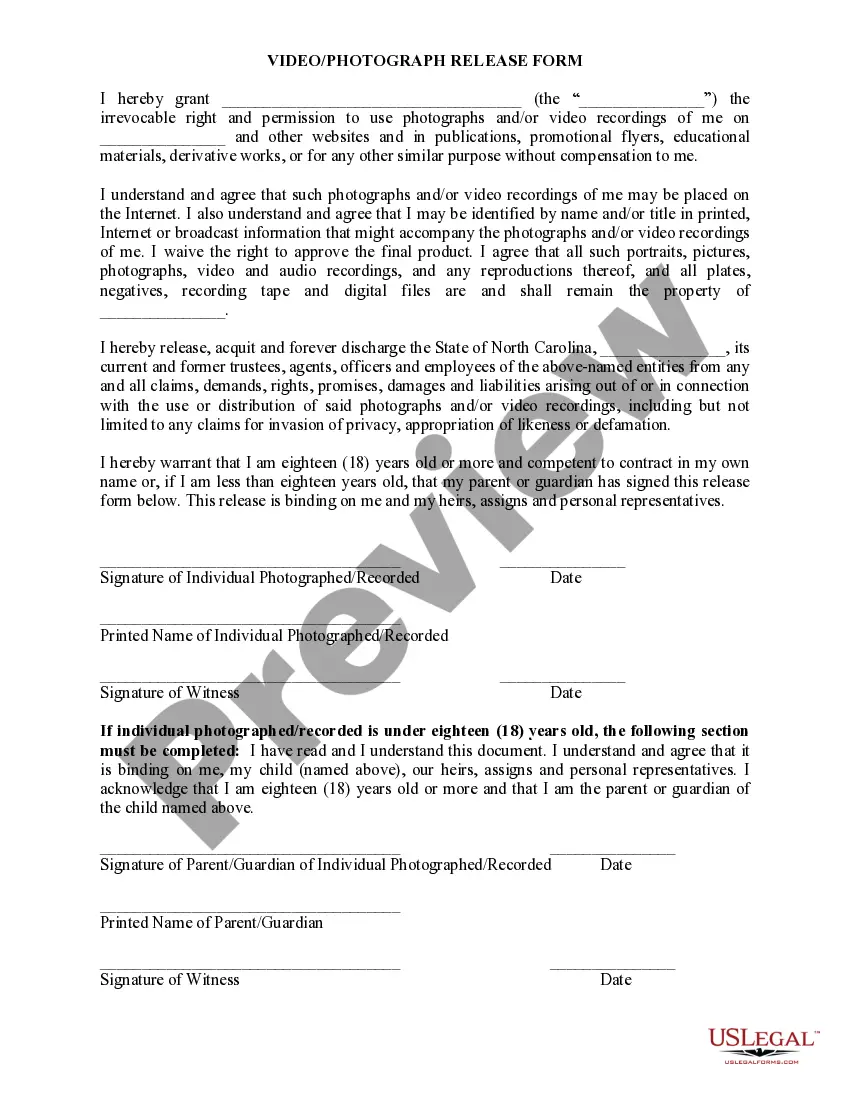
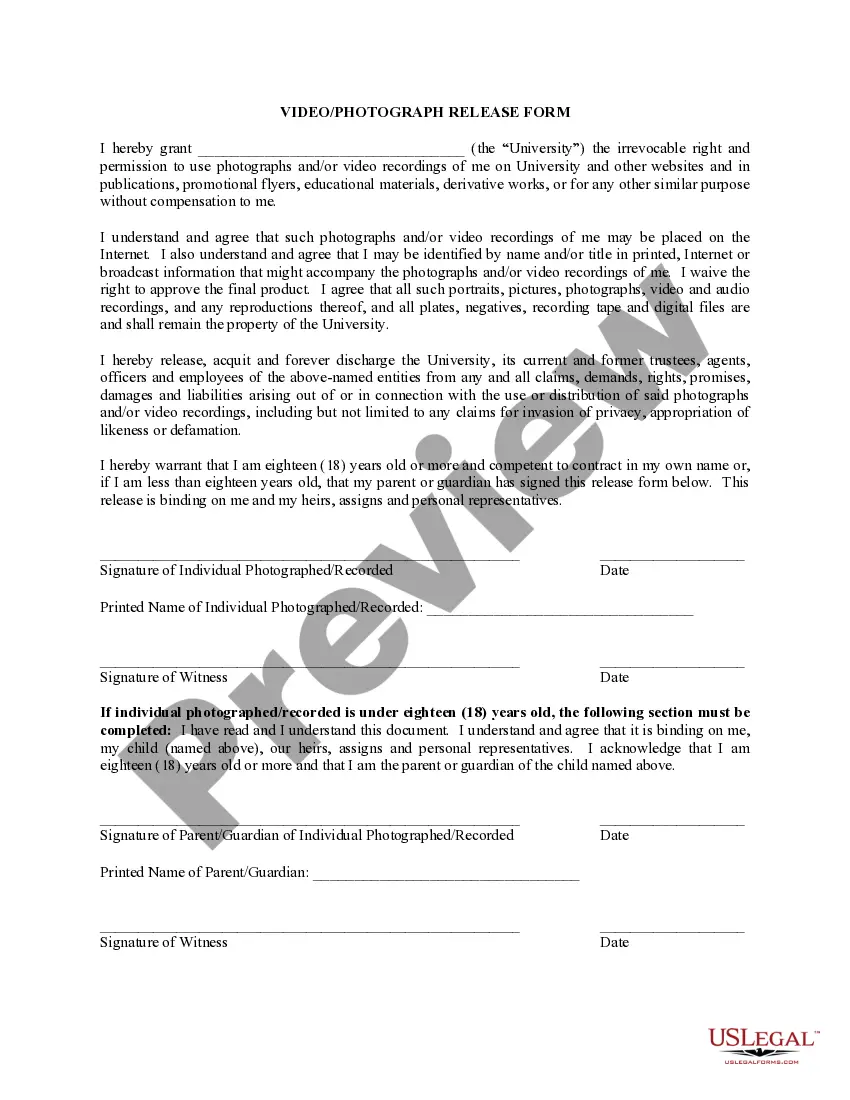
The Video/Photography Release Form for the State of North Carolina is a legal document that grants permission for the use of photographs and video recordings of an individual by a college or university. This form ensures that the institution can use the media in various publications, promotional materials, and online platforms without the need for further compensation or approval from the individual. It differs from similar forms by specifically addressing the legal requirements and implications within North Carolina's jurisdiction.
Key components of this form
- Identifies the individual granting the release and the institution receiving the rights.
- Specifies the irrevocable rights granted for the use of photographs and video recordings.
- Indicates that the media may be used in publications, promotional flyers, or online.
- Waives the right to approve the final product and acknowledges the institution's ownership of the media.
- Requires signatures from the individual and a witness, along with a parental signature if the individual is under eighteen.
When this form is needed
This form is necessary when a college or university wishes to capture and use video or photographic images of individuals for promotional or educational purposes. Scenarios include university events, marketing campaigns, campus life documentation, and educational materials where individuals might be featured prominently.
Who should use this form
- Individuals participating in university-sponsored events who may be photographed or recorded.
- Colleges and universities in North Carolina seeking to document attendance or participation in activities.
- Parents or guardians of minors who need to consent to the use of minor children's images.
Steps to complete this form
- Identify the parties: Enter the name of the institution and the individual being photographed or recorded.
- Specify the purpose: Indicate the general types of uses for the images, such as publications and online platforms.
- Provide consent: The individual or their parent/guardian must sign and date the form to grant permission.
- Include witness signatures: Ensure a witness signs the form to validate the release.
- Keep a copy: Retain a signed copy of the form for personal records and university documentation.
Notarization guidance
This form does not typically require notarization unless specified by local law. It is sufficient for the involved parties to sign and date the form along with witness signatures.
Get your form ready online
Our built-in tools help you complete, sign, share, and store your documents in one place.
Make edits, fill in missing information, and update formatting in US Legal Forms—just like you would in MS Word.
Download a copy, print it, send it by email, or mail it via USPS—whatever works best for your next step.
Sign and collect signatures with our SignNow integration. Send to multiple recipients, set reminders, and more. Go Premium to unlock E-Sign.
If this form requires notarization, complete it online through a secure video call—no need to meet a notary in person or wait for an appointment.
We protect your documents and personal data by following strict security and privacy standards.

Make edits, fill in missing information, and update formatting in US Legal Forms—just like you would in MS Word.

Download a copy, print it, send it by email, or mail it via USPS—whatever works best for your next step.

Sign and collect signatures with our SignNow integration. Send to multiple recipients, set reminders, and more. Go Premium to unlock E-Sign.

If this form requires notarization, complete it online through a secure video call—no need to meet a notary in person or wait for an appointment.

We protect your documents and personal data by following strict security and privacy standards.
Mistakes to watch out for
- Forgetting to have the form signed by a witness, which is necessary for legal validity.
- Not specifying the intended uses of the photographs or video, leading to ambiguity.
- Failing to update the form if the individualâs status changes (e.g., age) or if new media types are introduced.
Advantages of online completion
- Convenience: Downloadable forms allow for easy access and use without needing to visit legal offices.
- Editability: Users can fill in necessary information directly and save their completed forms for future use.
- Reliability: The form is drafted by licensed attorneys, ensuring it meets legal standards for use in North Carolina.