Missouri Living Trust Property Record
Understanding this form
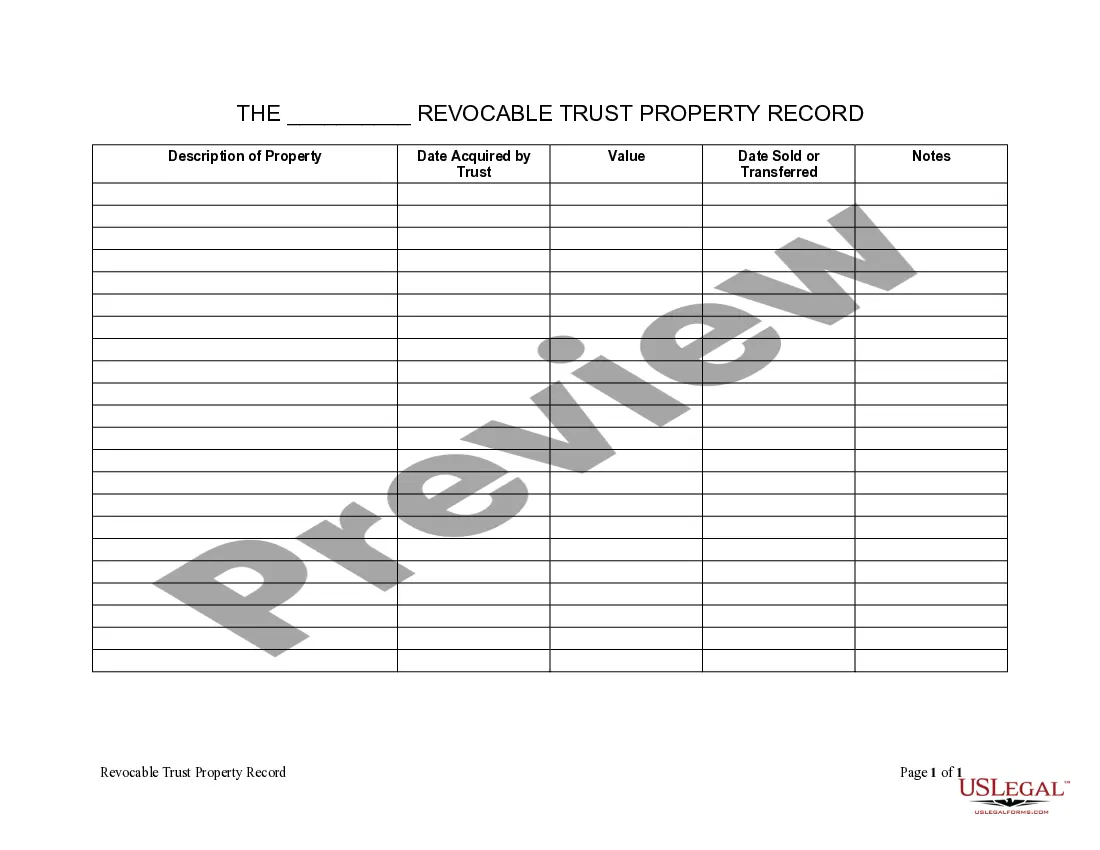
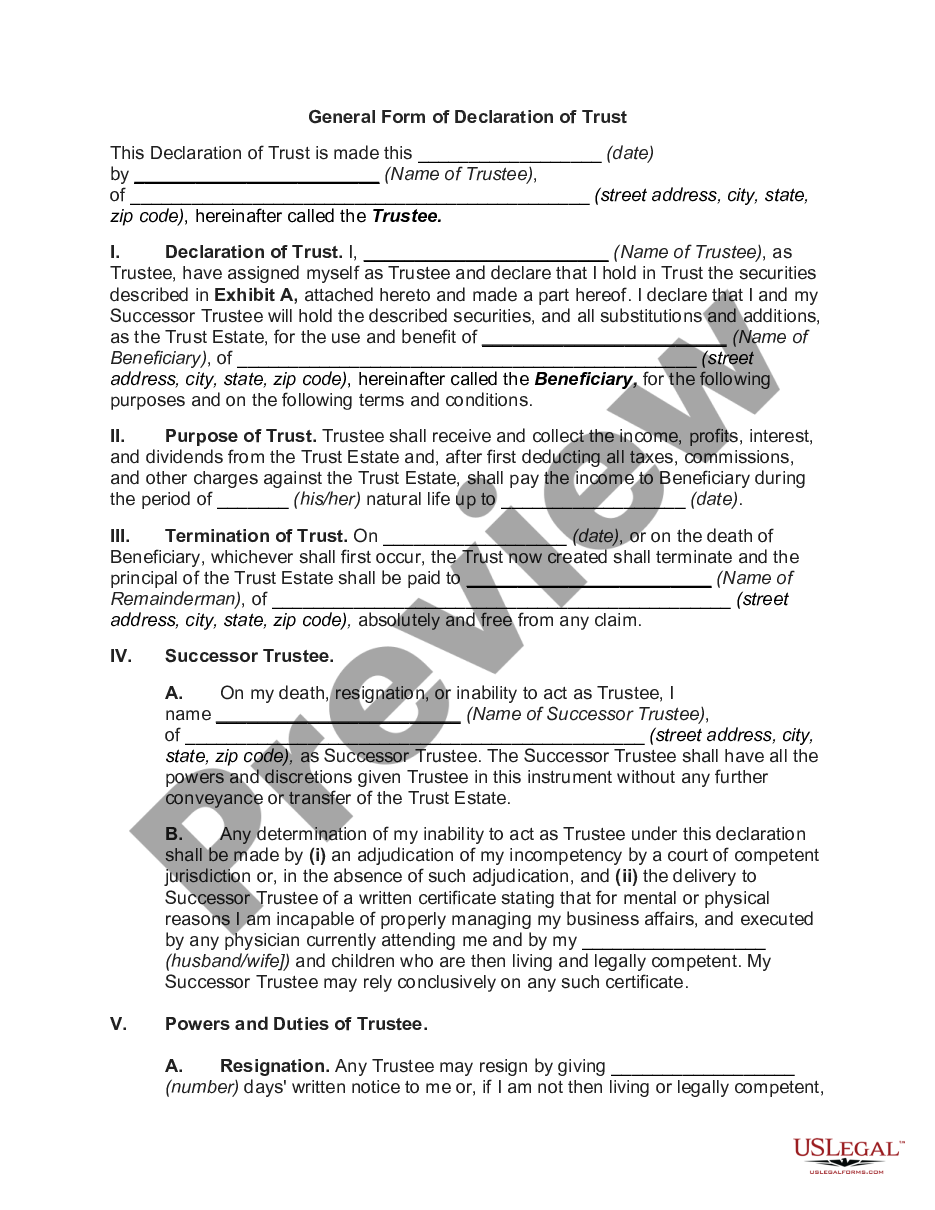
The Living Trust Property Record is a legal document used to inventory assets held within a living trust during a person's lifetime. This form serves to help the trustee document specific details about each property, ensuring accurate record-keeping for estate planning purposes. Unlike other estate planning tools, this form focuses solely on the assets that are part of a living trust, making it essential for effective trust management.
Main sections of this form
- Description of Property: A detailed account of each asset included in the trust.
- Date Acquired by Trust: The date when each asset was transferred to the trust.
- Value: The estimated worth of the property at the time of recording.
- Date Sold or Transferred: The date when any property was sold or moved out of the trust.


When to use this document
This form is used when creating or managing a living trust. It is particularly important when you acquire new assets that need to be included in the trust or when you sell or transfer assets out of the trust. Recording this information helps maintain clear records and supports the estate planning process.
Intended users of this form
- Trustees managing a living trust.
- Individuals who have recently established a living trust.
- Beneficiaries needing transparency about trust assets.
Steps to complete this form
- Identify the properties to be included in the trust inventory.
- Document each property's description clearly.
- Enter the date when the property was acquired by the trust.
- Provide the current value of each property.
- Record any dates for properties that have been sold or transferred out of the trust.
Notarization requirements for this form
In most cases, this form does not require notarization. However, some jurisdictions or signing circumstances might. US Legal Forms offers online notarization powered by Notarize, accessible 24/7 for a quick, remote process.
Get your form ready online
Our built-in tools help you complete, sign, share, and store your documents in one place.
Make edits, fill in missing information, and update formatting in US Legal Forms—just like you would in MS Word.
Download a copy, print it, send it by email, or mail it via USPS—whatever works best for your next step.
Sign and collect signatures with our SignNow integration. Send to multiple recipients, set reminders, and more. Go Premium to unlock E-Sign.
If this form requires notarization, complete it online through a secure video call—no need to meet a notary in person or wait for an appointment.
We protect your documents and personal data by following strict security and privacy standards.

Make edits, fill in missing information, and update formatting in US Legal Forms—just like you would in MS Word.

Download a copy, print it, send it by email, or mail it via USPS—whatever works best for your next step.

Sign and collect signatures with our SignNow integration. Send to multiple recipients, set reminders, and more. Go Premium to unlock E-Sign.

If this form requires notarization, complete it online through a secure video call—no need to meet a notary in person or wait for an appointment.

We protect your documents and personal data by following strict security and privacy standards.
Avoid these common issues
- Failing to update the inventory when new assets are acquired.
- Not accurately noting the dates of acquisition or transfer.
- Leaving out property descriptions, leading to confusion later.
Why use this form online
- Convenient access to download and complete the form.
- Easily editable fields to ensure accurate information entry.
- Reliable content drafted by licensed attorneys to suit legal standards.
Looking for another form?

Form popularity
FAQ
Yes, trusts can be public record in Missouri, but the level of access varies. Typically, the details surrounding a trust's administration may be available through the probate court. For comprehensive insights into Missouri Living Trust Property Records, US Legal Forms offers a variety of tools and templates to assist you in accessing this information easily.
In Missouri, a trust may not be fully public, but some information can be accessed through legal documents filed with the probate court. The specifics often depend on the nature of the trust and its administration. To delve deeper into Missouri Living Trust Property Records, consider using resources like US Legal Forms that can provide you with the information you need.
Trusts can be part of the public record, but this depends on the type of trust and local laws. In Missouri, certain details about living trusts may be filed with the probate court, making them available for public access. If you need assistance, US Legal Forms can help you understand which aspects of Missouri Living Trust Property Records are public and how to access them.
Yes, you can look up information on a trust, though the process may vary by state. In Missouri, information about living trusts may be accessible through court records or relevant state agencies. Utilizing services like US Legal Forms can simplify your search by offering tools to help you navigate Missouri Living Trust Property Records effectively.
To find a trust in Missouri, you can start by checking with the local probate court where the trust may have been filed. You might also consider searching online databases that specialize in Missouri Living Trust Property Records. Additionally, platforms like US Legal Forms can guide you through the process, providing helpful resources and templates to aid your search.
Pick a type of living trust. If you're married, you'll first need to decide whether you want a single or joint trust. Take stock of your property. Choose a trustee. Draw up the trust document. Sign the trust. Transfer your property to the trust.
Obtain a California grant deed from a local office supply store or your county recorder's office. Complete the top line of the deed. Indicate the grantee on the second line. Enter the trustees' names and addresses.
How to sign as a Trustee. When signing anything on behalf of the trust, always sign as John Smith, Trustee. By signing as Trustee, you will not be personally liable for that action as long as that action is within the scope of your authority under the trust.
When you set up a Living Trust, you fund the trust by transferring your assets from your name to the name of your Trust. Legally your Trust now owns all of your assets, but you manage all of the assets as the Trustee.
A living trust, specifically a revocable living trust, is a legal document that places your assetsinvestments, bank accounts, real estate, vehicles and valuable personal propertyin trust for your benefit during your lifetime, and spells out where you'd like these things to go upon your death.