Maine Closing Statement
Understanding this form
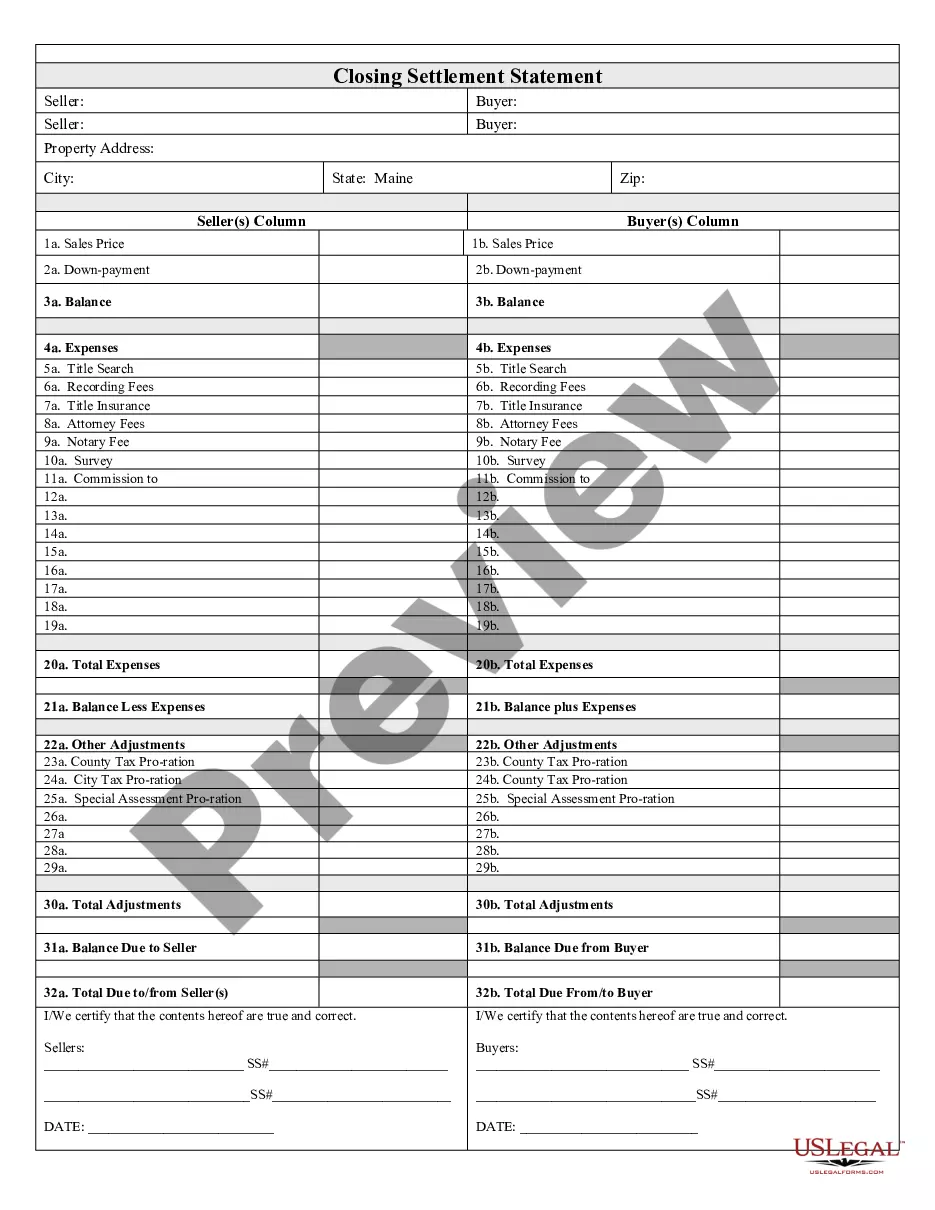
The Closing Statement is a crucial document used in real estate transactions, specifically for cash sales or transactions that involve owner financing. This form details the financial aspects of the sale, including the costs and credits associated with the transaction. Unlike other real estate forms, the Closing Statement provides a comprehensive summary of all expenses, payments, and disbursements, ensuring both parties understand their financial obligations before concluding the sale.
Key components of this form
- Balance: Overview of amounts owed after applying expenses.
- Expenses: Detailed list of all costs associated with the transaction.
- Title Search: Information regarding the search for title issues.
- Recording Fees: Fees associated with filing the sale with the county.
- Title Insurance: Costs for insuring the title against defects.
- Attorney Fees: Legal fees incurred during the transaction.
- Adjustments: Any necessary financial adjustments, including tax prorations.
- Certification: Signatures from both buyer and seller certifying the accuracy of the information.

When this form is needed
This form should be used whenever a real estate transaction concludes with a cash payment or owner financing. It is particularly important when buyers and sellers need a clear record of all financial transactions, fees, and adjustments that have been made during the closing process. Using this form ensures transparency and accountability, protecting the interests of both parties involved in the sale.
Who should use this form
- Buyers involved in a cash purchase of real estate.
- Sellers completing a real estate sale with owner financing.
- Real estate agents facilitating the transaction.
- Attorneys overseeing the closing process.
- Title companies involved in the closing.
Completing this form step by step
- Identify the parties: Clearly state the names of the buyer(s) and seller(s).
- Specify the property: Include the address and details of the property being sold.
- List all expenses: Break down each expense related to the transaction, including fees and costs.
- Calculate adjustments: Include any necessary adjustments, such as prorated taxes.
- Gather signatures: Ensure both parties review and sign the form, certifying the provided information is accurate.
Does this form need to be notarized?
This form does not typically require notarization unless specified by local law. However, having a notary can provide an additional layer of verification and security in the transaction, making it wise to consider if required by your specific situation.
Get your form ready online
Our built-in tools help you complete, sign, share, and store your documents in one place.
Make edits, fill in missing information, and update formatting in US Legal Forms—just like you would in MS Word.
Download a copy, print it, send it by email, or mail it via USPS—whatever works best for your next step.
Sign and collect signatures with our SignNow integration. Send to multiple recipients, set reminders, and more. Go Premium to unlock E-Sign.
If this form requires notarization, complete it online through a secure video call—no need to meet a notary in person or wait for an appointment.
We protect your documents and personal data by following strict security and privacy standards.

Make edits, fill in missing information, and update formatting in US Legal Forms—just like you would in MS Word.

Download a copy, print it, send it by email, or mail it via USPS—whatever works best for your next step.

Sign and collect signatures with our SignNow integration. Send to multiple recipients, set reminders, and more. Go Premium to unlock E-Sign.

If this form requires notarization, complete it online through a secure video call—no need to meet a notary in person or wait for an appointment.

We protect your documents and personal data by following strict security and privacy standards.
Common mistakes
- Failing to include all necessary expenses.
- Incorrectly calculating adjustments.
- Not obtaining signatures from both buyer and seller.
- Providing incomplete or unclear property details.
Advantages of online completion
- Immediate access to a professionally drafted document.
- Easy editing to ensure all personal information is accurate.
- Convenience of downloading and printing the form at any time.
- Ability to complete the form from the comfort of your home.
Quick recap
- The Closing Statement is essential for real estate transactions involving cash or owner financing.
- Ensure all expenses and adjustments are accurately detailed and well-documented.
- Obtain signatures from both parties to validate the statement.
- Be aware of state-specific requirements that may affect the formâs use.