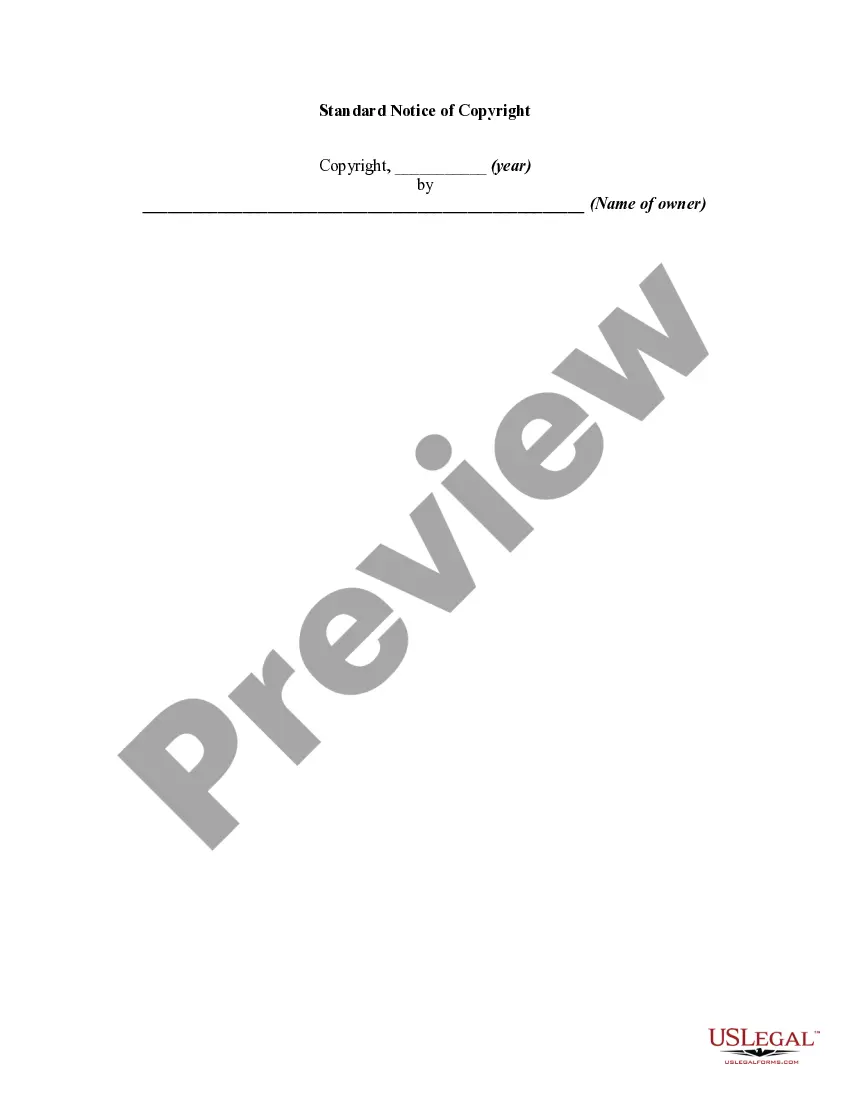
Florida Standard Notice of Copyright
Description
Get your form ready online
Our built-in tools help you complete, sign, share, and store your documents in one place.
Make edits, fill in missing information, and update formatting in US Legal Forms—just like you would in MS Word.
Download a copy, print it, send it by email, or mail it via USPS—whatever works best for your next step.
Sign and collect signatures with our SignNow integration. Send to multiple recipients, set reminders, and more. Go Premium to unlock E-Sign.
If this form requires notarization, complete it online through a secure video call—no need to meet a notary in person or wait for an appointment.
We protect your documents and personal data by following strict security and privacy standards.

Make edits, fill in missing information, and update formatting in US Legal Forms—just like you would in MS Word.

Download a copy, print it, send it by email, or mail it via USPS—whatever works best for your next step.

Sign and collect signatures with our SignNow integration. Send to multiple recipients, set reminders, and more. Go Premium to unlock E-Sign.

If this form requires notarization, complete it online through a secure video call—no need to meet a notary in person or wait for an appointment.

We protect your documents and personal data by following strict security and privacy standards.
Looking for another form?
How to fill out Standard Notice Of Copyright?
US Legal Forms - one of the largest collections of legal documents in the United States - offers a broad selection of legal form templates that you can download or print.
When using the website, you can discover numerous forms for business and personal purposes, organized by categories, states, or keywords. You can obtain the most recent versions of forms such as the Florida Standard Notice of Copyright in seconds.
If you have a monthly subscription, Log In and download the Florida Standard Notice of Copyright from your US Legal Forms catalog. The Download button will appear on every form you view. You have access to all previously acquired forms from the My documents section of your account.
Every template you have added to your account has no expiration date and belongs to you forever. Therefore, to download or print another copy, simply go to the My documents section and click on the form you need.
Access the Florida Standard Notice of Copyright with US Legal Forms, the most extensive collection of legal document formats. Utilize countless professional and state-specific documents that meet your business or personal needs.
- Make sure to select the correct form for your city/state.
- Click the Review button to examine the form's content.
- Read the form description to ensure you have chosen the right form.
- If the form does not meet your needs, use the Search field at the top of the screen to find one that does.
- When you are satisfied with the form, confirm your choice by clicking the Purchase now button.
- Then, choose the payment plan you prefer and provide your information to register for an account.
- Complete the transaction using your credit card or PayPal account.
- Select the format and download the form to your device.
- Make adjustments. Fill out, edit, print, and sign the downloaded Florida Standard Notice of Copyright.
Form popularity
FAQ
A copyright notice is written with three key elements: the copyright symbol, the year of first publication, and the copyright holder’s name. For example, you could write © 2023 Your Name. Using the Florida Standard Notice of Copyright ensures that your notice adheres to standard practices, offering you legal advantages and clarity regarding ownership.
Format your copyright notice with the copyright symbol, followed by the year, and then your name or the name of the organization. For instance, it could look like this: © 2023 Your Name. Ensuring it follows the guidelines of the Florida Standard Notice of Copyright helps maintain consistency and professionalism, making it clear what works are protected.
Place your copyright notice in a visible location on your website, such as the footer, where it is easily found. Ensure it is included on all relevant pages to maximize its effectiveness. The Florida Standard Notice of Copyright should appear consistently so that visitors are aware of your ownership and copyright status across your entire site.
A copyright permission statement should clearly outline how others can use your work. Begin with a statement granting permission to use your material, specify the intended use, and mention any conditions that apply. Including a Florida Standard Notice of Copyright in your permission statement can reinforce the ownership of the work while granting the necessary rights.
The copyright symbol, ©, is a 'C' enclosed within a circle. You can easily insert this symbol into your text using a keyboard shortcut or by finding it in the symbols menu of your word processor. For websites, you can use HTML code like © to display the symbol correctly. Utilizing the Florida Standard Notice of Copyright involves using this symbol to denote your rights.
To publish a copyright notice, include the copyright symbol, the year of first publication, and your name or the name of the copyright holder. For example, you might use the Florida Standard Notice of Copyright format: © 2023 Your Name. Place this notice prominently on your website, such as in the footer or on relevant pages, to ensure visibility.
Yes, you should include a copyright notice on your website. A copyright notice, such as the Florida Standard Notice of Copyright, helps protect your creative work from unauthorized use. It serves as a clear indication that your content is copyrighted and informs visitors of your rights. This simple step can deter others from using your material without permission.
Domain law in Florida regulates the registration and use of internet domain names within the state. This area of law addresses disputes and ownership rights concerning domain names. Understanding how it interacts with the Florida Standard Notice of Copyright can be beneficial for businesses seeking to establish a strong online presence.
The copyright law in Florida aligns with federal copyright law, protecting creative works such as writings, music, and art. This law allows creators to control the use and distribution of their work. Taking advantage of the Florida Standard Notice of Copyright ensures that your creations are secured under this legal framework.
To copyright a logo in Florida, you need to create a visual representation that meets originality criteria. To officially register it, you can file with the U.S. Copyright Office or explore state-level protections. Utilizing the Florida Standard Notice of Copyright can help you assert your rights over your logo effectively.