Arizona Entry of Default and Blue Notice
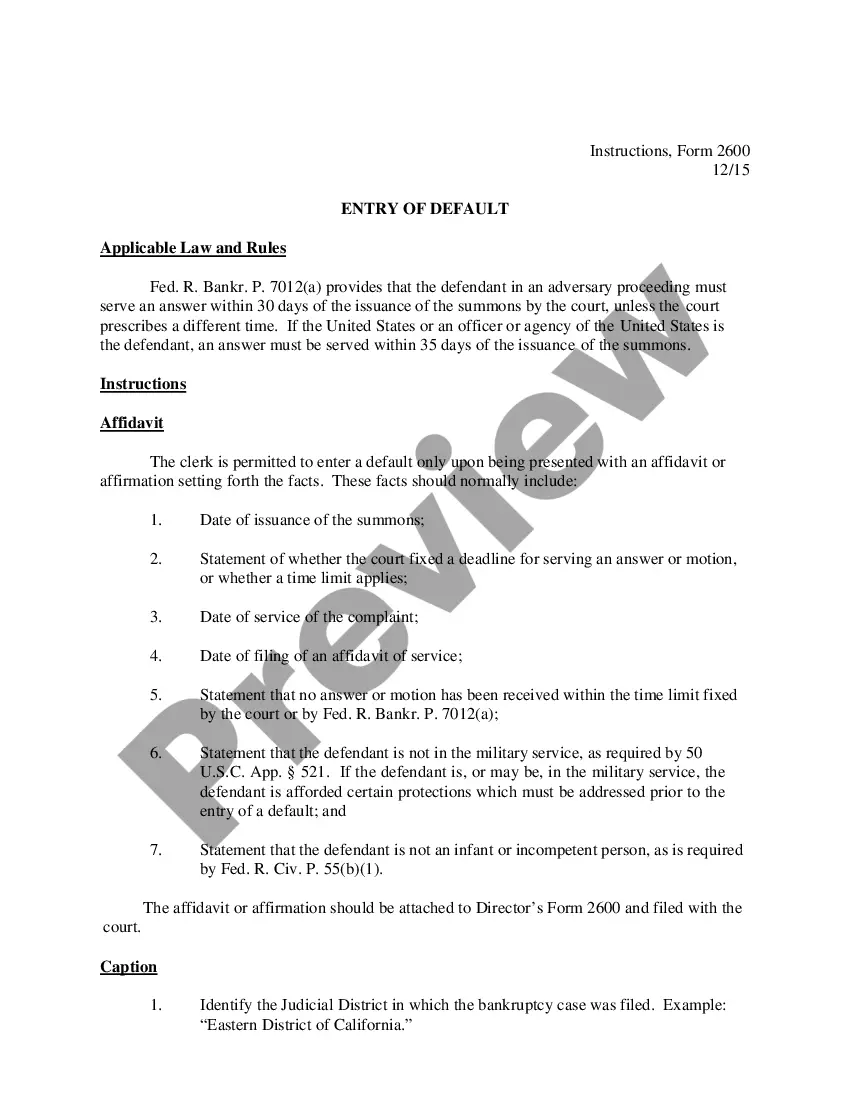
What is this form?
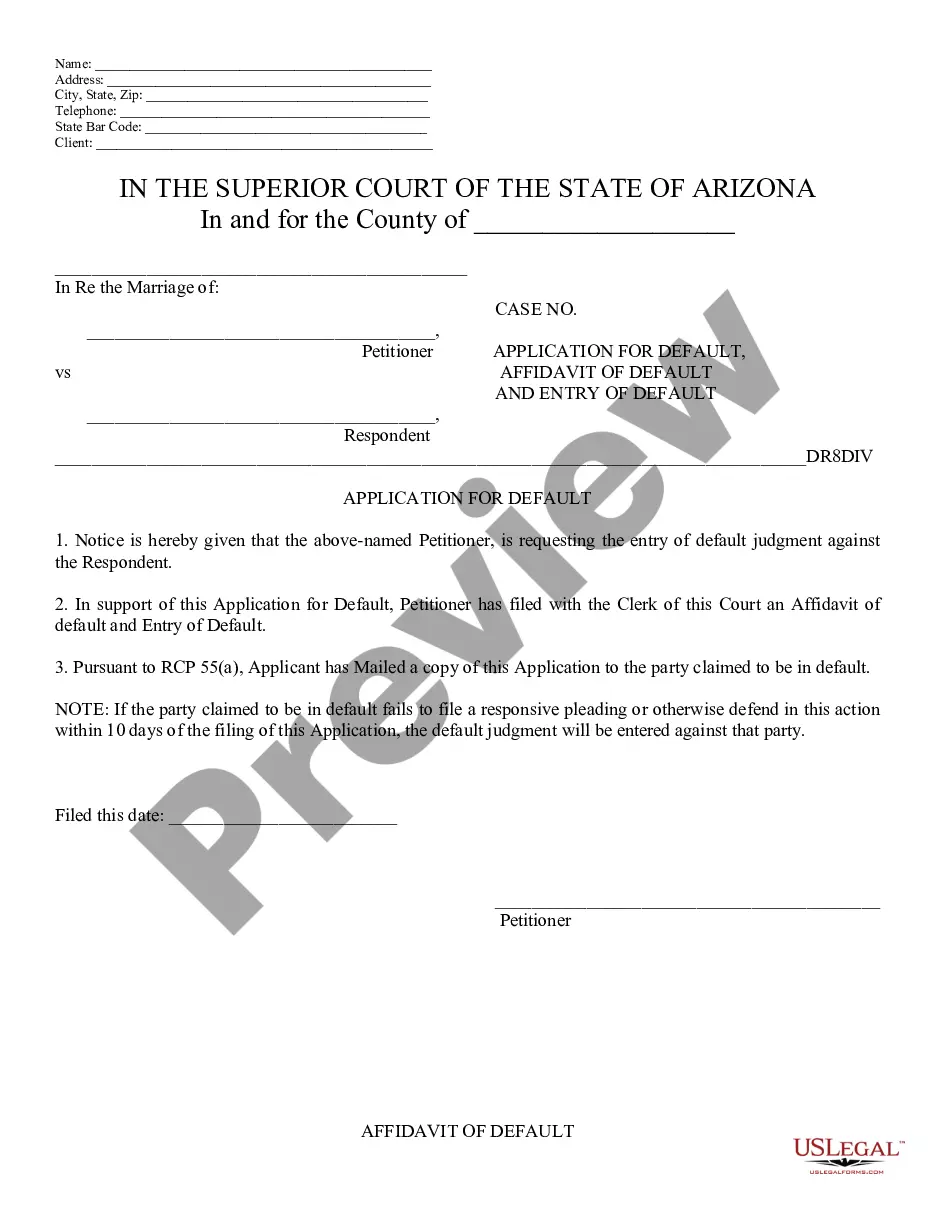
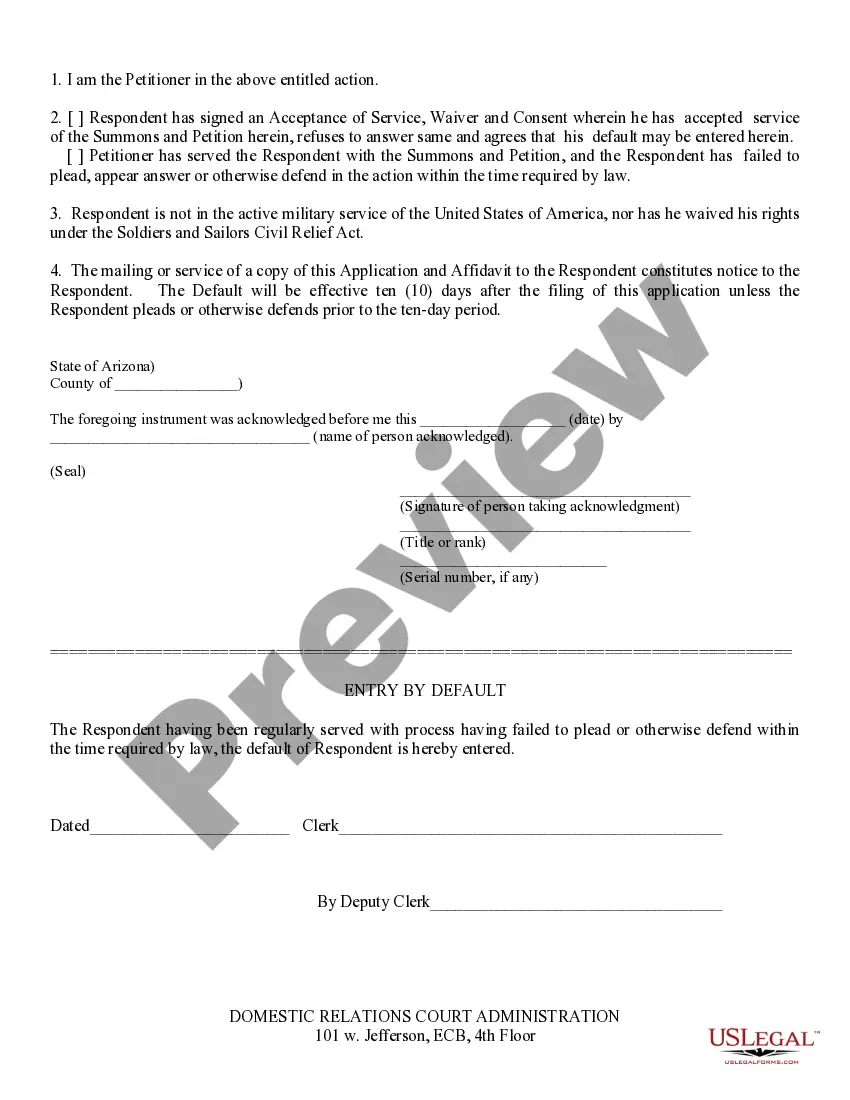
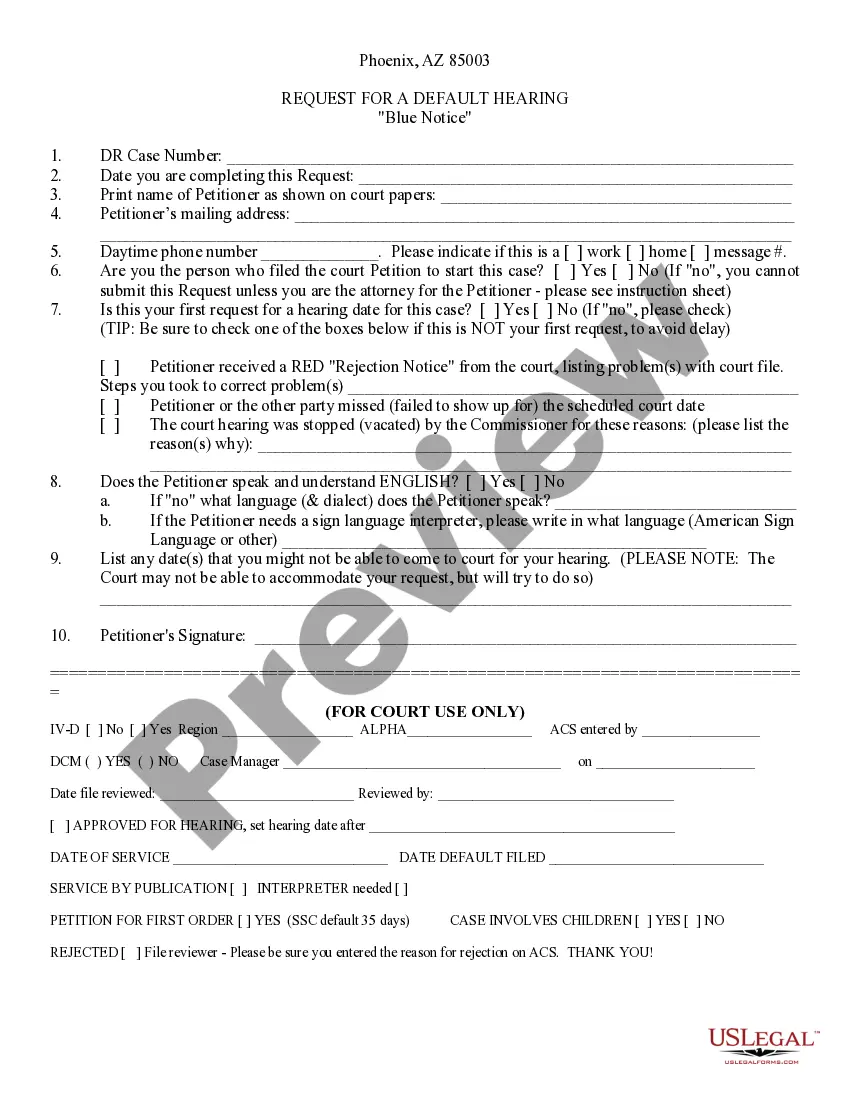
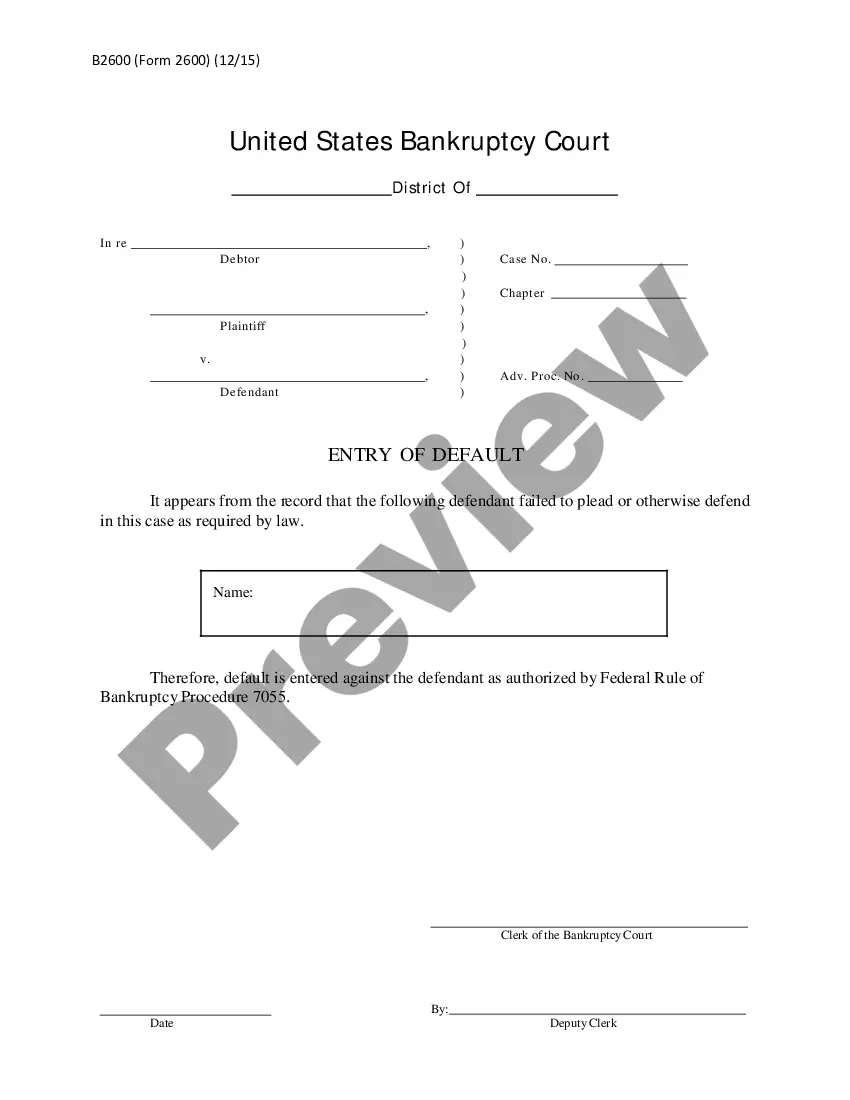
The Entry of Default and Blue Notice are legal documents used in court proceedings when a Respondent fails to file an Answer in a legal action. This form allows the Petitioner to request a default judgment against the Respondent, which can simplify certain legal processes. It is essential for those unfamiliar with legal intricacies as it provides a clear path to securing a judgment when the other party does not respond.
Key components of this form
- Petitioner Information: Includes details such as name and contact information.
- Respondent Information: Captures the Respondent's name and status of their legal response.
- Application for Default: States the request for a default judgment due to the Respondent's failure to respond.
- Affidavit of Default: Confirms that the Respondent was properly served and has not defended against the claim.
- Notice Sent to Respondent: Indicates that a copy of the application has been sent to the Respondent, ensuring they are informed.
When to use this form
This form should be used when a Respondent in a legal case fails to file an Answer within the designated timeframe, typically ten days. It is particularly relevant in divorce proceedings or other civil matters where a Respondent's lack of action can hinder progress. Filing this form allows the Petitioner to proceed with obtaining a default judgment, which can facilitate a resolution to the case.
Who needs this form
- Petitioners involved in legal disputes where the Respondent has not responded.
- Individuals looking to simplify their court case by securing a default judgment against a non-responsive party.
- Legal representatives acting on behalf of Petitioners in civil matters.
How to prepare this document
- Fill in your personal information and contact details in the Petitioner section.
- Provide accurate information about the Respondent.
- State the reason you are requesting a default judgment against the Respondent.
- Sign and date the affidavit confirming the Respondent's lack of response.
- Mail a copy of the completed form to the Respondent and keep a record for your files.
Is notarization required?
Notarization is required for this form to take effect. Our online notarization service, powered by Notarize, lets you verify and sign documents remotely through an encrypted video session, available 24/7.
Get your form ready online
Our built-in tools help you complete, sign, share, and store your documents in one place.
Make edits, fill in missing information, and update formatting in US Legal Forms—just like you would in MS Word.
Download a copy, print it, send it by email, or mail it via USPS—whatever works best for your next step.
Sign and collect signatures with our SignNow integration. Send to multiple recipients, set reminders, and more. Go Premium to unlock E-Sign.
If this form requires notarization, complete it online through a secure video call—no need to meet a notary in person or wait for an appointment.
We protect your documents and personal data by following strict security and privacy standards.

Make edits, fill in missing information, and update formatting in US Legal Forms—just like you would in MS Word.

Download a copy, print it, send it by email, or mail it via USPS—whatever works best for your next step.

Sign and collect signatures with our SignNow integration. Send to multiple recipients, set reminders, and more. Go Premium to unlock E-Sign.

If this form requires notarization, complete it online through a secure video call—no need to meet a notary in person or wait for an appointment.

We protect your documents and personal data by following strict security and privacy standards.
Avoid these common issues
- Failing to mail a copy of the application to the Respondent.
- Not meeting the ten-day deadline for the Respondent to file an Answer.
- Inaccurate or incomplete information about the Petitioner or Respondent.
- Omitting required signatures or dates on the form.
Why use this form online
- Convenient access to legal forms without the need for in-person visits to a legal office.
- Editable templates ensure that you can fill in the necessary details accurately and efficiently.
- Forms are drafted by licensed attorneys, providing peace of mind regarding legal compliance.
Looking for another form?


Form popularity
FAQ
The statute of limitations for creditors in Arizona generally varies based on the type of debt, but it typically spans between three to six years. This is essential information that influences the management of debts consistent with the Arizona Entry of Default and Blue Notice. Being aware of these timelines helps both creditors and debtors understand their rights and obligations. Timely action can be crucial in settling debts effectively.
In Arizona, certain properties are exempt from creditors, including a primary residence, personal property, and specific retirement accounts. These exemptions help protect individuals and their families during financial difficulties. Understanding these exemptions is essential, especially in cases initiated with the Arizona Entry of Default and Blue Notice. By knowing what is protected, individuals can better navigate their financial obligations.
To publish a notice to creditors in Arizona, you must first prepare the notice according to state guidelines. After that, it should be published in a newspaper that meets the legal requirements for your county. This step is critical for initiating the claims process related to the Arizona Entry of Default and Blue Notice. Using uslegalforms can simplify preparing this notice and ensure it meets necessary legal standards.
The notice sent to creditors is known as the notice to creditors, which provides essential information about the estate and its debts. This is part of the process outlined in the Arizona Entry of Default and Blue Notice. The notice informs creditors about the proceedings and encourages them to file their claims. It plays a crucial role in ensuring transparency during the probate process.
In Arizona, creditors have a period of four months to collect a debt from an estate after a notice to creditors is published. This is important for understanding the impacts of the Arizona Entry of Default and Blue Notice. Upon publication, creditors must act promptly to make claims against the estate. This timeline helps ensure a smoother probate process and protects the rights of heirs.
Filing an answer to a summons in Arizona requires you to respond within the designated timeframe, typically 20 days. You should format your answer properly, addressing each claim made in the summons, in accordance with the Arizona Entry of Default and Blue Notice guidelines. A well-prepared response can prevent the entry of default. To simplify this process, consider using USLegalForms, which offers templates and support tailored to your situation.
To get a set aside in Arizona, you should file a motion with the court detailing your case's specific circumstances. This motion must align with the Arizona Entry of Default and Blue Notice standards. Be sure to include relevant evidence that supports your request, which may illustrate why the judgment should not stand. The USLegalForms platform can provide templates and guidance to ease your application process.
Removing a default judgment involves filing a motion to set aside the judgment in Arizona. You need to present a valid reason, such as a lack of proper notification or a reasonable excuse for missing the initial response deadline. The Arizona Entry of Default and Blue Notice guidelines will inform your approach. USLegalForms offers resources to assist you in drafting the appropriate documents for this process.
To vacate a judgment in Arizona, you must file a motion in the court that issued the judgment. In this motion, explain your reasons for wanting to vacate the judgment, which may include new evidence or improper service. It's crucial to adhere to the timeline set by the Arizona Entry of Default and Blue Notice rules. Additionally, utilizing platforms like USLegalForms can help streamline the process by providing the necessary documents and guidance.
An application affidavit is a sworn statement submitted to the court, often accompanying a request for an entry of default. It serves as a formal declaration confirming that the conditions for granting a default judgment have been met. This process is key in legal scenarios involving an Arizona Entry of Default and Blue Notice, where accuracy and proper presentation of facts are essential. Familiarizing yourself with these terms can enhance your understanding of legal procedures.