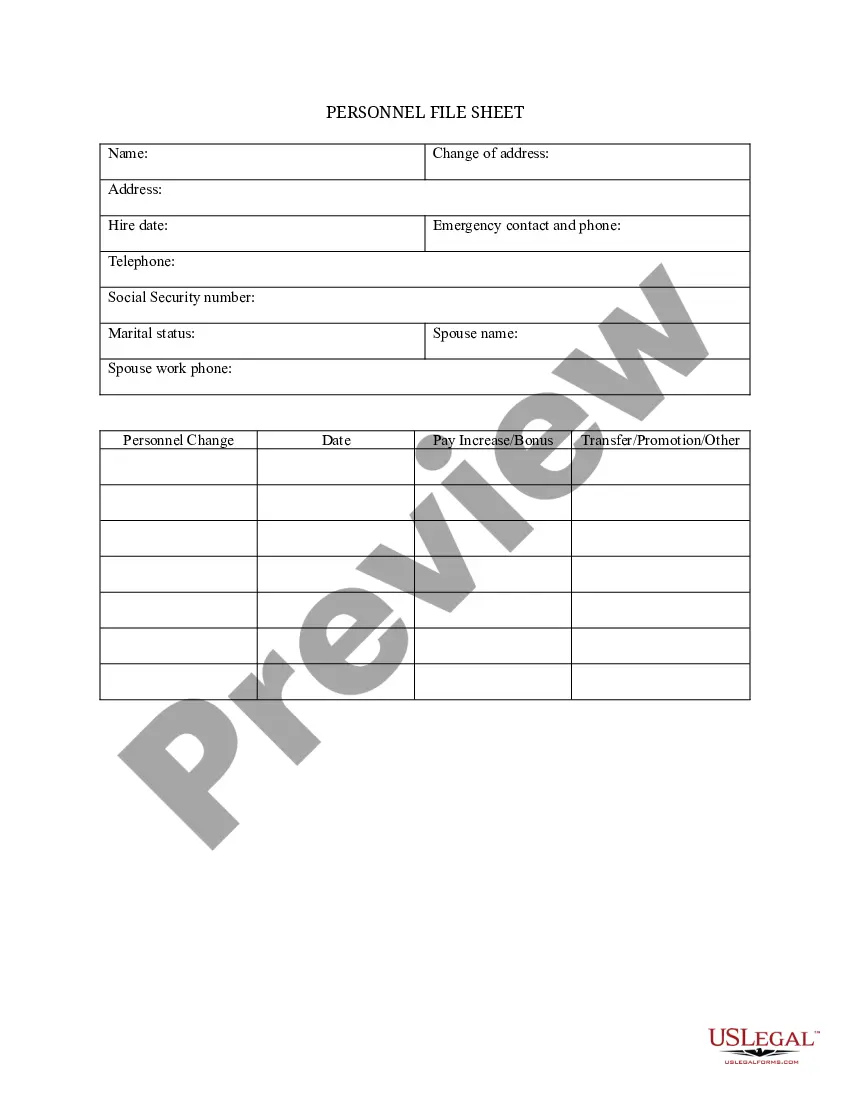
Arkansas Personnel File Sheet
Description


Get your form ready online
Our built-in tools help you complete, sign, share, and store your documents in one place.
Make edits, fill in missing information, and update formatting in US Legal Forms—just like you would in MS Word.
Download a copy, print it, send it by email, or mail it via USPS—whatever works best for your next step.
Sign and collect signatures with our SignNow integration. Send to multiple recipients, set reminders, and more. Go Premium to unlock E-Sign.
If this form requires notarization, complete it online through a secure video call—no need to meet a notary in person or wait for an appointment.
We protect your documents and personal data by following strict security and privacy standards.

Make edits, fill in missing information, and update formatting in US Legal Forms—just like you would in MS Word.

Download a copy, print it, send it by email, or mail it via USPS—whatever works best for your next step.

Sign and collect signatures with our SignNow integration. Send to multiple recipients, set reminders, and more. Go Premium to unlock E-Sign.

If this form requires notarization, complete it online through a secure video call—no need to meet a notary in person or wait for an appointment.

We protect your documents and personal data by following strict security and privacy standards.
Looking for another form?








How to fill out Personnel File Sheet?
US Legal Forms - one of the largest collections of legal documents in the USA - provides a diverse selection of legal form templates that you can download or print.
By using the website, you can access thousands of forms for both business and personal needs, organized by categories, states, or keywords.
You can find the most recent versions of forms like the Arkansas Employee File Sheet in just a few minutes.
If the form does not meet your needs, use the Search field at the top of the screen to find one that does.
If you’re satisfied with the form, confirm your selection by clicking the Get now button. Then, choose the pricing plan you want and provide your details to create an account.
- If you already have a subscription, Log In to download the Arkansas Employee File Sheet from your US Legal Forms collection.
- The Download button will be visible on every form you view.
- You have access to all previously downloaded forms in the My documents section of your account.
- If you're using US Legal Forms for the first time, here are simple steps to help you begin.
- Ensure that you have selected the correct form for your city/county.
- Click on the Preview button to examine the form's content.
Form popularity
FAQ
1. Start With Employment Documentation and Relationship StatusesJob application, resume, and cover letter.Employment verification and signed offer letters.Emergency contact information.Performance assessments, evaluations, and more.Compensation information and IRS withholding documents.More items...?
Personnel files usually contain documents that the employee has already reviewed and so he or she is familiar with their content. This includes documents such as job applications, performance evaluations, letters of recognition, training records, and forms that relate to transfers and promotion.
Employers should keep all job-related documentation such as hiring records, performance reviews, disciplinary actions and job descriptions in an employee's general personnel file. Consider whether the document would be relevant to a supervisor who may review this file when making employment decisions.
What to Include in an Employee Files ChecklistJob description.Job application and/or resume.Job offer.IRS Form W-4.Receipt or signed acknowledgment of employee handbook.Performance evaluations.Forms relating to employee benefits.Forms providing emergency contacts.More items...?
What employee records should you maintain?Records of all employees for a period of one year after termination.All payroll records for three years.Any benefit plan, seniority plan or merit system for the full period that the plan or system is in effect and for at least one year after its termination.More items...
Personnel files usually contain documents that the employee has already reviewed and so he or she is familiar with their content. This includes documents such as job applications, performance evaluations, letters of recognition, training records, and forms that relate to transfers and promotion.