South Carolina Acknowledgment for Corporation
Overview of this form
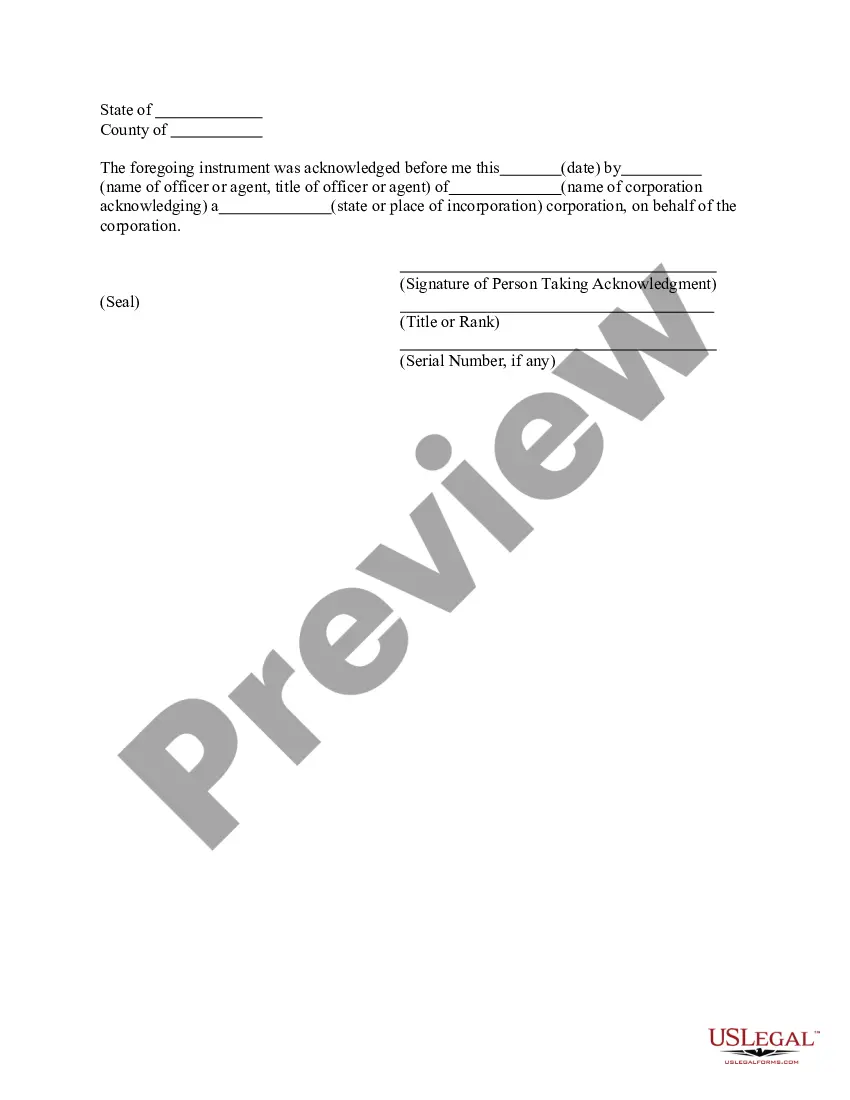
The Acknowledgment for Corporation form serves as a formal declaration by an officer or agent of a corporation that certain actions have taken place, primarily concerning the authenticity of signatures or documents related to corporate matters. This form is crucial for ensuring that corporate documents are legally recognized, differentiating it from other acknowledgment forms by its specific focus on corporate entities and officers.
What’s included in this form
- Date of acknowledgment
- Name and title of the corporate officer or agent
- Name of the corporation

When to use this form
This form is typically used when a corporation needs to formally acknowledge documents, such as meeting minutes, resolutions, or various filings that require verification by an authorized representative. It may be used during transactions, regulatory filings, or whenever corporate actions need to be validated.
Who should use this form
- Officers of a corporation
- Authorized agents acting on behalf of a corporation
- Corporations needing to validate corporate documents
Steps to complete this form
- Identify and enter the date of the acknowledgment.
- Provide the name and title of the officer or agent making the acknowledgment.
- Specify the name of the corporation acknowledging the document.
- Include the state or place of incorporation for the corporation.
- Ensure the signature of the person taking the acknowledgment is entered below the appropriate line.
- Add the serial number if applicable.
Notarization guidance
To make this form legally binding, it must be notarized. Our online notarization service, powered by Notarize, lets you verify and sign documents remotely through an encrypted video session.
Get your form ready online
Our built-in tools help you complete, sign, share, and store your documents in one place.
Make edits, fill in missing information, and update formatting in US Legal Forms—just like you would in MS Word.
Download a copy, print it, send it by email, or mail it via USPS—whatever works best for your next step.
Sign and collect signatures with our SignNow integration. Send to multiple recipients, set reminders, and more. Go Premium to unlock E-Sign.
If this form requires notarization, complete it online through a secure video call—no need to meet a notary in person or wait for an appointment.
We protect your documents and personal data by following strict security and privacy standards.

Make edits, fill in missing information, and update formatting in US Legal Forms—just like you would in MS Word.

Download a copy, print it, send it by email, or mail it via USPS—whatever works best for your next step.

Sign and collect signatures with our SignNow integration. Send to multiple recipients, set reminders, and more. Go Premium to unlock E-Sign.

If this form requires notarization, complete it online through a secure video call—no need to meet a notary in person or wait for an appointment.

We protect your documents and personal data by following strict security and privacy standards.
Mistakes to watch out for
- Forgetting to include the date of acknowledgment.
- Omitting the title of the officer or agent.
- Failing to sign the form before submission.
- Not specifying the correct state or place of incorporation.
Benefits of using this form online
- Convenient access to the form anytime and anywhere.
- Editability allows for easy customization to fit specific needs.
- Reliability with forms drafted by licensed attorneys, ensuring legal accuracy.
Looking for another form?
Form popularity
FAQ
Step 1: Require Personal Appearance. Step 2: Check Over The Document. Step 3: Carefully Identify The Signer. Step 4: Record Your Journal Entry. Step 5: Complete The Notarial Certificate. A Last Note: Never Give Advice.
For an acknowledgment, the signer must always: Be positively identified by the Notary. The Notary must always identify the signer for an acknowledgement; whether the signer personally knows the Notary, presents an ID document, or is identified by a credible witness depends on the circumstances.
The application must be signed with pen and ink and the signature of the applicant must be acknowledged by a person authorized to administer oaths (§26-1-40). The date of your signature and the date of the notarization must match. You cannot notarize your own signature on the application or at any other time.
They key difference is that for a signature witnessing, the signer must always sign the document in the Notary's presence.An acknowledgment, on the other hand, does not require the Notary to witness the signature in most states (one exception is Maryland).
Step 1: Require Personal Appearance. Step 2: Check Over The Document. Step 3: Carefully Identify The Signer. Step 4: Record Your Journal Entry. Step 5: Complete The Notarial Certificate. A Last Note: Never Give Advice.
When you see (here insert the name and character of the officer) next to a blank as shown below, it means you should insert Your name, Notary Public in the blank.
Use an appropriate heading. You can write the letter in any format you choose but make certain to mention an appropriate heading. Insert a case caption. Add the address. Give details about the affiant. Include your name. Leave a space for the signature of the notary public.
In such cases, you should refuse to notarize, citing the blank space as a reason. Remember that you may only complete information in the notarial certificate wording. Any blanks in the main text must be completed by the signer or another individual authorized to do so before the notarization may proceed.