Tenantattribution Relay Access Denied
Description


Get your form ready online
Our built-in tools help you complete, sign, share, and store your documents in one place.
Make edits, fill in missing information, and update formatting in US Legal Forms—just like you would in MS Word.
Download a copy, print it, send it by email, or mail it via USPS—whatever works best for your next step.
Sign and collect signatures with our SignNow integration. Send to multiple recipients, set reminders, and more. Go Premium to unlock E-Sign.
If this form requires notarization, complete it online through a secure video call—no need to meet a notary in person or wait for an appointment.
We protect your documents and personal data by following strict security and privacy standards.

Make edits, fill in missing information, and update formatting in US Legal Forms—just like you would in MS Word.

Download a copy, print it, send it by email, or mail it via USPS—whatever works best for your next step.

Sign and collect signatures with our SignNow integration. Send to multiple recipients, set reminders, and more. Go Premium to unlock E-Sign.

If this form requires notarization, complete it online through a secure video call—no need to meet a notary in person or wait for an appointment.

We protect your documents and personal data by following strict security and privacy standards.
Looking for another form?
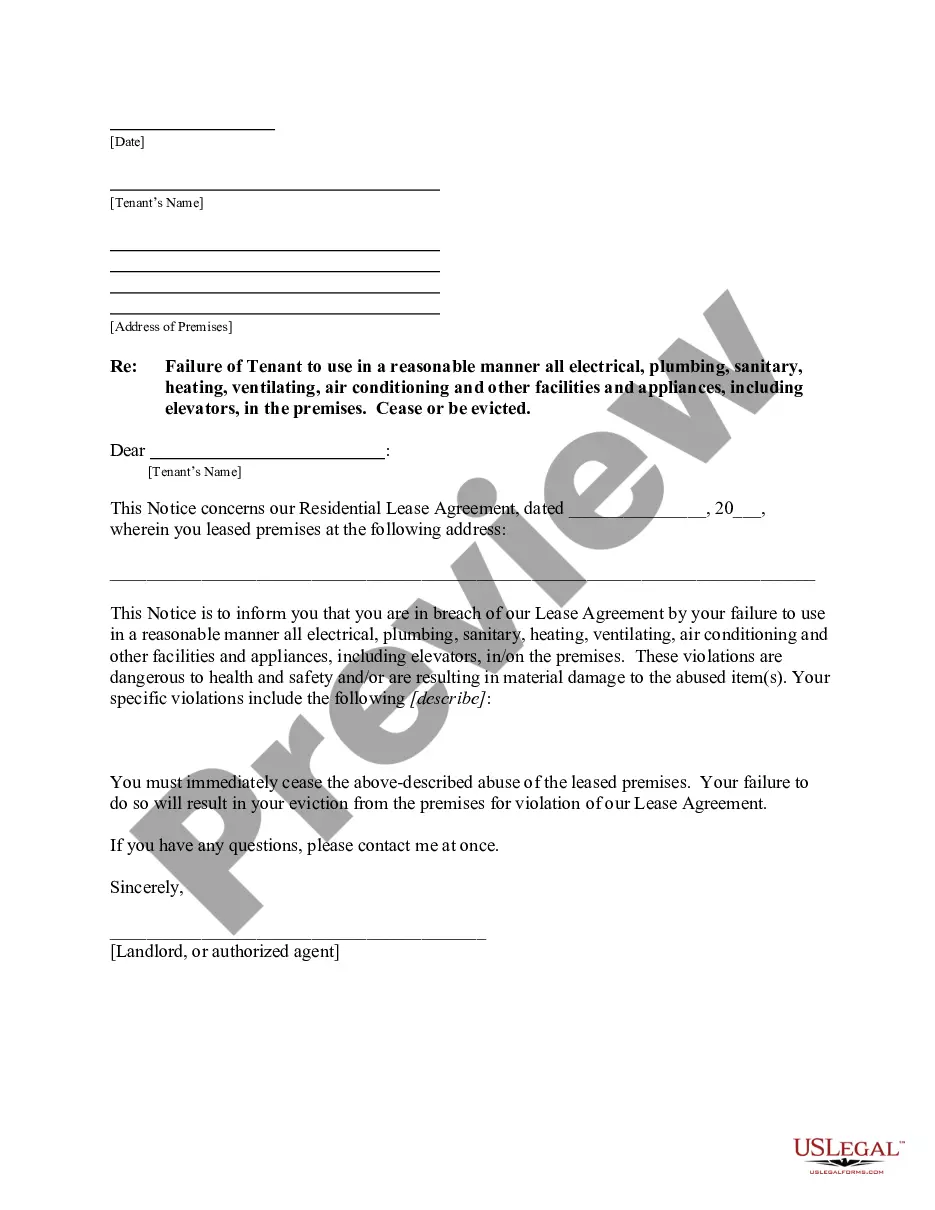
How to fill out Vermont Letter From Landlord To Tenant For Failure To Use Electrical, Plumbing, Sanitary, Heating, Ventilating, Air Conditioning And Other Facilities In A Reasonable Manner?
- Log in to your US Legal Forms account if you're a returning user, ensuring your subscription is active.
- For first-time users, start by checking the form descriptions and preview mode to confirm you have the right template that meets your jurisdictional requirements.
- If you need a different template, utilize the Search tab to find the correct document that suits your needs.
- Once satisfied with your choice, click the 'Buy Now' button and select a subscription plan that fits your requirements.
- Complete your purchase by entering your payment details securely with either your credit card or PayPal account.
- Finally, download the form to your device and access it anytime through the 'My Forms' menu in your profile.
US Legal Forms boasts a robust library of over 85,000 legal forms, which not only outnumbers competitors but also provides users with premium expert assistance for form completion. This ensures your documents are both compliant and accurate.
Start leveraging the power of US Legal Forms today to simplify your legal documentation process!
Form popularity
FAQ
Relaying denied means the email server has forbidden your attempt to send emails using its service. This is often a protective measure to prevent spam or unauthorized use of the server. To avoid experiencing relaying denied errors in the future, ensure your user credentials are valid and you have the appropriate settings for tenant attribution relay access. Consulting with platforms like US Legal Forms can help you navigate these issues more effectively.
The message 454 4.7 1 Relay Access Denied signals that your message was not relayed due to access issues. This typically arises when your sender address does not match the authentication settings on the email server. To resolve this, verify that your email application aligns with the server's requirements for tenant attribution relay access. Taking the right steps can enhance your email communication significantly.
Error code 454 on relay access denied indicates that the server has received the request but cannot authenticate the user for sending messages. This can stem from incorrect login credentials or improper server settings. If you frequently encounter this issue, it's essential to check your email authentication settings, as it directly relates to tenant attribution relay access. Ensuring proper configuration can save you time and frustration.
Telnet 454 4.7 1 Relay Access Denied refers to an error message encountered when an email server denies your attempt to send a message through it. This usually happens because the server does not recognize you as an authorized user. When you see this error, it means your email system has not been properly configured for tenant attribution relay access. You might consider using a reliable service like US Legal Forms to ensure your email settings are optimized.
Solving the ‘relay access denied’ issue involves checking your SMTP settings for accuracy and ensuring your account has the necessary permissions. Often, this error arises from misconfigured settings or lack of authentication. If you are unsure how to correct this, using tools like the USLegalForms platform can provide step-by-step assistance and resolve the 'Tenantattribution relay access denied' issue efficiently.
To restart your SMTP relay, you typically need to access your email settings or server control panel. Look for the option to restart or reset the relay service, which might be within a settings tab or system management menu. If you continue to see 'Tenantattribution relay access denied' errors after restarting, consider checking your firewall settings or contacting support for further guidance.
An SMTP relay solution allows you to send emails through a third-party server rather than from your local or direct email server. This setup helps in improving deliverability and managing sending limits effectively. By using a reliable service, you can avoid common errors like 'Tenantattribution relay access denied' and ensure that your emails reach their intended recipients without hassle.
Finding your SMTP relay address typically involves checking your email service provider's documentation or settings. Log in to your email account and navigate to the SMTP settings section; this is where you will see your relay address displayed. If you encounter a 'Tenantattribution relay access denied' error, ensure you have the correct permissions enabled for your account to access this information.
To resolve SMTP issues, first check your email settings to ensure they match the requirements of your email provider. You may also want to verify your username and password to eliminate authentication errors. If the problem persists and you receive a 'Tenantattribution relay access denied' message, review your account settings in your user panel or reach out to your provider's support team for assistance.
Relay access denied in Outlook means that your email server has not authorized your account to send messages. This restriction is usually due to incorrect authentication settings or permission issues. Users often encounter this error when trying to send emails from a non-verified account. To resolve this, check your account settings and consider using uslegalforms for solutions tailored to your email needs.