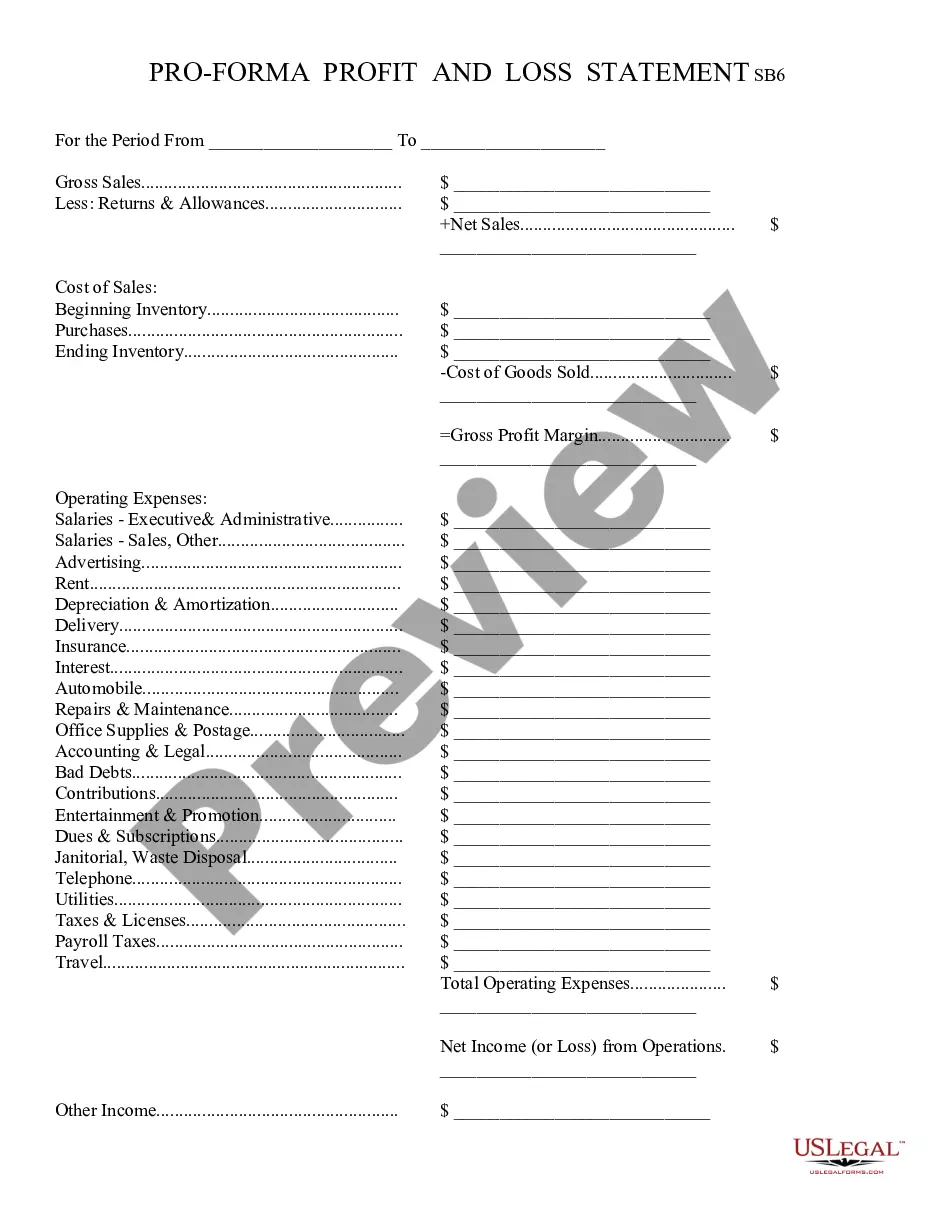
Profit And Loss Template For Excel
Description



How to fill out Profit And Loss Statement?
Locating a reliable source for the latest and most applicable legal templates is a significant part of navigating bureaucracy.
Selecting the correct legal documents necessitates precision and careful consideration, which clarifies why it is crucial to obtain Profit And Loss Template For Excel solely from trustworthy providers, such as US Legal Forms. An incorrect template can squander your time and prolong your current situation.
Once the form is saved on your device, you can modify it using the editor or print it out and fill it in by hand. Remove the hassles associated with your legal paperwork. Explore the extensive US Legal Forms collection to discover legal templates, assess their relevance to your needs, and download them without delay.
- Utilize the library navigation or search bar to locate your template.
- Examine the form’s description to confirm it aligns with the requirements of your state and locality.
- Review the form preview, if available, to ascertain that the form is indeed what you are looking for.
- Return to the search to find the appropriate document if the Profit And Loss Template For Excel does not meet your needs.
- If you are confident about the form’s applicability, proceed to download it.
- If you are a registered user, click Log in to verify your identity and access your chosen templates in My documents.
- If you have not created an account yet, click Buy now to purchase the template.
- Select the pricing plan that suits your preferences.
- Continue to the registration to complete your transaction.
- Conclude your purchase by selecting a payment option (credit card or PayPal).
- Choose the file format for downloading Profit And Loss Template For Excel.
Form popularity
FAQ
To make a spreadsheet for profit and loss, begin by setting up your columns for income, expenses, and net profit. Use a profit and loss template for Excel to simplify this setup, as it provides a ready-made framework. Once you enter your data, Excel can automatically calculate totals and provide insights into your financial health. This approach not only saves time but also enhances your understanding of your business's profitability.
Creating a profit loss chart in Excel involves first compiling your financial data into a profit and loss template for Excel. Once you have your data organized, use Excel's charting tools to visualize your revenue and expenses. Select the data you want to represent, and choose a chart type that best illustrates your financial performance. This visual representation can help you quickly identify trends and make strategic decisions.
Yes, Excel offers several built-in profit and loss templates that you can use to simplify your financial reporting. These templates provide a structured layout for entering your income and expenses, making it easier to generate accurate reports. You can customize these templates to fit your specific needs, ensuring they align with your business model. A profit and loss template for Excel is a great resource for anyone looking to manage their finances effectively.
To create a profit and loss report template, start by outlining your revenue and expenses. List all income sources and categorize your expenses accordingly. You can use a profit and loss template for Excel to streamline this process, making it easy to track your financial performance over time. This template will help you visualize your data and make informed decisions.
To make a profit and loss statement in Excel, start by creating a profit and loss template for Excel. Input your revenue and expenses into designated cells, ensuring each category is clearly labeled. Use Excel's formulas to calculate totals and net income. For assistance, consider using resources from UsLegalForms, which provides templates and guides to simplify the process.
The best chart for visualizing a profit and loss template for Excel is usually a column chart or a bar chart. These charts clearly display your income and expenses, making it easy to compare different categories. Additionally, you can use a line chart to illustrate trends over a specific time period. Choosing the right chart enhances understanding of your financial data.
Step 1: Download the Excel budget template. The first thing you need to do is to download the budget template. ... Step 2: Enter your income in your budget template. To enter your income, go to the "Income" sheet. ... Step 3: Enter your expenses in your budget template. ... Step 4: Add extra columns to your budget template.
How to make an income statement in Excel Prepare your Excel file. Open a new Excel file and prepare it to become an income statement. ... Determine the categories. ... Choose the subcategories. ... Input the categories and subcategories. ... Set up the formulas. ... Input the data. ... Consider additional formatting. ... Finalize the document.
How to do a P&L statement? Gather all your financial information and documentation. ... Select your reporting period. ... Find your company's revenue. ... Subtract the cost of goods sold (COGS) to find gross profits. ... List your operating expenses. ... Subtract total operating costs from gross profit. ... List your non-operating income.
How to calculate profit in Excel Open Microsoft Excel. If you already have a workbook with data, you can go to your saved files and open it in Microsoft Excel. ... Create a table. ... Fill the table with your available data. ... Input the profit formula. ... Input the profit margin formula in the final column.