Confidentiality Agreements Employee Agreement Form Template
Description

Get your form ready online
Our built-in tools help you complete, sign, share, and store your documents in one place.
Make edits, fill in missing information, and update formatting in US Legal Forms—just like you would in MS Word.
Download a copy, print it, send it by email, or mail it via USPS—whatever works best for your next step.
Sign and collect signatures with our SignNow integration. Send to multiple recipients, set reminders, and more. Go Premium to unlock E-Sign.
If this form requires notarization, complete it online through a secure video call—no need to meet a notary in person or wait for an appointment.
We protect your documents and personal data by following strict security and privacy standards.

Make edits, fill in missing information, and update formatting in US Legal Forms—just like you would in MS Word.

Download a copy, print it, send it by email, or mail it via USPS—whatever works best for your next step.

Sign and collect signatures with our SignNow integration. Send to multiple recipients, set reminders, and more. Go Premium to unlock E-Sign.

If this form requires notarization, complete it online through a secure video call—no need to meet a notary in person or wait for an appointment.

We protect your documents and personal data by following strict security and privacy standards.
Looking for another form?







How to fill out Confidentiality Agreements - Noncompetition In Employment?
Regardless of whether it's for corporate objectives or personal issues, everyone will eventually have to deal with legal circumstances in their lives.
Completing legal forms demands meticulous consideration, beginning with selecting the appropriate template version.
With an extensive catalog of US Legal Forms available, you won't waste time searching for the correct template online. Utilize the library's straightforward navigation to find the appropriate form for any situation.
- Acquire the form you require via the search bar or catalog browsing.
- Review the details of the form to ensure it aligns with your situation, region, and county.
- Click on the form’s preview to examine it.
- If it's not the correct form, return to the search feature to find the Confidentiality Agreements Employee Agreement Form Template you need.
- Download the document once it meets your specifications.
- If you have an existing US Legal Forms account, click Log in to access previously stored templates in My documents.
- If you lack an account, you can obtain the form by clicking Buy now.
- Choose the appropriate pricing option.
- Complete the account registration form.
- Select your payment method: either a credit card or PayPal account.
- Choose the document format you prefer and download the Confidentiality Agreements Employee Agreement Form Template.
- Once saved, you can fill out the form with editing software or print it for manual completion.
Form popularity
FAQ
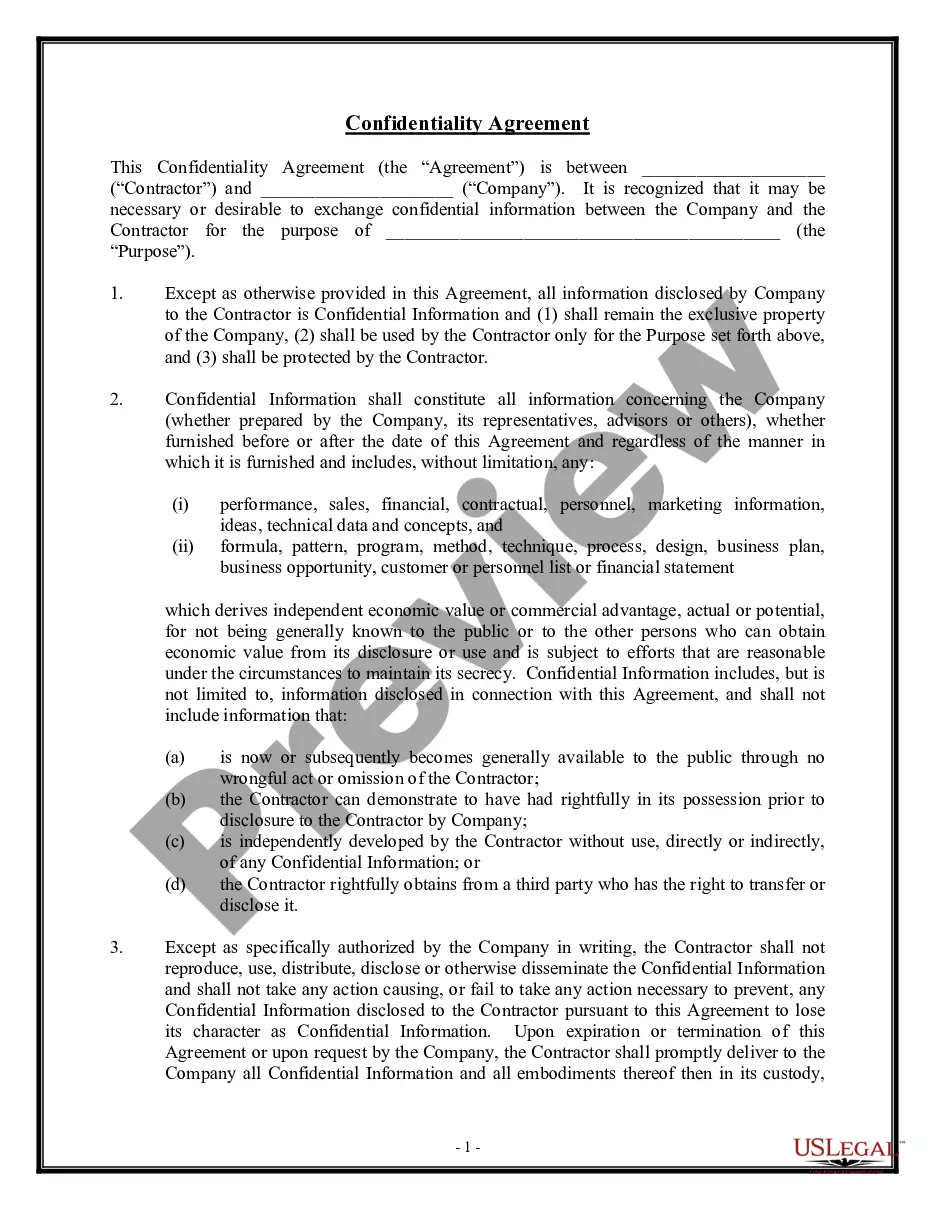
To fill out a non-disclosure agreement for employees effectively, start by obtaining a comprehensive Confidentiality Agreements Employee Agreement Form Template. This template typically includes sections for both the employee and employer's information, the definition of confidential information, and the obligations of both parties. Carefully review each section, ensuring that you clearly outline what information is considered confidential and the duration of the agreement. After completing the form, both parties should sign to acknowledge their understanding and acceptance of the terms.
Filling out an employment agreement form requires methodical attention to detail. Start by entering the employee's personal information and job title, along with the terms of employment. Be sure to include compensation, benefits, and the terms for confidentiality if applicable. Using a structured approach, such as a Confidentiality agreements employee agreement form template, can guide you in drafting a complete and legally sound employment agreement.
Filling a confidentiality agreement involves inserting relevant details into predefined sections. Begin by entering the names of the parties and the effective date of the agreement. Next, specify the information considered confidential and outline the obligations each party agrees to uphold. Using a Confidentiality agreements employee agreement form template streamlines this process and ensures you capture all critical details accurately.
Writing a simple confidentiality agreement requires a clear structure. Start with the introduction, stating the purpose and the parties involved. Then, describe the confidential information, outline the responsibilities of each party, and include the duration for which the agreement is valid. For an easy and comprehensive solution, consider a Confidentiality agreements employee agreement form template, which guides you through each section.
A confidentiality clause for employees typically forbids sharing sensitive information about the business without permission. For example, it might state, 'The employee agrees not to disclose any trade secrets, client information, or proprietary methods during or after employment.' Such clauses protect company interests and ensure employees understand their responsibilities. To create an effective clause, consider using a Confidentiality agreements employee agreement form template.
To fill out a confidentiality agreement, begin by identifying the parties involved. Next, describe the confidential information and specify any exclusions, such as information publicly known. Then, outline the obligations of the parties regarding the protection of that information. Using a professionally crafted Confidentiality agreements employee agreement form template can simplify this process and make sure all essential details are covered.
Filling out a confidentiality form involves several key steps. First, clearly state the parties involved in the agreement, ensuring that all parties' names and details are accurate. Next, define what information is considered confidential and outline the duration of confidentiality. Finally, both parties should sign and date the form to validate the agreement. Using a Confidentiality agreements employee agreement form template ensures you cover all necessary aspects.