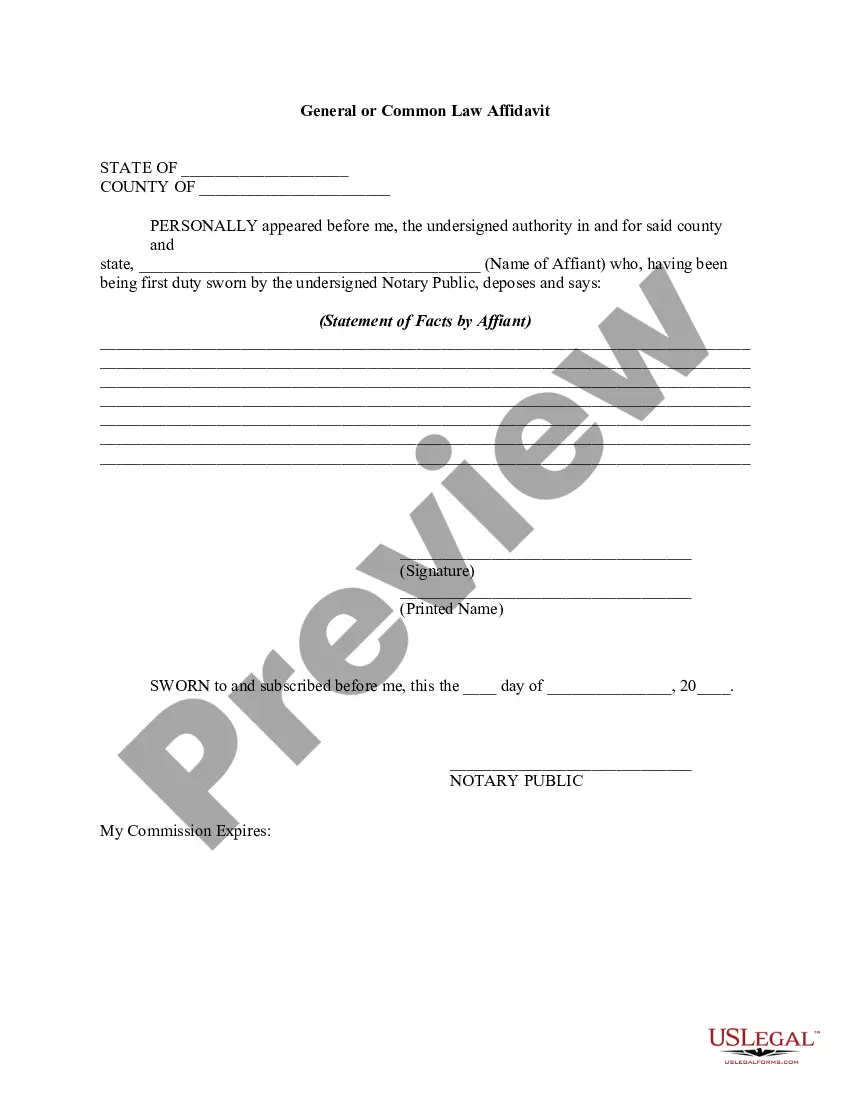
General Affidavit Form With Your Personal Information In Suffolk
Description
Get your form ready online
Our built-in tools help you complete, sign, share, and store your documents in one place.
Make edits, fill in missing information, and update formatting in US Legal Forms—just like you would in MS Word.
Download a copy, print it, send it by email, or mail it via USPS—whatever works best for your next step.
Sign and collect signatures with our SignNow integration. Send to multiple recipients, set reminders, and more. Go Premium to unlock E-Sign.
If this form requires notarization, complete it online through a secure video call—no need to meet a notary in person or wait for an appointment.
We protect your documents and personal data by following strict security and privacy standards.

Make edits, fill in missing information, and update formatting in US Legal Forms—just like you would in MS Word.

Download a copy, print it, send it by email, or mail it via USPS—whatever works best for your next step.

Sign and collect signatures with our SignNow integration. Send to multiple recipients, set reminders, and more. Go Premium to unlock E-Sign.

If this form requires notarization, complete it online through a secure video call—no need to meet a notary in person or wait for an appointment.

We protect your documents and personal data by following strict security and privacy standards.
Looking for another form?








Form popularity
FAQ
How to write an Affidavit Court details, including the court and jurisdiction where the Affidavit will be used, and the case number. Party details, including the claimant and defendant's names, if applicable. Affiant details, including your full name, job title, and address.
In the UK, an affidavit must be sworn or affirmed in the presence of a Commissioner for Oaths - most commonly a solicitor or a notary public. Affidavits are often used in court proceedings as additional evidence in conjunction with witness statements.
How to write a general affidavit? Title your affidavit. Don't forget to list any relevant contact or identification information that you may need to include in the heading. Write your statement. Verify that your information is true. Finalize and notarize.
Statement of evidence or Witness statement.
Step 1: Decide what the title of your affidavit will be. Step 2: Put the name and personal background information of the person giving the information in the first paragraph. Step 3: Write an opening sentence in the first person tense. Step 4: Make an outline of the information given or state the facts of the case.
How to fill out the Affidavit of Service Template for New York? Collect the names and addresses of all parties involved. Fill in the date and method of service. Indicate the name of the person serving the papers. Provide a complete address of where the service occurred. Sign and date the affidavit.
How to Write an Affidavit Step 1: Writing the Title of the Affidavit. Step 2: Providing Personal Background Information. Step 3: Opening Sentence in First Person Tense. Step 4: Stating the Facts of the Case. Step 5: Including One Fact Per Paragraph. Step 6: Including Exhibits. Step 7: Confirming the Truth.
You can get your affidavit drafted by a notary, or you can create it yourself.
You can legally change your name by filing an action with the New York State Unified Court System. Along with your petition and other forms, you must submit a birth certificate with your old name.
You must mail to the Suffolk County Clerk, 310 Center Drive, Riverhead, NY 11901, ATTN: Court Actions , submit in-person in Riverhead or Central Islip or file electronically via NYSCEF the following completed documents: the name change petition (original and one copy); proposed name change order.

