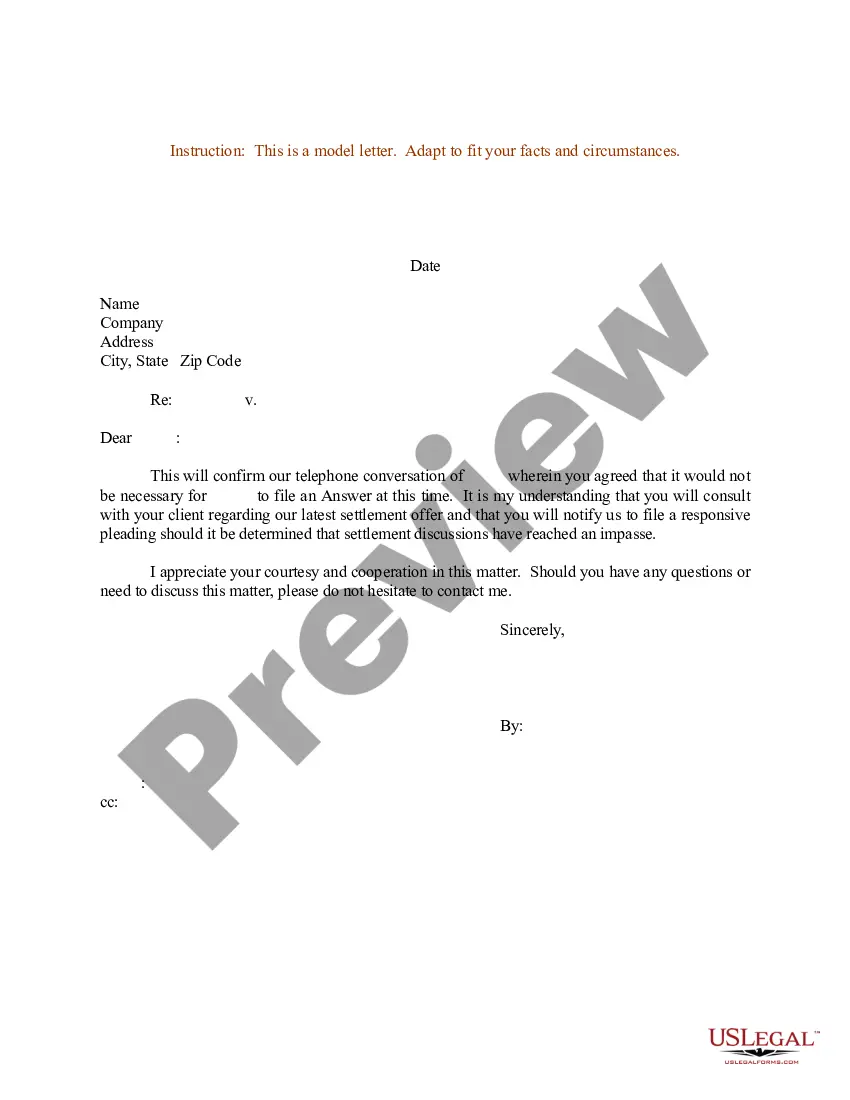
Confirmation Letter Sample For Company In Houston
Description




Get your form ready online
Our built-in tools help you complete, sign, share, and store your documents in one place.
Make edits, fill in missing information, and update formatting in US Legal Forms—just like you would in MS Word.
Download a copy, print it, send it by email, or mail it via USPS—whatever works best for your next step.
Sign and collect signatures with our SignNow integration. Send to multiple recipients, set reminders, and more. Go Premium to unlock E-Sign.
If this form requires notarization, complete it online through a secure video call—no need to meet a notary in person or wait for an appointment.
We protect your documents and personal data by following strict security and privacy standards.

Make edits, fill in missing information, and update formatting in US Legal Forms—just like you would in MS Word.

Download a copy, print it, send it by email, or mail it via USPS—whatever works best for your next step.

Sign and collect signatures with our SignNow integration. Send to multiple recipients, set reminders, and more. Go Premium to unlock E-Sign.

If this form requires notarization, complete it online through a secure video call—no need to meet a notary in person or wait for an appointment.

We protect your documents and personal data by following strict security and privacy standards.
Looking for another form?








Form popularity
FAQ
Subject Line - Keep it clear and concise (e.g., ``Job Confirmation - (Your Name)''). Salutation - Address the recipient appropriately (e.g., ``Dear (Hiring Manager's Name),''). Introduction - State the purpose of the email (confirming the job offer). Details of the Job Offer Expression of Gratitude
Here is how to write a confirmation email in 10 steps: Specify the recipients. Add the email addresses of the recipient or recipients in the email address bar. Write a subject line. Craft a greeting. State the purpose of the email. List the details. Request additional information. Ask questions. Express gratitude.
Body of the Letter Introduce yourself. Say something about your family or your background. Request the Sacrament. Explain how you have prepared for the Sacrament. Tell how you will continue to carry out your life of service to God and others through the power of the Holy Spirit.
If you need to write a confirmation letter, here are five helpful steps you can use to write your own: Include a letter header. Start with an explanation. Add detailed information. Highlight attachments. End with a supportive statement.
Writing the Confirmation Letter Step 1: Start with a Proper Salutation. Address the recipient using their professional title and name. Step 2: Clearly State the Purpose of the Letter. Step 3: Provide Relevant Details. Step 4: Include Any Necessary Instructions or Next Steps. Step 5: Express Gratitude and Offer Assistance.
Drafting Other Formal Confirmation Letters Type your letter in formal business letter format. Use an appropriate salutation. Confirm the specific arrangement made. Include any other important information. Ask for a follow-up if needed. Thank the recipient. Edit and proofread your letter before printing.
Here's how to ask for confirmation in an email sample. Hi (Recipient's name), I sent you a message on (date) about (whatever you're asking about). Please confirm that you have received this message and let me know if you can attend.
Hi HR personnel or employee's manager, My name is Employee's name, and I would like to request for an employee verification letter to confirm my current employment under Company name. The reason is because I state the reason you need the letter for, and they have asked to verify my details of employment.
Subject Line - Keep it clear and concise (e.g., ``Job Confirmation - (Your Name)''). Salutation - Address the recipient appropriately (e.g., ``Dear (Hiring Manager's Name),''). Introduction - State the purpose of the email (confirming the job offer). Details of the Job Offer Expression of Gratitude
Request for Confirmation: Politely ask for the confirmation email. - Example: ``I would appreciate it if you could send me a confirmation email regarding my employment, including the start date and any other relevant details.'' Closing: Thank them again and express your enthusiasm. Dear (Hiring Manager's Name),